1. Introduction
The Lavales Bluetooth 5.3 Audio Receiver is designed to transform your traditional wired audio systems into wireless ones, enabling seamless music streaming and hands-free calls from your Bluetooth-enabled devices. With advanced Bluetooth 5.3 technology, it ensures a stable and high-quality audio connection, offering extended range and long battery life for an enhanced listening experience.
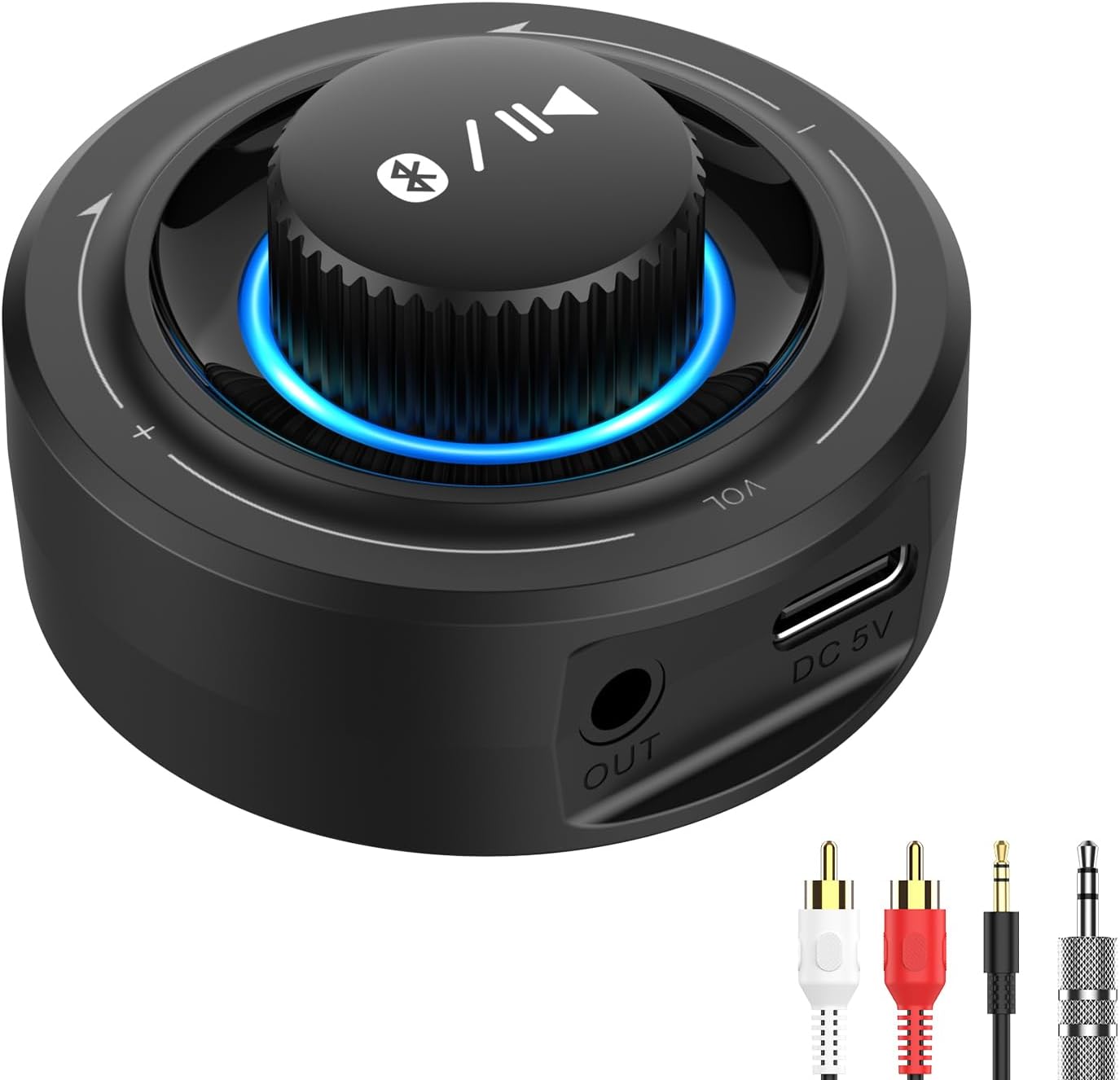
Image 1.1: The Lavales Bluetooth 5.3 Audio Receiver, showcasing its compact design and the included 3.5mm AUX and RCA cables.
2. Product Features
- Bluetooth 5.3 Technology: Ensures a smoother, faster, and more stable connection with lower latency for an optimal audio experience.
- Extended Wireless Range: Achieves a range of up to 100ft (30m) line-of-sight in open air and up to 50-70ft (20-30m) indoors without significant obstacles.
- Versatile Audio Outputs: Equipped with both 3.5mm AUX and RCA outputs, allowing connection to a wide range of audio systems including home stereos, car stereos, wired headphones, and more.
- Hands-Free Calling: Features a built-in microphone to support clear hands-free calls, enhancing safety during driving.
- Long Battery Life: Provides up to 18 hours of continuous music playback or call time on a single charge.
- Intuitive One-Knob Control: A multi-function volume knob allows for easy control of volume, music playback (play/pause, next/previous song), and call management (answer/hang up, reject calls).
- Compact and Portable Design: Small and lightweight, making it convenient for use in various settings, including cars or on the go.

Image 2.1: Illustration of the Bluetooth receiver's impressive range, showing connectivity up to 100ft in open areas and 50ft with obstacles.

Image 2.2: Visual representation of the receiver's battery performance, highlighting 18 hours of usage and fast charging capabilities.
3. Package Contents
Please check the package carefully to ensure all items are present:
- 1 x Lavales Bluetooth 5.3 Audio Receiver (Model: B0614)
- 1 x 3.5mm Audio Cable
- 1 x RCA to 3.5mm Audio Cable
- 1 x USB-C Charging Cable
- 1 x User Manual

Image 3.1: A clear view of all items included in the product packaging.
4. Setup Guide
4.1 Charging the Device
Before first use, fully charge the Lavales Bluetooth receiver. Connect the provided USB-C charging cable to the DC 5V port on the receiver and plug the other end into a USB power adapter (not included) or a computer's USB port. The indicator light will show charging status and turn off when fully charged.
4.2 Connecting to Your Audio System
The receiver offers two connection methods:
- 3.5mm AUX Connection: Use the provided 3.5mm audio cable to connect the 'OUT' port on the receiver to the AUX input port on your home stereo, car stereo, wired speaker, or headphones.
- RCA Connection: Use the provided RCA to 3.5mm audio cable. Connect the 3.5mm end to the 'OUT' port on the receiver and the RCA ends (red and white) to the corresponding RCA input ports on your audio system.

Image 4.1: Visual guide for connecting the receiver to different audio devices, making your existing systems wireless.
5. Operating Instructions
5.1 Power On/Off
- Power On: Press and hold the multi-function knob for approximately 2 seconds until the indicator light illuminates.
- Power Off: Press and hold the multi-function knob for approximately 4 seconds until the indicator light turns off.
5.2 Bluetooth Pairing
After powering on, the receiver will automatically enter pairing mode, indicated by a flashing blue light. Follow these steps to connect:
- Ensure the receiver is powered on and in pairing mode.
- Enable Bluetooth on your smartphone, tablet, or other Bluetooth-enabled device.
- Search for available Bluetooth devices and select "Lavales B0614" (or similar name) from the list.
- Once connected, the indicator light will turn solid blue.
- To clear the pairing list and connect to a new device, press the multi-function knob 6 times rapidly.

Image 5.1: A simplified guide demonstrating the plug-in, pair, and enjoy process for the Bluetooth receiver.
5.3 Music Playback Control
Use the multi-function knob to control your music:
- Play/Pause: Press the multi-function knob once.
- Next Song: Press the multi-function knob once.
- Previous Song: Press the multi-function knob once.
- Volume Up: Rotate the knob clockwise.
- Volume Down: Rotate the knob counter-clockwise.
5.4 Hands-Free Call Control
The built-in microphone allows for convenient call management:
- Answer/Hang Up Call: Press the multi-function knob once.
- Reject Incoming Call: Press and hold the multi-function knob for approximately 2 seconds.

Image 5.2: Comprehensive guide to the one-knob control, detailing actions for power, pairing, music, and calls.
6. Troubleshooting
If you encounter issues with your Lavales Bluetooth receiver, please refer to the following common solutions:
- No Sound:
- Ensure the receiver is properly connected to your audio system via the 3.5mm AUX or RCA cables.
- Check if the receiver is paired and connected to your Bluetooth device.
- Verify the volume levels on both the receiver and your connected audio system/device.
- Ensure the audio input on your stereo system is set to the correct AUX/RCA input.
- Cannot Pair with Device:
- Make sure the receiver is powered on and in pairing mode (flashing blue light).
- Disable and re-enable Bluetooth on your device.
- Move the receiver closer to your Bluetooth device.
- Clear the pairing list on the receiver by pressing the multi-function knob 6 times rapidly, then try pairing again.
- Restart both the receiver and your Bluetooth device.
- Short Bluetooth Range or Intermittent Connection:
- Reduce obstacles between the receiver and your Bluetooth device (e.g., walls, large furniture).
- Ensure there are no strong Wi-Fi routers or other wireless devices nearby that might cause interference.
- Keep the receiver and your device within the recommended operating range.
- Device Not Charging:
- Check the USB-C charging cable for damage and ensure it's securely connected.
- Try a different USB power adapter or USB port.
7. Specifications
| Feature | Specification |
|---|---|
| Bluetooth Version | 5.3 |
| Connectivity Technology | Auxiliary (3.5mm, RCA) |
| Power Source | Battery Powered |
| Battery Life (Music/Calls) | Up to 18 hours |
| Wireless Range | Up to 100ft (30m) line-of-sight; 50-70ft (20-30m) indoors |
| Special Features | Bluetooth Receiver, Portable, Hands-Free Calls, Volume Control |
| Material | Aluminum |
| Item Weight | 4.2 ounces |
| Package Dimensions | 5.79 x 4.96 x 1.69 inches |
| ASIN | B0BP9GV331 |
| Manufacturer | Lavales |
8. Safety Information
For safe and optimal use of your Lavales Bluetooth receiver, please adhere to the following guidelines:
- Interference: To minimize potential interference, keep the device away from other wireless devices, especially during operation.
- Charging: Always use the provided charging cable. Do not use damaged cables or chargers.
- Battery Care: Handle the device's battery with care. Do not attempt to replace the battery yourself.
- Environmental Conditions: Avoid exposing the device to extreme temperatures (hot or cold), direct sunlight, or humid conditions. Do not immerse the device in water.
- Cleaning: Clean the device with a soft, dry cloth. Do not use harsh chemicals or abrasive materials.
- Disposal: Dispose of the device and its battery responsibly according to local regulations. Do not dispose of it with household waste.
9. Warranty and Support
Lavales products are designed for reliability and performance. For warranty information, please refer to the specific terms provided with your purchase documentation.
If you have any questions, require technical assistance, or need customer service, please contact us:
- Email Support: Support@lavales.com
- Online Resources: For additional support and downloads, visit https://www.ymoox.com/download?v=1c2903397d88
