
GESKE GK000041GN01
GESKE SmartAppGuided Sonic Facial & Body Roller 4-in-1 Instruction Manual
Model: GK000041GN01
Introduction
This manual provides comprehensive instructions for the safe and effective use of your GESKE SmartAppGuided Sonic Facial & Body Roller 4-in-1. Please read this manual thoroughly before first use and retain it for future reference.
Safety Information
- Do not use the device on broken, irritated, or infected skin.
- Consult a physician before use if you have any pre-existing skin conditions or medical concerns.
- Keep out of reach of children.
- Do not immerse the device in water beyond its specified waterproof rating (IPX5).
- Use only the provided charging cable.
- Discontinue use if you experience any discomfort or adverse reactions.
Package Contents
The GESKE SmartAppGuided Sonic Facial & Body Roller 4-in-1 package includes:
- GESKE SmartAppGuided Sonic Facial & Body Roller 4-in-1 device
- Magnetic charging cable
- User manual (this document)
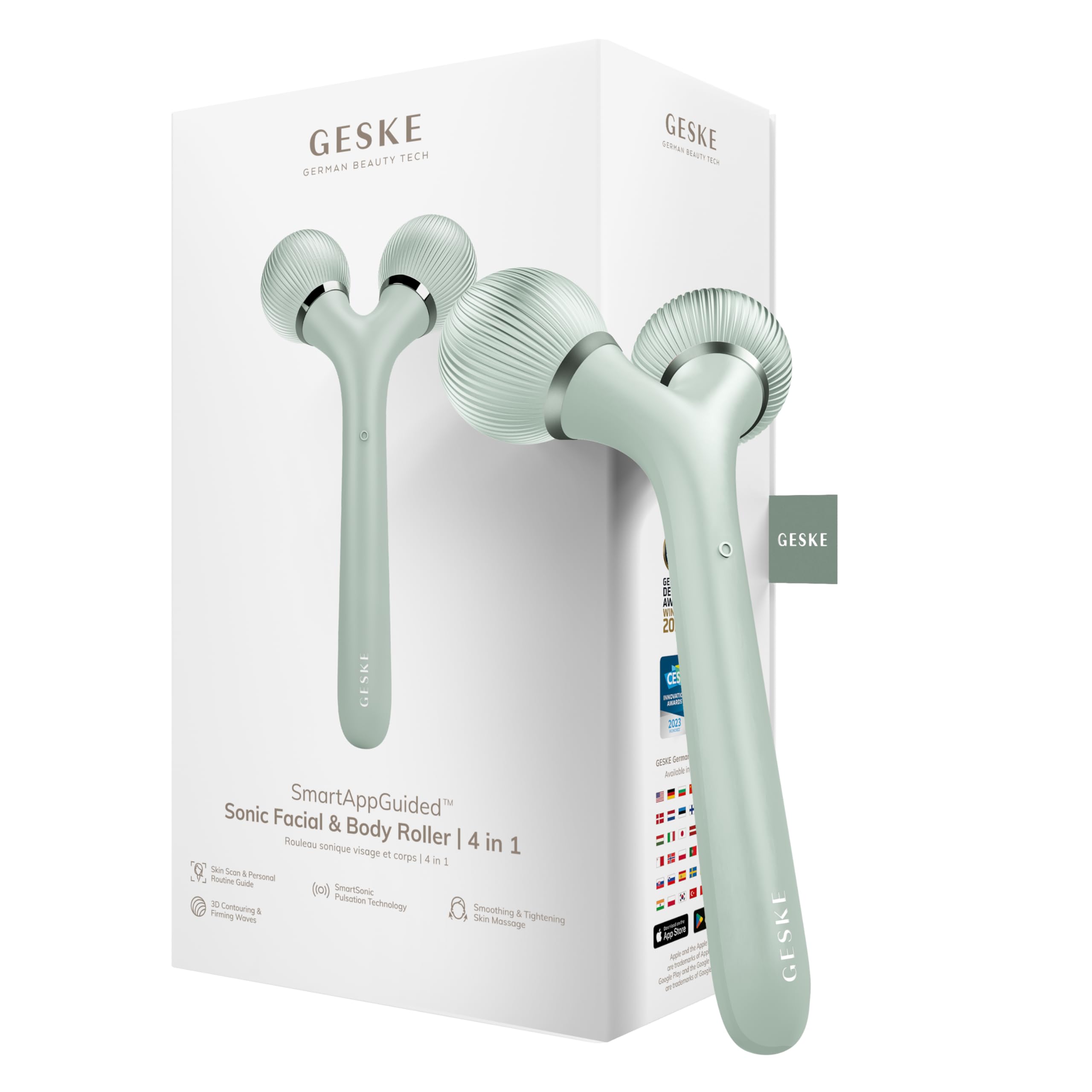
Image: The GESKE SmartAppGuided Sonic Facial & Body Roller 4-in-1 device.
Product Overview and Features
The GESKE SmartAppGuided Sonic Facial & Body Roller 4-in-1 is designed to visibly tighten and refine the skin on your entire body, including your face. It incorporates several advanced technologies for comprehensive skincare.
- SmartSonic Pulsation Technology: Delivers over 14,000 sonic pulsations per minute for a smoothing and firming skin massage. This technology helps reduce expression lines and refine contours.
- 3D Contouring & Firming Waves: These adapted waves relieve muscle tension and reduce puffiness in both facial and body areas.
- 4-in-1 Functionality: Combines multiple benefits for a complete skincare experience.
- Skin-Friendly Silicone: Made with biocompatible silicone.
- Waterproof (IPX5): Suitable for use in damp environments.
- Dermatologist Approved: Tested and approved by dermatologists.
- Magnetic Charging: For convenient and secure power replenishment.

Image: Key features of the GESKE SmartAppGuided Sonic Facial & Body Roller 4-in-1, including skin tightening, muscle tension relief, cell stimulation, energizing, and 3D contouring waves.

Image: Additional product benefits and certifications, including a 15-year guarantee and waterproof design.
Setup
- Initial Charge: Before first use, fully charge your device using the provided magnetic charging cable. Connect the cable to the device and a suitable USB power source. The charging indicator will show the charging status.
- Clean the Device: Wipe the device rollers with a soft, damp cloth before initial use.
- Download the GESKE App: For a personalized skincare routine and guided sessions, download the GESKE SmartApp. Scan your skin within the app to receive tailored recommendations. Download the GESKE App here.

Image: The GESKE SmartApp interface, demonstrating skin scanning and personalized routine features.
Operating Instructions
- Prepare Your Skin: Ensure your skin is clean and dry. For optimal results, apply a suitable serum or moisturizer to the area you intend to treat.
- Power On: Press and hold the power button on the device to turn it on.
- Select Mode (if applicable): If your device has multiple modes, refer to the GESKE App for guidance on selecting the appropriate setting for your desired treatment.
- Application: Gently glide the rollers over your skin. For facial areas, move the device upwards and outwards. For body areas, follow the contours of your body, applying light to medium pressure. The SmartSonic pulsations and 3D contouring waves will work to massage and firm the skin.
- Recommended Usage: Follow the personalized routine provided by the GESKE SmartApp for specific treatment durations and techniques.
- Power Off: Press and hold the power button to turn off the device after use.

Image: A user demonstrating the application of the device on the neck area.
Maintenance
- Cleaning: After each use, wipe the rollers and the device body with a soft, damp cloth. For thorough cleaning, use a mild soap and water solution, then rinse and dry completely. Do not use abrasive cleaners or harsh chemicals.
- Storage: Store the device in a cool, dry place, away from direct sunlight and extreme temperatures.
- Charging: Recharge the device when the battery indicator is low. Avoid overcharging by disconnecting once fully charged.
Troubleshooting
| Problem | Possible Cause | Solution |
|---|---|---|
| Device does not turn on. | Low battery. | Charge the device fully using the magnetic charging cable. |
| Device stops during use. | Low battery or automatic shut-off. | Recharge the device. If fully charged, restart the device. |
| No pulsations felt. | Device not powered on or incorrect mode selected. | Ensure the device is powered on. Check the GESKE App for correct mode selection. |
If you encounter issues not listed here, please contact GESKE customer support.
Specifications
- Model: GK000041GN01
- Brand: GESKE
- Dimensions (L x W x H): 17.8 x 9.2 x 5.4 cm
- Weight: 93 Grams
- Battery: 1 Lithium-ion (included)
- Waterproof Rating: IPX5
- Charging: Magnetic Cable
- Origin: China
Warranty
The GESKE SmartAppGuided Sonic Facial & Body Roller 4-in-1 comes with a 15-year guarantee. Please retain your proof of purchase for warranty claims. For detailed warranty terms and conditions, refer to the official GESKE website or contact customer support.
Support
For further assistance, product registration, or to explore additional GESKE products, please visit the official GESKE website or contact our customer support team.
- GESKE App: For personalized routines and guided sessions, download the GESKE SmartApp. Visit geske.com/app
- Official Website: www.geske.com
Related documentsGK000041GN01


Ask a question about this manual
Ask about setup, troubleshooting, compatibility, parts, safety, or missing instructions. Manuals+ will review the question and use this page’s manual context to help answer it.