
1. Product Overview
The Uliptz Wireless Bluetooth Headphones (Model WH203A) offer a high-fidelity audio experience with powerful bass and clear highs through 40mm acoustic stereo drivers. Featuring advanced Bluetooth 5.3 technology, these headphones provide stable and fast connections, supporting dual-device pairing. Enjoy extended listening sessions with up to 65 hours of playtime on a single charge, and quick charge capabilities. Designed for comfort, they feature acoustically engineered memory foam ear cups and an adjustable, foldable design for portability. A built-in microphone allows for clear hands-free conversations.

Figure 1: Uliptz Wireless Bluetooth Headphones (Rose Gold)
2. What's in the Box
- Wireless Bluetooth Headphones *1
- USB-C Charging Cable*1
- 3.5mm Audio Cable*1
- User Manual

Figure 2: Package Contents
3. Setup
3.1 Initial Charging
Before first use, fully charge your headphones. Connect the provided USB-C charging cable to the charging port on the headphone (Figure 3) and plug the other end into a compatible USB power source. A full charge typically takes about 2.5 hours. A quick 10-minute charge provides up to 4 hours of playtime.

Figure 3: Charging the Headphones
3.2 Bluetooth Pairing
- Ensure the headphones are charged and powered off.
- Press and hold the Multi-Function Button (Power Button) until the LED indicator flashes blue and red, indicating pairing mode.
- On your device (smartphone, tablet, PC), enable Bluetooth and search for available devices.
- Select "WH203A" from the list of devices.
- Once connected, the LED indicator will turn solid blue.
The headphones support Bluetooth 5.3 for a stable connection up to 10 meters (33 feet) and can be paired with two devices simultaneously, allowing seamless switching between them.

Figure 4: Bluetooth 5.3 Connectivity
4. Operating Instructions
4.1 Button Functions

Figure 5: Intelligent Control Buttons
- Multi-Function Button (Power Button): Press and hold to power on/off. Short press to play/pause music or answer/end calls. Double press to redial the last number.
- Volume Up / Next Track (+): Short press for Volume Up. Long press for Next Track.
- Volume Down / Previous Track (-): Short press for Volume Down. Long press for Previous Track.
- EQ Button: Short press to cycle through 6 EQ sound modes.
4.2 EQ Sound Modes
The headphones feature 6 distinct EQ modes to optimize your listening experience for different music genres. Press the EQ button to switch between modes such as Bass, Medium, Treble, Jazz, Rock, Pop, Classic, and Folk (actual modes may vary slightly based on firmware version).
4.3 Hands-Free Calling
With the built-in microphone, you can make and receive calls directly through the headphones. The microphone works in wireless/Bluetooth mode only. Use the Multi-Function Button to manage calls.
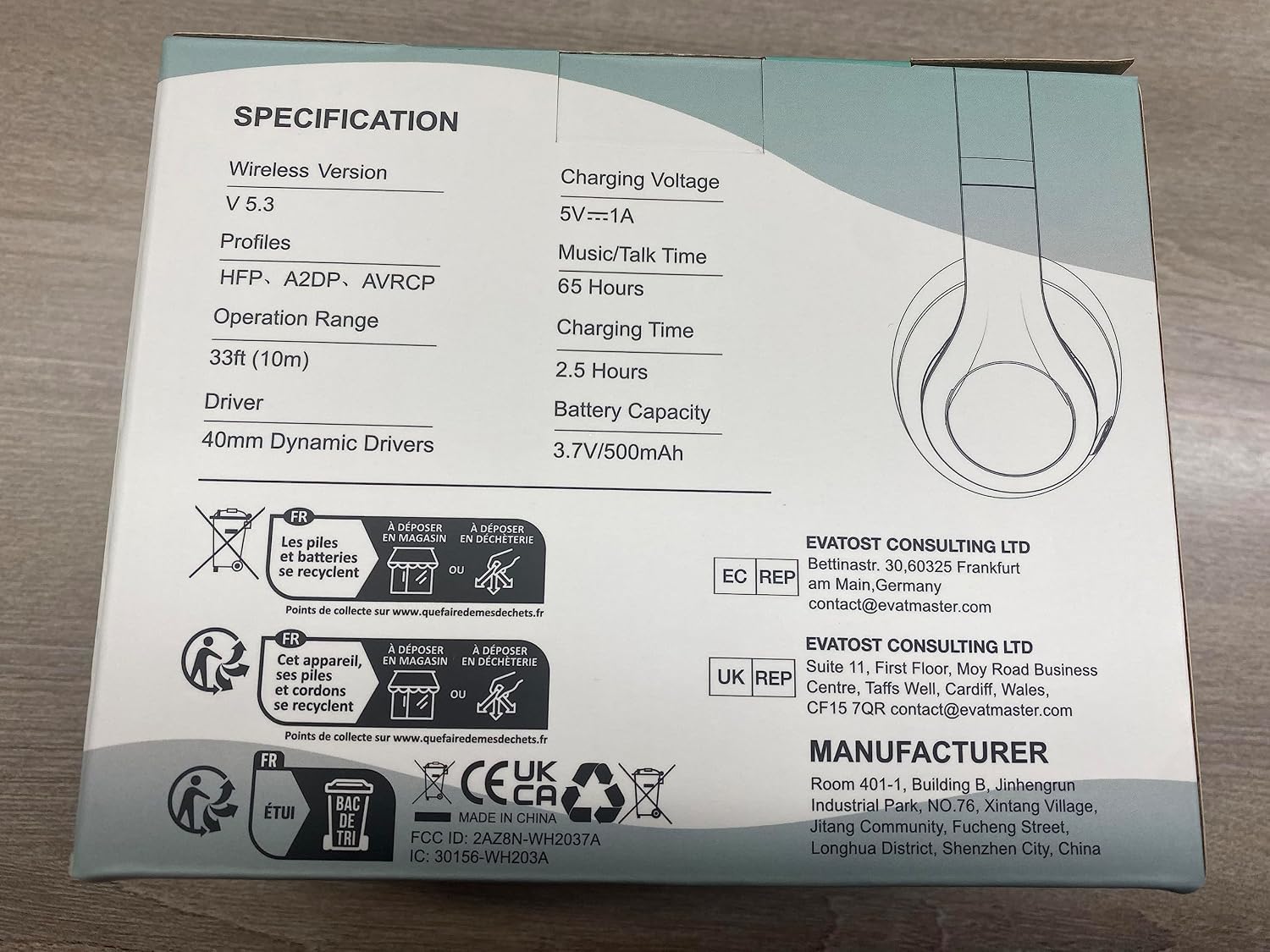
Figure 6: Usage Scenarios
4.4 Wired Mode
For extended listening or use with non-Bluetooth devices, connect the provided 3.5mm audio cable to the audio interface on the headphone and your device. Note that EQ modes and microphone functionality are not available in wired mode.
5. Maintenance
- Clean the ear cups and headband regularly with a soft, dry cloth.
- Avoid exposing the headphones to extreme temperatures, humidity, or direct sunlight.
- Do not use abrasive cleaners or solvents.
- Store the headphones in a cool, dry place when not in use. The foldable design (Figure 7) makes them easy to store and transport.

Figure 7: Foldable Design for Portability
6. Troubleshooting
- No Power: Ensure the headphones are fully charged.
- Cannot Pair: Make sure the headphones are in pairing mode (flashing blue/red LED). Turn off and on your device's Bluetooth. Clear previous Bluetooth connections on your device.
- No Sound: Check the volume level on both the headphones and your connected device. Ensure the headphones are properly paired. If in wired mode, ensure the 3.5mm cable is fully inserted.
- Microphone Not Working: The microphone only functions in wireless/Bluetooth mode. Ensure you are not in wired mode.
- Poor Connection/Skipping: Ensure the headphones are within the 10-meter Bluetooth range of your device. Avoid obstacles between the headphones and the device.
7. Specifications
| Feature | Detail |
|---|---|
| Model Name | WH203A |
| Connectivity Technology | Wireless (Bluetooth 5.3) |
| Audio Driver Size | 40 Millimeters |
| Battery Life | Up to 65 Hours |
| Charging Time | 2.5 Hours |
| Bluetooth Range | 10 Meters (33 feet) |
| Headphones Jack | 3.5 mm Jack |
| Item Weight | 180 Grams (6.3 ounces) |
| Dimensions | 5.7 x 4.5 x 3.1 inches |
| EQ Modes | 6 (Adjustable) |
| Microphone | Built-in (Wireless mode only) |
8. Warranty and Support
Uliptz Wireless Bluetooth Headphones (Model WH203A) come with a 12-month warranty from the date of purchase. This warranty covers manufacturing defects and workmanship. For warranty claims or technical support, please refer to the contact information provided in the physical user manual included with your product or visit the official Uliptz website.
Return Policy: 30 days for refund/replacement.