
1. Introduction
The GOOZEEZOO MMDVM Duplex Hotspot Module is a versatile digital radio interface designed for use with Raspberry Pi devices. This module, featuring a 0.96-inch OLED display, supports various digital modes including DMR, P25, D-Star, YSF, and NXDN. It is engineered for duplex operation, allowing for two time slots on DMR, and incorporates two ADF7021 chips for enhanced performance. This manual provides essential information for the proper setup, configuration, and operation of your MMDVM Duplex Hotspot Module.
2. Safety Information
- Ensure proper grounding when handling electronic components to prevent electrostatic discharge (ESD) damage.
- Always disconnect power from the Raspberry Pi before installing or removing the hotspot module.
- Operate the device within its specified voltage and current limits.
- Keep the module away from moisture, extreme temperatures, and direct sunlight.
- Do not attempt to modify the hardware unless explicitly instructed, as this may void the warranty and cause damage.
3. Package Contents
Verify that all items are present in your package:
- 1x MMDVM Duplex Hotspot Module with 0.96 OLED Display
- 2x Antennas
- 2x Pin Header Sets
4. Product Overview
The MMDVM Duplex Hotspot Module is a high-performance digital radio interface. It features a 32-bit ARM processor and up to 10mW RF power. The module is equipped with two ADF7021 chips, enabling true duplex operation with two time slots for DMR. Onboard LEDs provide status indications for Transmit (Tx), Receive (Rx), Push-To-Talk (PTT), and Mode.

Figure 4.1: Overall view of the MMDVM Duplex Hotspot Module with OLED Display and two antennas.
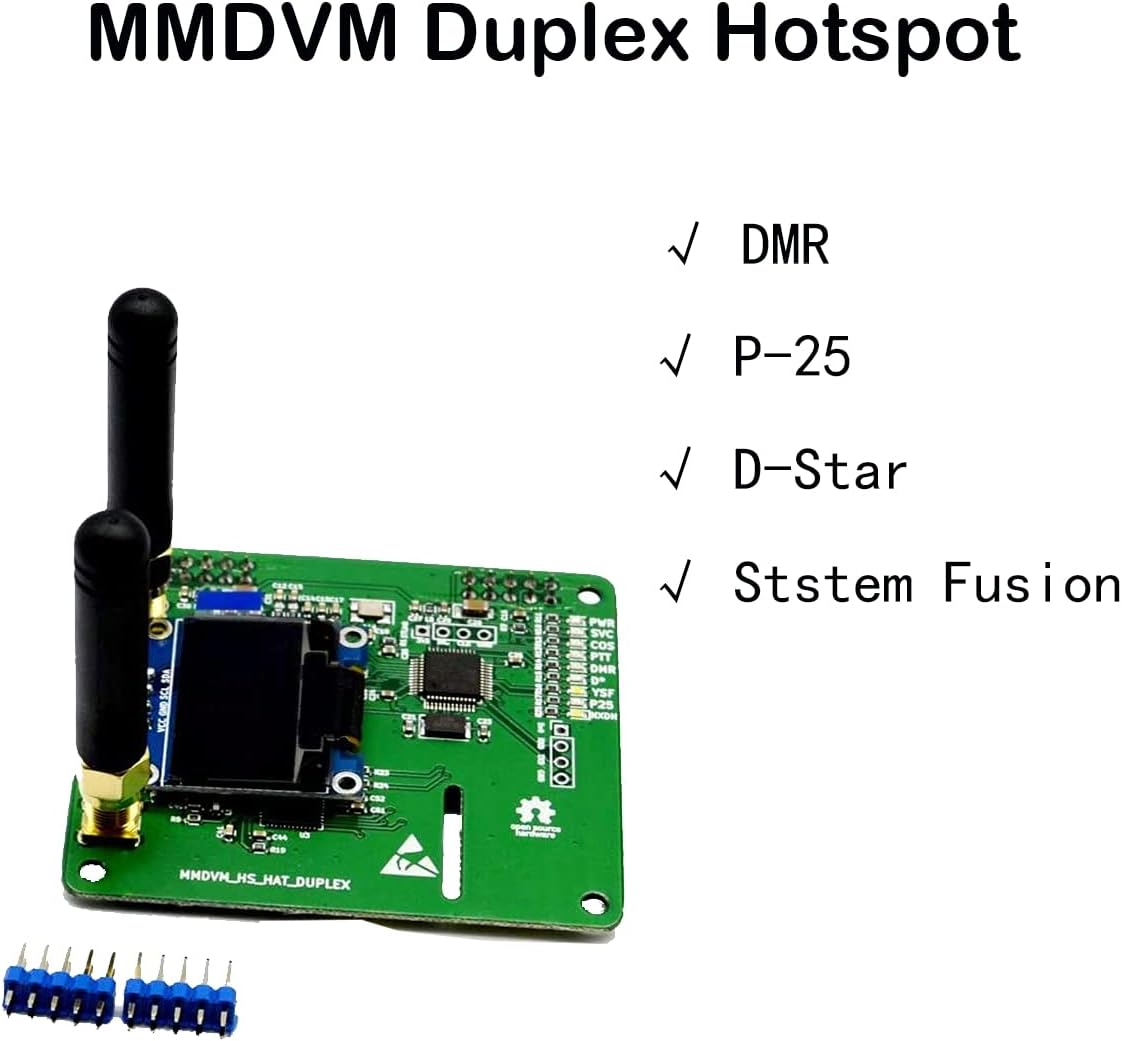
Figure 4.2: The module highlighting its compatibility with DMR, P-25, D-Star, and System Fusion digital modes.

Figure 4.3: A detailed view of the hotspot module, showing the 0.96-inch OLED display and various components.

Figure 4.4: The reverse side of the module's printed circuit board (PCB), illustrating the pin connectors for Raspberry Pi integration.
5. Setup
5.1 Hardware Installation
- Prepare Raspberry Pi: Ensure your Raspberry Pi (e.g., Pi Zero, Raspberry Pi 3) is powered off. This module is compatible with current Raspberry Pi models including the Pi Zero, but it is not compatible with Raspberry Pi 4.
- Mount Module: Carefully align the pin headers of the MMDVM Duplex Hotspot Module with the GPIO pins on your Raspberry Pi. Gently press down to secure the module onto the Raspberry Pi.
- Attach Antennas: Screw the two provided antennas onto the SMA connectors on the hotspot module. Ensure they are finger-tight.
5.2 Software Configuration (Pi-Star)
For optimal performance, configure your Pi-Star software as follows:
- Modem Selection: In the Pi-Star configuration interface, set the Modem to
STM32_HS_GPIO. - Frequency Settings: The module operates on UHF 433-900MHz and VHF 144-220 MHz. For initial setup, ensure TX = 0 and RX = 0.
- OLED Display Configuration:
- In the Pi-Star configuration, locate the display type field and select
OLED Type 3. - Set the Port to
modem. - To keep the screen continuously active, navigate to the Expert section, then to MMDVM host. Scroll down to the OLED section and set
LogoScreensaverto1. This prevents the screen from going blank when idle.
- In the Pi-Star configuration, locate the display type field and select
6. Operating Instructions
Once configured, your MMDVM Duplex Hotspot Module is ready for operation.
- Supported Modes: The module supports DMR, P-25, D-Star, and System Fusion digital modes.
- Duplex Operation: The dual ADF7021 chips enable duplex operation, allowing for simultaneous transmit and receive on two different time slots in DMR mode.
- Firmware: The firmware is pre-loaded and can be easily upgraded via software updates through your Pi-Star interface.
- Status Indicators: Observe the onboard LEDs for real-time status: Tx (Transmit), Rx (Receive), PTT (Push-To-Talk), and Mode.
7. Maintenance
To ensure the longevity and optimal performance of your hotspot module, follow these maintenance guidelines:
- Cleaning: Use a soft, dry cloth to gently clean the module. Avoid using liquid cleaners or solvents.
- Storage: When not in use, store the module in a cool, dry place, away from direct sunlight and dust.
- Antenna Care: Ensure antennas are securely connected but do not overtighten. Avoid bending or stressing the antenna connectors.
8. Troubleshooting
| Problem | Solution |
|---|---|
| Board fails to work in duplex mode. | Run the upgrade command: sudo pistar-mmdvmhshatflash hs_dual_hat in your Raspberry Pi's terminal. |
| OLED screen goes blank when idle. | In Pi-Star's Expert section, under MMDVM host, set LogoScreensaver to 1 in the OLED section. |
| Hotspot not connecting or unstable. | Verify all physical connections, especially the module to the Raspberry Pi and antenna connections. Check Pi-Star network settings and ensure the correct modem type (STM32_HS_GPIO) is selected. |
| Module not recognized by Raspberry Pi. | Ensure the Raspberry Pi is compatible (not Pi 4). Re-seat the module firmly onto the GPIO pins. Check for any bent pins. |
9. Specifications
| Feature | Detail |
|---|---|
| Brand | GOOZEEZOO |
| Model Name | GOOZEEZOO MMDVM Duplex Hotspot Module Dual Hat |
| Model Number | 20200 |
| Connectivity Technology | GPIO |
| Operating System Compatibility | Linux (e.g., Pi-Star) |
| Processor | 32-bit ARM |
| Wireless Compatibility | UHF 433-900MHz, VHF 144-220 MHz |
| Supported Digital Modes | DMR, P-25, D-Star, System Fusion, NXDN |
| Display | 0.96 inch OLED |
| Compatible Devices | Raspberry Pi (including Pi Zero), Not compatible with Raspberry Pi 4 |
| Manufacturer | GOOZEEZOO |
10. Warranty and Support
10.1 Warranty Information
This GOOZEEZOO MMDVM Duplex Hotspot Module is covered by a 1-year manufacturer's warranty from the date of purchase. This warranty covers defects in materials and workmanship under normal use. Please retain your proof of purchase for warranty claims.
10.2 Technical Support
For technical assistance, troubleshooting, or further inquiries, please visit the official GOOZEEZOO store or contact their customer support. You can find more information and support resources on the GOOZEEZOO Amazon Store.