
1. Introduction
This manual provides essential information for the safe and effective use of your UPBRIGHT AC/DC Adapter, model DK33-248080H-U. This adapter is designed to provide power and charge compatible Shark cordless vacuum cleaners. Please read this manual thoroughly before use and retain it for future reference.

Image 1.1: The UPBRIGHT AC/DC Adapter (foreground) shown with a compatible Shark cordless vacuum cleaner (background). This adapter is specifically designed for charging the vacuum's battery.
2. Safety Information
- Voltage Compatibility: Ensure the adapter's input voltage (100-240VAC) matches your local power supply.
- Indoor Use Only: This adapter is intended for indoor use in dry locations. Do not expose to moisture or liquids.
- Proper Connection: Always connect the adapter to the vacuum cleaner before plugging it into a wall outlet. Disconnect from the wall outlet before disconnecting from the vacuum.
- Avoid Damage: Do not use the adapter if the cord or plug is damaged. Do not attempt to open or repair the adapter.
- Ventilation: Ensure adequate ventilation around the adapter during use to prevent overheating.
- Child Safety: Keep the adapter and its cord out of reach of children.
- Important Note: This adapter is NOT for 28.8V versions of Shark vacuum cleaners. Verify your vacuum's voltage requirements before use.
3. Setup and Connection
Follow these steps to properly connect and begin charging your Shark cordless vacuum cleaner.
- Identify the Adapter: Confirm you have the correct UPBRIGHT AC/DC Adapter model DK33-248080H-U. The label on the adapter provides detailed specifications.
- Connect to Vacuum: Locate the charging port on your Shark cordless vacuum cleaner. Insert the adapter's barrel connector firmly into the charging port.
- Plug into Wall Outlet: Once the adapter is securely connected to the vacuum, plug the adapter into a standard 100-240VAC wall outlet.
- Verify Connection: The vacuum cleaner's charging indicator lights should illuminate, indicating that charging has begun.
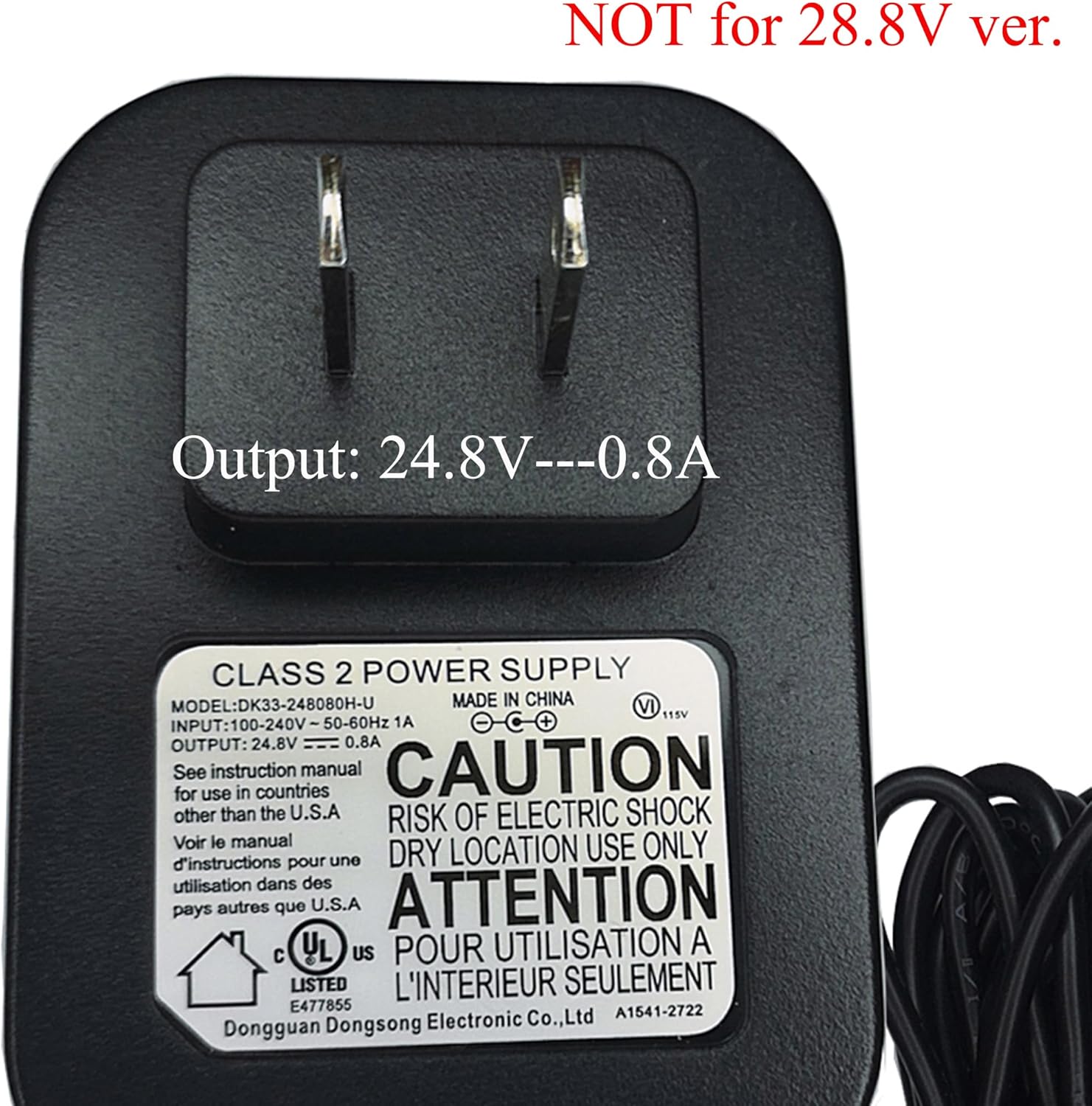
Image 3.1: Detailed view of the adapter's label, indicating model number DK33-248080H-U, input 100-240V~50-60Hz 1A, and output 24.8V −−− 0.8A.
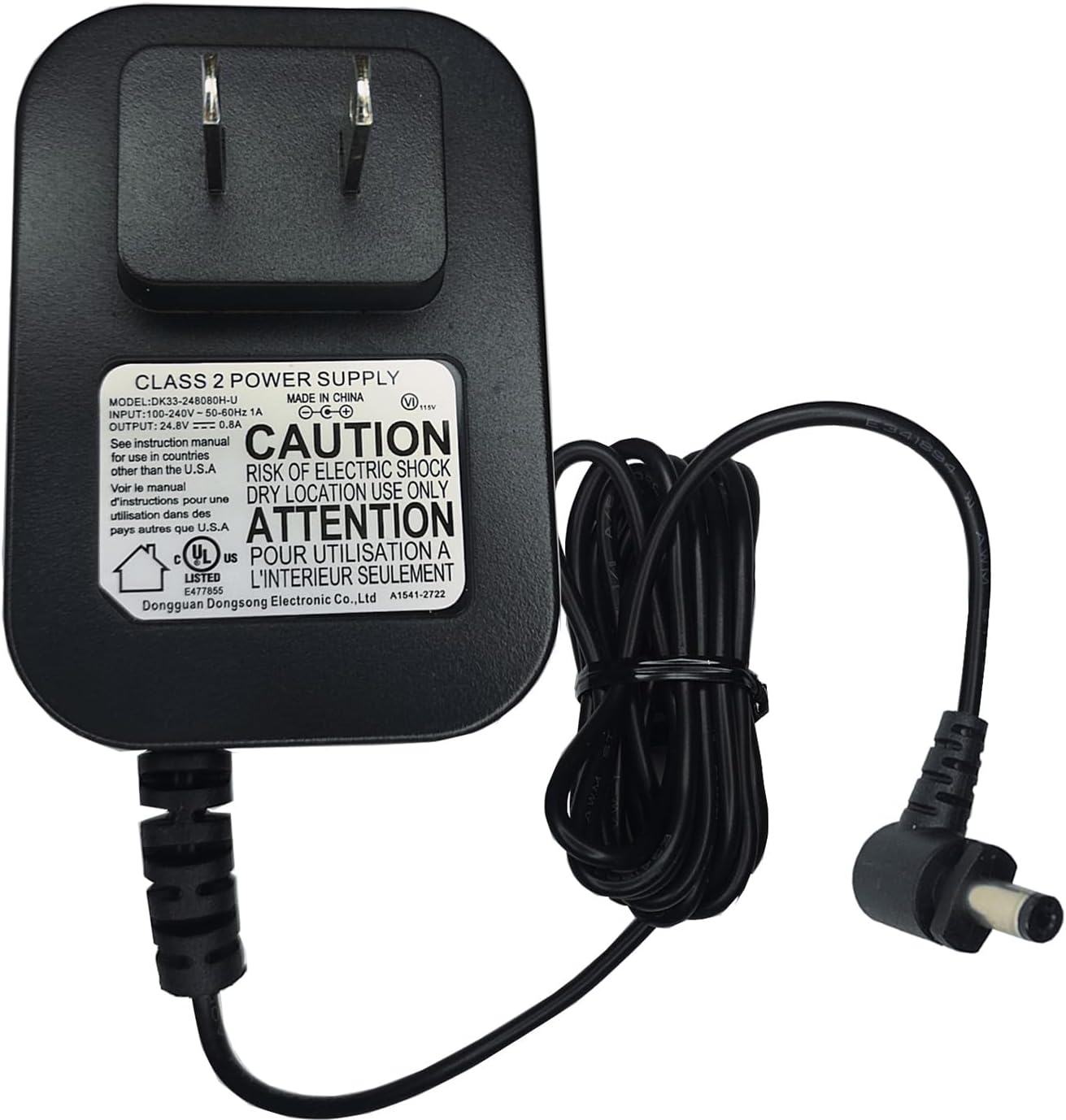
Image 3.2: The adapter showing its standard US power prongs and the barrel connector for the vacuum.
Video 3.1: This video demonstrates the process of plugging the UPBRIGHT AC/DC Adapter into a wall outlet and connecting it to a Shark vacuum cleaner, showing the charging indicator lights activating.
4. Operating the Charger
Once connected, the adapter will automatically begin charging the vacuum's battery. The charging status is typically indicated by lights on the vacuum cleaner itself. Refer to your Shark vacuum cleaner's manual for specific charging light patterns and full charge indications.
5. Compatibility
This UPBRIGHT AC/DC Adapter (DK33-248080H-U) is compatible with specific Shark cordless vacuum cleaner models that require a 24.8V 0.8A power supply and use a 21.6V Lithium-Ion battery pack. Compatible models include, but are not limited to: WZ240, WZ24026, WZ 240, WZ240_PKG_26_MP_V8, and those using XFBT620 batteries.
Important: Always verify the voltage and connector type of your vacuum cleaner before using this adapter. This adapter features a barrel connector. Ensure your vacuum's charging port matches this type.

Image 5.1: Visual guide for compatible (left) and incompatible (right) barrel connector types. Ensure your vacuum's port matches the compatible type.
6. Maintenance
- Cleaning: Disconnect the adapter from the power outlet and the vacuum before cleaning. Wipe the adapter with a dry, soft cloth. Do not use liquid cleaners.
- Storage: When not in use, store the adapter in a cool, dry place, away from direct sunlight and extreme temperatures. Avoid wrapping the cord too tightly around the adapter.
- Inspection: Periodically inspect the adapter and cord for any signs of damage, such as cuts, fraying, or bent prongs. If damage is found, discontinue use immediately.
7. Troubleshooting
| Problem | Possible Cause | Solution |
|---|---|---|
| Vacuum not charging | Adapter not fully plugged in; Power outlet not active; Incompatible adapter; Damaged adapter/cord | Ensure adapter is fully plugged into both wall and vacuum. Test outlet with another device. Verify adapter model and voltage compatibility. Inspect for damage; replace if necessary. |
| Adapter feels hot during charging | Normal operation; Poor ventilation; Overload | A slight warmth is normal. Ensure adapter is in a well-ventilated area. If excessively hot or emitting smoke/smell, disconnect immediately and discontinue use. |
| Connector does not fit | Incompatible connector type or size | Double-check the connector type and size against your vacuum's charging port. Refer to Image 5.1 for guidance. Do not force the connector. |
8. Specifications
- Model: DK33-248080H-U
- Input: 100-240VAC, 50/60Hz, 1A
- Output: 24.8VDC, 0.8A (800mA)
- Protection: OVP (Over Voltage Protection), OCP (Over Current Protection), SCP (Short Circuit Protection)
- Certifications: UL Listed, CE, CCC, ROHS
- Connector Type: Barrel Connector
- Product Dimensions: Approximately 4 x 3 x 2 inches
- Item Weight: Approximately 4 ounces
9. Warranty and Support
UPBRIGHT offers a 30-day refund policy and a 24-month exchange warranty for this product. For warranty claims or technical support, please contact UPBRIGHT customer service through your original point of purchase. Ensure you retain your proof of purchase for warranty validation.
