1. Introduction
This manual provides essential instructions for the safe and efficient use of your PATONA V1 Protect NP-W126s batteries and the accompanying PD Performance USB Charger 161957. The PATONA V1 Protect NP-W126s batteries feature an active NTC temperature sensor and a V1 housing designed for enhanced heat resistance, capable of withstanding temperatures up to 90 degrees Celsius without deformation. The charger supports Power Delivery (PD) and Quick Charge (QC) for efficient charging.
Please read this manual thoroughly before using the product to ensure proper operation and to prevent damage.
2. Package Contents
Verify that all items are present in your package:
- 2 x PATONA Protect NP-W126s Battery
- 1 x PATONA PD Performance Charger 161957
- 1 x USB-C to USB-C Cable
- 1 x Transport Bag
- 1 x Instruction Manual (this document)

3. Safety Information
Observe the following safety precautions to prevent injury or damage to the product:
- Do not disassemble, open, or shred battery packs.
- Do not expose batteries to heat or fire. Avoid storage in direct sunlight.
- Do not short-circuit a battery. Do not store batteries haphazardly in a box or drawer where they may short-circuit each other or be short-circuited by other metal objects.
- Do not remove a battery from its original packaging until required for use.
- Do not subject batteries to mechanical shock.
- In the event of a battery leaking, do not allow the liquid to come into contact with the skin or eyes. If contact has been made, wash the affected area with copious amounts of water and seek medical advice.
- Do not use any charger other than that specifically provided for use with the equipment.
- Observe the plus (+) and minus (-) marks on the battery and equipment and ensure correct use.
- Keep batteries out of the reach of children.
- Seek medical advice immediately if a battery has been swallowed.
- Keep batteries clean and dry.
- Do not use any battery pack that is not designed for use with the equipment.
- Recharge only with the charger specified by PATONA.
- Do not leave a battery on prolonged charge when not in use.
- Dispose of batteries properly at designated collection points.
4. Setup: Charging the Batteries
4.1 Connecting the Charger
- Connect the provided USB-C to USB-C cable to the USB-C input port on the PATONA PD Performance Charger 161957.
- Connect the other end of the USB-C cable to a compatible USB power adapter (not included) or a power source with USB-C output. For optimal charging speed, use a Power Delivery (PD) compatible power supply.
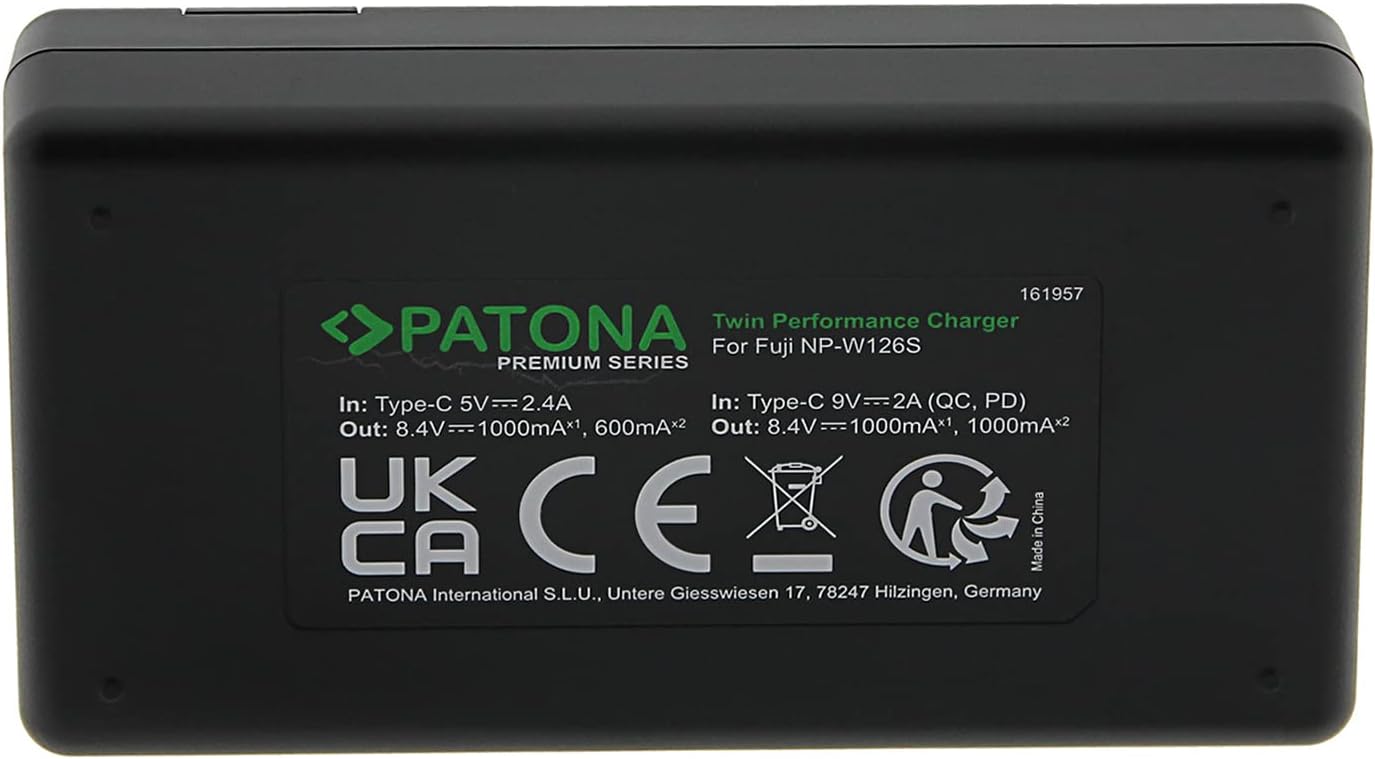
4.2 Inserting Batteries and Charging Process
- Carefully insert one or two PATONA NP-W126s batteries into the designated slots on the charger, ensuring correct polarity.
- The charger's LCD indicator will display the charging status for each battery. Typically, a flashing indicator signifies charging, while a solid indicator or a specific icon indicates a full charge.
- The charger supports simultaneous charging of two batteries. Charging current varies based on the input power source (USB 5V or USB PD 9V) and the number of batteries being charged.
- Once charging is complete, remove the batteries from the charger and disconnect the charger from the power source.
5. Operating: Using the Batteries
5.1 Inserting Batteries into Your Camera
- Refer to your camera's instruction manual for specific details on how to open the battery compartment.
- Insert the PATONA NP-W126s battery into the camera's battery compartment, ensuring it clicks securely into place. Observe the correct orientation as indicated by the camera.
- Close the battery compartment door firmly.

5.2 Temperature Resistance Feature
The PATONA V1 Protect NP-W126s batteries are equipped with an active NTC temperature sensor and a V1 housing, providing enhanced temperature resistance. This design allows the batteries to operate and maintain structural integrity in a wide range of environmental conditions, from -20°C to +90°C, without deformation or damage to the battery cells.

6. Maintenance
6.1 Storage
- Store batteries in a cool, dry place, away from direct sunlight and extreme temperatures.
- For long-term storage, it is recommended to store batteries with approximately 50% charge to prolong their lifespan.
- Use the provided transport bag to protect batteries from dust and physical damage during storage and transport.
6.2 Cleaning
- Wipe battery contacts and charger terminals with a clean, dry cloth periodically to ensure good electrical connection.
- Do not use liquid cleaners or solvents on the batteries or charger.
6.3 Disposal
Do not dispose of batteries in household waste. Always follow local regulations for the disposal of lithium-ion batteries. Take them to an authorized recycling center.
7. Troubleshooting
7.1 Battery Not Charging
- Check Connections: Ensure the USB-C cable is securely connected to both the charger and the power source.
- Verify Power Source: Confirm that the power adapter or USB port is functional and providing power. Try a different power source if necessary.
- Re-insert Battery: Remove the battery from the charger and re-insert it, ensuring proper contact.
- Charger Indicator: Observe the charger's LCD. If no indicator lights up, the charger or power source may be faulty.
7.2 Battery Not Holding Charge / Short Battery Life
- Battery Age: All rechargeable batteries have a limited lifespan. If the battery is old, its capacity may have diminished.
- Charging Cycle: Ensure the battery is fully charged before use.
- Environmental Factors: Extreme cold can temporarily reduce battery performance.
7.3 Charger Indicates Full Charge Prematurely
- Re-insert Battery: If the charger indicates a full charge too quickly, remove the battery and re-insert it to restart the charging cycle. Repeat this process if necessary to achieve a complete charge.
- Try Different Cable/Power Source: A faulty USB-C cable or an unstable power source might affect charging detection.
8. Specifications
| Feature | Specification |
|---|---|
| Battery Model | NP-W126s |
| Battery Capacity | 1140 mAh / 8.44 Wh |
| Battery Voltage | 7.4 V |
| Battery Cell Composition | Lithium Ion |
| Charger Model | 161957 (Twin Performance Charger) |
| Charger Input (USB PD) | 9V = 2A |
| Charger Input (USB Standard) | 5V = 2.4A |
| Charger Output (1x Battery, USB PD) | 8.4V 1000mA |
| Charger Output (2x Battery, USB PD) | 8.4V 1000mA (each) |
| Charger Output (1x Battery, USB Standard) | 8.4V 1000mA |
| Charger Output (2x Battery, USB Standard) | 8.4V 600mA (each) |
| Item Model Number | N892 |
| Recommended Use | Camera |
| Temperature Resistance | -20°C to +90°C (V1 Housing) |
9. Warranty and Support
PATONA products are manufactured with high-quality standards. For warranty information and customer support, please refer to the official PATONA website or contact your retailer. Keep your proof of purchase for any warranty claims.


