
Cooler Master MWE 1250 Gold-v2 ATX 3.0 (MPE-C501-AFCAG-3UK)
Cooler Master MWE Gold 1250 V2 ATX 3.0 Fully Modular Power Supply
Model: MWE 1250 Gold-v2 ATX 3.0 (MPE-C501-AFCAG-3UK)
1. Introduction
Thank you for choosing the Cooler Master MWE Gold 1250 V2 ATX 3.0 Fully Modular Power Supply. This high-performance power supply unit (PSU) is designed to deliver stable and efficient power to your PC components, meeting the demands of modern high-end systems. Featuring 80 PLUS Gold efficiency, full modularity, and ATX 3.0 compliance, it provides reliable power with excellent thermal and acoustic performance.
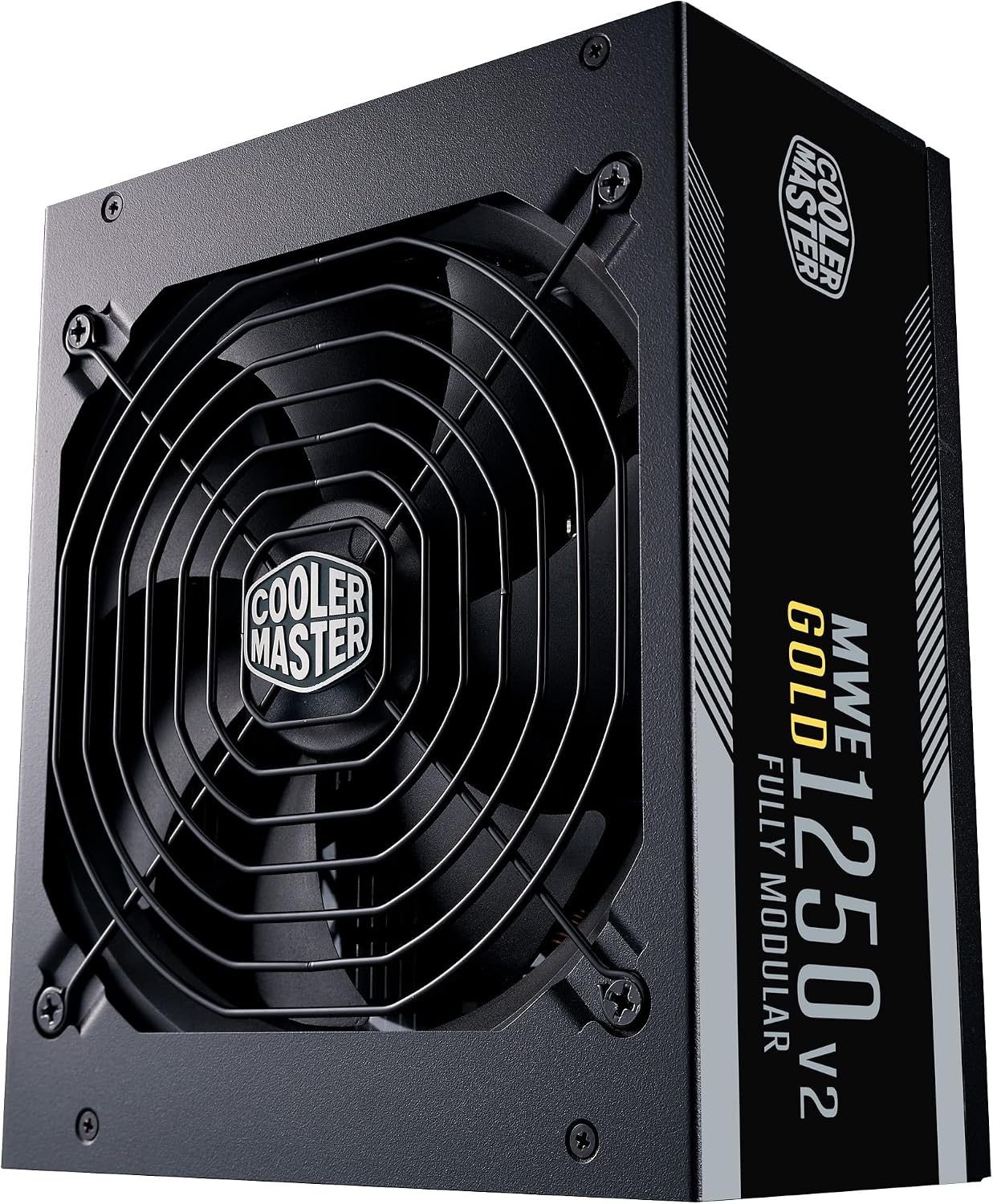
Image: The Cooler Master MWE Gold 1250 V2 ATX 3.0 Power Supply, showcasing its sleek black design and fan grille.
2. Safety Information
WARNING: Improper installation or use can result in serious injury or damage to your system. Please read and follow all instructions carefully.
- Always disconnect the AC power cord from the wall outlet before installing, removing, or servicing the PSU or any other system components.
- This PSU is designed for use in personal computers only. Do not use it for any other purpose.
- Do not open the PSU casing. High voltages are present inside, and there are no user-serviceable parts. Opening the casing will void the warranty.
- Ensure proper grounding of your system.
- Install the PSU in a well-ventilated area, away from heat sources and moisture.
- Use only the modular cables provided with this power supply. Using third-party cables may cause damage to the PSU or your system.
3. Package Contents
Please verify that all items are present in your package:
- Cooler Master MWE Gold 1250 V2 ATX 3.0 Power Supply Unit
- Modular Cable Set:
- 1x ATX 24-pin cable
- 1x EPS 4+4-pin cable
- 1x EPS 8-pin cable
- 12x SATA power connectors (on multiple cables)
- 3x PCI-e 6+2-pin cables
- 4x Peripheral 4-pin (Molex) connectors (on multiple cables)
- 1x PCIe 5.0 12VHPWR (600W) cable
- AC Power Cord (UK plug)
- Mounting Screws
- User Manual (this document)
4. Product Overview
The MWE Gold 1250 V2 ATX 3.0 is engineered for peak performance and reliability:
- 80 PLUS Gold Efficiency: Achieves 90% efficiency under typical load, reducing energy waste, heat generation, and operating costs.
- ATX 3.0 & PCIe 5.0 12VHPWR Compliance: Fully supports the latest ATX 3.0 standard and includes a dedicated 12VHPWR connector (600W) for next-generation graphics cards.
- Fully Modular Cabling: Allows you to connect only the necessary cables, improving airflow, reducing clutter, and simplifying cable management within your PC case.
- High Temperature Resistance: Designed to operate reliably at temperatures up to 50°C, making it suitable for demanding environments or overclocked systems.
- Silent FDB Fan with Smart Thermal Control: Features a 140mm Fluid Dynamic Bearing (FDB) fan with intelligent thermal control (STCM). The fan remains off when the PSU load is below 40% to minimize noise, activating only when needed.

Image: The modular cable connection panel of the Cooler Master MWE Gold 1250 V2, showing clearly labeled ports for various components.

Image: The rear panel of the Cooler Master MWE Gold 1250 V2, featuring the AC power input and the main power switch.
5. Setup and Installation
Follow these steps to install your Cooler Master MWE Gold 1250 V2 PSU:
- Preparation: Ensure your computer is completely powered off and unplugged from the wall outlet. Open your PC case to access the PSU mounting area.
- Mounting the PSU: Carefully slide the PSU into the designated bay in your PC case. Align the screw holes on the PSU with those on the case. Secure the PSU using the provided mounting screws.
- Connecting Modular Cables:
- Motherboard Power (24-pin ATX): Connect the 24-pin ATX cable to the corresponding port on the PSU and the motherboard. Ensure it clicks into place.
- CPU Power (EPS 4+4-pin / 8-pin): Connect the appropriate EPS cable(s) to the PSU and the CPU power connector(s) on your motherboard. Modern motherboards often require an 8-pin or even two 8-pin connectors.
- Graphics Card Power (PCI-e 6+2-pin / 12VHPWR): For graphics cards requiring 6-pin or 8-pin PCIe power, use the 6+2-pin cables. For newer, high-power GPUs, use the dedicated 12VHPWR cable, connecting it firmly to both the PSU and the graphics card.
- SATA Devices: Connect SATA power cables to your SSDs, HDDs, and optical drives.
- Peripheral Devices: Use the 4-pin peripheral (Molex) cables for case fans, fan controllers, or other accessories that require this connection type.
- Cable Management: Utilize the fully modular design to route cables efficiently behind the motherboard tray or in other hidden areas of your case. This improves airflow and aesthetics.
- Final Checks: Double-check all connections to ensure they are secure. Close your PC case.
- Power On: Connect the AC power cord to the PSU and then to a wall outlet. Flip the power switch on the back of the PSU to the 'ON' position. You can now power on your computer.

Image: A close-up view of the modular cable ports on the Cooler Master MWE Gold 1250 V2, highlighting the clear labeling for easy connection.
6. Operating Instructions
Operating the MWE Gold 1250 V2 ATX 3.0 is straightforward:
- Power On/Off: Use the main power switch located on the back of the PSU to turn the unit on or off. Ensure it is in the 'ON' position before attempting to power on your computer.
- Fan Operation (STCM): The intelligent thermal control (STCM) feature means the 140mm FDB fan will only spin up when the PSU load exceeds 40%. Below this threshold, the fan remains off for silent operation. This is normal behavior and indicates efficient thermal management.
- System Stability: The MWE Gold 1250 V2 is designed to provide stable and clean power. If you experience system instability, ensure all cables are securely connected and that your system's power requirements do not exceed the PSU's capacity.
7. Maintenance
To ensure the longevity and optimal performance of your PSU, follow these maintenance guidelines:
- Dust Removal: Periodically clean the PSU's fan grille and surrounding areas to prevent dust buildup. Dust can impede airflow and lead to overheating. Use compressed air to gently blow dust out of the unit. Always disconnect the PSU from power before cleaning.
- Ensure Proper Airflow: Make sure that the PSU's fan intake and exhaust vents are not obstructed by cables or other components within your PC case. Good airflow is crucial for efficient cooling.
- Environmental Conditions: Operate the PSU within recommended temperature and humidity ranges. Avoid exposing it to extreme conditions.
8. Troubleshooting
If you encounter issues with your MWE Gold 1250 V2 PSU, try these troubleshooting steps:
- PSU Not Turning On:
- Ensure the AC power cord is securely plugged into both the PSU and the wall outlet.
- Check that the main power switch on the back of the PSU is in the 'ON' position.
- Verify that the 24-pin ATX and CPU power cables are firmly connected to the motherboard and PSU.
- Test the wall outlet with another device to confirm it has power.
- If possible, try a different AC power cord.
- System Instability / Random Shutdowns:
- Ensure all modular cables are fully seated at both the PSU and component ends.
- Verify that your system's total power draw does not exceed the PSU's 1250W capacity, especially under load.
- Check for proper ventilation within your PC case to prevent overheating of components, including the PSU.
- If you are using an uninterruptible power supply (UPS), ensure it can handle the PSU's wattage.
- Excessive Fan Noise:
- Remember that the fan will only activate when the load exceeds 40%. If it's noisy above this threshold, ensure the PSU is clean and has adequate airflow.
- If the noise is unusual (e.g., grinding, rattling), contact Cooler Master support.
- No Display Output:
- Ensure your graphics card is properly seated in its PCIe slot and that all necessary PCIe power cables (6+2-pin or 12VHPWR) are securely connected from the PSU to the GPU.
If these steps do not resolve your issue, please refer to the Warranty and Support section for further assistance.
9. Specifications
| Feature | Specification |
|---|---|
| Brand | Cooler Master |
| Model Name | MWE 1250 Gold-v2 ATX 3.0 |
| Model Number | MPE-C501-AFCAG-3UK |
| Form Factor | ATX |
| Output Power | 1250 Watts |
| Efficiency Rating | 80 PLUS Gold (90% typical) |
| Cooling Method | Air (140mm Fluid Dynamic Bearing Fan) |
| Dimensions (L x W x H) | 18 x 15 x 8.6 cm (7.09 x 5.91 x 3.39 inches) |
| Weight | 3.02 Kilograms (6.66 lbs) |
| Compatible Devices | Personal Computer |
| Connector Types | ATX 24-pin, EPS 4+4-pin, EPS 8-pin, SATA, PCI-e 6+2-pin, Peripheral 4-pin, PCIe 5.0 12VHPWR |
| Operating Temperature | Up to 50°C |
10. Warranty and Support
The Cooler Master MWE Gold 1250 V2 ATX 3.0 Power Supply comes with a comprehensive 10-year warranty from the date of purchase. This warranty covers defects in materials and workmanship under normal use.
For technical support, warranty claims, or general inquiries, please visit the official Cooler Master website or contact their customer service department. You may need to provide your product model number (MPE-C501-AFCAG-3UK) and proof of purchase.
For the most up-to-date support information and resources, please visit: www.coolermaster.com
Related documentsMWE 1250 Gold-v2 ATX 3.0 (MPE-C501-AFCAG-3UK)


Ask a question about this manual
Ask about setup, troubleshooting, compatibility, parts, safety, or missing instructions. Manuals+ will review the question and use this page’s manual context to help answer it.