
PopBloom Hertz54
PopBloom Hertz54 Reef Aquarium Lamp User Manual
Model: Hertz54
1. Introduction
Thank you for choosing the PopBloom Hertz54 Reef Aquarium Lamp. This LED lighting system is designed to provide optimal light conditions for marine aquariums, supporting the growth and coloration of corals, LPS, SPS, and other seawater marine biological life. It features advanced smart control capabilities, allowing for a 24-hour day-night cycle, seasonal adjustments, lunar cycles, and lightning effects. Please read this manual thoroughly before installation and operation to ensure proper use and longevity of your product.
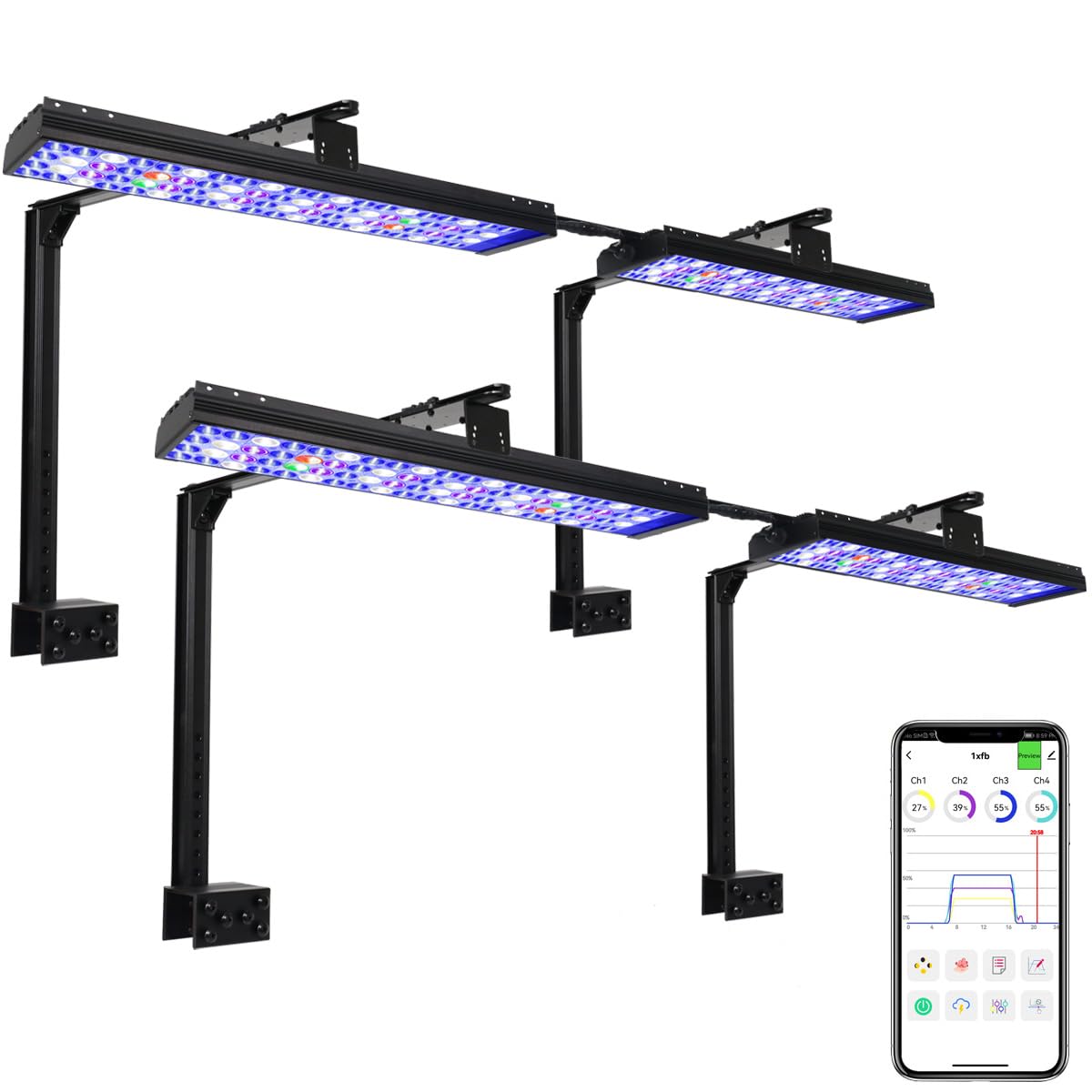
Image 1.1: PopBloom Hertz54 Reef Aquarium Lamp
2. What's in the Box
Upon opening the package, verify that all components are present and in good condition:
- H54 WiFi Light
- Power supply & plug
- User Manual
- Mounting accessories (Arm Kit or Hang Kit, depending on your purchase)
Video 2.1: Unboxing and initial inspection of the PopBloom Hertz54 Reef Aquarium Light components.
3. Setup and Installation
3.1 Physical Installation
The PopBloom Hertz54 light offers versatile mounting options to suit various aquarium setups. Ensure the light is securely positioned above your tank.

Image 3.1: Dimensions of the Hertz54 light (54cm / 21.3 inches long, 4.2cm / 1.65 inches wide, ultra-thin design).

Image 3.2: Various mounting options including hanging, easy fit for covers/lids, and arm kit mounting for rimless or rimmed tanks.
3.2 Smart App Connection
The Hertz54 light is controlled via a smart application. Follow these steps to connect your device:
- Download the 'Smart Life' or 'Tuya Smart' app from your device's app store.
- Ensure your phone's WiFi is enabled and connected to a 2.4GHz network.
- Open the app and follow the on-screen instructions to add a new device.
- Select 'Lighting' or 'Light Source (Wi-Fi)' and proceed with the pairing process.
- Enter your WiFi network password when prompted.
- Once connected, the device will appear in your app, ready for control.

Image 3.3: Overview of WiFi smart control features, including built-in WiFi, multiple light grouping (up to 10 lights), and APP control anytime, anywhere. Compatible with iOS and Android.
Download the app here: Smart Life App or Tuya Smart App.
4. Operating Instructions
The PopBloom Hertz54 light offers comprehensive control through its dedicated smart application. You can manage various lighting parameters to create an ideal environment for your marine life.
4.1 Preset Programs
The app includes several preset programs designed for different aquarium needs, such as Tropical Spring, Tropical Summer, Tropical Autumn, Tropical Winter, Temperate Spring, Temperate Summer, Temperate Autumn, Temperate Winter, Kelvin 5K, Kelvin 10K, Kelvin 14K, Reduce Algae, SPS Dominant, LPS & Soft Coral, Fish & Plants, and Cut & Frag. These programs allow for quick and easy setup.

Image 4.1: App interface showing various preset lighting modes and their effects on the aquarium.
4.2 Manual Mode
For advanced users, the manual mode allows you to customize each of the four channels (Ch1, Ch2, Ch3, Ch4) independently. Adjust the intensity of each channel to achieve your desired spectrum and brightness. The manual setting will remain active until you exit this mode.
4.3 24-Hour Cycle Programming
Program up to 8 time points within a 24-hour cycle to simulate natural lighting conditions, including sunrise, sunset, and moon phases. This feature allows for gradual changes in light intensity and color temperature throughout the day.
Video 4.2: Demonstration of the PopBloom app interface, showing how to set up and adjust lighting programs, including manual mode, lunar cycle, and acclimation settings.
4.4 Lunar Cycle and Acclimation
Activate the 29-day lunar cycle to simulate natural moon intensity. The acclimation schedule allows corals, fish, and plants to gradually adapt to the new lighting environment by starting at a lower intensity and increasing it over a set period.
4.5 Group Control System
If you have multiple PopBloom lights, you can connect and control up to 10 lights simultaneously through the app, simplifying management for larger setups.

Image 4.3: Illustration of the group control system, showing how multiple lights can be managed from a single app interface, with recommendations for tank sizes.
5. Key Features
5.1 Full Spectrum 4 Channels
The Hertz54 features a full spectrum design with four independent channels, optimized for coral growth and coloration:
- Channel 1: 11W, 12000K White
- Channel 2: 8W, Moonlight
- Channel 3: 32W, REEF GROW Blue
- Channel 4: 12W, Vivid Color (Red, Green)

Image 5.1: Detailed breakdown of the 4-channel full spectrum LED configuration and their functions.
5.2 Efficient Heat Dissipation
The light incorporates aluminum finned cooling for efficient heat dissipation over a large area, ensuring stable performance and longevity without the need for noisy fans.

Image 5.2: Illustrates the modular design, aluminum finned cooling, engineered diffuser for improved color mixing, and high-efficiency reflector for uniform lighting.
5.3 Optimal Spread and Coverage
The Hertz54 is designed for full tank coverage with an optimal spread, irradiating deeper and wider to eliminate shadows, which is crucial for coral health.

Image 5.3: Comparison showing the optimal spread of the Hertz54 light versus other lights that may create shadow areas.
6. PAR Distribution
The output in terms of Photosynthetically Active Radiation (PAR), color mixing, and spread are significantly improved with the Hertz54 fixtures. The H75 LEDs focus on essential wavelengths, prioritizing coral growth and propagation.

Image 6.1: PAR distribution map showing light intensity at various depths (6", 12", 18", 24") for a 24x24 inch tank.

Image 6.2: Shows 60 watts energy efficient, 500 µMol peak PAR at water surface, and 140 µMol peak PAR at 24" depth. Includes a relative radiant power spectral graph.
7. Specifications
| Feature | Detail |
|---|---|
| Model Number | Hertz54 |
| Color | Black |
| Material | Glass-Aluminum Oxide |
| Finish Type | Natural |
| Light Source Type | APP Full Programmable, 24hrs Cycle, Sunrise sunset, 4 Seasons, Lunar cycle, Lightning |
| Shade Material | Aluminum |
| Power Source | Corded Electric |
| Batteries Included | No |
| Item Dimensions (L x W x H) | 21.6"L x 4.8"W x 1.4"H |
| Style Name | Modern |
| Manufacturer | PopBloom_USA |
| Unit Count | 1.0 Count |
8. Troubleshooting
If you encounter any issues with your PopBloom Hertz54 Reef Aquarium Lamp, please refer to the following common troubleshooting steps:
- Light not turning on: Ensure the power supply is securely connected to both the light and a working power outlet. Check for any visible damage to the power cord or adapter.
- App connection issues: Verify your smartphone is connected to a 2.4GHz WiFi network. Restart the app and the light. If issues persist, try resetting the light and re-pairing it with the app.
- Inconsistent lighting: Check your programmed schedule in the app for any unintended settings. Ensure the light's firmware is up to date.
- Overheating: Ensure the light's heat sinks are not obstructed and there is adequate airflow around the fixture.
For further assistance, please contact PopBloom customer support.
9. Warranty and Support
9.1 Manufacturer's Warranty
The PopBloom Hertz54 Reef Aquarium Lamp comes with a 2-year manufacturer warranty. This warranty covers defects in materials and workmanship under normal use. Please retain your proof of purchase for warranty claims.
9.2 Customer Support
For any questions, technical support, or warranty inquiries, please visit the official PopBloom Store or contact their customer service directly. You can find more information and contact details on the PopBloom Amazon Store.
Related documentsHertz54

Ask a question about this manual
Ask about setup, troubleshooting, compatibility, parts, safety, or missing instructions. Manuals+ will review the question and use this page’s manual context to help answer it.