
Soldano SLO-PEDAL
Soldano SLO Pedal Super Lead Overdrive Effects Pedal User Manual
Model: SLO-PEDAL
1. Introduction
The Soldano SLO Pedal Super Lead Overdrive Effects Pedal is designed to replicate the legendary high-gain tones of the SLO-100 tube amplifier in a compact, pedalboard-friendly format. This pedal utilizes a cascading-gain-stage design to deliver nuanced, detailed overdrive and distortion, suitable for a wide range of musical styles from classic rock to modern high-gain. This manual provides essential information for setting up, operating, and maintaining your SLO Pedal.
2. Key Features
- Authentic Soldano SLO-100 cascading-gain-stage tone.
- Comprehensive tone shaping with Volume, Presence, Gain, Treble, Middle, and Bass controls.
- Side-mounted Deep switch for enhanced low-end punch, mimicking the original amp's Depth knob.
- Robust and durable construction for reliable performance.
- Compact design suitable for any pedalboard.
3. Controls and Connections
3.1 Top Panel Controls
The top panel features six primary control knobs and a footswitch.

Image: Top view of the SLO Pedal, highlighting the Volume, Presence, Gain, Treble, Middle, and Bass knobs.
- VOLUME: Adjusts the overall output level of the pedal.
- PRESENCE: Controls the amount of high-end sparkle and clarity.
- GAIN: Determines the amount of overdrive/distortion. Higher settings yield more saturation.
- TREBLE: Adjusts the high-frequency content of the tone.
- MIDDLE: Adjusts the mid-range frequency content, crucial for shaping the pedal's character.
- BASS: Adjusts the low-frequency content of the tone.
- FOOTSWITCH: Engages or bypasses the effect.
3.2 Side Panel Control
The side of the pedal features an additional switch.

Image: Angled view of the SLO Pedal, showing the "Deep" switch located on the right side.
- DEEP Switch: A mini-toggle switch that adds a significant low-end boost, emulating the Depth control found on the original SLO-100 amplifier.
3.3 Rear Panel Connections
The rear panel houses the input, output, and power connections.

Image: Rear view of the SLO Pedal, displaying the 1/4-inch input and output jacks, and the 9VDC power input.
- INPUT (1/4" Jack): Connect your guitar or the output of a preceding effect pedal here.
- OUTPUT (1/4" Jack): Connect this to your amplifier's input or the input of the next effect pedal in your chain.
- 9VDC (Power Input): Connect a standard 9V DC power adapter (center-negative) here.
4. Setup Guide
Follow these steps to connect your SLO Pedal:
- Ensure your amplifier is turned off or set to a clean channel.
- Connect your guitar to the INPUT jack of the SLO Pedal using a standard 1/4-inch instrument cable.
- Connect the OUTPUT jack of the SLO Pedal to your amplifier's input using another 1/4-inch instrument cable.
- Connect a 9V DC (center-negative) power adapter to the 9VDC power input. The pedal requires 7mA of current.
- Once all connections are secure, you may power on your amplifier.
Important: Always use a regulated 9V DC center-negative power supply. Using an incorrect power supply can damage the pedal and void the warranty.
5. Operation
The SLO Pedal is designed to be intuitive. Experiment with the controls to find your desired tone.
- Engaging the Effect: Press the footswitch to toggle the effect on (LED illuminates) or off (LED off).
- Gain Staging: Start with the GAIN knob at a lower setting and gradually increase it to achieve more saturation. The SLO Pedal excels at high-gain tones, but can also provide subtle overdrive.
- EQ Adjustment: Use the TREBLE, MIDDLE, and BASS knobs to sculpt your tone. The MIDDLE control is particularly interactive and can significantly alter the pedal's character.
- Presence Control: The PRESENCE knob adds brightness and cut, helping the pedal sit well in a mix.
- Deep Switch: Engage the DEEP switch for a fuller, more resonant low-end response, ideal for mimicking the feel of a large speaker cabinet.
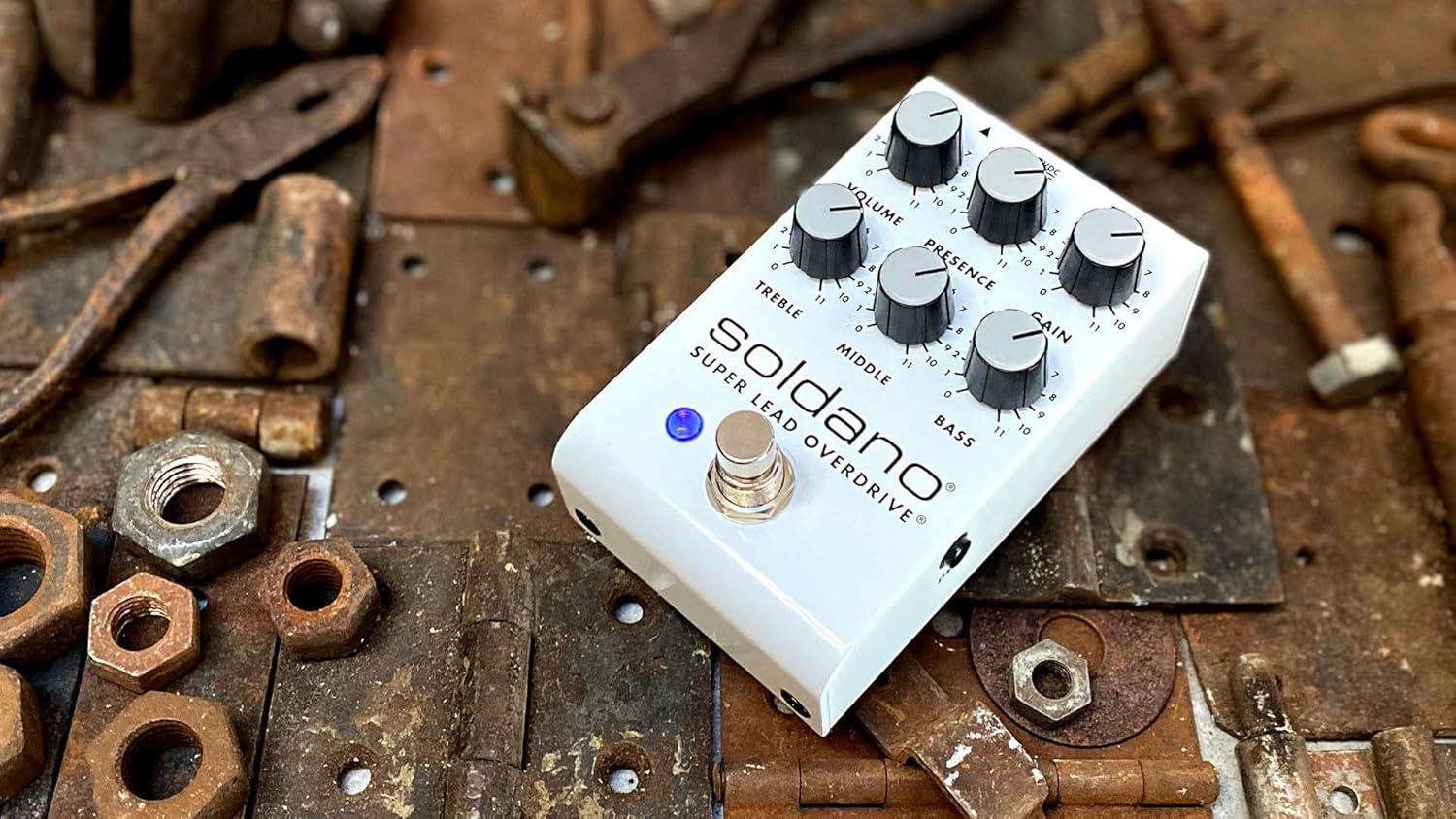
Image: The Soldano SLO Pedal positioned on a rustic surface, illustrating its robust build and compact form factor.
6. Specifications
| Model Number | SLO-PEDAL |
| ASIN | B0BNX3SS8D |
| Dimensions (L x W x H) | 4.53 x 2.64 x 2.24 inches |
| Item Weight | 14.4 ounces (0.9 Pounds) |
| Power Source | Corded Electric |
| Voltage | 9 Volts DC (Center-Negative) |
| Amperage | 7 Milliamps |
| Hardware Interface | 1/4-inch Audio Jacks |
| Signal Format | Analog |
7. Troubleshooting
If you encounter issues with your SLO Pedal, refer to the following common problems and solutions:
- No Sound:
- Check all cable connections (guitar to input, output to amp).
- Ensure the power adapter is correctly connected and providing 9V DC center-negative power.
- Verify that the pedal is engaged (LED illuminated).
- Test with different cables, guitar, and amplifier to isolate the problem.
- Weak or Distorted Sound (unintended):
- Ensure the correct power supply is used (9V DC, center-negative, at least 7mA).
- Check instrument cables for damage.
- Adjust the VOLUME and GAIN knobs.
- Excessive Noise/Hum:
- Ensure you are using a high-quality, regulated power supply.
- Check for ground loops in your setup.
- Move the pedal away from power transformers or other sources of electromagnetic interference.
- Test with different cables.
8. Maintenance
The SLO Pedal is built for durability and requires minimal maintenance.
- Cleaning: Use a soft, dry cloth to clean the pedal's exterior. Avoid abrasive cleaners or solvents.
- Storage: When not in use for extended periods, disconnect the power supply and store the pedal in a cool, dry place away from direct sunlight and extreme temperatures.
- Connections: Periodically check all input/output jacks and power connections for any looseness or corrosion.
9. Warranty Information
For detailed warranty information regarding your Soldano SLO Pedal, please refer to the warranty card included with your product or visit the official Soldano website. Warranty terms and conditions may vary by region and retailer. Please retain your proof of purchase for any warranty claims.
10. Customer Support
If you require further assistance or have questions not covered in this manual, please contact Soldano customer support through their official website or the retailer from whom you purchased the product.
Related documentsSLO-PEDAL


Ask a question about this manual
Ask about setup, troubleshooting, compatibility, parts, safety, or missing instructions. Manuals+ will review the question and use this page’s manual context to help answer it.