
1. Introduction
The MiLESEEY M120 is a compact and versatile laser distance meter designed for quick and accurate measurements. Its mini size and durable alloy housing make it highly portable and robust. This manual provides detailed instructions for setting up, operating, and maintaining your M120 laser measure, ensuring optimal performance and longevity.

Image: MiLESEEY M120 Laser Measure, showcasing its sleek, compact design and clear display.
2. Safety Information
Please read all safety instructions carefully before using the device. Failure to follow these instructions may result in laser exposure, electric shock, fire, or serious injury.
- Laser Class: This device uses a Class II laser.
- Laser Type: 635nm <1mW.
- Avoid Direct Eye Exposure: Do not stare directly into the laser beam or view it directly with optical instruments.
- Children Safety: Keep the device out of reach of children.
- Operating Environment: Use the device in a well-lit area and avoid pointing the laser at reflective surfaces that could cause the beam to reflect into your eyes or others'.
- Maintenance: Do not attempt to disassemble or modify the device. Refer all servicing to qualified personnel.
3. Package Contents
Verify that all items are present in your package:
- 1 x MiLESEEY M120 Laser Measure
- 1 x User Manual
- 1 x USB Type-C Cable
- 1 x Pouch Bag
- 1 x Holding Rope

Image: All components included in the MiLESEEY M120 package, including the device, pouch, cable, and manual.
4. Product Features
- Compact and Stylish Design: Mini size with aluminum alloy + ABS housing for portability and durability.
- Accurate and Reliable: Advanced optical focusing lens ensures stability and measures distances up to 98 feet within 1/8 inch accuracy.
- HD Display and Clear Reading: Backlit LCD screen displays 3 sets of data simultaneously with vivid mode icons and large numbers.
- Rechargeable Battery: Built-in large capacity rechargeable lithium battery, powered via USB Type-C.
- Diversified Measurement Modes: Supports single distance, area, volume, and Pythagorean theorem calculations.
- Unit Switching: Easily switch between meters (m), inches (in), and feet (ft).
- Waterproof and Dustproof: IPX7 or IPX8 International Protection Rating for enhanced durability.

Image: Illustration of the M120's high accuracy with spectroscopic lens group correction technology and original filtering algorithm.
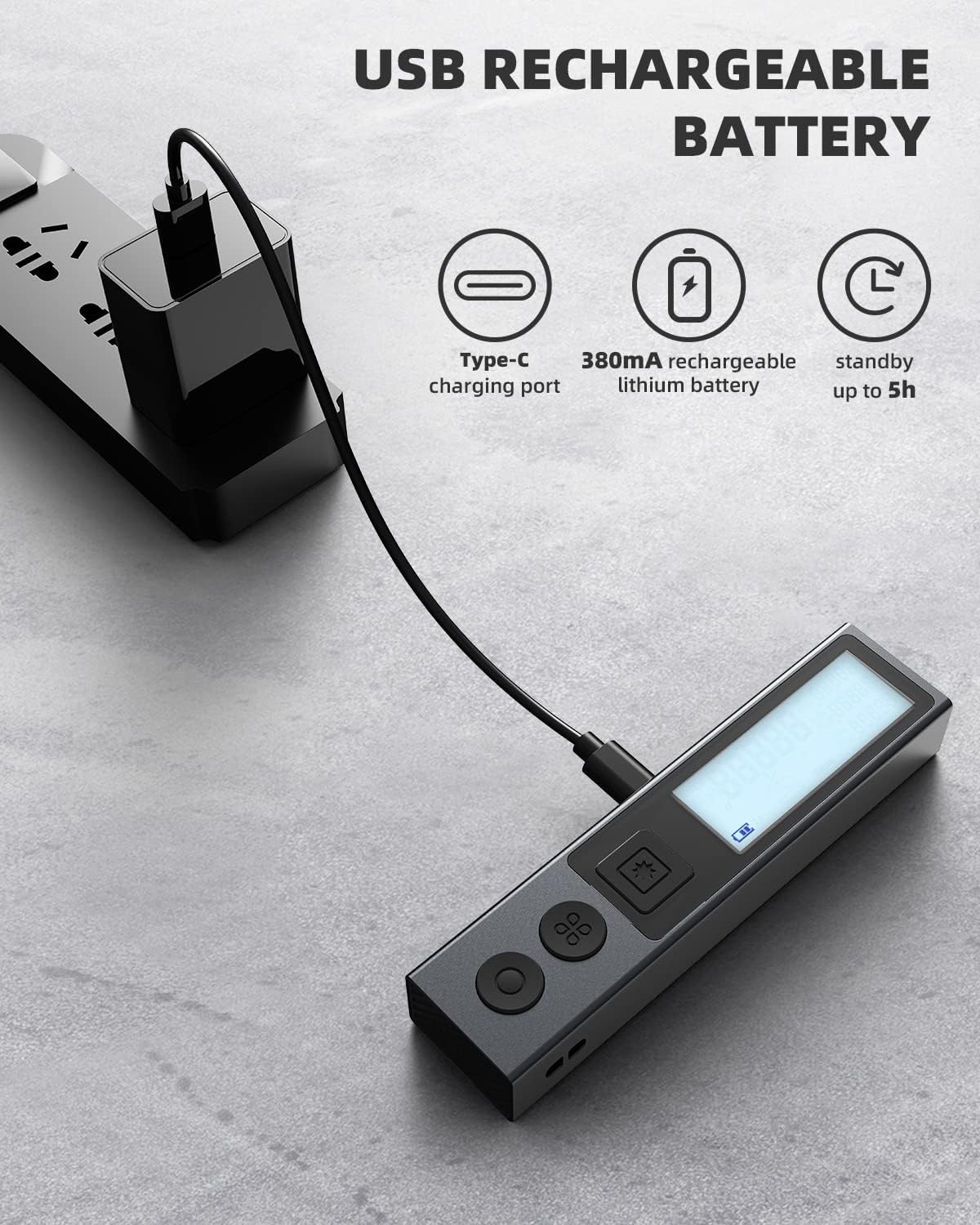
Image: Close-up of the M120's HD backlit display, showing clear readings and multiple data lines.
5. Setup
5.1 Charging the Battery
The MiLESEEY M120 is equipped with a rechargeable lithium battery. Before first use, ensure the device is fully charged.
- Locate the USB Type-C charging port on the side of the device. It is protected by a sliding cover.
- Connect the provided USB Type-C cable to the device.
- Connect the other end of the USB cable to a power source (e.g., power bank, computer USB port, car charger, or DC plug adapter).
- The battery indicator on the display will show charging status. A full charge provides up to 5 hours of standby time.

Image: The MiLESEEY M120 connected to a USB Type-C charger, illustrating its rechargeable battery feature.
5.2 Powering On/Off
- Power On: Long-press the main measurement button (with the laser icon) to turn on the device. The backlit display will illuminate.
- Power Off: Long-press the main measurement button again to turn off the device.
6. Operating Instructions
6.1 Basic Measurement (Single Distance)
- Ensure the device is powered on.
- Point the laser beam at the target surface.
- Short-press the main measurement button (laser icon) once to activate the laser.
- Short-press the main measurement button again to take the measurement. The result will be displayed on the screen.
6.2 Measurement Modes
The M120 offers multiple measurement modes. Press the "function key" (the button with four squares) to cycle through the modes.
- Single Distance Measurement: Measures the direct distance between two points.
- Area Measurement: Calculates the area by measuring two sides (length and width).
- Volume Measurement: Calculates the volume by measuring three sides (length, width, and height).
- Pythagorean Mode (2-Point): Calculates an unknown side of a right triangle using two measured sides.
- Pythagorean Mode (3-Point): Calculates an unknown side using three measurements, useful for indirect height or distance.

Image: Visual representation of the five different measurement modes available on the MiLESEEY M120: Single Distance, Area, Volume, Pythagorean (2-Point), and Pythagorean (3-Point).
6.3 Unit Switching
To switch between measurement units (meters, inches, feet), long-press the circular button (reference point button). The default unit after power on is "ft".
- m: Meters
- in: Inches (decimal or fractional)
- ft: Feet (decimal)
- ft+in: Feet and Inches (e.g., 5' 05 3/16")

Image: Diagram showing how to switch between different measurement units (m, ft, in, ft+in) on the M120 display.
6.4 Reference Point Selection
The M120 can measure from either its front or rear edge. Short-press the circular button (reference point button) to toggle between the front-based and rear-based modes. The default reference is the rear after power on.
- Front-Based Mode: Measurement starts from the front edge of the device.
- Rear-Based Mode: Measurement starts from the rear edge of the device (useful when placing the device against a wall).

Image: Comparison of the front-based and rear-based measurement modes, illustrating how the device calculates distance from different reference points.
7. Maintenance
- Cleaning: Use a soft, damp cloth to clean the device. Do not use abrasive cleaners or solvents.
- Storage: Store the device in its pouch bag in a cool, dry place when not in use. Avoid extreme temperatures and direct sunlight.
- Battery Care: Charge the battery regularly, even if not in frequent use, to maintain battery health.
- Lens Care: Keep the laser emission and reception lenses clean to ensure accurate measurements. Use a soft, lint-free cloth.
8. Troubleshooting
| Problem | Possible Cause | Solution |
|---|---|---|
| Device does not power on. | Low battery; incorrect power-on procedure. | Charge the device fully. Long-press the main measurement button to power on. |
| Inaccurate measurements. | Dirty lenses; unstable surface; incorrect reference point. | Clean the lenses. Ensure the device is stable. Verify the correct front/rear reference point is selected. |
| Laser beam not visible. | Bright ambient light; device not powered on. | Use in lower light conditions if possible. Ensure device is powered on and laser is activated. |
| Cannot switch units/modes. | Incorrect button press. | Refer to section 6.2 and 6.3 for correct button presses (short-press vs. long-press). |
9. Specifications
| Attribute | Detail |
|---|---|
| Brand | MiLESEEY |
| Model Number | M120 |
| Measuring Range | 98 feet (30 meters) |
| Accuracy | ±1/8 inch (±3mm) |
| Laser Type | Class II, 635nm <1mW |
| Battery Type | Rechargeable Lithium-Ion |
| Charging Port | USB Type-C |
| Material | Aluminum, Acrylonitrile Butadiene Styrene (ABS) |
| Color | Silver |
| Item Weight | 1.76 ounces (50 Grams) |
| Product Dimensions | 1.02"L x 0.65"W x 4.25"H |
| International Protection Rating | IPX7 or IPX8 (Waterproof) |
10. Warranty and Support
The MiLESEEY M120 Laser Measure comes with a 1-year warranty from the date of purchase, covering manufacturing defects and workmanship.
For technical support, troubleshooting assistance, or warranty claims, please contact MiLESEEY customer service through their official website or the retailer where you purchased the product. Please have your model number (M120) and proof of purchase ready when contacting support.
For more information, visit the official MiLESEEY Store: MiLESEEY Store on Amazon