
GE Lighting 93129724
GE LED+ Color Changing Speaker LED Light Bulb Instruction Manual
Model: 93129724
Introduction
The GE LED+ Color Changing Speaker LED Light Bulb combines illumination with integrated audio, allowing you to customize your environment with both light and sound. This A21 standard bulb features multiple color options and a built-in Bluetooth speaker, all controllable via the included wireless remote. No additional app, hub, or Wi-Fi connection is required for operation.
This manual provides detailed instructions for the proper setup, operation, and maintenance of your GE LED+ Speaker Light Bulb to ensure optimal performance and longevity.
Important Safety Information
WARNING: This product contains a lithium button/coin cell battery. Keep coin cell batteries out of reach of children. Swallowing a button/coin cell battery can cause internal chemical burns and may lead to death in as little as 2 hours.
- Do not use with dimmer switches.
- Ensure the light fixture is turned off before installing or removing the bulb.
- Do not disassemble or modify the bulb.
- For indoor use only.
Package Contents
- One (1) GE LED+ A21 LED Speaker Light Bulb
- One (1) Wireless Remote Control
- Quick Start Guide

Image: The GE LED+ Speaker Light Bulb and its remote control, shown in their retail packaging. The bulb is an A21 shape with a speaker grille at the top, and the remote is a compact white unit with various control buttons.
Setup Instructions
- Install the Bulb: Carefully screw the GE LED+ Speaker Light Bulb into any standard E26 medium base lamp or light fixture. Ensure the fixture is turned off before installation.
- Power On: Turn on the light fixture. The bulb will illuminate in its default soft white setting.
- Bluetooth Pairing: To connect the speaker, enable Bluetooth on your smartphone or tablet. Search for available devices and select "GE LED+ A21 Speaker" (or similar name). No app or hub is required for this connection.
- Syncing Multiple Bulbs (Optional): For surround sound, you can connect up to 10 LED+ speaker bulbs within 25 feet of the primary bulb. Once connected, turn on all bulbs, and they will automatically sync to the primary bulb for synchronized audio playback.
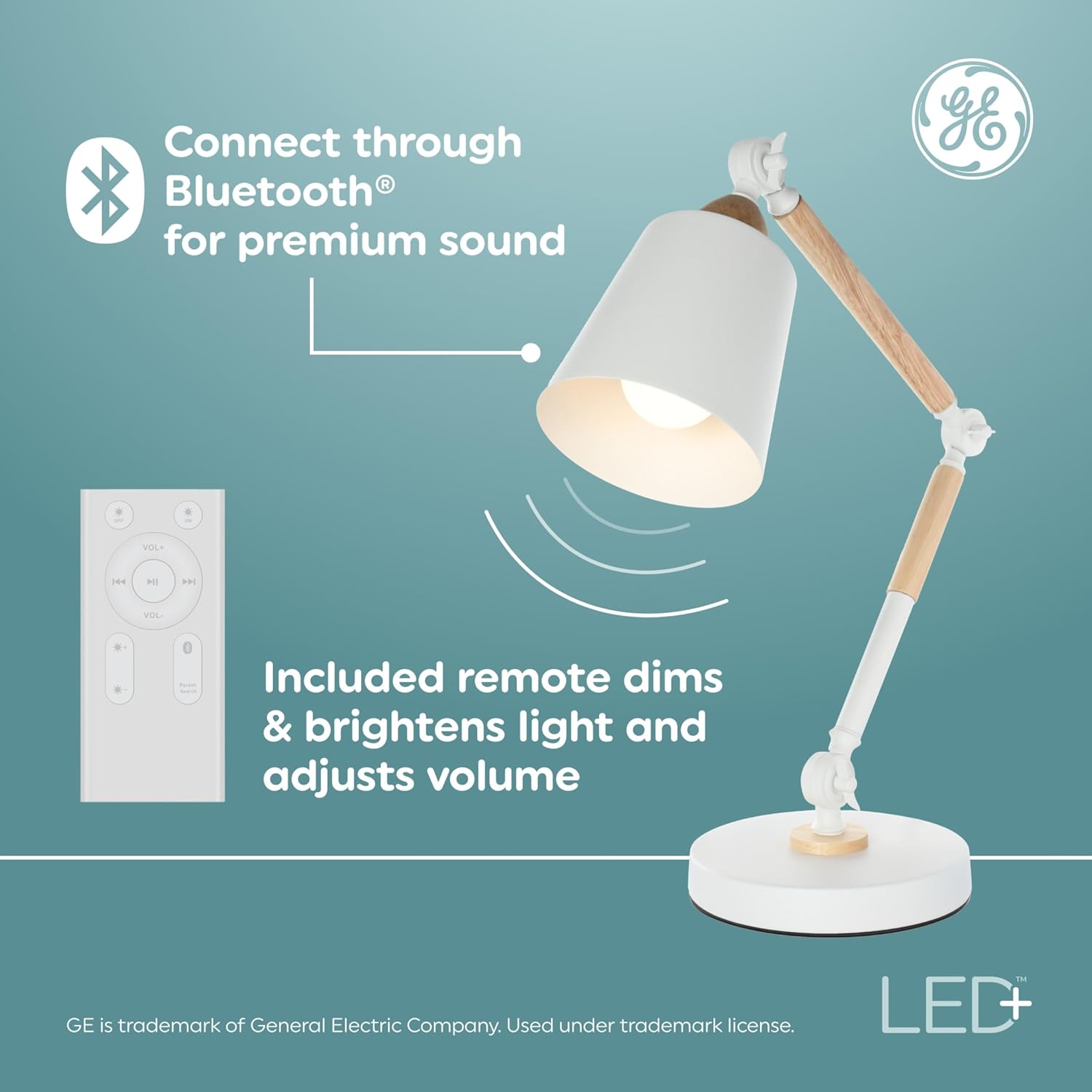
Image: The GE LED+ Speaker Light Bulb installed in a white desk lamp, with the remote control positioned next to it. This illustrates the simple setup process.

Image: A living room scene showing two individuals dancing, with multiple GE LED+ Speaker Light Bulbs providing synchronized lighting and sound, demonstrating the multi-bulb syncing capability.
Operating Instructions
The included remote control provides full functionality for both lighting and audio features.
Remote Control Functions:

Image: A detailed view of the GE LED+ Speaker Light Bulb remote control, highlighting its various buttons for light and sound control.
- Power Button: Turns the light and/or speaker on/off. You can turn off the light aspect while still utilizing the speaker.
- Light On/Off: Dedicated buttons to turn the light on or off independently of the speaker.
- Brightness Control (Sun Icons): Use the small sun icon to dim the light and the large sun icon to brighten it.
- Color Selection: Use the color palette buttons to cycle through 8 different color settings or select daylight white.
- Smooth Fade: Activates a mode where the light smoothly transitions through different colors.
- Party Mode: When music is playing through the speaker, pressing this button will cause the light colors to change and pulse in sync with the music.
- Music Playback Controls: Play/Pause, Volume Up/Down, and Skip Track buttons for controlling audio playback from your Bluetooth-connected device.
- Stereo/Mono Mode: If using multiple bulbs, select 'L' for left channel, 'R' for right channel (stereo), or 'M' for mono playback across all synced bulbs.
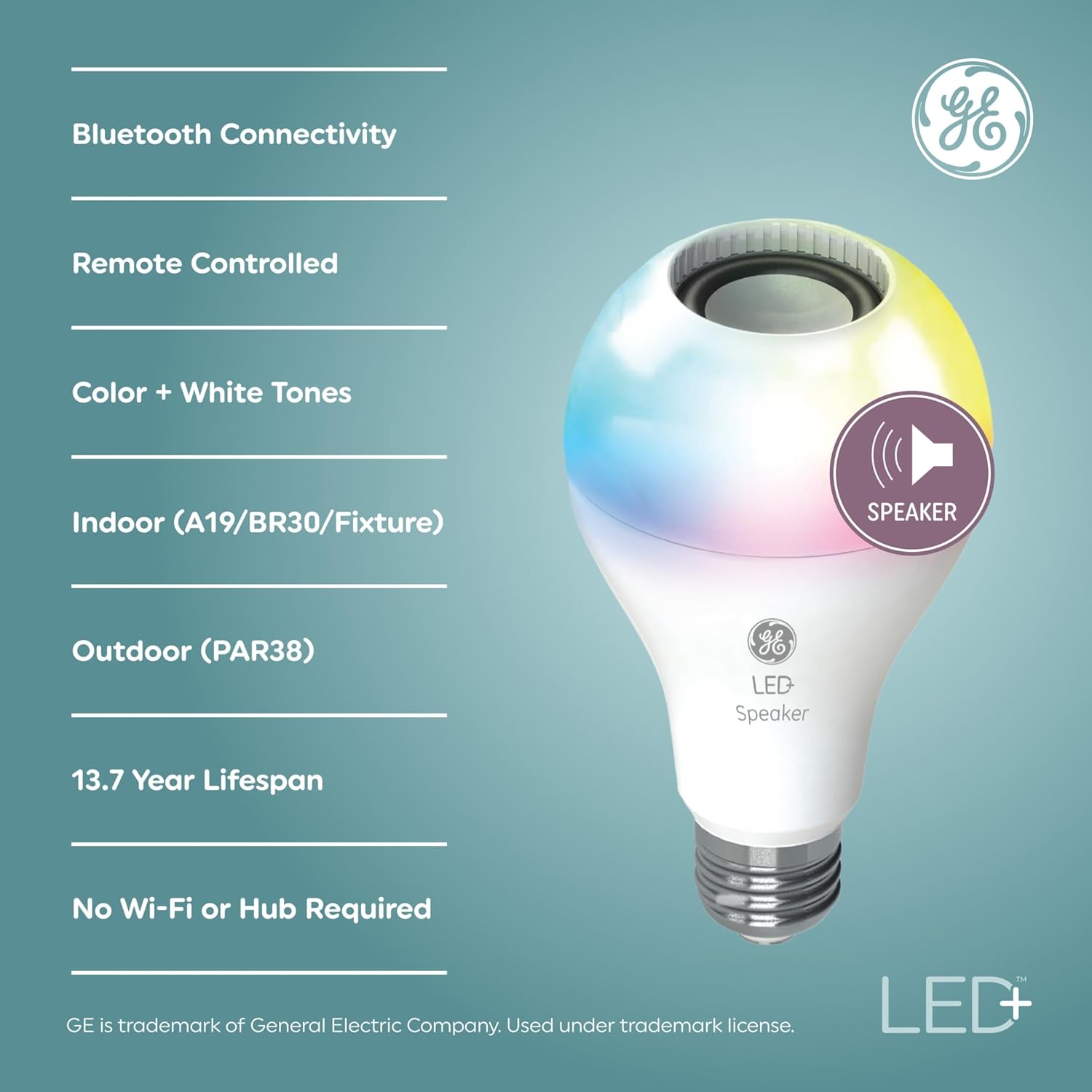
Image: An infographic detailing the key features of the GE LED+ Speaker Light Bulb, including Bluetooth connectivity, remote control, color and white tones, indoor/outdoor compatibility, lifespan, and no Wi-Fi/hub requirement.

Image: A four-panel collage illustrating various scenarios where the GE LED+ Speaker Light Bulb enhances the atmosphere: Playtime, Anytime, Date Night, and House Party, showcasing its versatility.
Maintenance
- To clean the bulb, ensure it is turned off and cool to the touch. Wipe with a soft, dry cloth. Do not use liquid cleaners.
- Store the remote control in a dry place away from extreme temperatures.
- Replace the remote control battery (1 CR2 battery) as needed.
Troubleshooting
| Problem | Possible Cause | Solution |
|---|---|---|
| Bulb does not light up. | No power to the fixture; bulb not screwed in properly; bulb is faulty. | Check power supply; ensure bulb is securely screwed in; try bulb in another working fixture. |
| Speaker does not connect via Bluetooth. | Bluetooth not enabled on device; bulb not in pairing mode; too far from bulb. | Ensure Bluetooth is on; turn bulb off/on to reset pairing; move device closer to bulb (within 25ft). |
| Remote control not working. | Battery is dead; remote is too far from bulb; obstruction between remote and bulb. | Replace CR2 battery; move closer to bulb; remove any obstructions. |
| Multiple bulbs not syncing audio. | Bulbs are too far apart; primary bulb not correctly set. | Ensure all bulbs are within 25ft of the primary bulb; power cycle all bulbs. |
Specifications
| Feature | Detail |
|---|---|
| Brand | GE Lighting |
| Model Name | LED+ Speaker Daylight & Color A21 (1-Pack) |
| Model Number | 93129724 |
| Light Type | LED |
| Bulb Shape Size | A21 |
| Bulb Base | E26 Medium |
| Wattage | 9 watts |
| Incandescent Equivalent | 60 Watts |
| Brightness | 760 Lumens |
| Color Temperature | 5000 Kelvin (Daylight) + Multicolor |
| Voltage | 120 Volts |
| Connectivity Technology | Bluetooth |
| Indoor/Outdoor Usage | Indoor |
| Average Life | 22 Years |
| Remote Battery Type | 1 CR2 battery (included) |
| Product Dimensions | 3.94"W x 6.38"H |

Image: A diagram illustrating the dimensions of a standard medium bulb base (E26), indicating it is the most common base size.

Image: An infographic highlighting the benefits of LED lighting, including lower energy costs, long life, being mercury-free, and offering a variety of color temperatures.
Warranty & Support
This GE LED+ Speaker Light Bulb comes with a 3-year limited warranty from the date of purchase. For warranty claims or technical support, please refer to the contact information provided in the Quick Start Guide included with your product or visit the official GE Lighting website.
For additional product information and support, you may visit the GE Lighting Store on Amazon.
Ask a question about this manual
Ask about setup, troubleshooting, compatibility, parts, safety, or missing instructions. Manuals+ will review the question and use this page’s manual context to help answer it.