
1. Introduction
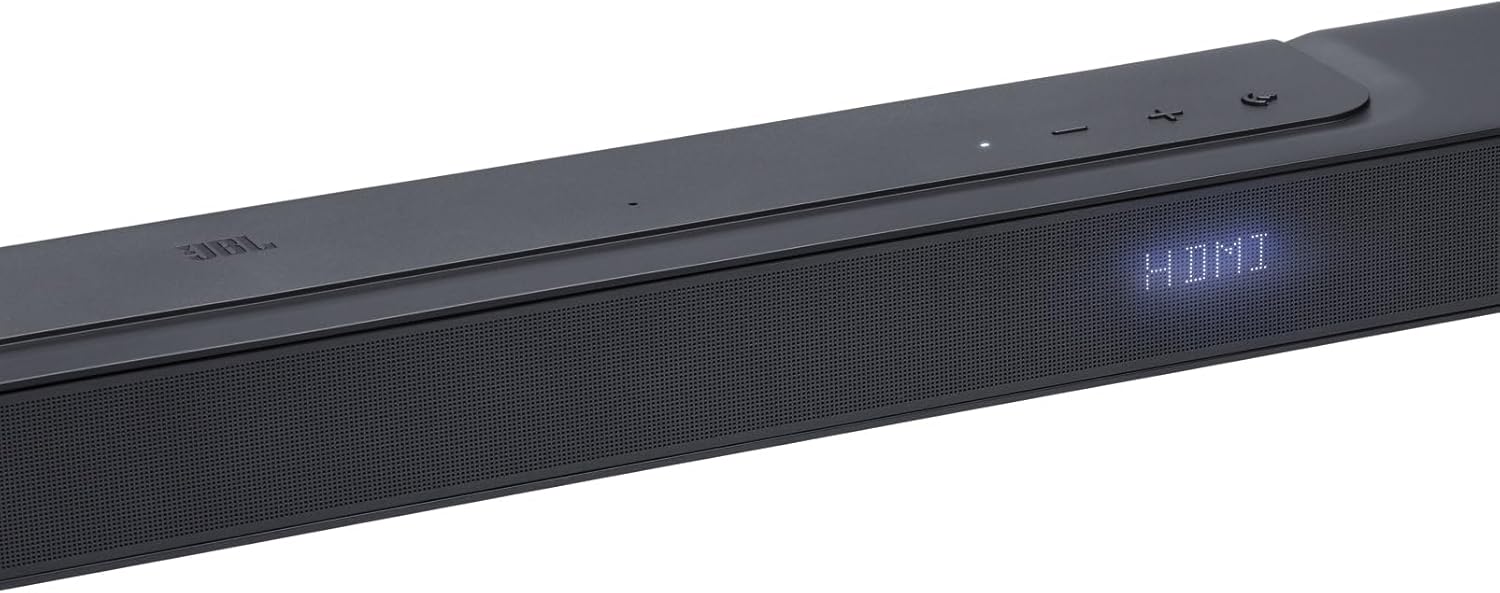
The JBL Bar 300 is a compact 5.0 channel all-in-one soundbar designed to deliver an immersive 3D surround sound experience. Featuring MultiBeam technology and Dolby Atmos, this soundbar enhances your home entertainment with powerful and clear audio for movies, music, and games. Its streamlined design integrates seamlessly into any living space, providing a premium audio solution without the need for additional speakers or subwoofers.
2. Package Contents
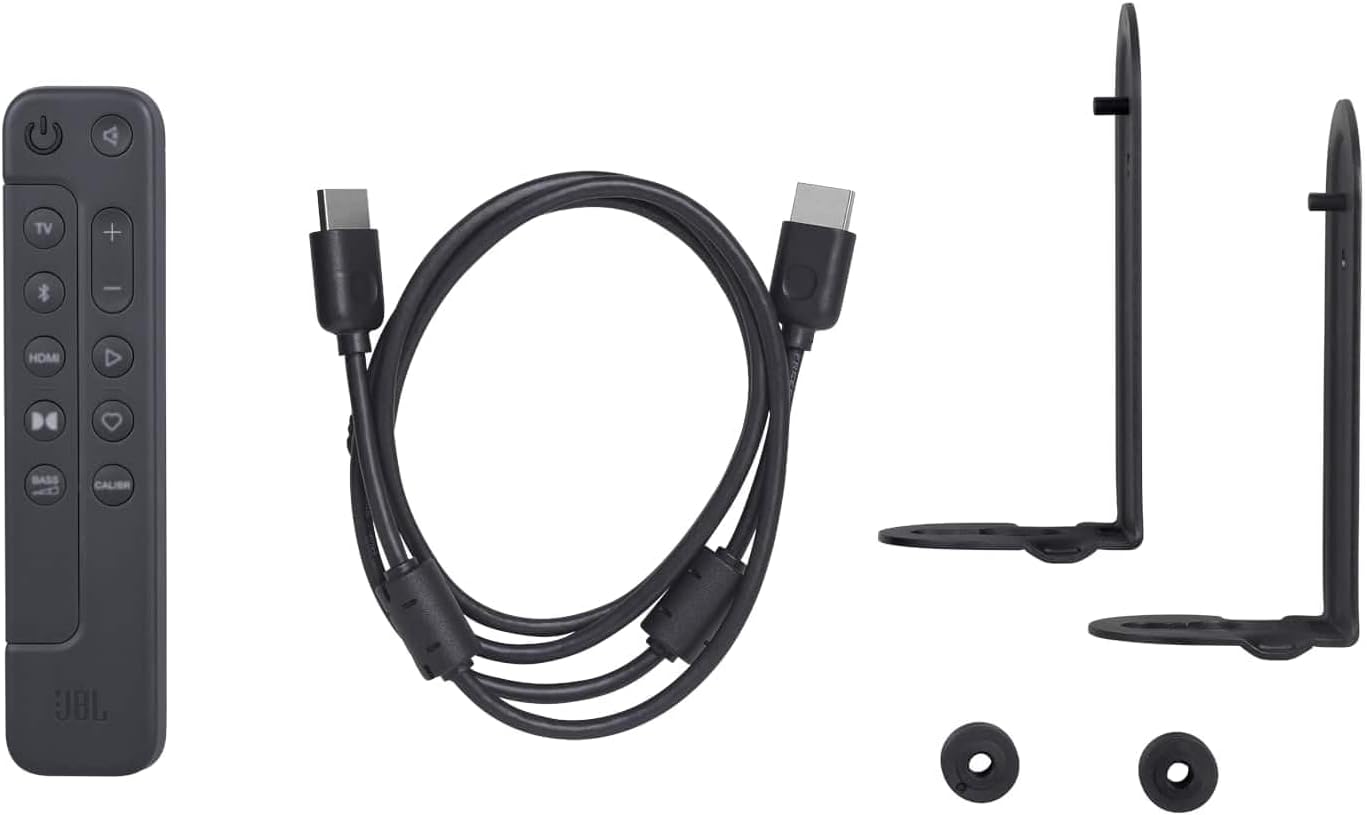
Verify that all items listed below are included in your package:
- 1 x JBL Bar 300 Soundbar
- 1 x Remote control with 2 batteries
- Power cables (up to 8 pieces depending on region SKUs)
- 1 x HDMI cable
- 2 x Wall mount brackets with screws
- 1 x Quick start guide
- Warranty/Warning (W/!)
- Product safety sheet/QSG (S/I)
3. Setup
3.1 Placement
Place the JBL Bar 300 soundbar directly in front of your television on a flat surface, ensuring it does not obstruct the TV's remote sensor. Alternatively, you can wall-mount the soundbar using the provided brackets.

3.2 Connections
- Connect to TV: Use the supplied HDMI cable to connect the soundbar's HDMI OUT (TV ARC) port to your TV's HDMI ARC/eARC input. If your TV does not have an HDMI ARC port, use an optical cable (not included) to connect the soundbar's OPTICAL port to your TV's optical output.
- Power Connection: Connect the power cable to the soundbar and then to a power outlet.
- Network Connection: For Wi-Fi streaming and software updates, connect the soundbar to your home Wi-Fi network using the JBL One app.

4. Operating Instructions
4.1 Basic Controls
Use the included remote control or the buttons on the top panel of the soundbar to control power, volume, and input selection.
- Power Button: Press to turn the soundbar on or off.
- Volume Buttons (+/-): Adjust the master volume level.
- Source Button: Cycle through available audio input sources (HDMI, Bluetooth, Wi-Fi).

4.2 Advanced Control with JBL One App
Download the JBL One app to unlock full control and personalization options for your soundbar, including sound calibration, equalizer settings, and access to over 300 streaming services via AirPlay, Alexa MRM, and Chromecast built-in.
5. Features
- Compact All-in-One Design: Offers a 3D surround sound experience without additional surround speakers or subwoofers.
- MultiBeam and Dolby Atmos: Transforms your movies into an immersive 3D cinematic experience.
- Deep Bass: Integrated bass port enhances action scenes and music with powerful low frequencies.
- Wireless Streaming: Access over 300 streaming services via AirPlay, Alexa MRM, and Chromecast built-in. Wi-Fi connectivity also enables automatic software updates.
- Clear Dialogue: Advanced audio processing ensures clear and understandable dialogue.
6. Specifications
| Feature | Detail |
|---|---|
| Brand | JBL |
| Model Name | SoundBar 300 Speaker |
| Model Number | JBLBAR300PROBLKEP |
| Connectivity Technology | Bluetooth, Wi-Fi |
| Audio Encoding | Dolby Atmos |
| Audio Output Mode | Surround |
| Max Speaker Output Power | 25 Watts |
| Frequency Response | 20 KHz |
| Number of Audio Channels | 5.0 |
| Item Dimensions (D x W x H) | 10.4D x 82W x 5.6H centimeters |
| Item Weight | 4.1 Kilograms |
| Control Method | Remote Control |
| Material | Plastic |
| Color | Black |
| Recommended Uses | Home cinema systems, TV evenings, video games |
7. Troubleshooting
If you encounter any issues with your JBL Bar 300 soundbar, please consider the following general troubleshooting steps:
- No Power: Ensure the power cable is securely connected to both the soundbar and a working power outlet.
- No Sound: Check that the correct input source is selected on the soundbar and your TV. Verify that the volume is not muted on either device. Ensure all audio cables are properly connected.
- Bluetooth Connection Issues: Make sure the soundbar is in Bluetooth pairing mode and your device's Bluetooth is enabled. Try unpairing and re-pairing the device.
- Distorted Sound: Reduce the volume on both the soundbar and your connected device. Check for any physical obstructions or interference.
For more detailed troubleshooting, refer to the full user manual available on the JBL support website or contact customer support.
8. Maintenance
To ensure the longevity and optimal performance of your JBL Bar 300 soundbar, follow these maintenance guidelines:
- Cleaning: Gently wipe the soundbar with a soft, dry, lint-free cloth. Avoid using abrasive cleaners, waxes, or solvents as they may damage the finish.
- Ventilation: Ensure adequate airflow around the soundbar. Do not block any ventilation openings.
- Storage: If storing the soundbar for an extended period, disconnect it from power and store it in a cool, dry place away from direct sunlight and extreme temperatures.
9. Warranty and Support
Your JBL Bar 300 soundbar comes with a 2-year manufacturer's warranty. This warranty covers defects in materials and workmanship under normal use.
For warranty claims, technical support, or additional product information, please visit the official JBL support website or contact their customer service department. Keep your proof of purchase for warranty validation.


