
Introduction
This manual provides essential information for the proper installation, operation, and maintenance of your Septekon 2K Security Camera S50. Please read it thoroughly before using the product to ensure optimal performance and safety. This camera is designed for outdoor use, offering advanced surveillance features for home security.
Key Features:
- 2K HD Live Video & Advanced Night Vision: Equipped with a 3MP high-definition lens (2304x1296 resolution) and 12 infrared LEDs for clear night vision up to 65ft.
- Real-Time Motion Alert & Smart Siren: Sends instant alerts to your mobile phone upon motion detection and can activate a siren alarm.
- Two-Way Audio & IP66 Weatherproof: Features noise cancellation for clear two-way communication and an IP66 rating for extreme weather resistance.
- Enterprise-class Video Encryption & Cloud Storage: Ensures secure data transmission and storage with AES256 encryption.
- Safer for Recording & Multi-user Access: Supports 24/7 footage storage on a micro SD card (not included) and allows sharing access with family and friends.
Product Overview
The Septekon S50 camera features a compact, square design with an external antenna for enhanced Wi-Fi signal reception. It includes an Ethernet port for wired network connection and a power input for continuous operation.

Image: The Septekon S50 camera captures 2K HD video, providing clear details of outdoor areas, such as a car's license plate.

Image: Enhanced night vision capabilities of the Septekon S50 camera, displaying a clear black and white view of a house at night on a smartphone screen.

Image: The Septekon S50 camera's real-time alert system, showing a motion alarm notification on a phone and a siren icon, indicating its ability to deter intruders.
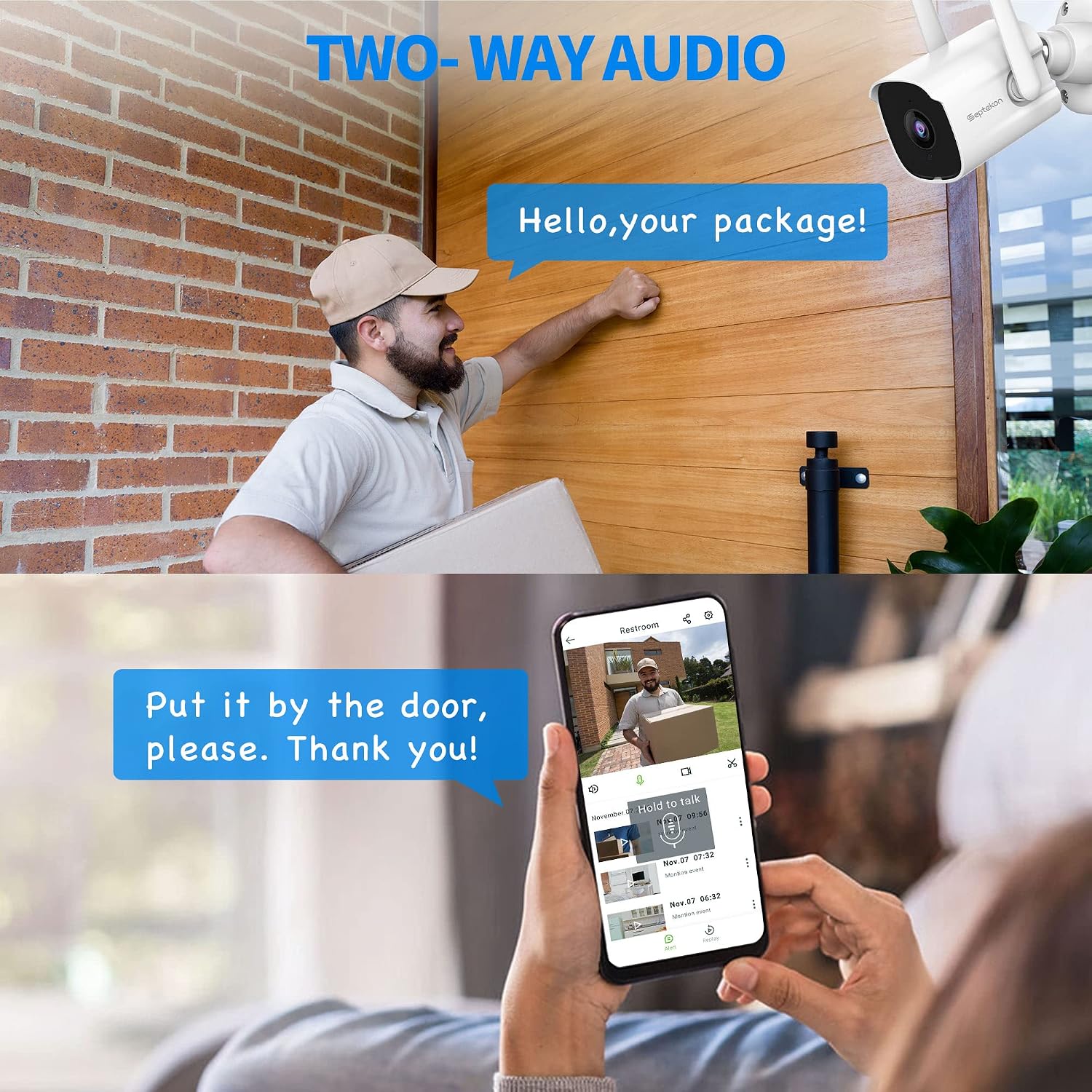
Image: Two-way audio feature of the Septekon S50 camera, allowing communication with a delivery person at the door via a smartphone app.

Image: Cloud storage capabilities of the Septekon S50 camera, showing playback, download, and enterprise-class encryption for recorded video clips.
Unboxing and Initial Impressions:
Video: This video provides an unboxing and initial overview of the Septekon S50 camera, highlighting its physical design, included accessories like weatherproof connectors and mounting hardware, and the external antenna for improved Wi-Fi signal. It also briefly touches on the camera's aesthetic and practical features.
Setup and Installation
1. Mounting the Camera:
The Septekon S50 camera can be wall-mounted. Use the provided self-tapping wood screws and sheetrock anchors for secure installation. Ensure the mounting location provides a clear view of the desired surveillance area and is within reach of a power outlet. The camera requires continuous power via its corded electric connection.

Image: An overview of the Septekon 2K Wi-Fi Outdoor Security Camera, highlighting its key features including 2K Full HD Live Streaming, Two-Way Audio, AI Motion Detection, IP66 Waterproof rating, Advanced Night Vision, Cloud Storage, Real-Time Alert, and compatibility with Alexa.
2. App Download and Connection:
To set up your camera, download the Septekon app from the Google Play Store (for Android devices) or the App Store (for iOS devices). Once installed, open the app and follow the on-screen instructions to add your camera. This typically involves scanning a QR code provided with the camera or on the device itself.

Image: The Septekon app logo with icons indicating availability on the Apple App Store and Google Play Store for smartphone integration.
3. Wi-Fi and Network Configuration:
The Septekon S50 camera supports 2.4G Wi-Fi networks only (5G networks are not supported). Ensure your Wi-Fi network is 2.4G for successful connection. The camera also features an Ethernet port for a hardwired connection, which can provide a more stable network link if needed. During setup, the app will guide you through connecting the camera to your chosen network.
Video Segment: This segment of the video demonstrates the easy setup process of the Septekon S50 camera, including downloading the app, scanning the QR code, and connecting to the Wi-Fi network. It shows the live feed appearing on the smartphone screen after successful setup.
Operating the Camera
1. Live View and Recording:
Access the live video feed through the Septekon app. You can switch between Full HD and standard definition viewing options. The app allows you to initiate live recordings directly to your phone or utilize the cloud storage service for continuous or event-based recording. The camera supports 24/7 surveillance footage storage on a micro SD card (not included).
2. Motion Detection and Alerts:
The camera features AI motion detection. When motion is detected, the Septekon app sends an instant alert to your mobile phone. You can adjust the sensitivity level and define specific detection areas within the app to minimize false alarms. A smart siren can also be activated to deter intruders.
3. Two-Way Audio:
Utilize the built-in microphone and speaker for two-way audio communication. This allows you to speak with visitors or deter unwanted individuals remotely through the app.
4. Multi-User Access and Smart Home Integration:
You can create multiple guest accounts within the Septekon app to share video access with family and friends. The camera is also compatible with Amazon Alexa, allowing for voice control and integration into your smart home ecosystem.

Image: Illustration of the Septekon camera's compatibility with Amazon Alexa, enabling voice commands for viewing camera feeds.
Maintenance
The Septekon S50 camera has an IP66 weatherproof rating, making it resistant to dust and water jets. For optimal performance and longevity, regularly clean the camera lens with a soft, damp cloth. Avoid using harsh chemicals or abrasive materials. Ensure all cable connections are secure and protected from environmental elements.
Troubleshooting
Common Issues and Solutions:
- Camera Offline: Check Wi-Fi signal strength and ensure the camera is powered on. Verify that your router is functioning correctly. If using a wired connection, check the Ethernet cable.
- Poor Video Quality: Ensure a strong Wi-Fi signal. Adjust the video quality settings in the app (e.g., from HD to SD) if network bandwidth is limited.
- Motion Detection Not Working: Verify motion detection settings in the app, including sensitivity and detection areas. Ensure the camera lens is clean and unobstructed.
- App Not Connecting: Close and reopen the Septekon app. Ensure your smartphone has a stable internet connection. You can also restart the camera directly from the app settings.
Specifications
| Model Name | 761JBU |
| Indoor/Outdoor Usage | Outdoor |
| Video Capture Resolution | 3 MP (2304x1296) |
| Connectivity Technology | Wireless (Wi-Fi) |
| Wireless Communication Technology | Wi-Fi (2.4G only) |
| Power Source | Corded Electric |
| Night Vision Range | 82 Feet (65ft mentioned in feature bullets, using the more conservative value) |
| International Protection Rating | IP66 |
| Special Features | Motion Sensor, Night Vision, 2-Way Audio, Siren |
| Compatible Devices | Smartphone, Amazon Alexa |
| Control Method | App |
| Material | Aluminum |
| Item Weight | 1.04 pounds |
| Viewing Angle | 110 Degrees |
Warranty and Support
For warranty information, technical support, or any product-related inquiries, please refer to the official Septekon website or contact their customer service directly. Keep your purchase receipt as proof of purchase for warranty claims.
