
Introduction
This instruction manual provides detailed guidance for assembling your Italeri 2803 F-15E Strike Eagle 1:48 scale plastic model kit. Please read all instructions carefully before beginning assembly. This kit is designed for collectors over 14 years of age and requires modeling tools, adhesives, and paints (sold separately).
Safety Information
- Keep small parts away from young children to prevent choking hazards.
- Use modeling glues and paints in a well-ventilated area. Refer to the manufacturer's safety data sheets for these products.
- Exercise caution when using sharp tools such as hobby knives and clippers.
- Dispose of waste materials responsibly.
Kit Contents
Your Italeri F-15E Strike Eagle model kit includes the following components:
- Plastic sprues containing all model parts.
- Assembly instructions booklet.
- Color decal sheet for various US versions.
Please verify all parts are present and undamaged before starting assembly. If any parts are missing or damaged, contact customer support.
Assembly Instructions
Follow the numerical sequence provided in the included assembly instructions booklet. The following images illustrate the various plastic sprues and the decal sheet.
Sprue Layouts

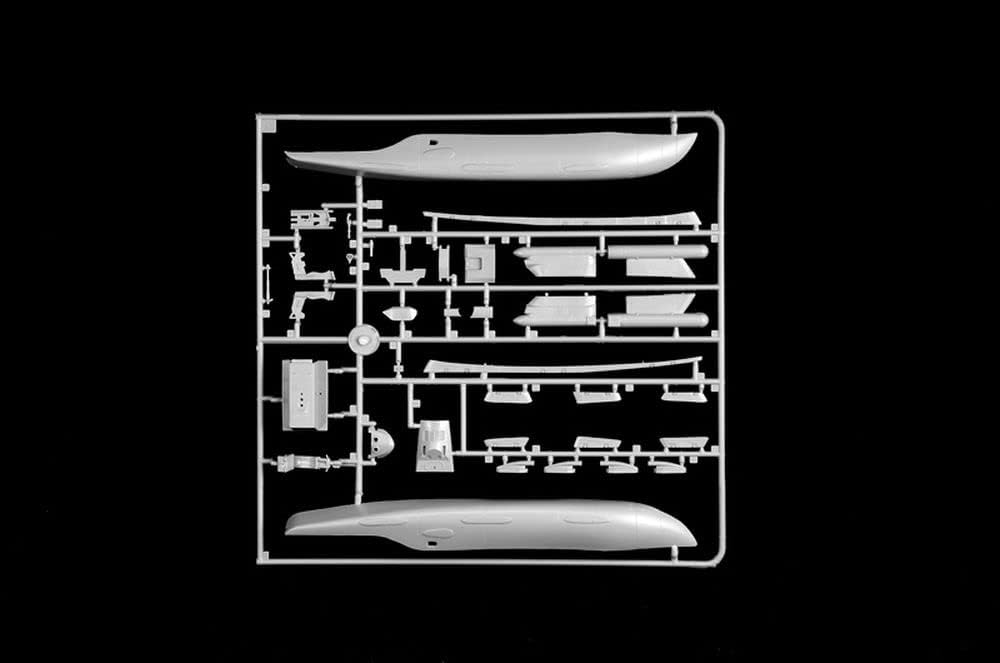
This sprue contains the primary fuselage sections and main wing components. Carefully detach parts using a hobby knife or clippers, ensuring clean cuts.

Sprue B includes the lower fuselage section and numerous smaller, intricate parts for the cockpit, landing gear bays, and other details. Handle these parts with care.

This sprue contains the vertical and horizontal tail stabilizers, along with other structural components. Ensure proper alignment during assembly for accurate representation.
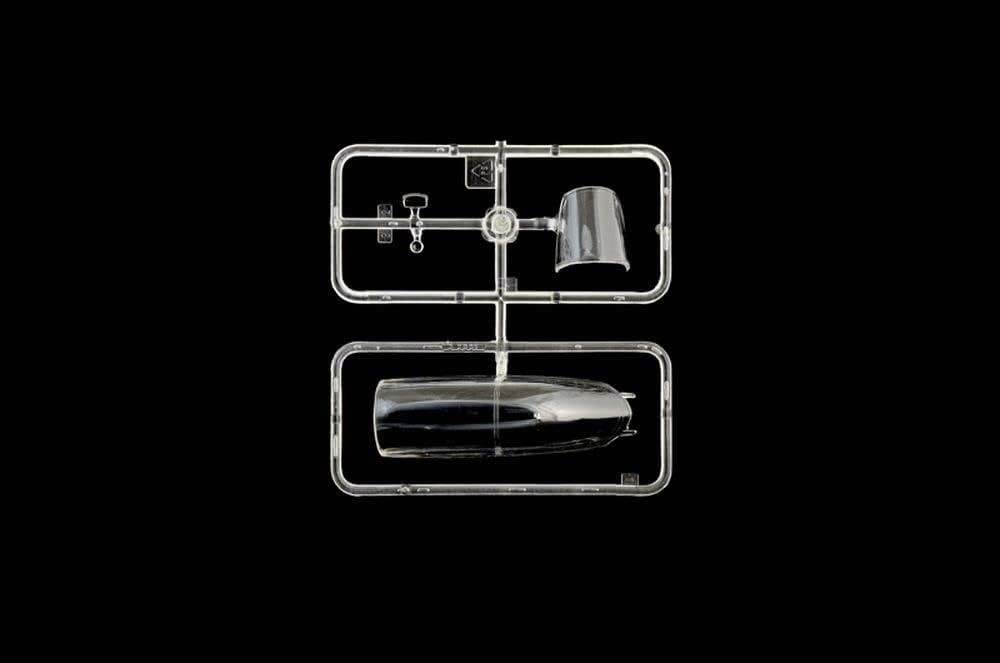
Sprue D provides the various weapons, landing gear wheels, and external fuel tanks to equip your F-15E Strike Eagle. Pay attention to weapon loadout options.
This sprue contains the clear parts, such as the canopy and any transparent light covers. Use clear-part friendly adhesive to avoid fogging.

This sprue contains supplementary parts, including various pods and smaller components for detailed customization.
Painting and Decal Application
The kit includes super decals for 6 US versions. Refer to the color instructions for specific paint schemes and decal placement. Use appropriate model paints for best results.

This image displays the comprehensive decal sheet, including markings for six different US versions of the F-15E Strike Eagle. Apply decals carefully using water and a setting solution for optimal adhesion and appearance.

This diagram illustrates the paint scheme and decal placement for Version A, the "Green Goblin" F-15E. Note the specific color codes for Gunship Gray, Flat Steel, and Gun Metal.

This diagram shows the paint scheme and decal placement for Version B, the "Loki" F-15E. Follow the indicated color codes for accurate painting.

This diagram details the paint scheme and decal placement for Version C, the "Mad Hatter" F-15E. Note the inclusion of Dark Compass Ghost Gray in this scheme.

This diagram outlines the paint scheme and decal placement for Version D, the "Ray Mysterio" F-15E. Pay attention to the specific color applications.
This diagram presents the paint scheme and decal placement for Version E, the "Thanos" F-15E. Ensure accurate color matching for the specified Gunship Gray, Flat Steel, and Gun Metal.

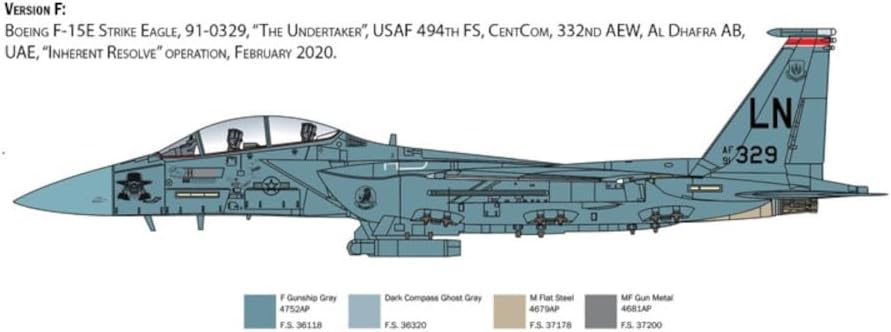
This diagram illustrates the paint scheme and decal placement for Version F, the "The Undertaker" F-15E. Note the specific color codes for Gunship Gray, Dark Compass Ghost Gray, Flat Steel, and Gun Metal.
Finishing and Display
Once assembly, painting, and decaling are complete, consider applying a clear coat to protect the finish. Your completed model can be displayed on a stand (if included or purchased separately) or on a flat surface. Ensure the display area is stable and free from excessive dust or direct sunlight.
Care and Storage
- To clean your model, gently dust it with a soft brush or a lint-free cloth. Avoid using harsh chemicals or abrasive materials.
- Store the model in a cool, dry place away from direct sunlight and extreme temperature fluctuations to prevent warping or paint fading.
- If transporting the model, secure it carefully to prevent damage to delicate parts.
Common Assembly Tips
- Part Fit: Some parts may require minor sanding or trimming for a perfect fit. Test fit parts before applying adhesive.
- Adhesive Application: Use a minimal amount of model cement to avoid damaging plastic surfaces or obscuring detail.
- Decal Silvering: To prevent decals from appearing silvery, ensure the surface is glossy before application and use a decal setting solution.
- Paint Adhesion: Clean plastic parts thoroughly before painting to remove any mold release agents or oils that could affect paint adhesion.
Product Specifications
| Feature | Detail |
|---|---|
| Brand | Italeri |
| Model Name | F-15E Strike Eagle |
| Model Number | 2803 |
| Scale | 1:48 |
| Material Type | Plastic |
| Age Range (Recommended) | For collectors over 14 years of age |
| Theme | Military |
| Model Length (Approx.) | 40 cm (15.75 inches) |
| Skill Level | 3 |
| Included Components | Plastic model parts, assembly instructions, color decal sheet for 6 US versions |
| Additional Features | Two-seat all-weather design with rear Weapon Systems Officer position |
Warranty Information
This product comes with a limited warranty covering manufacturing defects only. Please retain your proof of purchase. For warranty claims, contact the retailer or manufacturer directly.
Customer Support
For further assistance, questions regarding assembly, or to report missing/damaged parts, please refer to the contact information provided on the product packaging or visit the official Italeri website. Always provide the model number (2803) when contacting support.