
Introduction
This manual provides instructions for the meross Smart Garage Door Opener Remote, model MSG200. This device features an external antenna for enhanced Wi-Fi connectivity and allows control of up to three single garage doors. It is compatible with Amazon Alexa, Google Assistant, and SmartThings (Non-HomeKit versions).

Image: The meross MSG200 Smart Garage Door Opener Remote device shown alongside a smartphone displaying the Meross app interface for garage door control.
What's in the Box
The standard package includes the meross Smart Garage Door Opener Remote (MSG200) and two door sensors. Additional sensors for a third door must be purchased separately.

Image: A close-up of the meross garage door sensor, which is included in the package.
Compatibility Check
The MSG200 is compatible with over 200 brands and 1600 models of garage door openers. Before installation, verify compatibility using the provided QR code or by visiting the meross compatibility website. If your garage door opener requires an accessory for compatibility, contact meross support for assistance.

Image: A QR code for checking compatibility, along with logos of compatible brands like Craftsman, LiftMaster, and Chamberlain, indicating different accessory requirements based on learn button color.
For detailed compatibility information, visit: meross.com/en-gc/compatibility-check/garage-door-opener

Image: A diagram illustrating various garage door opener learn button colors (yellow, purple, green, red, orange) and their corresponding compatibility status, indicating whether an accessory is needed.
Setup & Installation
Installation of the meross Smart Garage Door Opener is designed to be straightforward. Follow these general steps to integrate the device with your existing garage door system.
- Power Connection: Connect the meross device to a power source.
- Connect to Garage Door Opener: Wire the meross device to your garage door opener's control terminals. This typically involves connecting to the same terminals as your wall button.
- Install Door Sensor: Mount the door sensor on your garage door to detect its open/closed status. Ensure the two parts of the sensor are aligned and within the recommended distance when the door is closed.
- App Setup: Download the Meross app and follow the in-app instructions to add your device and connect it to your Wi-Fi network.

Image: A detailed diagram showing how to install the meross smart garage door opener, including connections to the power, opener head, and door sensors for up to three garage doors.

Image: A close-up view of a garage door opener's wiring terminals, with pliers highlighting the connection points for the meross device.
Operating Instructions
The meross Smart Garage Door Opener offers multiple ways to control and monitor your garage door.
Remote Control via Meross App
Control your garage door from anywhere with internet access using the free Meross app. Simply tap the open/close button in the app to operate your garage door.

Image: A split image showing a delivery person outside a garage and another person inside a cafe, both interacting with their phones, illustrating remote control of the garage door.
Voice Control
Integrate with Amazon Alexa or Google Assistant for convenient voice control. Use commands like "Alexa, open my garage door" or "Hey Google, is my garage door closed?"
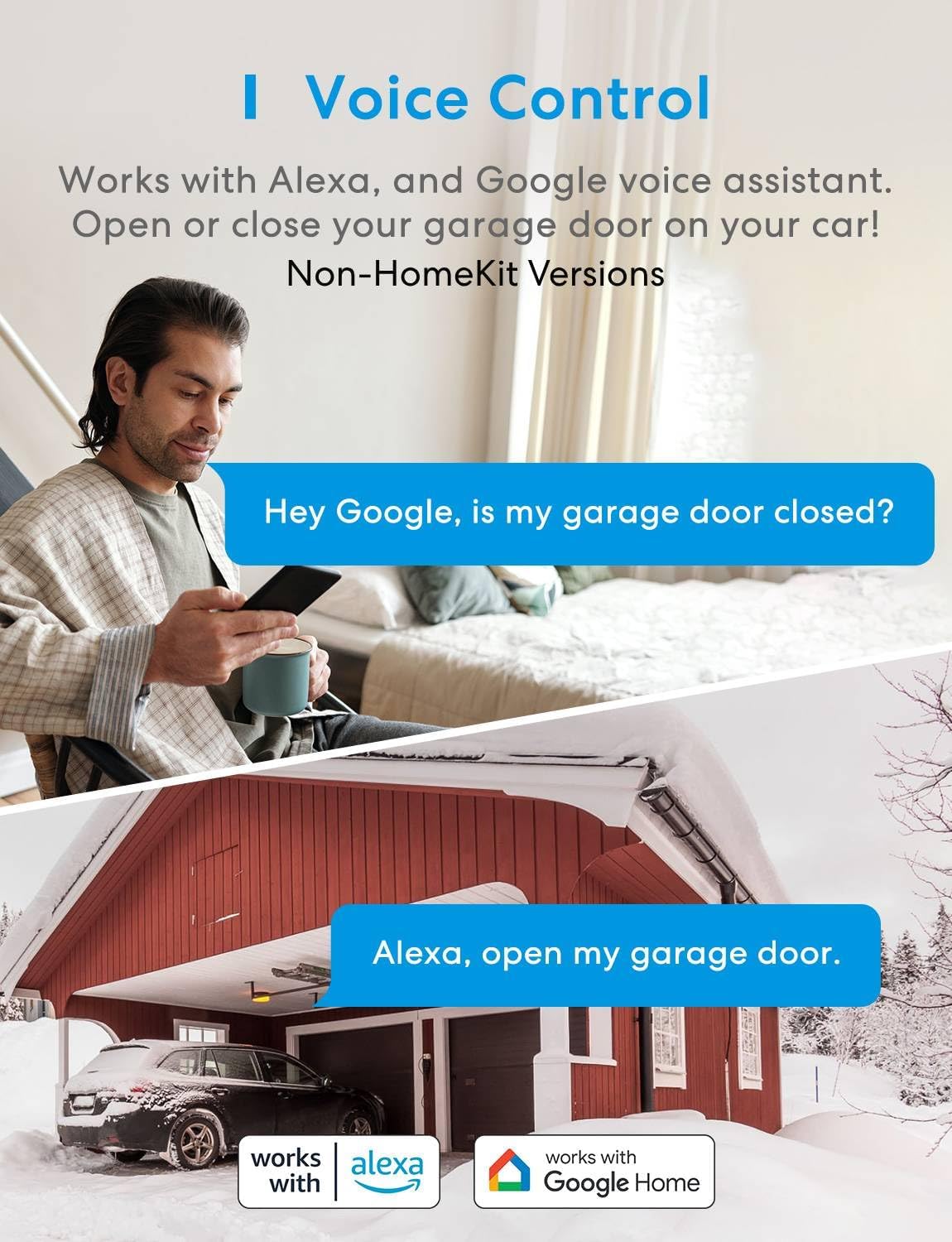
Image: A person using voice commands with Google Assistant to check garage door status, and a house with a garage, indicating Alexa compatibility for opening the door.
Notifications and Reminders
Receive timely notifications about your garage door's status. Set up alerts for open/close status, overtime notifications (e.g., door left open for too long), and overnight reminders to ensure the door is closed. A built-in sound alarm enhances safety during closing.

Image: A house with a garage, showing smartphone notifications from the Meross app regarding garage door open/close status and settings for overtime and overnight reminders.

Image: A car parked in a garage with the door closing, indicating a scheduled automatic closing time of 10:00 PM.
History Log
Access a detailed history log within the app to review all garage door open/close operations, providing a record of activity.

Image: A smartphone screen showing the "Operation History" in the Meross app, listing dates and times of garage door open and close events.
Features
- External Antenna: Equipped with a 2 dBi external antenna for improved Wi-Fi signal reception and stable connection, minimizing drop-offs.
- Multi-Door Support: Capable of controlling up to three garage doors simultaneously (two sensors included, third sensor sold separately).
- No Subscription Fees: Enjoy all features without recurring monthly or subscription fees.
- Enhanced Security: Features like overtime and overnight notifications, along with a built-in sound alarm, contribute to a safer garage environment.

Image: The meross smart garage door opener with its external 2 dBi antenna, highlighting its capability for a more stable Wi-Fi connection within a garage setting.
Maintenance
To ensure optimal performance and longevity of your meross Smart Garage Door Opener, consider the following maintenance guidelines:
- Regular Cleaning: Periodically wipe the device and sensors with a dry, soft cloth to remove dust and debris. Avoid using liquid cleaners.
- Sensor Alignment: Verify that the garage door sensors remain properly aligned and securely mounted. Misalignment can affect the door's open/close detection.
- Firmware Updates: Check the Meross app regularly for available firmware updates. Keeping your device's firmware up-to-date ensures access to the latest features and security enhancements.
- Wi-Fi Signal Strength: Ensure your Wi-Fi router is positioned to provide a strong and stable signal to the garage door opener. A weak signal can lead to connectivity issues.
Troubleshooting
If you encounter issues with your meross Smart Garage Door Opener, refer to these common troubleshooting tips:
- Device Not Connecting to Wi-Fi:
- Ensure your Wi-Fi network is 2.4GHz. The device does not support 5GHz Wi-Fi.
- Check that the device is within range of your Wi-Fi router.
- Restart your Wi-Fi router and the meross device.
- Verify your Wi-Fi password is entered correctly in the Meross app.
- Garage Door Not Responding:
- Confirm the meross device is powered on and connected to Wi-Fi (indicated by the LED status).
- Check the wiring connections between the meross device and your garage door opener.
- Ensure the door sensor is correctly installed and detecting the door's status.
- Test your traditional garage door wall button to confirm the opener is functioning independently.
- Inaccurate Door Status:
- Inspect the door sensor for proper alignment and secure mounting. The two parts of the sensor should be close enough when the door is closed.
- Clean any debris from the sensor components.
- Voice Control Issues:
- Ensure your meross account is correctly linked to your Amazon Alexa or Google Assistant account.
- Verify the device name in the Meross app matches the name used in voice commands.
- Check your internet connection.
Specifications
| Feature | Detail |
|---|---|
| Product Dimensions | 6.9 x 1.5 x 5.15 inches |
| Item Weight | 1.48 pounds |
| Model Number | MSG200 |
| Brand | meross |
| Special Feature | Universal |
| Color | Black |
| Max Number of Supported Devices | 3 |
| Compatible Devices | Amazon Alexa, SmartThings, Google Assistant |
Warranty and Support
For warranty information, technical support, or further assistance, please refer to the official meross website or contact their customer service directly. Keep your purchase receipt for warranty claims.
Official Product Videos
Video: Don't forget to close your garage door
Description: This video demonstrates the importance of closing your garage door and how the meross smart opener can help prevent incidents by reminding you to close it.
Video: Smart Garage Door Opener Remote
Description: An overview video showcasing the features and benefits of the meross Smart Garage Door Opener Remote, including its external antenna and smart home integration.


