Introduction
This manual provides detailed instructions for the Yindiao T8 60% Mechanical Gaming Keyboard. The T8 features a compact 68-key layout, brown mechanical switches for tactile feedback, and customizable RGB backlighting. It is designed for a wide range of uses, including gaming, office work, and general computing across various platforms.
Package Contents
- Yindiao T8 60% Mechanical Gaming Keyboard
- Pro Coiled USB-C Cable

Setup
Connecting the Keyboard
- Locate the USB-C port on the Yindiao T8 keyboard.
- Connect the USB-C end of the coiled cable to the keyboard.
- Connect the USB-A end of the coiled cable to an available USB port on your computer or compatible device.
- The keyboard is plug-and-play; no additional drivers are typically required.
System Compatibility
The Yindiao T8 keyboard is compatible with a wide range of operating systems and devices:
- Windows (7/8/10/11/2000/XP, Vista)
- Mac OS (latest versions)
- Gaming Consoles (PS4, Xbox ONE) - An adapter may be required for console use (not included).

Operating Instructions
Basic Keyboard Functions
- 68-Key Compact Layout: The T8 features a 60% layout with 68 keys, including dedicated arrow keys, optimizing desktop space while retaining essential functionality.
- Anti-Ghosting: All keys support anti-ghosting, ensuring that multiple simultaneous key presses are registered accurately, which is beneficial for gaming.
- Ergonomic Design: The keyboard incorporates stepped keycaps for an ergonomic typing experience.
RGB Backlighting Control
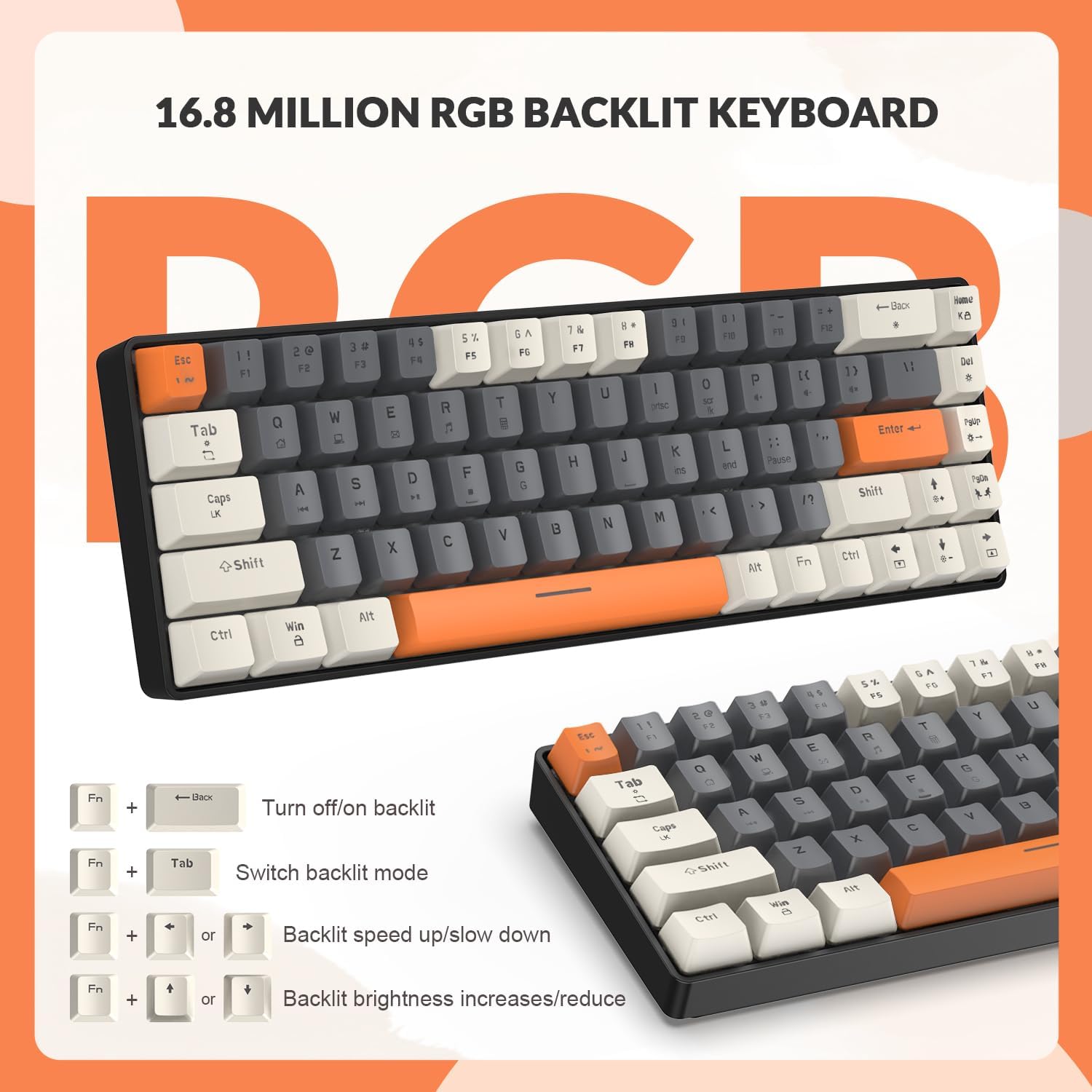
The Yindiao T8 keyboard offers 16.8 million color combinations and up to 18 RGB backlight effects. Use the following key combinations to control the lighting:
- Fn + \|: Turn on/off backlight.
- Fn + Tab: Switch backlight mode (cycle through 18 effects).
- Fn + ← / →: Adjust backlight speed (speed up/slow down).
- Fn + ↑ / ↓: Increase/reduce backlight brightness.
Mechanical Switches
The T8 keyboard is equipped with brown mechanical switches, which provide a slight tactile bump and a quiet click sound. This switch type is suitable for both typing and gaming, offering a balance between responsiveness and reduced noise compared to clicky blue switches.

Maintenance
- Cleaning: Use a soft, dry cloth to wipe the keyboard surface. For deeper cleaning, gently remove keycaps (if applicable) and use compressed air to clear debris from between switches.
- Cable Care: The coiled USB-C cable is designed for durability. Avoid excessive pulling or sharp bends to maintain its integrity.
- Storage: Store the keyboard in a dry, dust-free environment when not in use.

Troubleshooting
Common Issues and Solutions
- Keyboard Not Responding:
- Ensure the USB-C cable is securely connected to both the keyboard and the computer.
- Try connecting the keyboard to a different USB port on your computer.
- Test the keyboard on another computer to rule out system-specific issues.
- RGB Backlighting Not Working:
- Press Fn + \| to ensure the backlight is turned on.
- Adjust brightness using Fn + ↑ / ↓.
- Cycle through modes with Fn + Tab.
- Specific Keys Unresponsive:
- Check for any debris or foreign objects under the keycap that might be obstructing the switch.
- If the keyboard supports hot-swappable switches, consider replacing the faulty switch (consult manufacturer for specific instructions and compatible switches).
Specifications
| Feature | Detail |
|---|---|
| Model | T8 |
| Layout | 60% (68 Keys) |
| Switch Type | Brown Mechanical Switches |
| Backlighting | RGB (18 effects, 16.8 Million Colors) |
| Connectivity | Wired USB-C |
| Anti-Ghosting | Full-key Anti-ghosting |
| Keycap Material | Oil-resistant ABS Double-injection |
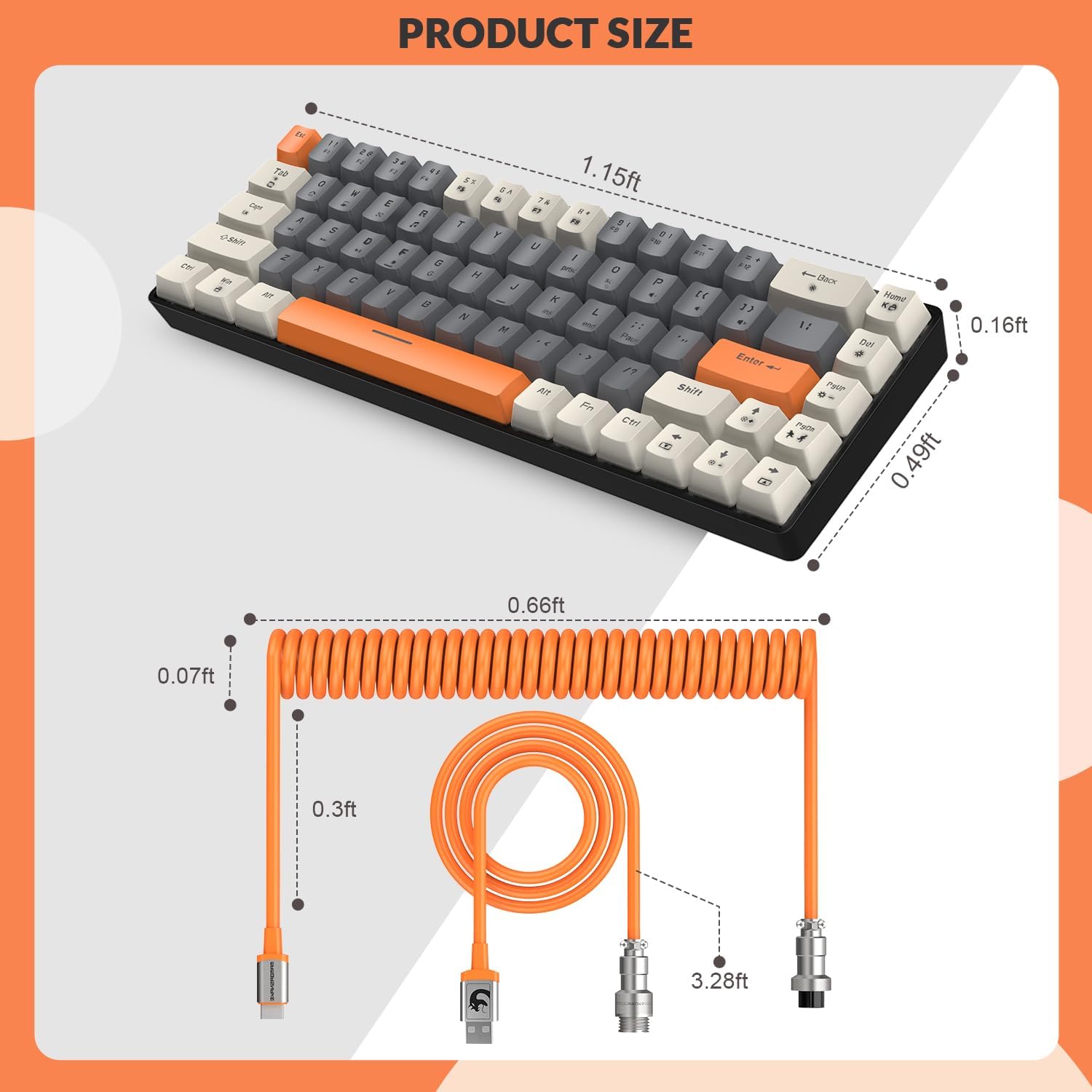
| Product Dimensions | 13.8 x 5.88 x 1.92 inches (35.05 x 14.94 x 4.88 cm) |
| Item Weight | 1.89 pounds (0.86 kg) |
| UPC | 6972792470115 |
Warranty and Support
For warranty information, technical support, or any inquiries regarding your Yindiao T8 Mechanical Gaming Keyboard, please refer to the contact information provided with your purchase or visit the official Yindiao website. Keep your proof of purchase for warranty claims.


