1. Introduction
This manual provides comprehensive instructions for the installation, operation, and maintenance of your WOOX EU Schuko Smart Socket with Energy Monitoring, model R6118. This device allows you to remotely control the power supply of your household appliances and monitor energy consumption through a connected application.
2. Safety Information
- Ensure the socket is used within its specified electrical ratings: 16A, 100-230V AC, with a maximum power load of 3680 watts.
- Do not disassemble or modify the device. Unauthorized modifications can lead to electric shock, fire, or damage to the product.
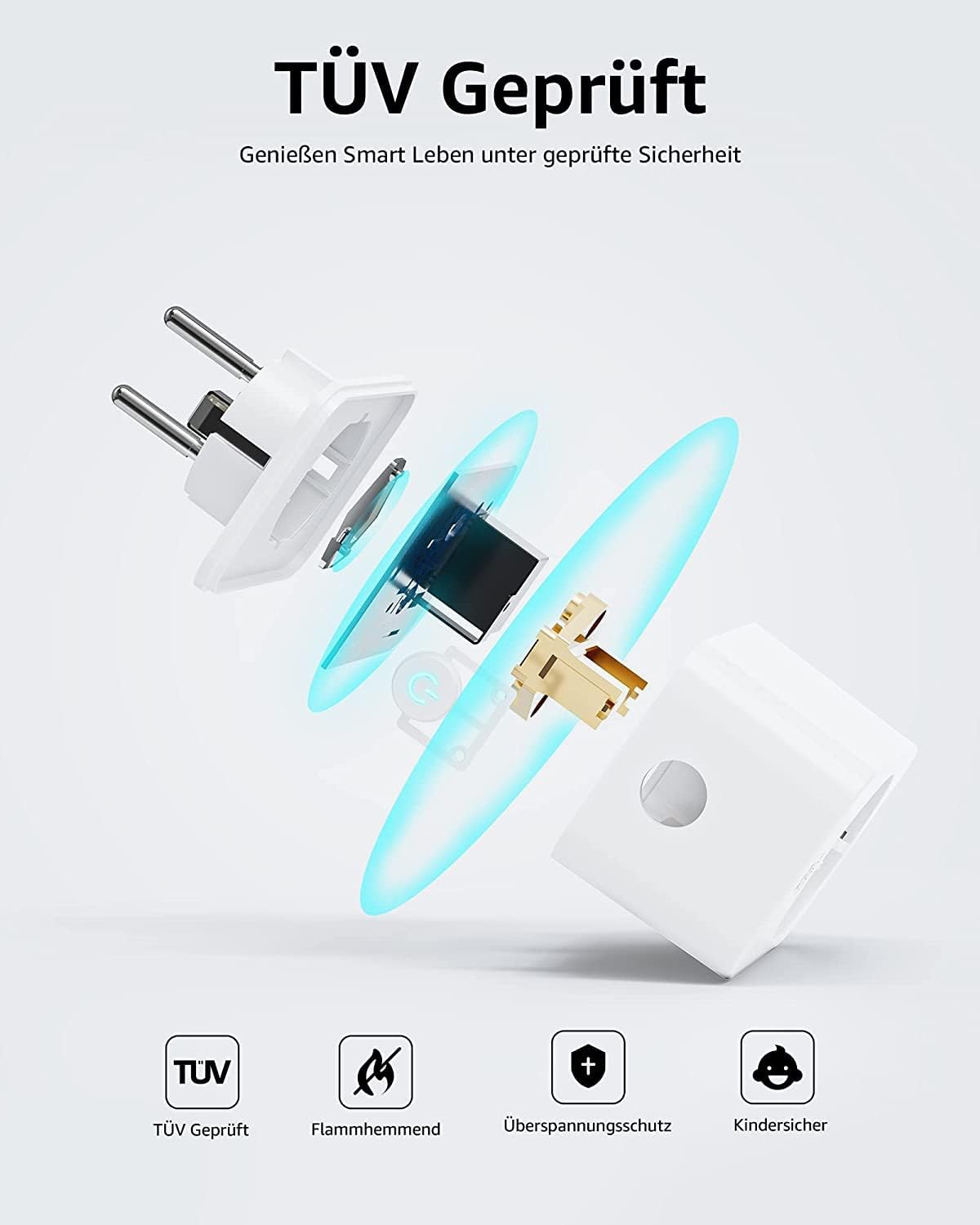
- The PC casing is impact-resistant and features a flame retardant UL94 V-0 650 °C IGNIFUGE rating for enhanced safety.
- The socket has an IP20 ingress protection rating, designed to prevent electrical discharges.
- Equipped with safety shutter protection for children to prevent accidental insertion of objects into the live contacts.
- Avoid exposing the device to extreme temperatures, direct sunlight, or moisture.
- For indoor use only.
3. Package Contents
- WOOX EU Schuko Smart Socket (R6118)
- User Manual

4. Product Overview
The WOOX R6118 Smart Socket is designed for convenient control and monitoring of your electrical appliances. It features a standard EU Schuko plug and socket, Wi-Fi connectivity, and compatibility with popular voice assistants.


5. Setup
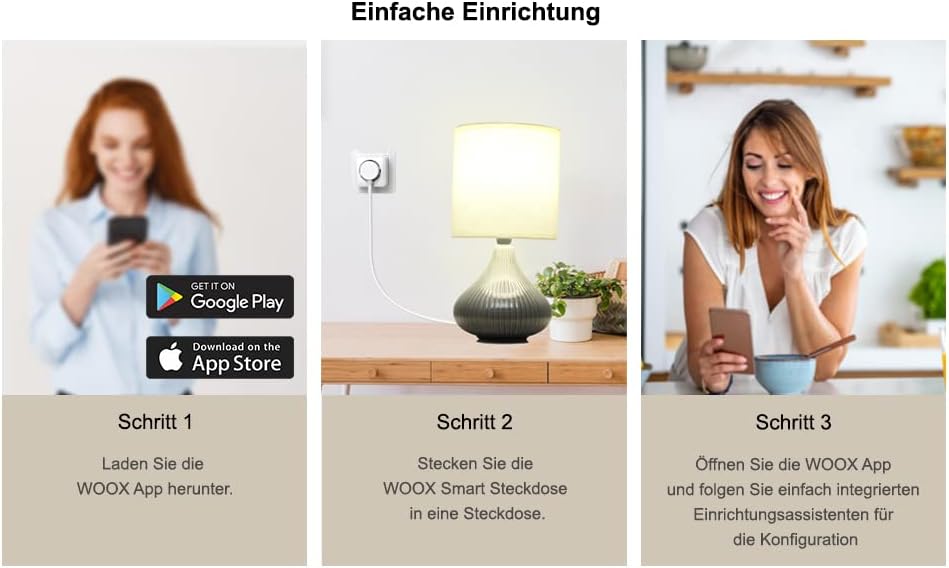
5.1 Download the WOOX Home App
The WOOX Smart Socket operates via the WOOX Home app. Download the app from your mobile device's app store.
- For Android devices, search for "WOOX Home" on the Google Play Store.
- For iOS devices, search for "WOOX Home" on the Apple App Store.
5.2 Plug in the Smart Socket
Insert the WOOX R6118 Smart Socket into a standard EU Schuko wall outlet. The indicator light on the socket should begin to flash, indicating it is in pairing mode.
5.3 Pair with the WOOX Home App
- Open the WOOX Home app on your smartphone or tablet.
- If you are a new user, create an account and log in.
- Tap the "+" icon in the top right corner to add a new device.
- Select "Electrical" then "Smart Plug (Wi-Fi)" or similar option.
- Follow the on-screen instructions to connect the smart socket to your 2.4GHz Wi-Fi network. Ensure your Wi-Fi password is correct.
- Once successfully paired, the indicator light on the socket will stop flashing and remain solid. You can now rename your device for easier identification.
5.4 Voice Assistant Integration
The WOOX R6118 Smart Socket is compatible with Google Assistant and Amazon Alexa.
- For Amazon Alexa: Open the Alexa app, go to "Skills & Games," search for "WOOX Home," enable the skill, and link your WOOX Home account. Then, discover devices.
- For Google Assistant: Open the Google Home app, tap "+ Set up device," then "Works with Google," search for "WOOX Home," link your account, and assign devices to rooms.

6. Operating Instructions
6.1 Remote Control
Once paired, you can turn the smart socket on or off from anywhere using the WOOX Home app on your smartphone.
6.2 Energy Monitoring
The R6118 socket features energy monitoring capabilities. Through the WOOX Home app, you can view real-time power consumption and historical data for devices connected to the smart socket. This helps in understanding and managing energy usage.

6.3 Scheduling and Timers
Set schedules and timers to automatically turn connected devices on or off at specific times. This feature is useful for automating lights, appliances, or other electronics.

6.4 Voice Control
Use voice commands through Google Assistant or Amazon Alexa to control the smart socket. For example, "Alexa, turn on the living room lamp" or "Hey Google, turn off the fan."
6.5 Away Mode
The WOOX Home app may offer an "Away Mode" feature, which can randomly turn devices on and off to simulate occupancy, enhancing home security when you are away.
7. Maintenance
- Clean the smart socket with a dry, soft cloth. Do not use liquid cleaners or sprays.
- Ensure the device is unplugged before cleaning.
- Do not block the ventilation holes (if any) on the device.
8. Troubleshooting
8.1 Device Not Connecting to Wi-Fi
- Ensure your Wi-Fi network is 2.4GHz. The R6118 does not support 5GHz Wi-Fi.
- Check that your Wi-Fi password is entered correctly in the WOOX Home app.
- Make sure the smart socket is within range of your Wi-Fi router.
- Restart your Wi-Fi router and try the pairing process again.
- If the indicator light is not flashing, press and hold the power button on the socket for 5-10 seconds to reset it to pairing mode.
8.2 Device Disconnects Frequently
- Check your Wi-Fi signal strength at the socket's location. A weak signal can cause disconnections.
- Ensure your router firmware is up to date.
- Minimize interference from other wireless devices or large metal objects.
- If the issue persists, try moving the smart socket closer to your Wi-Fi router or consider a Wi-Fi extender.
8.3 Voice Control Not Working
- Verify that the WOOX Home skill/service is enabled and linked correctly in your Alexa or Google Home app.
- Ensure the device name in the WOOX Home app matches the name you are using for voice commands.
- Try re-discovering devices in your Alexa or Google Home app.
9. Specifications
| Feature | Specification |
|---|---|
| Model Number | R6118 |
| Input Voltage | 100~230V AC |
| Maximum Current | 16A |
| Maximum Power Load | 3680 Watts |
| Wi-Fi Module | CB2S |
| Wireless Standard | IEEE 802.11b/g/n |
| Wireless Frequency | 2.412 ~ 2.472 GHz |
| Max. Transmission Power | 18.88 dBm |
| Connection Range (open space) | 30 meters |
| Working Temperature | -10°C ~ +45°C |
| Working Humidity | 0 ~ 95% RH |
| Material | PC (UL94 V-0 650 °C IGNIFUGE) |
| Ingress Protection (IP) | IP20 |
| Safety Features | Child Safety Shutter Protection, Overvoltage Protection |
| Dimensions | 72 x 51 x 78 mm |
| Net Weight | 93 grams |
10. Warranty and Support
For warranty information and technical support, please refer to the official WOOX website or contact their customer service directly. Keep your purchase receipt as proof of purchase.
WOOX Customer Support: Please visit wooxhome.com/support for the latest support information and contact details.


