
ULTIMEA U3100
Contents
Ultimea Sound Bar System U3100 Instruction Manual
Model: U3100
1. Introduction
Thank you for choosing the Ultimea Sound Bar System U3100. This manual provides essential information for setting up, operating, and maintaining your sound bar and subwoofer. Please read this manual thoroughly before use to ensure proper functionality and to maximize your audio experience.

Image 1.1: The Ultimea Sound Bar System U3100, including the sound bar, wired subwoofer, remote control, and a television for scale.
2. Safety Information
- Power Source: Use only the provided power adapter. Ensure the voltage matches your local power supply.
- Ventilation: Do not block any ventilation openings. Maintain adequate space around the unit for proper airflow.
- Water and Moisture: Do not expose the sound bar or subwoofer to rain, moisture, or dripping/splashing liquids. Do not place objects filled with liquids, such as vases, on the apparatus.
- Heat: Keep the unit away from heat sources such as radiators, heat registers, stoves, or other apparatus (including amplifiers) that produce heat.
- Cleaning: Clean only with a dry cloth. Do not use liquid cleaners or aerosol cleaners.
- Servicing: Do not attempt to service this product yourself. Refer all servicing to qualified service personnel.
- Children: Keep out of reach of children. Small parts may pose a choking hazard.
3. Package Contents
Please check that all items are present in the box:
- Ultimea Sound Bar (U3100)
- Wired Subwoofer
- Remote Control
- Power Adapter
- Digital Optical Cable
- Stereo RCA to 3.5mm Audio Cable
- Wall Mounting Brackets
- Wall Mounting Sets
- Quick Start Guide (this manual)
4. Product Overview
4.1 Sound Bar Features
The sound bar is equipped with four full-range drivers and two bass reflex ports, delivering 190W peak power for clear and dynamic audio.
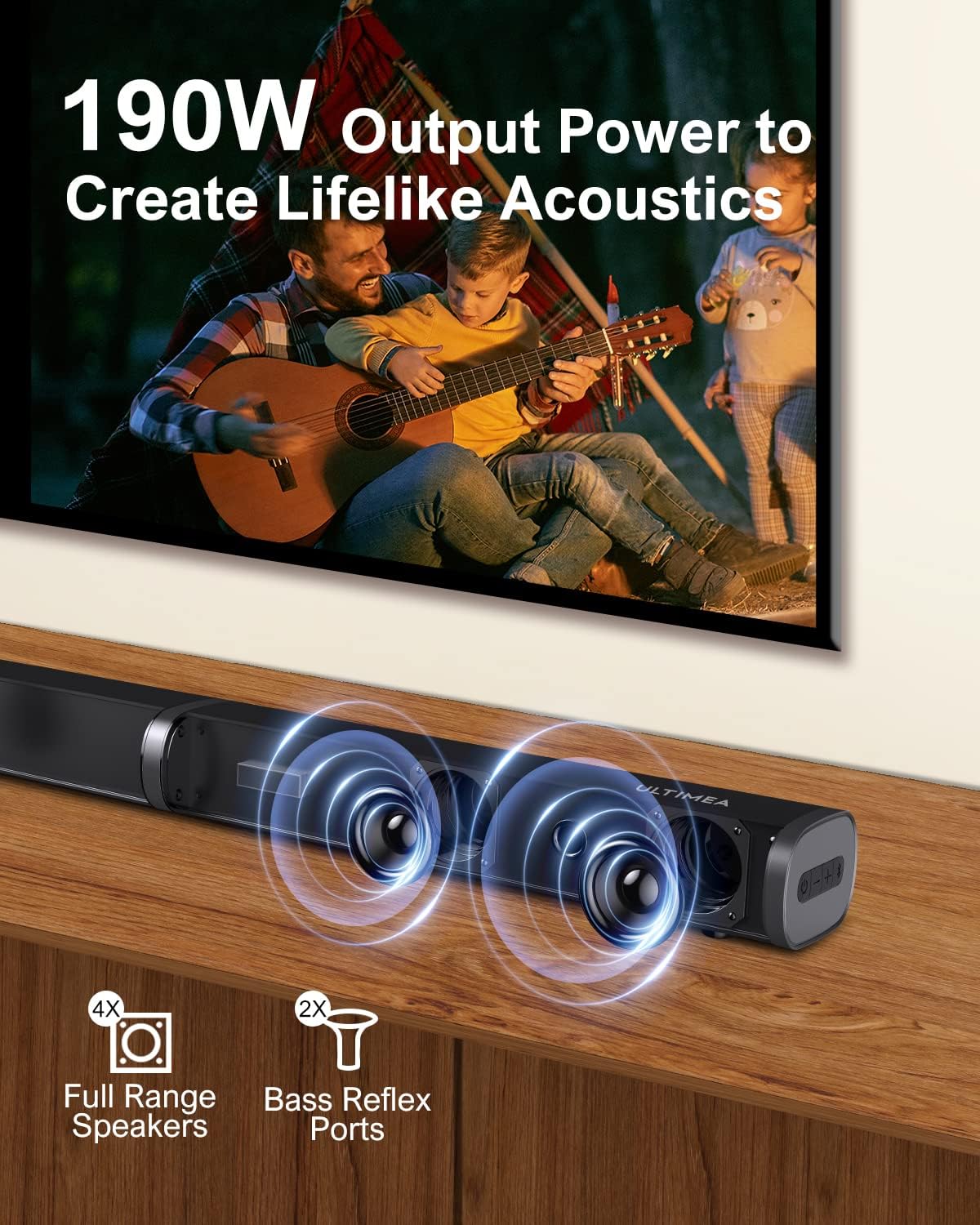
Image 4.1: Detailed view of the sound bar's internal components, highlighting the four full-range speakers and two bass reflex ports.
4.2 Subwoofer Features
The 5.25-inch wired subwoofer provides enhanced bass, extending down to 50Hz-20KHz for a richer audio experience.

Image 4.2: The Ultimea 5.25-inch wired subwoofer, designed to deliver deep and impactful bass.
5. Setup
5.1 Sound Bar Assembly
The sound bar consists of two parts that need to be connected:
- Insert the connector from one sound bar section into the corresponding port on the other section.
- Rotate the two sections until they securely lock into place.
5.2 Placement
Place the sound bar directly in front of your television, centered for optimal sound dispersion. The subwoofer can be placed on the floor near the sound bar, ideally in a corner for enhanced bass response.
5.3 Connecting to Your TV
The Ultimea Sound Bar offers multiple connectivity options. Choose the method that best suits your television and desired audio quality.

Image 5.1: The rear panel of the sound bar, illustrating the available input ports (DC IN, Optical, AUX, USB, HDMI ARC) and the sound bar assembly process.
- HDMI ARC (Recommended): Connect an HDMI cable (not included) from the sound bar's 'HDMI ARC' port to your TV's 'HDMI ARC' port. This allows for high-quality audio transmission and control of the sound bar volume using your TV remote.
- Optical: Connect the provided Digital Optical Cable from the sound bar's 'OPTICAL' port to your TV's optical output. Ensure your TV's audio output is set to 'PCM' format.
- AUX: Connect the provided Stereo RCA to 3.5mm Audio Cable from the sound bar's 'AUX' port to your TV's 3.5mm audio output or RCA audio outputs.
- USB: Insert a USB drive (FAT32 format) into the 'USB' port to play audio files directly from the drive.
- Bluetooth: For wireless connection, refer to Section 6.4 for Bluetooth pairing instructions.
5.4 Subwoofer Connection
Connect the wired subwoofer to the sound bar using the integrated cable. Ensure the connection is secure.
6. Operating Instructions
6.1 Power On/Off
Connect the power adapter to the sound bar and a power outlet. Press the power button on the sound bar or the remote control to turn the unit on or off.
6.2 Input Selection
Press the 'Input' button on the remote control or the sound bar to cycle through the available input modes: ARC, Optical, AUX, USB, and Bluetooth. The current mode will be displayed on the sound bar's LED screen.
6.3 Volume Control
Use the '+' and '-' buttons on the remote control or the sound bar to adjust the master volume. The subwoofer bass level can be adjusted independently using the 'BASS+' and 'BASS-' buttons on the remote.
6.4 Bluetooth Pairing

Image 6.1: Illustration of Bluetooth 5.0 connectivity, showing a smartphone wirelessly paired with the sound bar.
- Switch the sound bar to Bluetooth mode. The LED display will show 'BT' and flash, indicating it's in pairing mode.
- On your smart device (smartphone, tablet, etc.), enable Bluetooth and search for available devices.
- Select 'ULTIMEA U3100' from the list. Once connected, the 'BT' indicator on the sound bar will stop flashing.
- You can now play audio from your device through the sound bar.
6.5 EQ Modes
The sound bar features 6 equalizer (EQ) modes to optimize audio for different content types. Press the corresponding EQ mode button on the remote control to switch between modes.

Image 6.2: The sound bar displaying various EQ mode icons, including Game, Bass, News, Movie, Music, and 3D, for tailored audio experiences.
- Movie: Enhances dialogue and cinematic effects.
- Music: Provides a balanced sound profile for music playback.
- News: Optimizes vocal clarity for news and talk shows.
- Game: Delivers immersive sound for gaming.
- Bass: Boosts low-frequency sounds.
- 3D: Creates a wider, more spatial soundstage.
6.6 Remote Control Functions

Image 6.3: The Ultimea Sound Bar remote control, showing various buttons for power, input selection, volume, EQ modes, and bass adjustment.
- Power Button: Turns the sound bar on or off.
- Input Buttons (BT, OPTICAL, HDMI IN, LINE IN): Selects the audio input source.
- Volume +/-: Adjusts the master volume.
- Mute: Mutes or unmutes the sound.
- Play/Pause, Previous/Next Track: Controls media playback in Bluetooth/USB mode.
- EQ Mode Buttons (USB, MUSIC, MOVIE, BASS, NEWS, GAME, 3D): Selects the desired sound mode.
- BASS +/-: Adjusts the subwoofer bass level.
- LED OFF: Turns off the LED display on the sound bar.
7. Maintenance
- Cleaning: Disconnect the power before cleaning. Use a soft, dry, lint-free cloth to wipe the surfaces of the sound bar and subwoofer. Do not use abrasive cleaners, waxes, or solvents.
- Storage: If storing the unit for an extended period, disconnect it from power and store it in a cool, dry place.
8. Troubleshooting
| Problem | Possible Cause | Solution |
|---|---|---|
| No power | Power cable not connected; Power outlet not active | Ensure power cable is securely connected. Test the outlet with another device. |
| No sound | Incorrect input selected; Volume too low; Mute activated; Cables not connected properly | Select the correct input source. Increase volume. Deactivate mute. Check all audio cables are securely connected. Ensure TV audio output is set correctly (e.g., PCM for Optical). |
| Bluetooth pairing fails | Sound bar not in pairing mode; Device too far; Interference | Ensure sound bar is in BT pairing mode (flashing 'BT'). Move device closer to sound bar. Avoid other wireless devices during pairing. |
| Remote control not working | Batteries depleted; Obstruction between remote and sound bar | Replace remote control batteries. Ensure a clear line of sight between the remote and the sound bar's sensor. |
| Distorted sound | Volume too high; Poor audio source quality; Incorrect EQ mode | Reduce volume. Try a different audio source. Experiment with different EQ modes. |
9. Specifications
| Feature | Specification |
|---|---|
| Model Name | Tapio VII (U3100) |
| Speaker Type | Soundbar with Wired Subwoofer |
| Speaker Maximum Output Power | 190 Watts (Peak) |
| Subwoofer Diameter | 5.25 Inches |
| Frequency Response | 50Hz - 20KHz |
| Connectivity Technology | Bluetooth 5.0, HDMI ARC, Optical, AUX, USB |
| Surround Sound Channel Configuration | 2.0 |
| Control Method | Remote Control, On-unit buttons |
| Product Dimensions (Soundbar) | Approximately 22D x 42W x 12H Centimetres (assembled) |
| Power Source | Corded Electric |
| Manufacturer | ULTIMEA |
10. Warranty and Support
Ultimea products are designed and manufactured to the highest quality standards. For detailed warranty information, please refer to the warranty card included with your product or visit the official Ultimea website.
If you encounter any issues or have questions regarding your Ultimea Sound Bar System U3100, please contact Ultimea customer support through the contact information provided on the official website or your purchase platform.
Online Support: www.ultimea.com/support (Example link, please refer to actual product documentation)
Ask a question about this manual
Ask about setup, troubleshooting, compatibility, parts, safety, or missing instructions. Manuals+ will review the question and use this page’s manual context to help answer it.