
1. Safety Information
Always prioritize safety when operating welding and plasma cutting equipment. Failure to follow safety guidelines can result in serious injury or death.
- Eye Protection: Always wear a welding helmet with appropriate shade lenses to protect against arc flash and sparks.
- Body Protection: Wear flame-resistant clothing, welding gloves, and protective footwear.
- Ventilation: Ensure adequate ventilation to remove fumes and gases. Work in a well-ventilated area or use a fume extractor.
- Electrical Safety: Ensure the machine is properly grounded. Do not operate in wet conditions. Inspect cables and connections for damage before each use.
- Fire Prevention: Keep flammable materials away from the work area. Have a fire extinguisher readily available.
- Compressed Gas Safety: Handle gas cylinders with care. Secure them to prevent tipping.
- Plasma Cutting Hazards: Be aware of molten metal spray and intense UV radiation.
2. Product Overview
The YESWELDER CT2050 is a versatile 7-in-1 multiprocess welding and cutting machine designed for various applications. It integrates AC/DC TIG welding, AC/DC Pulse TIG, Stick welding, and Plasma cutting with a built-in air compressor. This unit features wide voltage input (96-265V) and Power Factor Correction (PFC) technology for energy efficiency and stable performance.

Figure 2.1: YESWELDER CT2050 Multiprocess Welder and included accessories.
Key Features:
- Multi-Process Capability: AC/DC TIG, AC/DC Pulse TIG, Stick, and Plasma Cut.
- Wide Voltage Input: Operates on 96-265V 50/60 Hz power.
- Power Factor Correction (PFC) Technology: Enhances energy efficiency and provides a wider input voltage range.
- Built-in Air Compressor: Facilitates plasma cutting without the need for an external air compressor, enhancing portability.
- Smart AC TIG Setting: Simplifies AC aluminum welding by recommending optimal parameters based on thickness and welding angle.
- Non-HF Start Arc: Utilizes a blow-back start for plasma cutting, reducing electrical interference.
- Non-Touch Pilot Arc: Allows plasma cutting without direct contact with the metal, improving cut quality and consumable life.
- Remote Control Compatibility: Supports pedal remote and welding torch remote control (foot pedal not included).
3. Setup
3.1 Unpacking and Inspection
Carefully unpack the CT2050 unit and all accessories. Inspect for any shipping damage. Report any damage to your supplier immediately.
3.2 Included Components
The following components are typically included with your CT2050 unit:
- CT2050 Multiprocess Welder
- Cutting Torch
- TIG Torch
- Connector
- Gas Hose
- Air Tube
- Air Compressor Regulator Filter
- Power Adapter
- Work Clamp
- Electrode Holder
3.3 Power Connection
Connect the power adapter to a suitable power outlet. The CT2050 supports a wide input voltage range of 96-265V. Ensure the power source meets the machine's requirements.

Figure 3.1: Front view of the CT2050 showing the power plug connection.
3.4 Gas and Air Connections
- Shielding Gas (TIG): Connect the gas hose from your argon cylinder (not included) to the gas inlet on the rear of the machine. Ensure the regulator is properly installed and gas flow is set according to welding requirements.
- Plasma Cutting Air: The CT2050 has a built-in air compressor. For external air supply, connect the air tube to the designated air inlet on the rear of the machine and ensure the air compressor regulator filter is installed.

Figure 3.2: Rear view of the CT2050, highlighting gas and air connections.
3.5 Torch and Work Clamp Connections
- TIG Torch: Connect the TIG torch to the appropriate port on the front panel.
- Plasma Cutting Torch: Connect the plasma cutting torch to its designated port.
- Electrode Holder (Stick): Connect the electrode holder for Stick welding.
- Work Clamp: Connect the work clamp cable to the work terminal and securely attach the clamp to the workpiece, ensuring good electrical contact.

Figure 3.3: Front view of the CT2050, illustrating torch and work clamp connection points.
4. Operating Instructions
The CT2050 offers multiple welding and cutting modes. Familiarize yourself with the control panel and settings before operation.

Figure 4.1: Detailed view of the CT2050 control panel.
4.1 Mode Selection
Use the mode selection dial on the control panel to choose between AC/DC TIG, Pulse TIG, Stick, or Plasma Cut functions.
4.2 TIG Welding (AC/DC, Pulse)
- AC TIG for Aluminum: Select AC TIG mode for welding aluminum. The positive half-cycle provides a cleaning action, while the negative half-cycle ensures penetration.
- Smart AC TIG Setting: For beginners, the Smart Set feature simplifies AC aluminum welding. Select the welding angle (flat, vertical, overhead) and aluminum thickness. The machine will recommend ideal parameters such as amperage, pre-gas, post-gas, slope up/down time, and AC balance.
- Pulse TIG: Use Pulse TIG for greater heat control, especially on thin metals (down to 1/25'' / 1mm) or for welding in awkward positions. It helps create smooth, clean welds and can improve welding speed for repetitive tasks.
4.3 Stick Welding
Select Stick mode. The CT2050 is ideal for 7018, 6011, and 6010 electrodes. Adjust amperage according to the electrode type and material thickness.
4.4 Plasma Cutting
- Non-High Frequency (Non-HF) Start Arc: The blow-back start mechanism uses air pressure to initiate the pilot arc, providing a safe start without high-frequency interference.
- Non-Touch Pilot Arc: This technology allows cutting without the torch tip touching the metal, which extends consumable life and improves cut quality.
- Built-in Compressor: The integrated air compressor allows for immediate plasma cutting without needing an external air source.
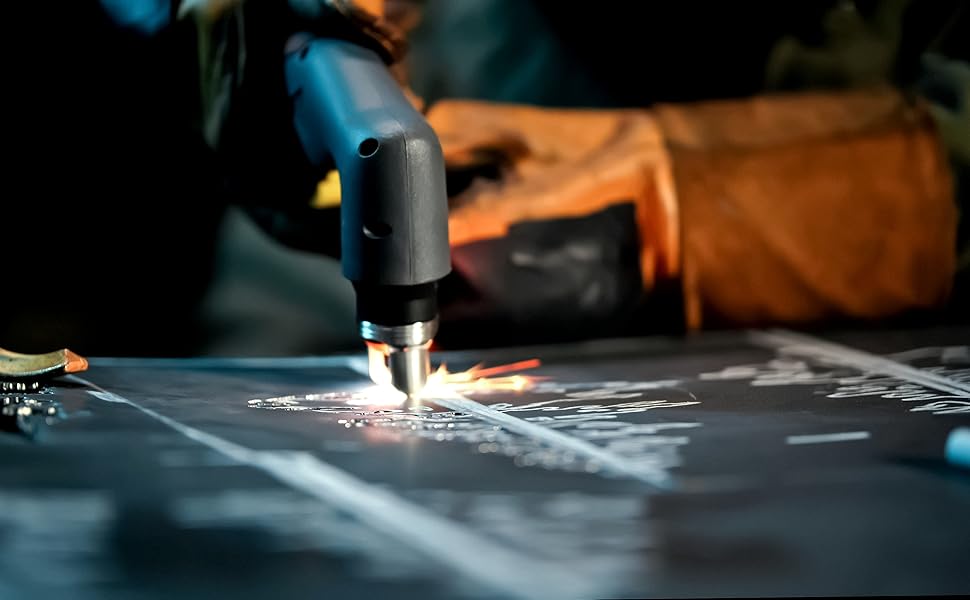
Figure 4.2: Example of plasma cutting in progress.
4.5 Remote Control Operation
The CT2050 supports external remote controls, including foot pedals and welding torch remote controls, for precise operation in foot pedal torch mode. (Foot pedal is not included).
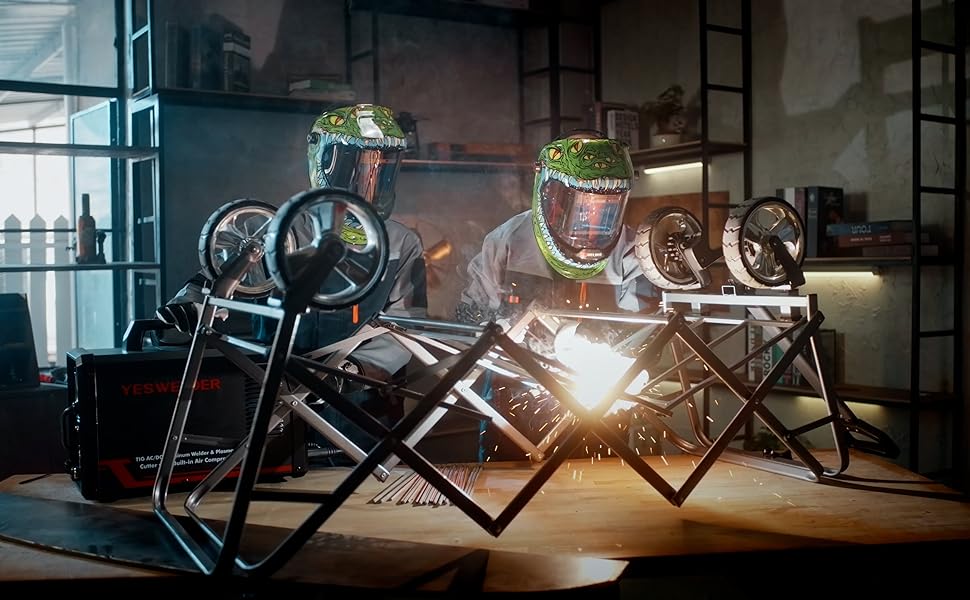
Figure 4.3: Demonstrative image of welding with YESWELDER equipment.
5. Maintenance
Regular maintenance ensures the longevity and optimal performance of your CT2050 unit.
- Cleaning: Periodically clean the exterior of the machine with a dry cloth. Ensure cooling vents are free from dust and debris.
- Torch Maintenance: Inspect TIG and plasma torches regularly for wear on consumables (nozzles, electrodes, collets, diffusers). Replace worn parts as needed to maintain performance.
- Cable Inspection: Check all cables and connections for cuts, fraying, or loose terminals. Replace damaged cables immediately.
- Air Filter: If using an external air compressor, regularly check and clean or replace the air filter in the regulator to ensure clean air supply for plasma cutting.
- Storage: Store the machine in a clean, dry environment when not in use.
6. Troubleshooting
This section provides solutions to common issues. For problems not listed here, contact customer support.
- No Power: Check the power cord connection, wall outlet, and circuit breaker. Ensure the machine's power switch is in the 'ON' position.
- No Arc (Welding): Verify the work clamp is securely attached to the workpiece. Check torch connections and ensure proper gas flow (for TIG). Inspect electrodes for proper installation and wear.
- Poor Cut Quality (Plasma): Check plasma torch consumables (nozzle, electrode, shield cup) for wear and replace if necessary. Ensure adequate air pressure and flow. Verify proper cutting speed and standoff distance.
- Overheating: Allow the machine to cool down. Ensure cooling vents are clear and the fan is operating. Reduce duty cycle or amperage if consistently overheating.
- Gas Flow Issues: Check gas cylinder pressure, regulator settings, and hose connections for leaks or kinks.
7. Specifications
Detailed technical specifications for the YESWELDER CT2050 Multiprocess Welder.
| Specification | Value |
|---|---|
| Product Weight | 61 lb (27.6 kg) |
| Product Dimensions | 21.65" x 16.92" x 14.96" (55cm x 43cm x 38cm) |
| Input Voltage | 96-265V 50/60 Hz |
| Input Current | 50A |
| Output Current (TIG) | 5-160A @ 110V, 5-200A @ 220V |
| Output Current (STICK) | 10-160A @ 110V, 10-200A @ 220V |
| Output Current (CUT) | 12-25A @ 110V, 12-45A @ 220V |
| Air Compressor Recommendation | 5-7 CFM (for external use, if built-in is insufficient) |
| Max Severance Thickness (CUT) | 19/32" (15mm) @ 220V; 25/64" (10mm) @ 110V |
| Max Clean Cut Thickness (CUT) | 1 3/16" (30mm) @ 220V; 25/32" (20mm) @ 110V |
| Welding Material Compatibility | Carbon Steel, Stainless Steel, Aluminum |
| Protection Class | IP21S |
| Power Source | DC |
| Item Model Number | CT2050 |
| Manufacturer | YESWELDER |
8. Warranty and Support
For warranty information, please refer to the documentation included with your purchase or contact YESWELDER customer support directly. YESWELDER is committed to providing support for its products.
For technical assistance, troubleshooting, or parts inquiries, please visit the official YESWELDER website or contact their customer service department. Contact information can typically be found on the product packaging or the manufacturer's website.