
1. Introduction
Thank you for choosing the LUXCEO P100 Handheld RGB LED Video Light Wand. This compact and versatile lighting tool is designed for photography, video shooting, vlogging, and TikTok content creation, offering multicolor RGB and bi-color lighting options. Please read this manual carefully before use to ensure proper operation and to maximize the product's lifespan.
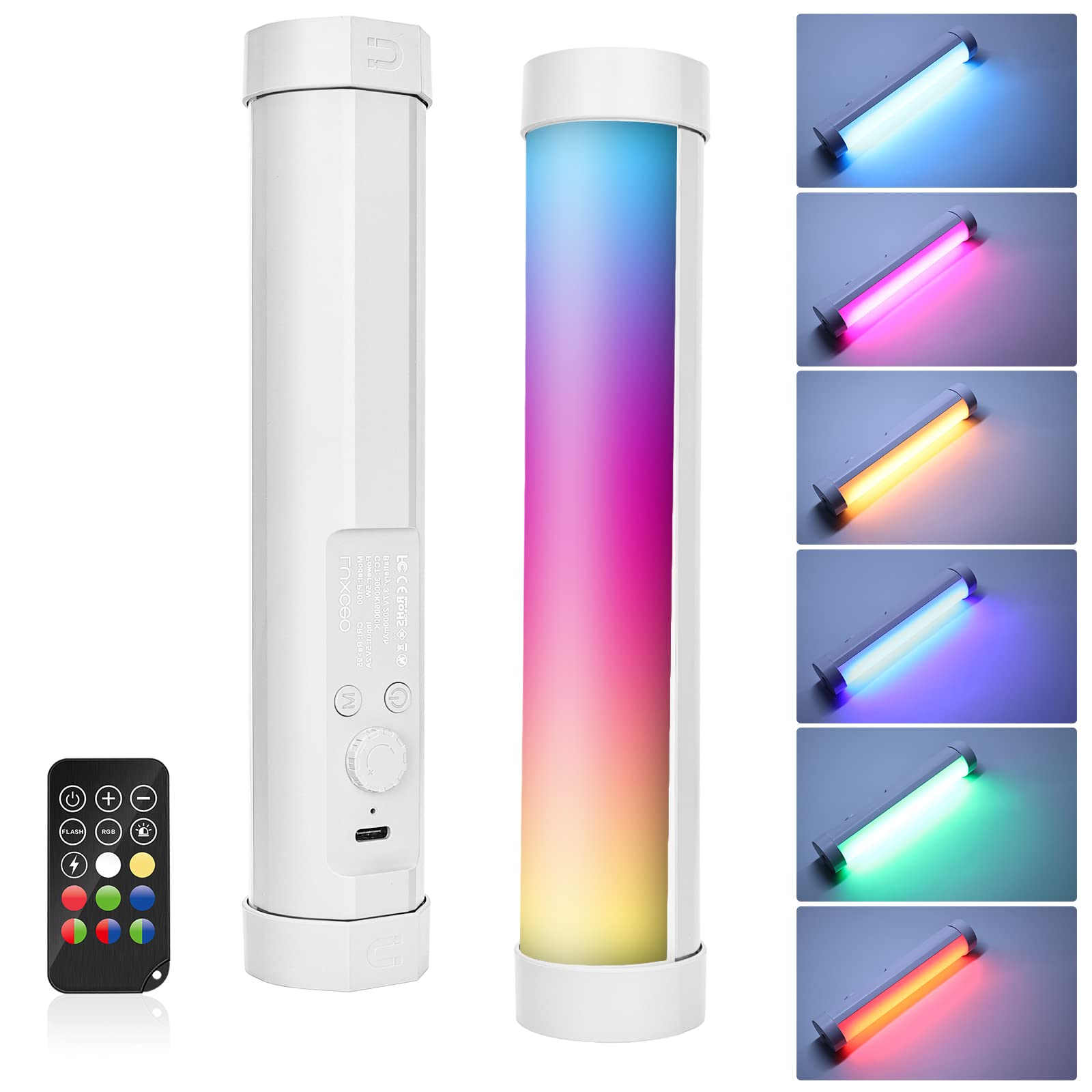
Figure 1: LUXCEO P100 Handheld RGB LED Video Light Wand
Package Contents:
- RGB Tube Light x 1
- USB-C Cable x 1
- Remote Controller x 1
- User Manual x 1

Figure 2: Package Contents
2. Product Features
- Magnetic Adsorption Design: Features two magnets and dual standard 1/4" nuts on both ends for versatile mounting. Can be handheld, attached to a tripod, light stand, camera, or any metal surface. The lamp body can rotate 360° when magnetically adsorbed to adjust the angle.
- RGB + Bi-color Light: Equipped with 80 high color rendering LED beads, reaching 400 lumens brightness. High CRI >95+ ensures natural and lifelike light. Supports CCT mode, brightness, color adjustment, and 4 scene light effects without flickering.
- Large Capacity Battery: Built-in 2000mAh rechargeable battery provides approximately 1.5 hours of continuous use at maximum power and up to 30 hours at minimum power. Features a Type-C charging port for convenient charging (approx. 3 hours for a full charge). Can be used while charging.
- Portable Design: Made of hard PC and soft light mask with excellent heat dissipation. Weighs only 163g (0.35lb) and measures 20cm (7.87") in length and 4.1cm (1.61") in width, making it ideal for portraits, live streaming, ambient lighting, light painting, and general photography.

Figure 3: Product Details and Controls

Figure 4: Magnetic Adsorption and 360° Rotation

Figure 5: Dual 1/4" Interface for Accessory Expansion
3. Setup
3.1 Charging the Device
Before first use, fully charge the LUXCEO P100. Connect the provided USB-C cable to the charging port on the back of the light wand and plug the other end into a compatible USB power source (e.g., computer, wall adapter). The charging indicator light will illuminate during charging and turn off when fully charged. A full charge typically takes about 3 hours.
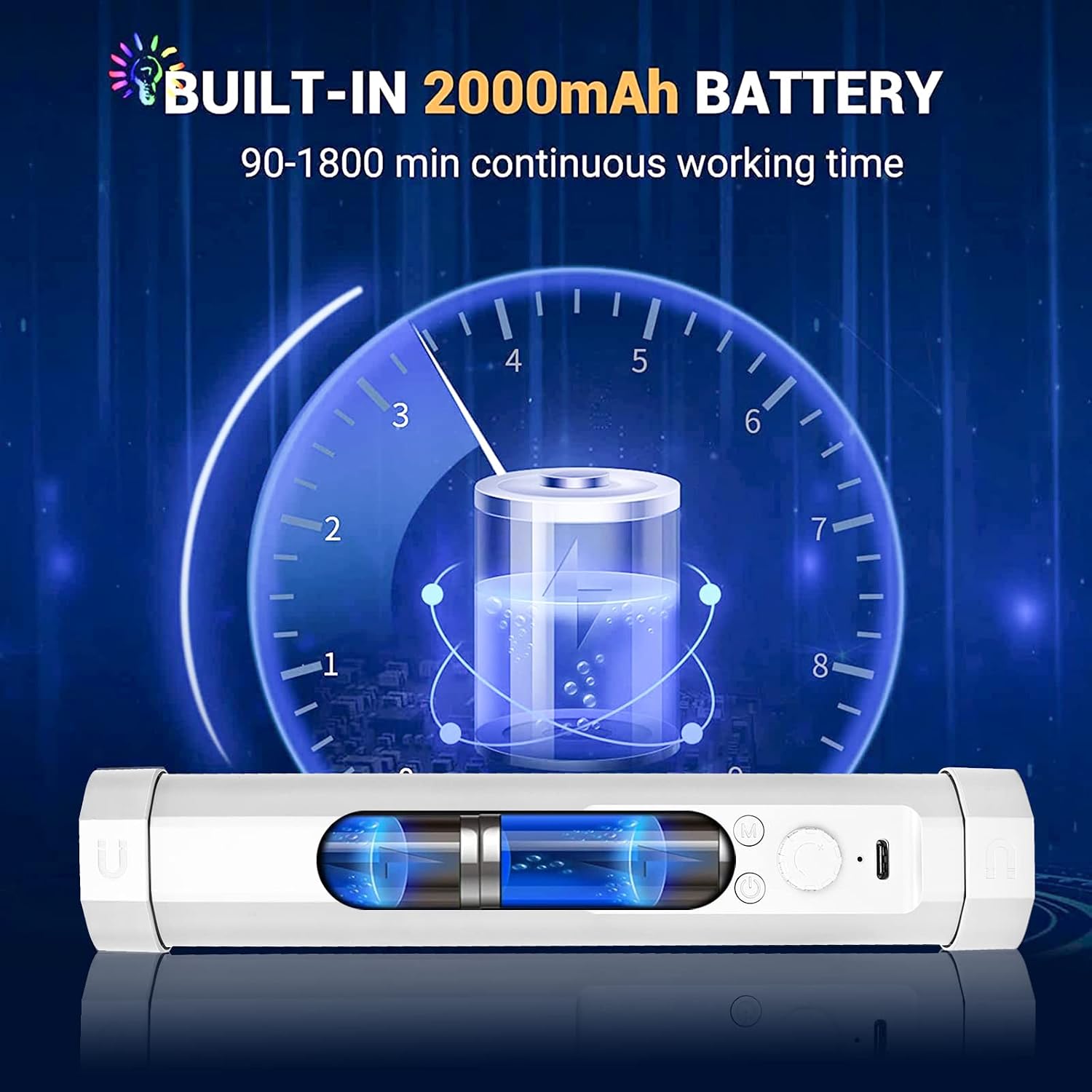
Figure 6: Built-in 2000mAh Battery and Charging Port
3.2 Mounting Options
The P100 offers flexible mounting:
- Handheld: Use the light wand directly for portable lighting.
- Magnetic Adsorption: The built-in magnets allow attachment to any metal surface. The light body can be rotated 360° to direct light as needed.
- 1/4" Thread Mount: Both ends of the light feature a standard 1/4"-20 nut, compatible with tripods, light stands, camera cages, and other photographic accessories.
4. Operation
4.1 Controls on the Device
The light wand features several controls:
- ON/OFF Button: Press briefly to turn the light ON/OFF. When turning it on again, it will recall the last used brightness and mode.
- Level Switch (Mode Button): After turning on the light, short press this button to cycle through different light colors and effects. The sequence is typically: white light → warm light → red light → green light → blue light → red+green light → red+blue light → green+blue light → colorful light gradually changing → RGB light → red & blue warning → white light lightning.
- Add & Subtract Knob: Rotate this knob to adjust brightness (5%-100%) or color temperature (3000K-6000K) depending on the selected mode.
4.2 Remote Controller Instructions
The included remote controller provides convenient control over the light wand's functions. The remote controller only works after the light body is turned on.
- Power Button: Turns the light ON/OFF.
- Brightness +/-: Adjusts the brightness level.
- RGB Button: Cycles through RGB colors.
- Flash Button: Activates flashing light effects.
- Color Buttons: Directly select specific colors (White, Red, Green, Blue, Yellow, Cyan, Purple, Orange).
- Scene Effects: Buttons for specific scene effects like 'Color Lights Change Gradually', 'RGB light', 'Warning Light', and 'Flashing White Light'.

Figure 7: CCT, RGB, and Scene Modes

Figure 8: Multi-Color and Scene Effects
4.3 Official Product Video: LUXCEO P100 RGB VIDEO LIGHT
Video 1: An official product video demonstrating the features and various lighting modes of the LUXCEO P100 RGB Video Light.
5. Maintenance
- Cleaning: Use a soft, dry cloth to clean the light wand. Avoid using harsh chemicals or abrasive materials.
- Battery Care: To maintain battery health, charge the light at least once every three months, even if not in use.
- Storage: Store the device in a cool, dry place, away from direct sunlight and extreme temperatures.
6. Troubleshooting
If you encounter issues with your LUXCEO P100, please refer to the following:
- Light not turning on: Ensure the battery is charged. Connect to a power source and check the charging indicator.
- Remote not working: Ensure the light wand is turned on. Check if the remote's battery needs replacement (CR2025).
- Flickering light: If the light flickers, ensure the device is fully charged. If the issue persists, contact customer support.
- Charging issues: Verify the USB-C cable is securely connected and the power source is functional.
For further assistance, please contact LUXCEO customer support.
7. Specifications
| Feature | Detail |
|---|---|
| Model | P100 |
| Power | 5W |
| Brightness | 400lm (Max) |
| Color Temperature (CCT) | 3000K / 6000K |
| CRI | Ra > 95 |
| Input | DC 5V / 1A |
| Battery | 3.7V 2000mAh / 7.4Wh |
| Working Time | 1.5 hours (max brightness) - 30 hours (min brightness) |
| Charging Time | ~3 hours |
| Size (L x W x H) | 7.87" x 1.61" x 1.61" (20cm x 4.1cm x 4.1cm) |
| Weight | 163g (0.35lb) |
| Operating Environment | Indoor/Outdoor |
| Storage Temperature | -10~50°C |
| Water Resistance Level | Not Water Resistant |

Figure 9: LUXCEO P100 Product Specifications
8. Safety Information
Please observe the following safety precautions:
- Keep batteries away from fires and high temperatures.
- Do not place the light in case of explosion.
- Do not modify or take this product apart. Do not shake, beat, or strike it.
- Check the voltage requirements before using to avoid damage to the light.
- Children should use this product in the company of their guardians. To avoid eye injury, please do not look directly at the glowing surface.
- Charge the light at least once every three months. Do not put it into water or wet environment while charging.
- Plug out the power cord while not using this light to avoid injury and damage.
- Do not put it in damp environment or water when charging.
- If any liquid, including rain or water, spills into the product, immediately cut off the power supply and seek help from a technician.
- Product gives off gas or has an unusual flickering.
- The cable is damaged or one can see the bare wire.
- The shell is broken.
- Do not discard the Lithium battery.
9. Warranty and Support
The LUXCEO P100 Handheld RGB LED Video Light Wand comes with a 365-day warranty from the date of purchase. This warranty covers manufacturing defects and malfunctions under normal use.
For warranty claims, technical support, or any questions regarding your product, please contact LUXCEO customer service through the retailer where you purchased the product or visit the official LUXCEO website for contact information.
Please retain your purchase receipt as proof of purchase for warranty purposes.

