
1. Introduction
Thank you for choosing the Gardena Garden Pump 4100 Silent Set. This manual provides essential information for the safe and efficient operation, setup, and maintenance of your new garden pump. Please read these instructions carefully before first use and keep them for future reference.
The Gardena Garden Pump 4100 Silent is a powerful and energy-efficient pressure pump designed for reliable pumping of tap water and rainwater. It is ideal for garden irrigation and can be used with water reservoirs such as cisterns, wells, or rain barrels. This set includes the pump and a 7-meter suction hose with a non-return valve and suction filter.
Safety Information
- Always disconnect the pump from the power supply before performing any maintenance or cleaning.
- Ensure the pump is placed on a stable, level surface.
- Do not operate the pump with flammable liquids or in explosive environments.
- Protect the pump from frost. Drain completely before winter storage.
- Keep children and unauthorized persons away from the operating pump.
2. Product Overview
The Gardena Garden Pump 4100 Silent is engineered for efficiency and durability, featuring a low power consumption of 550 watts while delivering a flow rate of 4100 liters per hour at 3.6 bar pressure. Its innovative design ensures quiet operation and weather resistance for outdoor use throughout the gardening season.
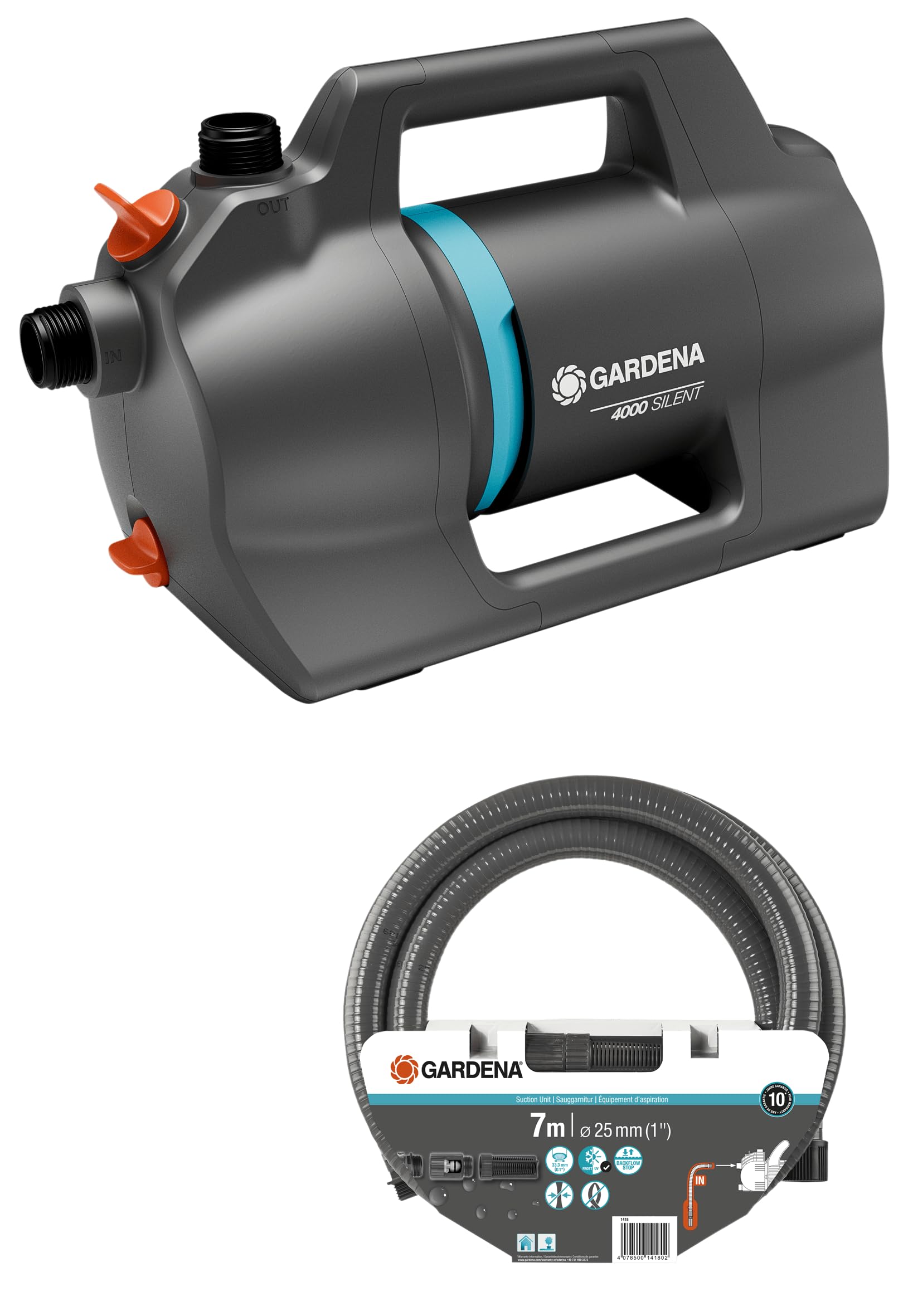
Image 2.1: The Gardena Garden Pump 4100 Silent, showcasing its compact design and integrated handle.
Key Features:
- Powerful and Energy-Efficient: 550 watts, 4100 liters per hour flow rate at 3.6 bar pressure.
- Quiet Operation: Innovative plastic housing and rubber feet minimize noise and vibrations.
- Weatherproof: Suitable for outdoor use throughout the gardening season, resistant to sun, damp, and rain.
- Durable Construction: Stainless steel shaft, double sealing system, and ceramic seals for longevity.
- Integrated Thermal Protection: Safeguards the motor against overloads.
- Easy Handling: Ergonomic handle for transport, large filler opening, and drain valve for frost protection.

Image 2.2: Visual representation of key features including maximum delivery head (36m/3.6 bar), low noise, weather resistance (rain/UV), and self-protective technologies.
3. Setup
Proper setup ensures optimal performance and longevity of your Gardena Garden Pump 4100 Silent Set.
3.1 Unpacking and Inspection
- Carefully remove all components from the packaging.
- Inspect the pump and accessories for any signs of damage. Do not use if damaged.
- Ensure all parts listed in the product documentation are present. The set includes the pump and a 7m suction hose with filter and non-return valve.
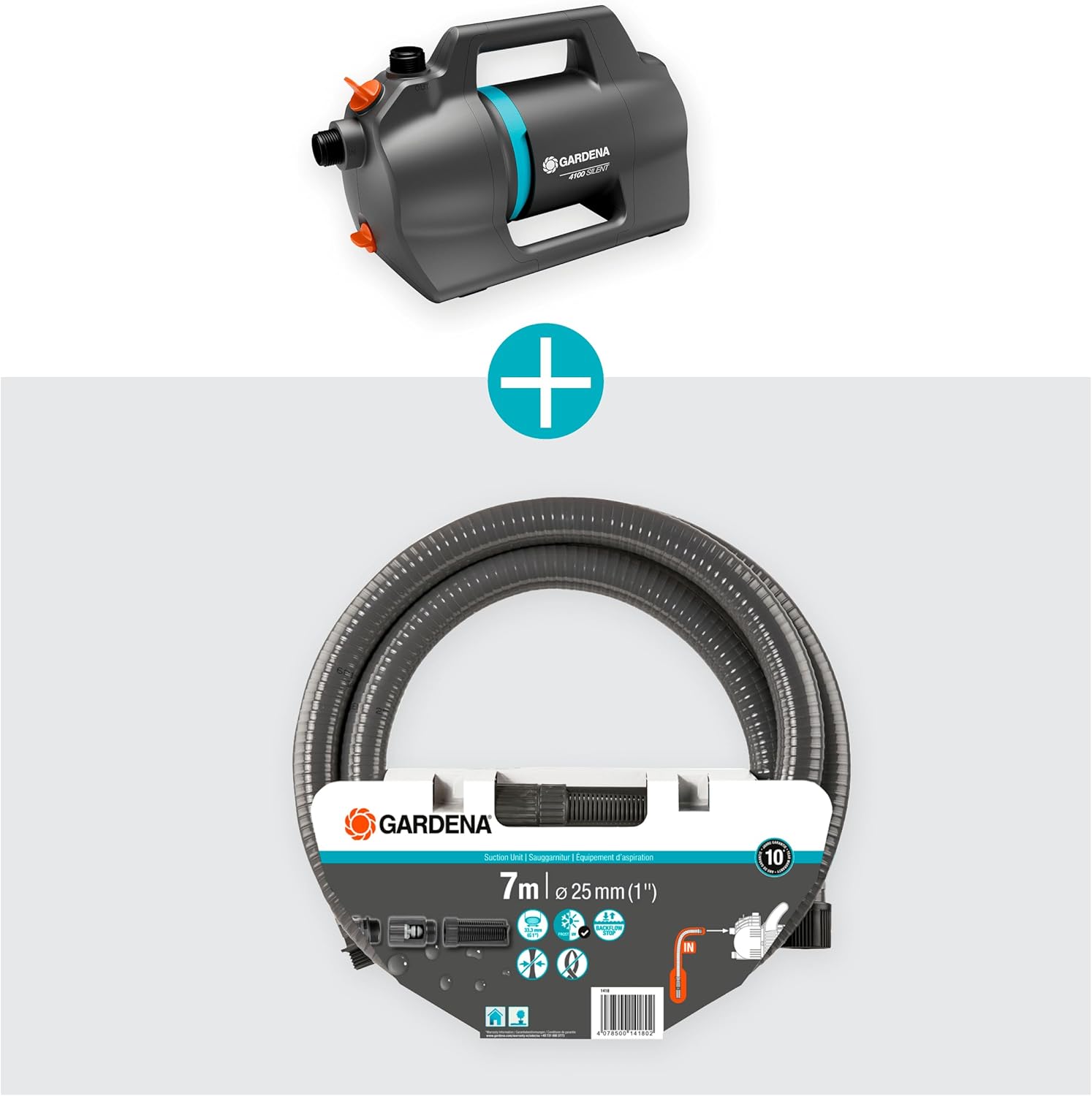
Image 3.1: The Gardena Garden Pump 4100 Silent shown with its included 7-meter suction hose, filter, and non-return valve.
3.2 Connecting the Suction Hose
- Connect the 7-meter suction hose (with non-return valve and suction filter) to the pump's inlet connection (marked 'IN'). Ensure a tight, airtight connection to prevent air leaks, which can affect pump performance.
- Place the suction filter end of the hose into the water source (e.g., rain barrel, well). Ensure the filter is fully submerged and clear of debris.
3.3 Connecting the Delivery Hose
- Connect your garden hose or irrigation system to the pump's outlet connection (marked 'OUT'). Secure the connection firmly.
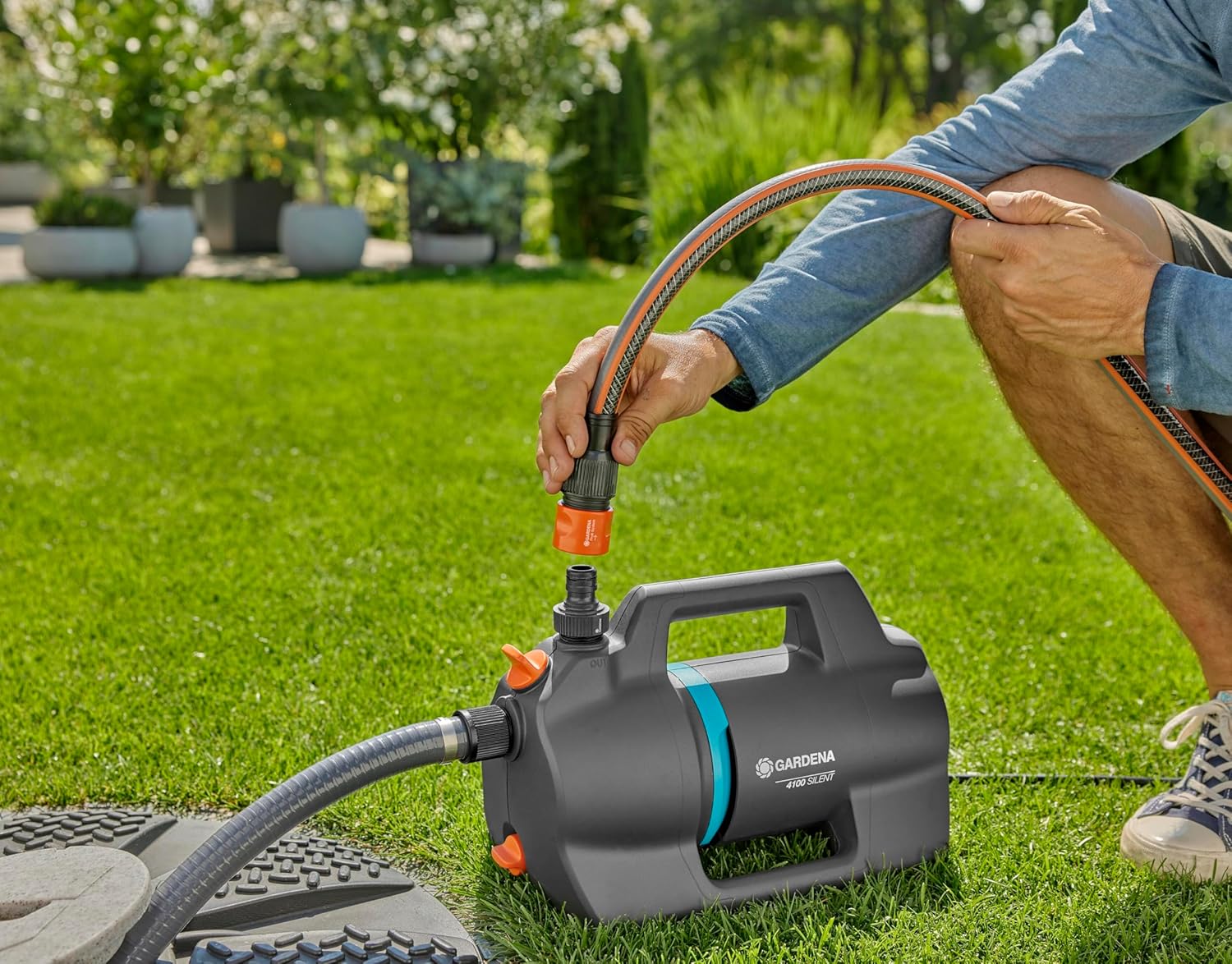
Image 3.2: A person connecting the output hose to the Gardena Garden Pump, demonstrating a secure connection.
3.4 Filling the Pump
- Before starting, the pump housing must be filled with water. Open the large filler opening on the top of the pump.
- Pour water into the opening until the pump housing is completely full. This primes the pump and prevents dry running.
- Close the filler opening securely.
4. Operating Instructions
Follow these steps for safe and effective operation of your garden pump.
4.1 Starting the Pump
- Ensure all connections are secure and the pump is filled with water.
- Plug the power cord into a suitable electrical outlet.
- Press the power switch (which can be operated comfortably by foot) to turn on the pump.
- The pump will begin to draw water and build pressure. It may be slightly louder initially as air is expelled from the system, but it should quickly settle into quiet operation.

Image 4.1: A close-up view of the Gardena Garden Pump, highlighting the easily accessible foot-operated power switch.
4.2 During Operation
- Monitor the water flow and pressure.
- Ensure the suction filter remains submerged in the water source.
- The pump is designed for continuous use during the gardening season.

Image 4.2: The Gardena Garden Pump 4100 Silent in operation, efficiently watering a garden from a ground-level water source.
4.3 Shutting Down
- Press the power switch to turn off the pump.
- Unplug the power cord from the electrical outlet.
5. Maintenance
Regular maintenance ensures the longevity and optimal performance of your pump.
5.1 Cleaning the Suction Filter
- Periodically check the suction filter for debris.
- Disconnect the pump from power.
- Remove the suction hose and clean the filter under running water.
5.2 Frost Protection and Winter Storage
To prevent damage from freezing temperatures, it is crucial to completely drain the pump before winter storage.
- Disconnect the pump from the power supply.
- Disconnect all hoses.
- Open the drain valve located at the bottom of the pump. Allow all water to drain out.
- Tilt the pump if necessary to ensure complete drainage.
- Store the pump in a frost-free environment.
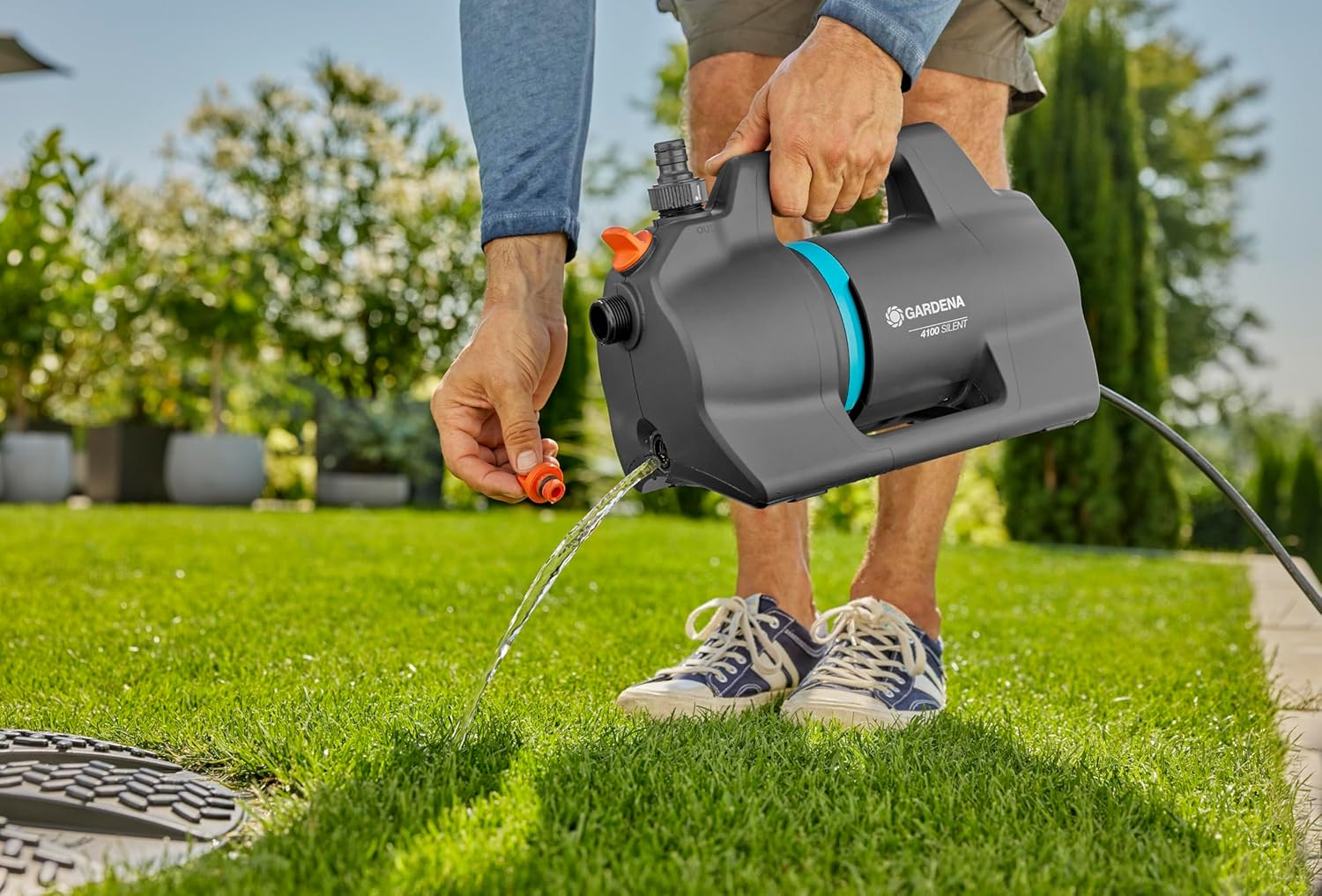
Image 5.1: A person demonstrating how to drain the Gardena Garden Pump using the drain valve, essential for frost protection.
6. Troubleshooting
This section addresses common issues you might encounter with your Gardena Garden Pump 4100 Silent.
| Problem | Possible Cause | Solution |
|---|---|---|
| Pump does not start | No power supply; Thermal overload protection activated; Motor fault. | Check power connection; Allow pump to cool down; Contact customer support. |
| Low or no water flow | Pump not primed; Air in suction line; Suction filter clogged; Suction hose kinked or damaged; Water source empty. | Fill pump with water; Check all connections for airtight seal; Clean suction filter; Inspect suction hose; Replenish water source. |
| Pump is unusually loud | Air in pump/hoses; Pump running dry; Debris in pump. | Ensure pump is primed and connections are airtight; Check water source; Disconnect power and inspect for debris (if safe to do so). |
| Water leakage | Loose connections; Damaged seals. | Tighten all hose connections; Inspect and replace damaged seals if necessary. |
7. Specifications
Technical data for the Gardena Garden Pump 4100 Silent.

Image 7.1: Dimensions of the Gardena Garden Pump 4100 Silent: 42.5 cm (16.73 in) length, 22 cm (8.66 in) width, 28 cm (11.02 in) height. Weight: 6.95 kg (15.32 lbs).
| Specification | Value |
|---|---|
| Model Number | 09052-20 |
| Power Consumption | 550 Watts |
| Maximum Flow Rate | 4100 Liters Per Hour |
| Maximum Delivery Head | 36 Meters (3.6 bar) |
| Maximum Suction Depth | 8 Meters |
| Item Weight | 6.9 Kilograms |
| Product Dimensions (L x W x H) | 16.73" x 8.66" x 11.02" (42.5 cm x 22 cm x 28 cm) |
| Material | Plastic, Stainless Steel |
| Suction Hose Length | 7 meters |
8. Warranty and Support
8.1 Manufacturer's Warranty
GARDENA provides a five-year manufacturer's warranty on the Garden Pump 4100 Silent after online registration. Please refer to the official Gardena website for detailed warranty terms and conditions and for online registration.
8.2 Customer Support
For technical assistance, spare parts, or warranty claims, please contact Gardena customer support. Contact information can typically be found on the official Gardena website or in the packaging materials.