
ZEALOT S61
ZEALOT S61 Bluetooth Speaker User Manual
Model: S61
Product Overview
The ZEALOT S61 is a portable Bluetooth speaker designed for robust audio performance and outdoor use. It features powerful stereo sound, vibrant RGB lighting, and a durable, waterproof design.

Image: The ZEALOT S61 Bluetooth Speaker, showcasing its waterproof capability with water splashing around it. The speaker is black with a mesh grille and a colorful LED ring at the top.
Key Features:
- Pleasing Sound: 20W powerful magnetic speakers with stereo sound effect and double shock membrane for enhanced bass. Supports TWS dual pairing.
- Dual RGB Lights: Colorful RGB lights that can be turned on or off.
- Portable and Long Playtime: Up to 40 hours of playback with a 3600mAh battery. Includes a neck strap for portability.
- Waterproof and Durable: IPX7 waterproof rating, able to withstand being dropped and sprayed with water.
What's in the Box
- S61 Portable Bluetooth Speaker
- S61 Convenience Tether
- S61 Quick Start Manual
- USB-C Charging Cable
Setup Guide
Charging the Speaker:
Before first use, fully charge your ZEALOT S61 speaker. Connect the provided USB-C charging cable to the speaker's charging port and the other end to a compatible USB power adapter (not included).
Powering On/Off:
Press and hold the power button (usually indicated by a power symbol) for a few seconds to turn the speaker on or off. An audible prompt or LED indicator will confirm the status.

Image: A hand pressing the illuminated power button on the top surface of the ZEALOT S61 speaker, indicating the power control.
Operating Instructions
Bluetooth Pairing:
- Ensure the speaker is powered on and in Bluetooth pairing mode (usually indicated by a blinking LED).
- On your device (smartphone, tablet, computer), enable Bluetooth and search for available devices.
- Select "ZEALOT S61" from the list of devices.
- Once connected, the speaker will provide an audible confirmation, and the LED indicator will become solid.

Image: A smartphone displaying a music player interface, positioned next to the ZEALOT S61 speaker, with a Bluetooth symbol indicating a successful wireless connection.
Dual Pairing (TWS Function):
To achieve a true wireless stereo experience, you can pair two ZEALOT S61 speakers together:
- Ensure both S61 speakers are powered on and not connected to any other Bluetooth device.
- Press the TWS button (or designated pairing button) on one speaker. It will enter TWS pairing mode.
- The two speakers will automatically connect to each other. An audible prompt will confirm the successful TWS connection.
- Once paired, connect your device to one of the speakers via Bluetooth as described above. Both speakers will now play audio in stereo.
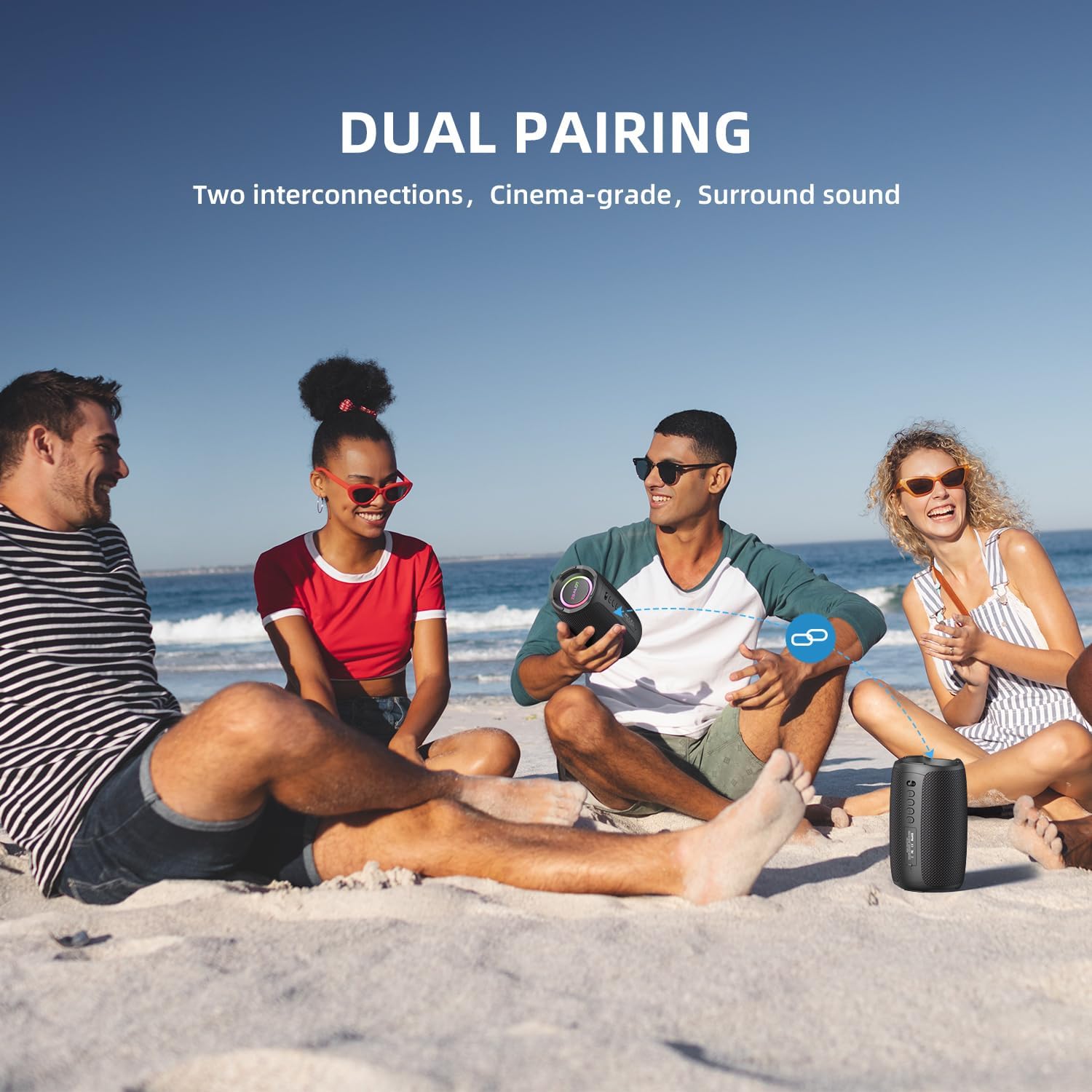
Image: Two ZEALOT S61 speakers positioned on a beach, with a graphic indicating "DUAL PAIRING" and "Two interconnections, Cinema-grade, Surround sound," demonstrating their ability to connect for stereo audio.

Image: An indoor setting showing two ZEALOT S61 speakers placed on a media console in front of a television, with red and blue sound waves illustrating the stereo audio effect from dual pairing.
RGB Light Control:
The ZEALOT S61 features colorful RGB lights. Refer to the quick start manual for specific button functions to cycle through light modes or turn the lights on/off.

Image: The ZEALOT S61 speaker standing upright, with its top and bottom RGB lights glowing in multiple colors, creating an ambient lighting effect.
Other Connectivity Options:
The S61 speaker supports multiple input methods:
- AUX In: Connect devices via a 3.5mm audio cable.
- USB Drive: Play audio directly from a USB flash drive.
- Micro SD: Insert a Micro SD card for direct audio playback.
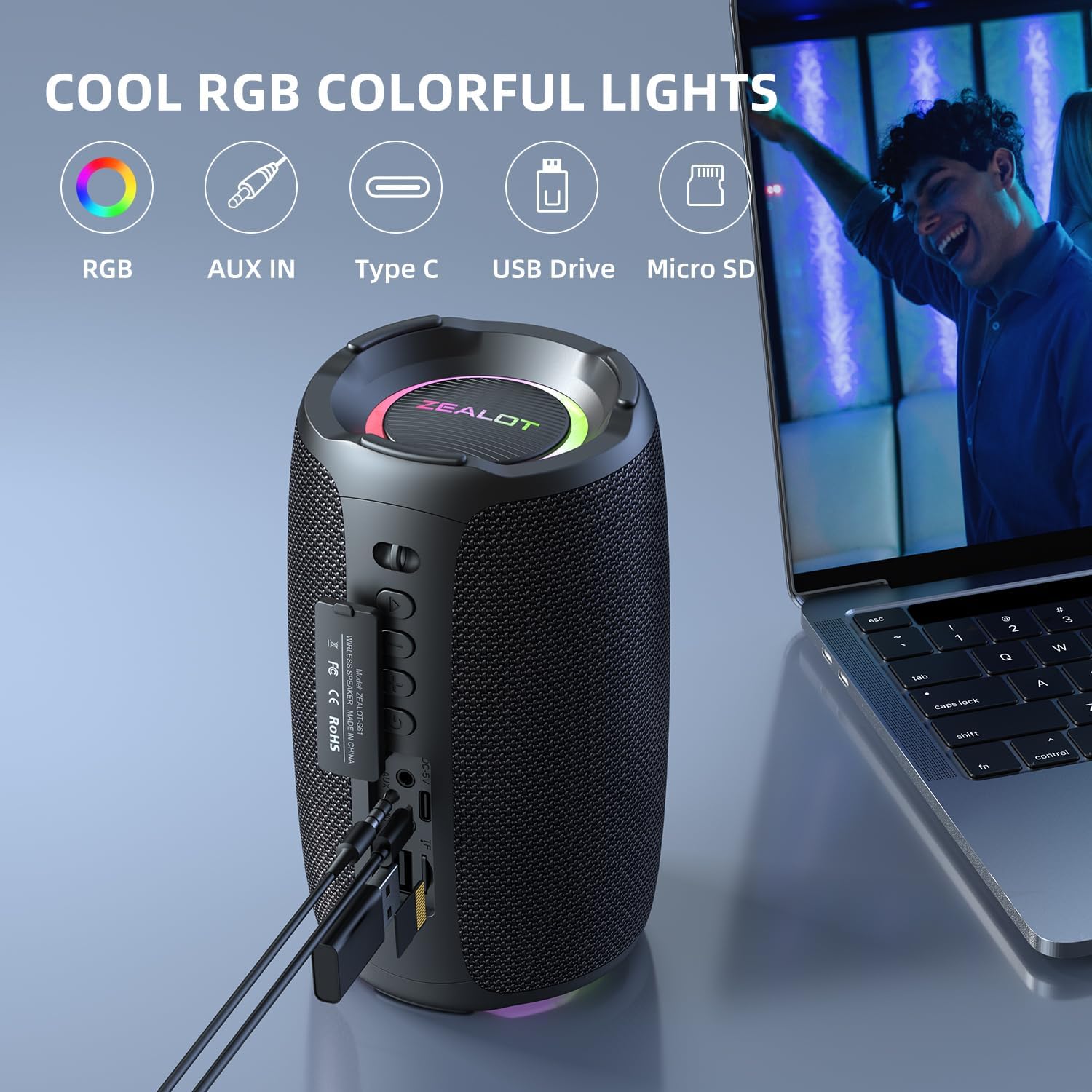
Image: The ZEALOT S61 speaker from a side angle, clearly showing its input ports labeled RGB, AUX IN, Type C, USB Drive, and Micro SD, with cables connected to some of them.
Maintenance and Care
To ensure the longevity and optimal performance of your ZEALOT S61 speaker, follow these care guidelines:
- Cleaning: Wipe the speaker with a soft, damp cloth. Do not use harsh chemicals or abrasive cleaners.
- Water Exposure: While IPX7 waterproof, ensure the charging port and other input ports are dry before charging or connecting external devices. Do not submerge for extended periods or expose to saltwater.
- Storage: Store the speaker in a cool, dry place away from direct sunlight and extreme temperatures.
- Battery Care: For optimal battery life, avoid fully discharging the battery frequently. Charge regularly, even if not in use for long periods.
Troubleshooting
| Problem | Possible Cause | Solution |
|---|---|---|
| Speaker does not power on. | Low battery; Power button not pressed correctly. | Charge the speaker; Press and hold the power button for 3-5 seconds. |
| Cannot pair via Bluetooth. | Speaker not in pairing mode; Device Bluetooth off; Speaker too far from device. | Ensure speaker is in pairing mode; Turn on Bluetooth on your device; Move speaker closer to device (within 10 meters). |
| No sound. | Volume too low; Paused playback; Incorrect input mode. | Increase volume on speaker and device; Check playback status; Switch to correct input mode (Bluetooth, AUX, USB, Micro SD). |
| TWS pairing fails. | Speakers already connected to other devices; Speakers too far apart. | Disconnect speakers from other devices; Ensure both speakers are S61 models; Place speakers close together during TWS pairing. |
Specifications
| Feature | Detail |
|---|---|
| Model Name | S61 |
| Speaker Type | Outdoor |
| Special Features | Bass Boost, Portable, LED Light, Waterproof, Built-In Microphone |
| Connectivity Technology | Bluetooth, Auxiliary, USB |
| Wireless Communication Technology | Bluetooth 5.2 |
| Bluetooth Range | 10 Meters (approx. 33 feet) |
| Speaker Maximum Output Power | 20 Watts |
| Audio Output Mode | Stereo |
| Battery Life | Up to 40 Hours |
| Battery Capacity | 3600 mAh |
| Water Resistance Level | IPX7 Waterproof |
| Product Dimensions | 3.85"D x 3.85"W x 6.7"H |
| Item Weight | 1.85 pounds |
| Color | Black |

Image: A diagram illustrating the dimensions of the ZEALOT S61 speaker, showing a height of 6.7 inches and a diameter of 3.8 inches.
Warranty and Support
Warranty Information:
The ZEALOT S61 Bluetooth Speaker comes with a 2-year warranty. Please retain your proof of purchase for warranty claims.
Customer Support:
For any questions, issues, or good ideas regarding your ZEALOT S61 speaker, please contact ZEALOT customer support. We aim to respond within 24 hours.
You can visit the official ZEALOT store for more information and support: ZEALOT Store on Amazon
A digital version of the User Guide (PDF) is also available: User Guide (PDF)
Related Documents - S61
 |
Zealot S53 Bluetooth Speaker User Guide and Technical Specifications Comprehensive guide for the Zealot S53 Bluetooth speaker, covering setup, features like Bluetooth pairing, wireless stereo pairing, IPX6 waterproofing, and detailed technical specifications. Includes safety precautions and multilingual instructions. |
 |
ZEALOT M2 Wireless Speaker User Manual - Safety & Specifications Read the ZEALOT M2 wireless speaker user manual for important safety instructions, operating guidelines, and technical specifications. Ensure proper use and prevent damage. |
 |
Zealot S-67 Bluetooth Speaker Quick Start Manual A quick start guide for the Zealot S-67 Bluetooth speaker, covering power on/off, mode switching, Bluetooth pairing and calls, TWS connection, music playback, data transmission, equalizer functions, USB and TF card playback, AUX mode, charging, specifications, and important notices. |
 |
ZEALOT M2 Portable Bluetooth Speaker User Manual Detailed user manual for the ZEALOT M2 portable Bluetooth speaker, featuring IPX5 waterproofing, 360° sound, TWS stereo pairing, and 10 hours of playtime, ideal for camping and outdoor use. This manual is available in multiple languages. |
 |
ZEALOT S55 Portable Bluetooth Speaker: Features, Specs, and Pairing Guide Discover the ZEALOT S55 portable Bluetooth speaker. Learn about its features, IPX5 waterproof rating, wireless stereo pairing, technical specifications, and usage guidelines. |
 |
ZEALOT S61 Outdoor Wireless Speaker User Manual This document provides a comprehensive user manual for the ZEALOT S61 Outdoor Wireless Speaker, covering product overview, functions, specifications, charging, and important notices. |
Ask a question about this manual
Ask about setup, troubleshooting, compatibility, parts, safety, or missing instructions. Manuals+ will review the question and use this page’s manual context to help answer it.