
Introduction
Thank you for purchasing the ORIA Bluetooth 5.3 AUX Adapter. This device is a versatile 2-in-1 solution, functioning as both a Bluetooth transmitter (TX) and a Bluetooth receiver (RX). It allows you to add Bluetooth functionality to non-Bluetooth audio devices, enabling wireless audio streaming. Please read this manual carefully before use to ensure proper operation and to maximize the product's performance.
Product Overview
Package Contents
- ORIA Bluetooth 5.3 AUX Adapter
- USB-C Charging Cable
- 3.5mm Audio Cable
- User Manual
Device Components

- Type-C Charging Port: For charging the device.
- 3.5mm Audio Port: For connecting to audio devices via the included 3.5mm cable.
- Multi-function Button: Used for power on/off, play/pause, and answering/ending calls.
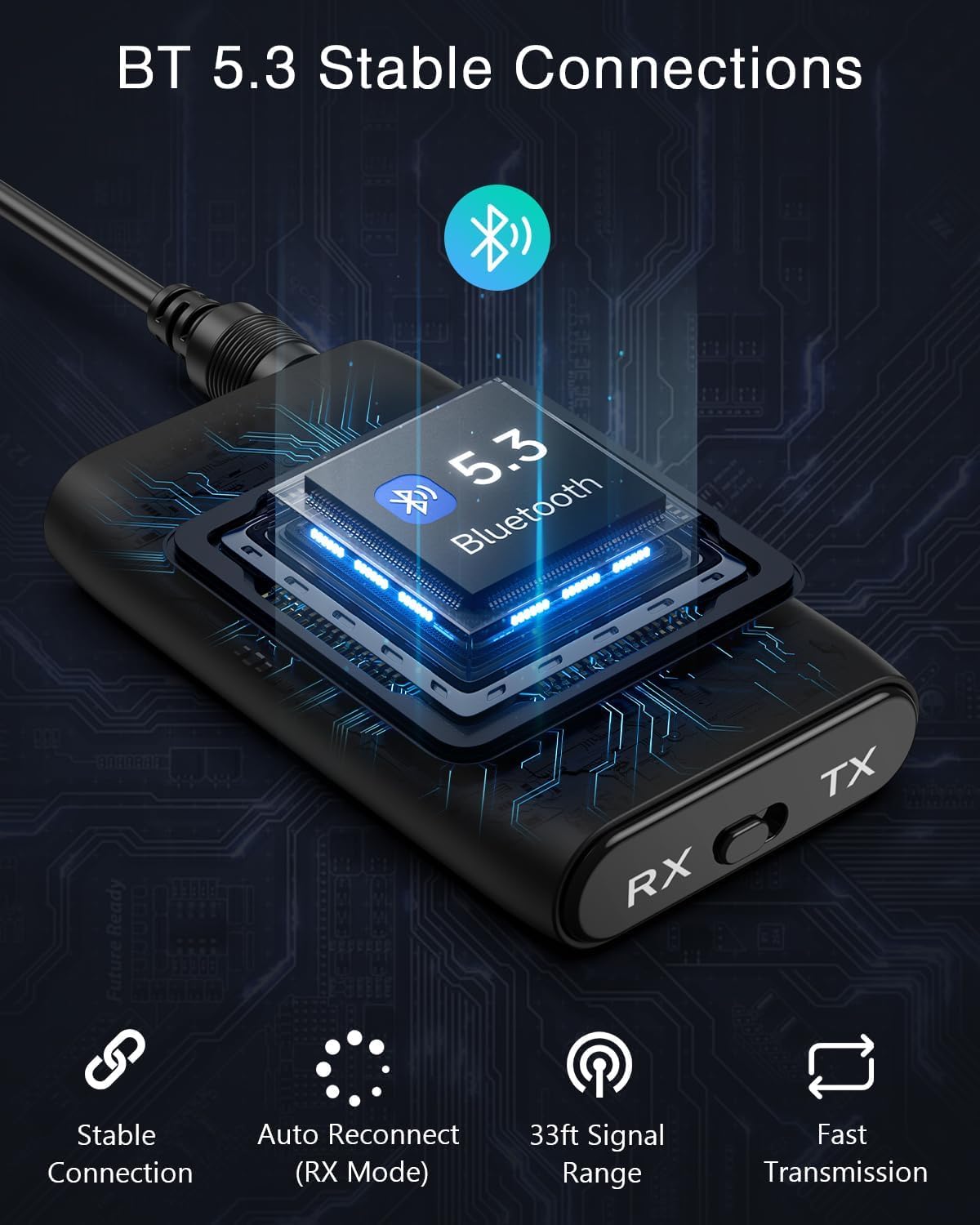
- TX/RX Switch: Toggles between Transmitter (TX) and Receiver (RX) modes.
- Connection Indicator Light: Displays pairing status (flashing red/blue), low battery warning (red), and connected status (blue).
Setup
Charging the Device
Before first use, fully charge the adapter. Connect the provided USB-C charging cable to the device's Type-C port and the other end to a 5V USB power source (e.g., wall adapter, computer USB port). The charging indicator light will show the charging status. A full charge typically takes approximately 2 hours.

Switching Modes (TX/RX)
The device has a physical switch to select between Transmitter (TX) and Receiver (RX) modes. Important: You must shut down the device before switching modes.
- Slide the switch to 'TX' for Transmitter mode.
- Slide the switch to 'RX' for Receiver mode.
Operating Instructions
Transmitter Mode (TX)
In TX mode, the adapter transmits audio from a non-Bluetooth device (e.g., TV, desktop computer) to a Bluetooth-enabled receiving device (e.g., Bluetooth headphones, Bluetooth speaker).

- Ensure the adapter is off. Slide the TX/RX switch to 'TX'.
- Press and hold the Multi-function Button to power on. The LED indicator will flash red/blue alternately, indicating pairing mode.
- Connect the adapter to your non-Bluetooth audio source (e.g., TV, desktop) using the 3.5mm audio cable.
- Place your Bluetooth receiving device (headphones, speaker) into pairing mode.
- The adapter will automatically search for and connect to your Bluetooth receiving device. Once connected, the LED indicator will turn solid blue.
Note: This device is not suitable for real-time audio monitoring (e.g., digital pianos, instruments) due to potential latency.
Receiver Mode (RX)
In RX mode, the adapter receives audio from a Bluetooth-enabled device (e.g., smartphone, laptop) and outputs it to a non-Bluetooth audio system (e.g., car stereo, home speaker system).
- Ensure the adapter is off. Slide the TX/RX switch to 'RX'.
- Press and hold the Multi-function Button to power on. The LED indicator will flash red/blue alternately, indicating pairing mode.
- Connect the adapter to your non-Bluetooth audio system (e.g., car AUX input, home stereo) using the 3.5mm audio cable.
- On your Bluetooth-enabled device (smartphone, laptop), search for Bluetooth devices and select "ORIA B0BNKJHGTL" (or similar name) to pair.
- Once connected, the LED indicator will turn solid blue. You can now stream audio wirelessly.
Universal Compatibility

Auto Reconnect (RX Mode)
In Receiver (RX) mode, the adapter will automatically attempt to reconnect to the last paired device when powered on, provided the device is within range and its Bluetooth is enabled.
Sound Quality
The ORIA Bluetooth AUX Adapter utilizes CVC (Clear Voice Capture) noise cancellation technology to minimize ambient noise, ensuring clearer and higher-fidelity audio transmission. It supports A2DP, AVRCP, and HFP audio formats for a robust audio experience.

Specifications
| Feature | Description |
|---|---|
| Brand | ORIA |
| Model | B0BNKJHGTL |
| Connectivity Technology | Bluetooth, AUX |
| Bluetooth Version | 5.3 |
| Special Feature | Noise Cancellation (CVC) |
| Power Source | Battery Powered (Rechargeable) |
| Battery Type | Lithium Ion Polymer |
| Battery Capacity | 250 mAh |
| Charging Time | Approx. 2 hours |
| Product Dimensions | 13L x 8W x 2H cm |
| Color | Black |
| Compatible Devices | TV, Headphones, Speakers, Car Audio Systems, Laptops, Smartphones |
| Audio Output Mode | Stereo |
| Control Type | Button Control |
Troubleshooting
- Device not powering on: Ensure the device is fully charged. Connect it to a power source using the USB-C cable.
- Cannot pair with a device:
- Ensure the adapter is in the correct TX or RX mode.
- Make sure both the adapter and the target device are in pairing mode (LED flashing red/blue).
- Bring the devices closer together (within 10 meters/33 feet).
- Clear previous pairing records on your Bluetooth device and try again.
- No audio output/input:
- Check if the 3.5mm audio cable is securely connected to both the adapter and the audio device.
- Ensure the volume on both the adapter and the connected audio device is turned up.
- Verify that the adapter is successfully paired (solid blue LED).
- Intermittent connection or poor sound quality:
- Reduce the distance between the adapter and the connected Bluetooth device.
- Remove any obstacles that might interfere with the Bluetooth signal (e.g., walls, large metal objects).
- Avoid using the device near other strong wireless signals.
- Note: This product is not compatible with S-O-N-Y products.
Safety Information and Warnings
- Keep the device away from heat sources and moisture.
- Do not dispose of batteries in fire.
- The device may interfere with other wireless devices.
- Do not attempt to disassemble or modify the device. This will void the warranty and may cause damage.
- Use only the provided or certified charging cables and adapters.
Warranty and Support
ORIA products are designed for reliability and performance. For warranty information, technical support, or customer service inquiries, please refer to the contact details provided with your purchase or visit the official ORIA website. Please retain your proof of purchase for warranty claims.
