
Introduction
This manual provides detailed instructions for the setup, operation, maintenance, and troubleshooting of your truefree T2 Wireless Earbuds. Please read this guide thoroughly to ensure optimal performance and longevity of your device.
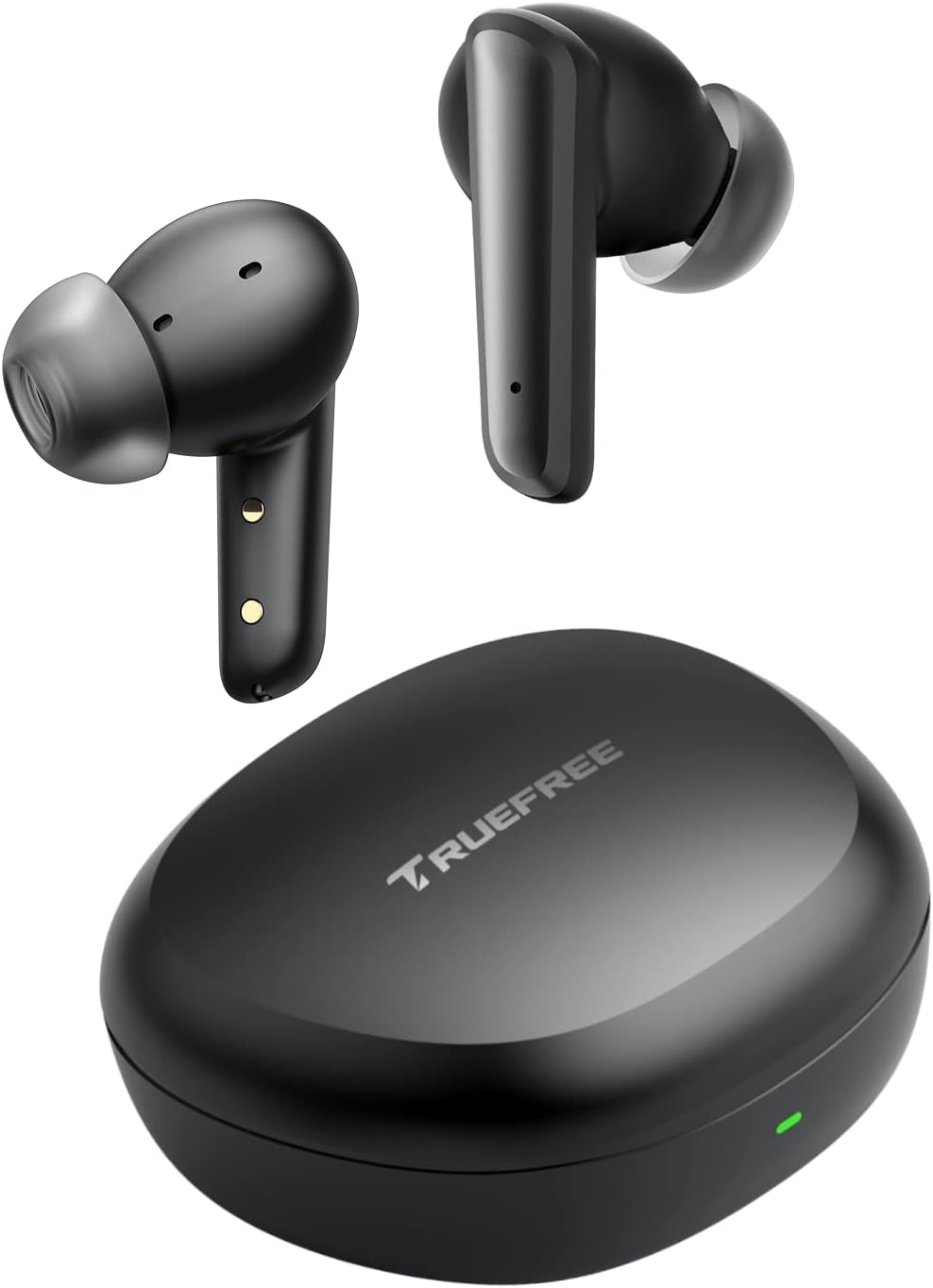
Image: truefree T2 Wireless Earbuds and their charging case.
What's in the Box
Your truefree T2 Wireless Earbuds package includes the following items:
- truefree T2 Wireless Earbuds (Left and Right)
- Charging Case
- USB Charging Cable
- User Manual
- Ear Cushions (S/M/L sizes)

Image: All components included in the truefree T2 package: earbuds, charging case, USB cable, user manual, and various ear tip sizes.
Product Overview
The truefree T2 earbuds feature advanced Bluetooth 5.3 technology for stable connections and efficient power consumption. They are equipped with 4 microphones for clear calls and 10mm dynamic drivers for immersive sound.

Image: Overview of truefree T2 features including Bluetooth 5.3, instant pairing, ENC clear calls, 10mm driver, game mode, touch control, and 23 hours of playtime.

Image: A woman on a phone call, demonstrating the crystal clear call quality of the earbuds with noise cancellation technology.
Setup
Wearing and Changing Ear Tips
For optimal comfort and sound quality, select the ear tips that best fit your ears (S, M, L sizes provided). Gently insert the earbuds into your ears and slightly rotate them to find the most comfortable angle with the microphone pointing downwards.

Image: Small, Medium, and Large ear tips for customized fit.
Video: Demonstrates how to properly wear the earbuds and change ear tips for a secure and comfortable fit.
Pairing
The earbuds will automatically turn on and enter mutual pairing state when you open the lid of the charging case. Activate Bluetooth on your device and select "TRUEFREE T2" from the available devices list to pair.
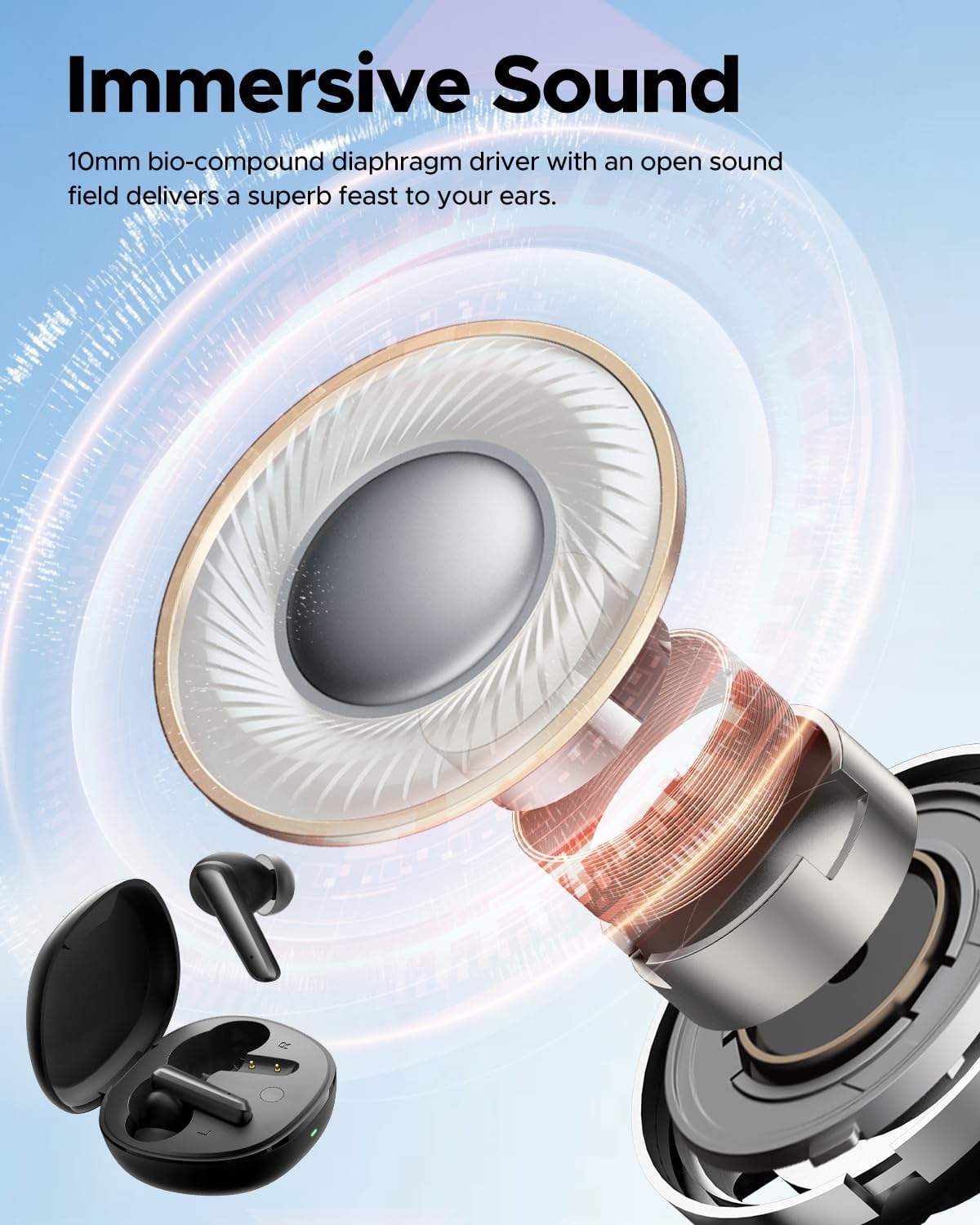
Image: Illustration of the Bluetooth 5.3 chip inside the earbud, emphasizing advanced connectivity.

Image: A smartphone displaying the Bluetooth settings with "Truefree t2" successfully connected.
Video: A comprehensive user guide for the truefree T2 Bluetooth Headphones, including pairing instructions.
Operating Instructions
Smart Touch Control
The truefree T2 earbuds feature intuitive touch controls for various functions:
- Play/Pause: Double-tap either earbud.
- Volume +: Single-tap the right earbud.
- Volume -: Single-tap the left earbud.
- Previous Track: Press and hold the left earbud for 1.5 seconds.
- Next Track: Press and hold the right earbud for 1.5 seconds.
- Answer/Hang Up Phone Call: Double-tap either earbud.
- Reject Phone Call: Press and hold either earbud for 1.5 seconds.
- Activate Voice Assistant: Triple-tap the right earbud.
- Game Mode: Triple-tap the left earbud to enter/exit.
Video: Demonstrates the smart touch controls for the truefree T2 earbuds.
Single/Twin Mode
Either earbud can be used independently. Simply place one earbud back into the charging case to use the other one alone. This extends listening time and offers flexibility.
Game Mode
The truefree T2 features an ultra-low latency game mode (50ms) for a seamless gaming experience. Triple-tap the left earbud to activate or deactivate this mode.

Image: Illustration highlighting the 50ms ultra-low latency Game Mode for an enhanced gaming experience.
Charging
To charge the truefree T2 earbuds, place them back into their charging case. Connect the charging case to a Type-C charger. The indicator light on the case will flash slowly while charging and stay green when fully charged.
The earbuds provide up to 6.5 hours of listening time on a single charge, and the pocket-sized charging case extends the total playtime to over 23 hours.

Image: The truefree T2 charging case with its indicator light, showing charging status.

Image: Visual representation of the truefree T2's battery life: 6.5 hours on a single charge and 23 hours total with the charging case.
Maintenance
To ensure the longevity and optimal performance of your truefree T2 earbuds, follow these maintenance guidelines:
- Keep the earbuds and charging case clean and dry.
- Avoid exposing the device to extreme temperatures or humidity.
- Clean the ear tips regularly with a soft, dry cloth.
- Store the earbuds in their charging case when not in use to protect them and keep them charged.
Troubleshooting
If you encounter any issues with your truefree T2 earbuds, try the following solutions:
- No Sound: Ensure earbuds are paired correctly and volume is up on both the earbuds and your device.
- Connection Issues: Try resetting the earbuds and clearing pairing data from your device.
- Charging Problems: Check the charging cable and ensure the case is properly connected to a power source.
How to Reset
If you experience persistent connection issues or other malfunctions, you may need to reset your earbuds:
- Clear the pairing data for "TRUEFREE T2" from your device's Bluetooth settings.
- Place both earbuds back into the charging case, ensuring they are in charging status.
- Keep the charging case lid open. Press and hold the button on the charging case for 10 seconds until the lights on the earphones flash red and blue alternately twice. The reset is complete.
- Close the charging case lid and re-open it; the earbuds are now activated and ready for a new pairing.
Video: Step-by-step guide on how to reset your truefree T2 earbuds.
Specifications
| Feature | Specification |
|---|---|
| Model Name | truefree T2 |
| Bluetooth Version | 5.3 |
| Connectivity Technology | Wireless |
| Audio Driver Size | 10 Millimeters |
| Battery Life (Earbuds) | 6.5 Hours |
| Battery Life (with Case) | 23 Hours |
| Charging Time | 2 Hours |
| Control Method | Touch |
| Microphones | 4 (with AI-enhanced noise cancellation) |
| Water Resistance Level | Water Resistant |
| Item Weight | 37.1 Grams (1.31 ounces) |
| Product Dimensions | 2.26 x 2.04 x 1 inches |
Warranty and Support
For warranty information and customer support, please visit the official truefree store or contact their customer service directly.
Official truefree Store: truefree Store on Amazon


