
Introduction
Thank you for choosing the CubiCubi Triple Motor L-Shaped Electric Standing Desk. This manual provides essential information for the safe assembly, operation, and maintenance of your new workstation. Please read all instructions carefully before use and retain this manual for future reference.
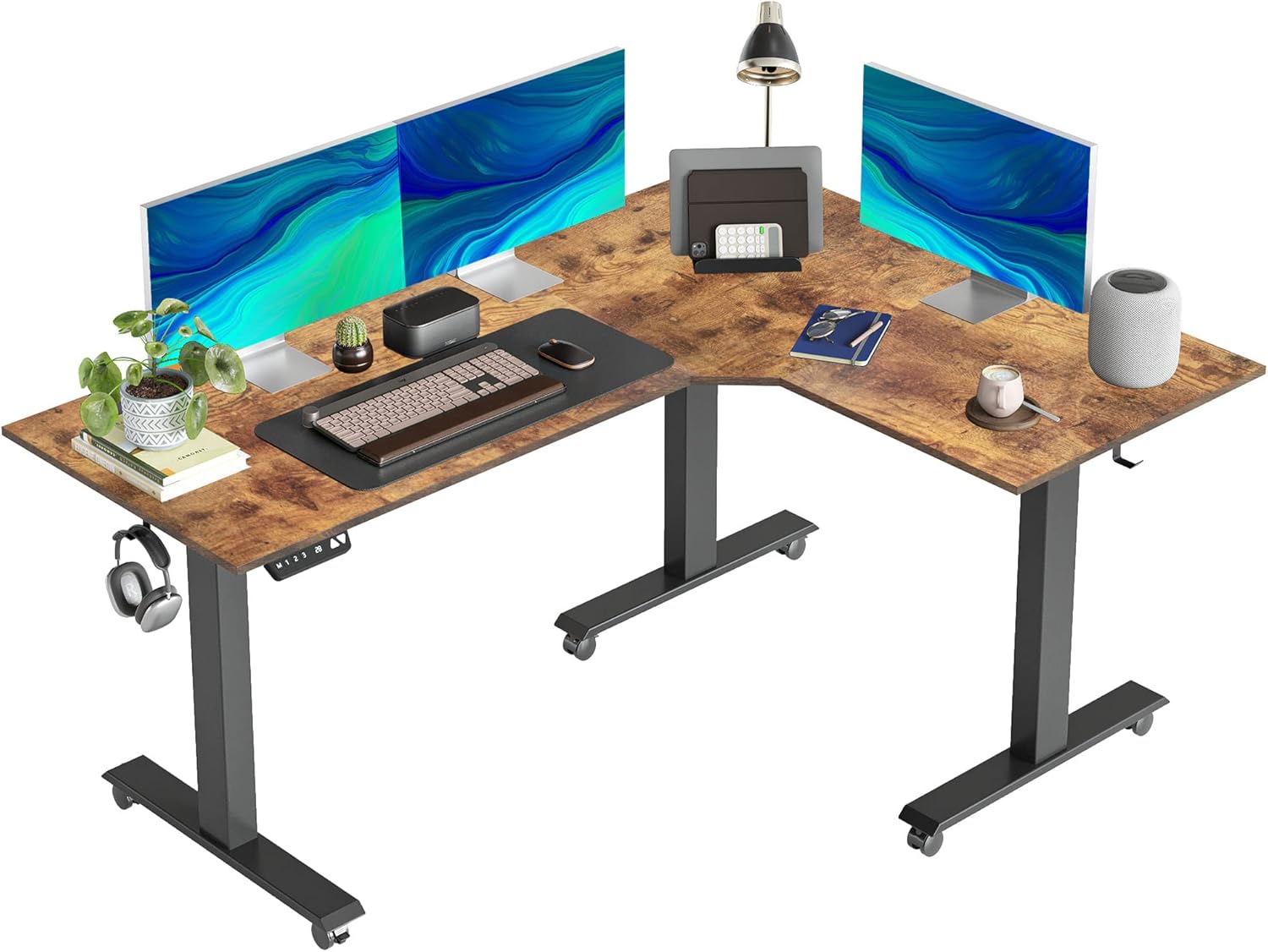
An overview of the CubiCubi L-Shaped Electric Standing Desk with a rustic brown top and black frame, showcasing its spacious design.
Safety Information
- Ensure all components are present and undamaged before assembly. Do not use if any parts are missing or broken.
- Keep children and pets away from the desk during operation to prevent injury.
- Do not overload the desk. The maximum load capacity is 330 lbs (150 kg).
- Ensure the power cord is not pinched or damaged. Connect to a grounded outlet.
- Avoid placing liquids directly on the control panel or motors.
- Regularly check all screws and bolts to ensure they are tightened.
- Do not attempt to modify the desk's structure or electrical system.
Package Contents
Please verify that all parts listed below are included in your package. If any parts are missing or damaged, contact customer support.
- L-Shaped Desktop Panels (Rustic Brown)
- Triple Motor Leg Frames (Black)
- Control Panel and Power Adapter
- Detachable & Lockable Casters
- Assembly Hardware (Screws, Allen wrenches, etc.)
- Cable Management Accessories
- Instruction Manual
Setup and Assembly
Follow these steps carefully to assemble your CubiCubi L-Shaped Electric Standing Desk. It is recommended to have two people for assembly.
1. Prepare the Workspace
Clear an open area for assembly. Lay out all components and hardware. Refer to the dimensions below to ensure adequate space for the assembled desk.

Diagram illustrating the dimensions of the L-shaped desk, including a 63-inch main length, 47.3-inch return length, and a weight capacity of 330 lbs.
2. Assemble the Frame
Attach the three motor leg frames to the crossbars using the provided hardware. Ensure all connections are secure. The triple motor system provides enhanced stability and lifting power.

An image showing the L-shaped standing desk frame components. The desk features a 330 lbs weight capacity, a height range of 27.56 to 47.24 inches, and a lift speed of 1 inch per second.

An illustration detailing the triple electric motor drive system of the desk, emphasizing its power and stability. This system operates on 100-240V input and has a maximum speed of 35mm/s.
3. Attach the Desktop
Carefully place the L-shaped desktop panels onto the assembled frame. Align the pre-drilled holes and secure the desktop to the frame using the appropriate screws. The desktop features round corners for safety.
4. Install Casters and Accessories
Screw the detachable and lockable swivel casters into the bottom of the desk legs if desired. These casters allow for easy movement of the desk. Attach any additional accessories like hooks for headphones or bags.

Close-up views of the desk's features, including round corners for safety, integrated hooks for accessories, and detachable swivel casters for easy mobility.
5. Connect the Control Panel and Power
Connect the control panel cable to the motor control box. Then, connect the power adapter to the control box and plug it into a grounded electrical outlet.
Operating Instructions
Your CubiCubi electric standing desk features an intelligent control panel for easy height adjustment and memory functions.

A detailed view of the intelligent control panel, showing buttons for up/down movement, three programmable memory presets, one-click setting, and responsive button control.
Height Adjustment
- Press the Up Arrow button to raise the desk.
- Press the Down Arrow button to lower the desk.
- The desk can be adjusted from 27.56 inches to 47.24 inches.
Memory Presets
The desk has 3 preset buttons (1, 2, 3) to store and recall your desired heights.
- Adjust the desk to your desired height using the Up/Down arrows.
- Press the S button (Set). The display will flash.
- Immediately press one of the preset buttons (1, 2, or 3) to save the current height.
- To recall a saved height, simply press the corresponding preset button (1, 2, or 3). The desk will automatically move to that position.
Collision Avoidance Feature
The desk is equipped with a collision-avoiding feature. If the desk encounters an obstruction during movement, it will stop and reverse slightly to prevent damage.
Maintenance
- Cleaning: Wipe the desk surface and frame with a soft, damp cloth. Avoid harsh chemicals or abrasive cleaners.
- Inspection: Periodically check all screws and bolts to ensure they are tight. Re-tighten if necessary.
- Cable Management: Ensure all cables are neatly managed and not tangled or pinched, especially during height adjustments.
Troubleshooting
| Problem | Possible Cause | Solution |
|---|---|---|
| Desk does not move. | Power cord disconnected; Motor cable loose; Overload. | Check power connection; Ensure all motor cables are securely plugged in; Reduce weight on the desk. |
| Desk moves unevenly or makes unusual noise. | Loose screws; Obstruction in lifting mechanism. | Check and tighten all assembly screws; Inspect for any obstructions under the desk. |
| Height presets not working. | Presets not saved correctly. | Re-save the desired height following the operating instructions. |
| Collision avoidance triggers frequently. | Obstruction present; Sensitivity setting. | Remove any objects that might be obstructing the desk's movement. |
Specifications
- Brand: CubiCubi
- Model: B0BNC3Z64B
- Shape: L-Shape
- Product Dimensions (Overall): 47"D x 63"W x (27.56"-47.24")H
- Color: Rustic Brown Top, Black Frame
- Base Material: Alloy Steel
- Top Material Type: Alloy Steel
- Special Feature: Electric Height Adjustable, Collision Avoidance, Memory Presets, Detachable Casters
- Motor Type: Triple Electric Motors
- Height Adjustment Range: 27.56" to 47.24"
- Load Capacity: Up to 330 lbs
- Assembly Required: Yes
Warranty and Support
CubiCubi products are manufactured with quality and durability in mind. For specific warranty details, please refer to the warranty card included with your purchase or visit the official CubiCubi website.
If you encounter any issues or have questions regarding your CubiCubi Triple Motor L-Shaped Electric Standing Desk, please contact CubiCubi customer support for assistance. Have your model number (B0BNC3Z64B) ready when contacting support.
Contact information can typically be found on the product packaging or the brand's official website.