ViLoSa Talking Watch Model G-de-brown-r2 User Manual
Instructions for Setup, Operation, and Maintenance
1. Introduction
Thank you for choosing the ViLoSa Talking Watch. This watch is designed to assist individuals with visual impairments or anyone who benefits from an audible time and date announcement. It features a clear analog display, a durable stainless steel case, and a comfortable leather strap. This manual provides detailed instructions to help you set up and operate your watch effectively.

Image 1: Front view of the ViLoSa Talking Watch. The watch has a silver-tone case, a white dial with bold black Arabic numerals, and a dark brown textured leather strap. The brand logo "ViLoSa" is visible below the 12 o'clock position.
2. Safety Information
Please read all safety information carefully before using the watch. Keep this manual for future reference.
Button Cell Battery Warning:
This product contains a button cell battery. Button cell batteries can cause severe injury or death if swallowed. Keep batteries out of reach of children. If a battery is swallowed, seek immediate medical attention.
- Ingestion Hazard: This product contains a button cell or coin battery. Death or serious injury can occur if ingested.
- Chemical Burn Hazard: Batteries can cause severe internal chemical burns in as little as 2 hours.
- Keep new and used batteries OUT OF REACH OF CHILDREN.
- Seek immediate medical attention if a battery is suspected to be swallowed or placed inside any part of the body.
- Remove and immediately recycle or dispose of used batteries according to local regulations and keep away from children. DO NOT dispose of batteries in household trash or by incineration.
- Even used batteries may cause severe injury or death.
- For more information, contact your local poison treatment information center.
- Recommended battery type: CR2025.
- Battery voltage: 3V.
- Non-rechargeable batteries are not to be recharged.
- Do not expose batteries to excessive heat (e.g., above manufacturer's specified temperature rating) or incinerate. Doing so may result in explosion or leakage of flammable liquid or gas.
- Ensure the batteries are installed correctly according to polarity (+ and -).
- Do not mix old and new batteries, or batteries of different types (e.g., alkaline, carbon-zinc, or rechargeable batteries).
- Remove exhausted batteries promptly. Remove batteries from the product not used for an extended period of time according to local regulations.
- Always completely secure the battery compartment. If the battery compartment does not close securely, stop using the product, remove the batteries, and keep them away from children.
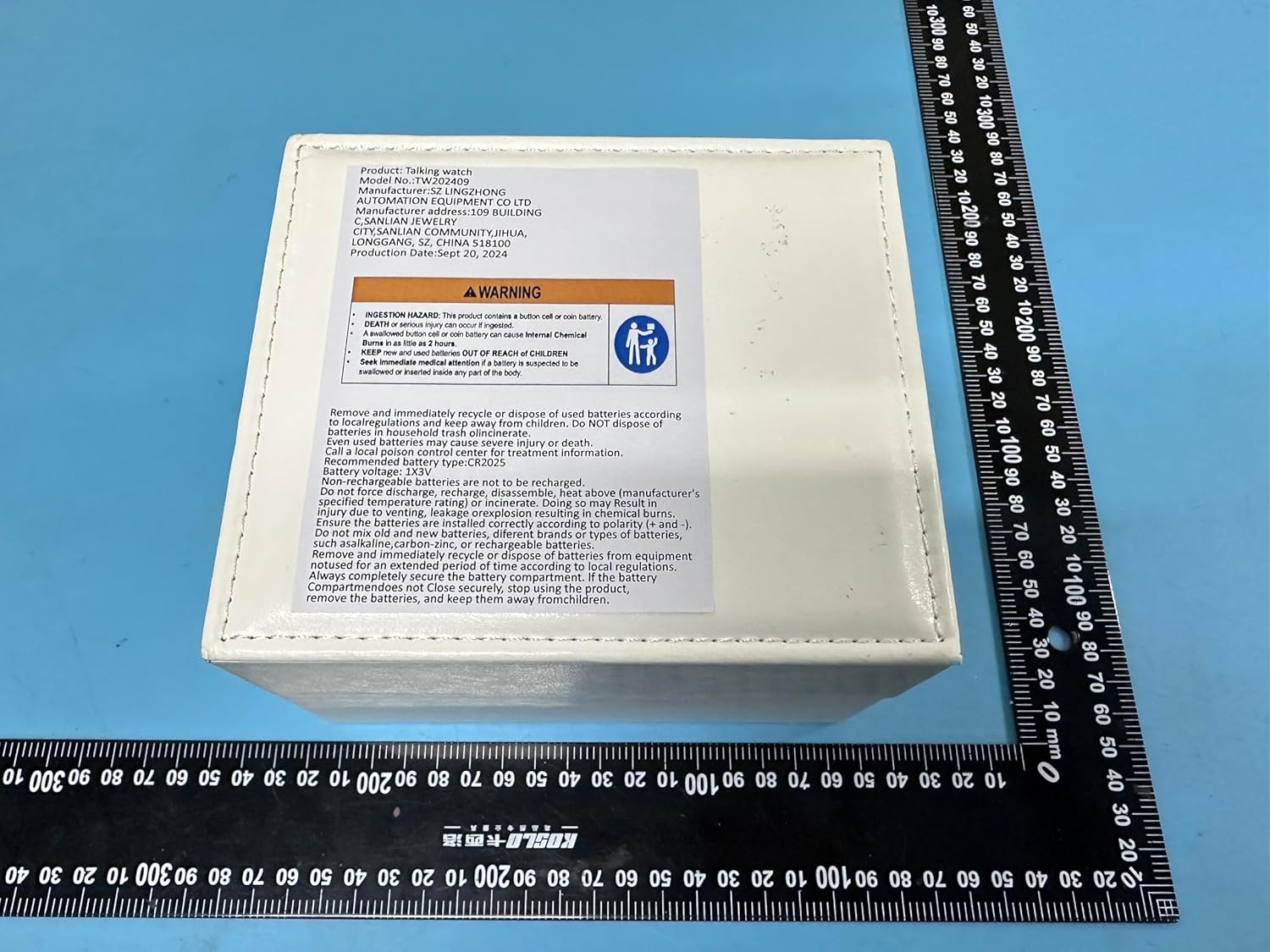
Image 2: The back of the watch packaging, displaying a prominent warning label regarding the button cell battery and its associated hazards.
3. Package Contents
- ViLoSa Talking Watch
- Instruction Manual (this document)
4. Product Overview
Familiarize yourself with the different parts of your ViLoSa Talking Watch:

Image 3: Diagram illustrating the key components of the watch. The top button is labeled "Voice Broadcast," the middle crown is for "Set Analog Time," and the bottom button is the "Voice Setting Button."
- Voice Broadcast Button (Top Button): Press to hear the current time announced.
- Set Analog Time Crown (Middle Crown): Used to manually adjust the watch hands.
- Voice Setting Button (Bottom Button): Used to set the voice time, date, and alarm.
5. Setup
5.1 Initial Preparation
Before first use, locate and remove the small plastic stopper positioned under the Set Analog Time Crown. This stopper prevents battery drain during shipping. Once removed, push the crown fully in to activate the watch.
5.2 Setting Analog Time
- Gently pull the Set Analog Time Crown (middle crown) outwards until it clicks. The watch hands will stop moving.
- Rotate the crown clockwise or counter-clockwise to move the hour and minute hands to the correct time.
- Once the desired time is set, push the crown back in fully until it clicks. The watch hands will resume movement.
5.3 Setting Voice Time, Date, and Alarm
The voice function operates independently from the analog display. Follow these steps to set the voice announcements:
- Press and hold the Voice Setting Button (bottom button) for approximately 3 seconds until you hear a prompt, usually indicating "Set Hour."
- Setting Hour: The watch will announce the current hour setting. Press the Voice Setting Button repeatedly to advance the hour. The watch will announce each hour as it changes. Ensure you set AM/PM correctly if applicable (the watch will typically announce "AM" or "PM").
- Setting Minute: After setting the hour, wait a few seconds or press the Voice Setting Button once more to move to the minute setting. Press the button repeatedly to advance the minutes.
- Setting Year: Continue pressing the Voice Setting Button to cycle through settings. The next prompt will be for the year. Press the button repeatedly to adjust the year.
- Setting Month: After setting the year, press the Voice Setting Button to move to the month setting. Press repeatedly to adjust the month.
- Setting Day: After setting the month, press the Voice Setting Button to move to the day setting. Press repeatedly to adjust the day of the month.
- Setting Alarm Hour: Continue pressing the Voice Setting Button. The watch will prompt for the alarm hour. Press repeatedly to set the desired alarm hour (AM/PM).
- Setting Alarm Minute: After setting the alarm hour, press the Voice Setting Button to move to the alarm minute setting. Press repeatedly to set the desired alarm minute.
- Confirm and Exit: After setting the alarm minute, press the Voice Setting Button one last time to confirm all settings and exit the setting mode. The watch will typically announce "Setting complete" or a similar confirmation.
Note: If there is no button press for several seconds during setting, the watch may automatically exit setting mode. You will need to restart the process from step 1.
6. Operating the Watch
6.1 Announcing Current Time
To hear the current time announced, simply press the Voice Broadcast Button (top button) once. The watch will audibly state the current time (e.g., "It's three thirty-five PM").
6.2 Announcing Date
To hear the current date announced, press the Voice Broadcast Button (top button) twice in quick succession. The watch will audibly state the current date (e.g., "Today is Monday, October 4th, 2025").
6.3 Using the Alarm Function
If an alarm time has been set (refer to Section 5.3), the watch will sound an alarm at the designated time. To turn off a sounding alarm, press any button. To toggle the alarm on or off, you may need to enter the setting mode (Section 5.3) and cycle through until you reach the alarm setting, where an option to enable/disable the alarm is usually present.
7. Maintenance
7.1 Cleaning
Wipe the watch case and strap with a soft, dry cloth. For stubborn dirt, a slightly damp cloth can be used, but ensure no moisture enters the watch. Avoid using harsh chemicals or abrasive cleaners.
7.2 Battery Replacement
The ViLoSa Talking Watch uses a CR2025 button cell battery. When the voice announcement becomes faint or stops working, it's time to replace the battery. Due to the delicate nature of watch components and the button cell battery warning, it is recommended to have the battery replaced by a qualified watch technician. If you choose to replace it yourself, ensure you follow all safety warnings in Section 2 and correctly match the polarity (+/-).
7.3 Strap Care
The genuine leather strap should be kept dry and away from direct sunlight or extreme temperatures to prevent cracking or discoloration. Clean with a soft, dry cloth. Avoid prolonged exposure to water.
8. Troubleshooting
- Watch not speaking or voice is faint:
- Check if the plastic stopper under the crown has been fully removed.
- The battery may be low. Refer to Section 7.2 for battery replacement.
- Analog time is incorrect:
- Adjust the analog time using the Set Analog Time Crown as described in Section 5.2.
- Voice time/date is incorrect:
- Re-set the voice time, date, and alarm using the Voice Setting Button as described in Section 5.3.
- Alarm does not sound:
- Ensure the alarm time is correctly set and the alarm function is enabled in the voice settings (Section 5.3).
9. Specifications
| Feature | Detail |
|---|---|
| Model Number | G-de-brown-r2 |
| Brand | ViLoSa |
| Case Material | Stainless Steel |
| Strap Material | Genuine Leather |
| Clasp Type | Buckle |
| Battery Type | CR2025 (3V) |
| Package Dimensions | 5.94 x 2.48 x 1.26 inches |
| Item Weight | 3.17 ounces |
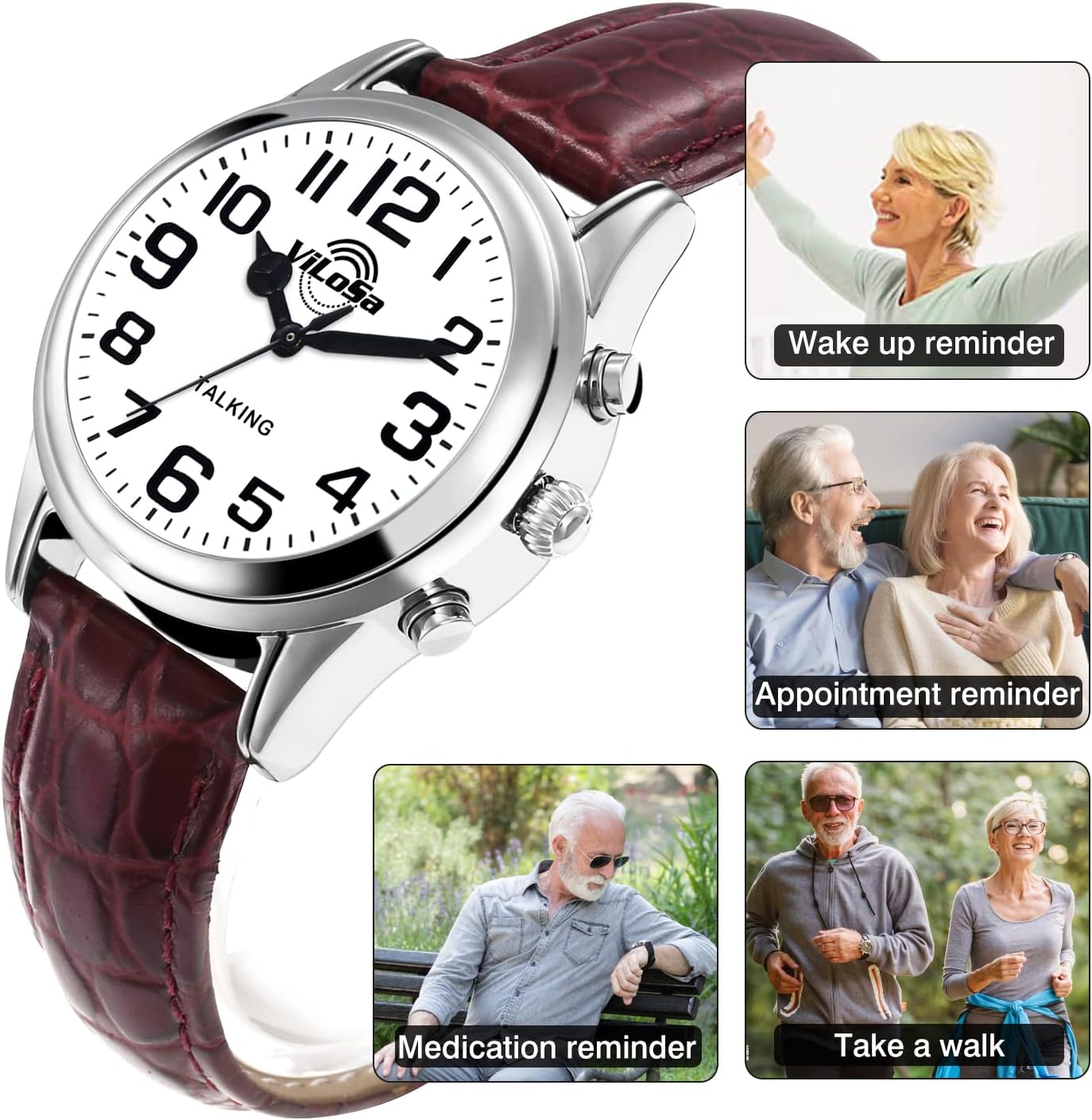
Image 4: A detailed diagram illustrating the dimensions of the watch case and the total length of the watch with its strap. Key measurements include case diameter (36.5mm / 1.44 inches), strap width (18mm / 0.71 inches), and total length (23cm / 9.05 inches).
10. Warranty and Support
ViLoSa is committed to providing quality products. For any questions, concerns, or support needs regarding your ViLoSa Talking Watch, please refer to the contact information provided at the point of purchase or visit the official ViLoSa website. Specific warranty details may vary by region and retailer.


