
Introduction
This manual provides essential information for the safe and optimal use of your Wembley RC Car RACER-CAR. Please read these instructions carefully before operating the product. This 1:24 scale remote control car is designed for high-speed racing and offers a realistic driving experience.
What's in the Box
- 1 x Wembley RC Car (Model: RACER-CAR)
- 1 x Remote Control
- 1 x USB Charging Cable (Type-C)
- 1 x Rechargeable Lithium-Ion Battery (pre-installed in car)
Setup
Car Battery Charging
The RC car is powered by a rechargeable Lithium-Ion battery.
- Locate the Type-C charging port on the underside of the car.
- Connect the provided USB charging cable to the car's Type-C port and to a standard USB power adapter (not included) or computer USB port.
- The charging indicator light on the car will be red while charging.
- The light will turn off when the battery is fully charged.
- Charging time is approximately 90 minutes.
- A full charge provides 60-120 minutes of running time.

Image: Underside of the RC car with charging port and controls labeled. The charging indicator is red during charging and off when complete. Charging time is 90 minutes for 60-120 minutes of play.
Remote Control Battery Installation
The remote control requires 2 x AA batteries (not included).
- Open the battery compartment on the back of the remote control.
- Insert 2 new AA batteries, ensuring correct polarity (+/-).
- Close the battery compartment securely.
Powering On
- Turn the ON/OFF switch on the underside of the car to the "ON" position.
- Turn on the remote control. The car and remote should automatically pair.
Operating Instructions
The remote control allows for full directional movement.

Image: A child operating the RC car with the remote control, demonstrating its ease of use and multi-directional movement.
Basic Controls
- Forward: Push the left joystick forward.
- Backward: Pull the left joystick backward.
- Turn Left: Push the right joystick left.
- Turn Right: Push the right joystick right.
Features
The car features interactive LED lights and a dynamic front wheel spinner for an enhanced racing experience.
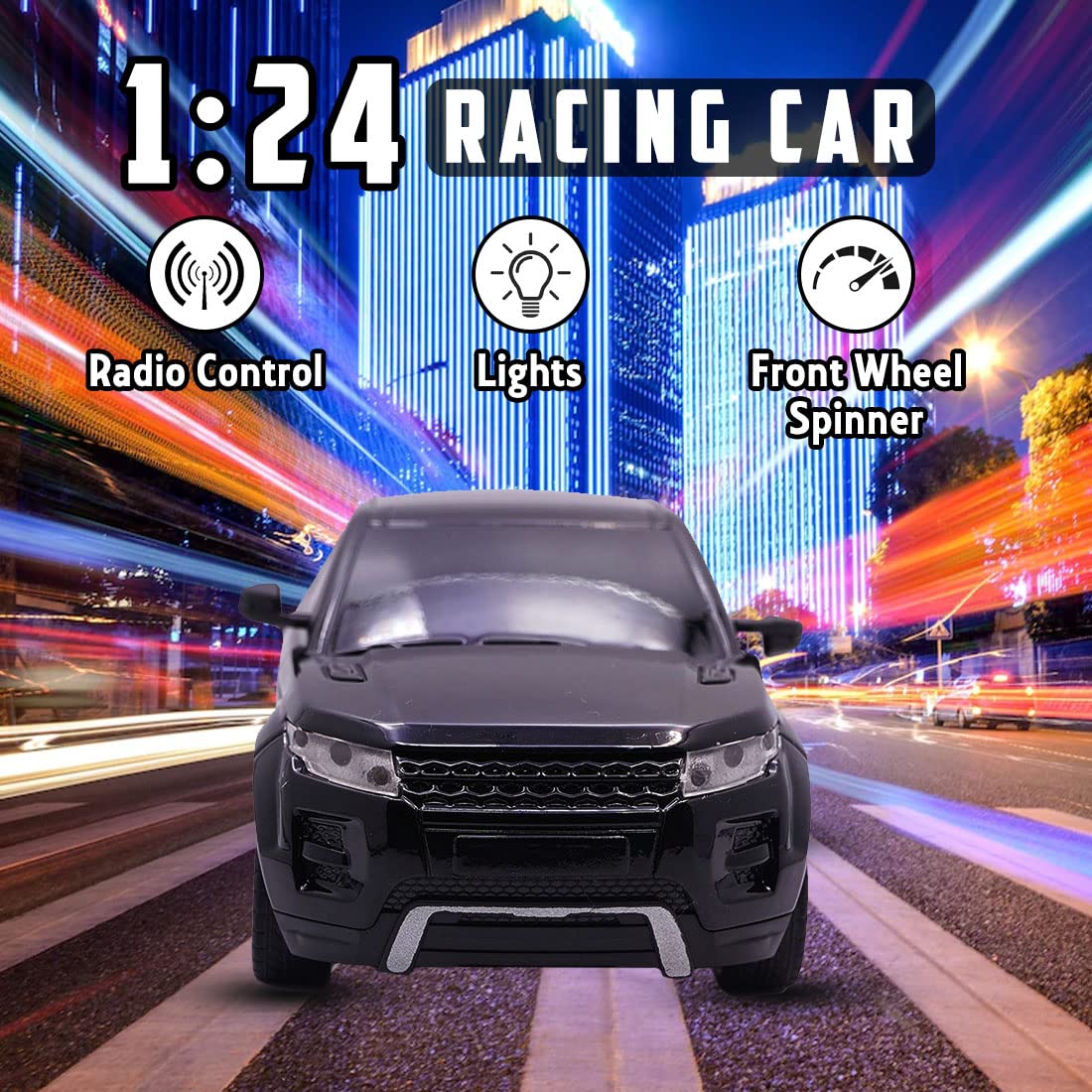
Image: Front view of the RC car highlighting its radio control, functional lights, and front wheel spinner features.
Driving Surfaces
The car is designed with anti-skid, durable tires for various terrains, including tile floors, low-pile carpets, cement roads, and wooden floors.

Image: The RC car performing on various surfaces, including tile, carpet, cement, and wood, showcasing its versatile driving capability.
Maintenance
Cleaning
Wipe the car and remote control with a soft, dry cloth. Do not use water or chemical cleaners.
Storage
Store the car and remote in a cool, dry place away from direct sunlight when not in use.
Remove batteries from the remote control if storing for extended periods.
Battery Care
Do not overcharge the car's battery. Disconnect the charger once the indicator light turns off.
Do not expose batteries to extreme temperatures or dispose of them in fire.
Troubleshooting
| Problem | Possible Cause | Solution |
|---|---|---|
| Car does not move | Car battery is low or dead. | Recharge the car battery. |
| Remote control batteries are low or dead. | Replace remote control batteries. | |
| Car or remote is not powered on. | Ensure both car and remote are switched ON. | |
| Car not charging | Charging cable not properly connected. | Ensure USB cable is securely connected to both car and power source. |
| Faulty charging cable or power source. | Try a different USB charging cable or power adapter. | |
| Car moves erratically or turns automatically | Steering alignment issue. | Check the steering trim adjustment on the underside of the car (if available). |
| Interference from other RC devices. | Move to an area with less interference. | |
| Short operating time | Battery not fully charged. | Ensure the car battery is fully charged (indicator light off). |
| Old or degraded battery. | Battery life may decrease over time. |
Specifications
| Feature | Detail |
|---|---|
| Brand | Wembley |
| Model Name | RC Car |
| Model Number | RACER-CAR |
| Scale | 1:24 Scale |
| Power Source | Battery Powered |
| Car Battery Type | Rechargeable Lithium-Ion (500mAh, included) |
| Remote Battery Type | 2 x AA (not included) |
| Car Charging Time | Approximately 90 minutes |
| Car Running Time | 60-120 minutes |
| Material | Plastic |
| Color | Black |
| Item Dimensions (L x W x H) | 17.8 x 8.5 x 6.8 cm |
| Item Weight | 320 Grams |
| Age Range | Kid (Minimum Recommended age: 5 years) |
| Additional Features | Flashing Light, Front Wheel Spinner |
| Operation Mode | Remote Control (4-channel) |
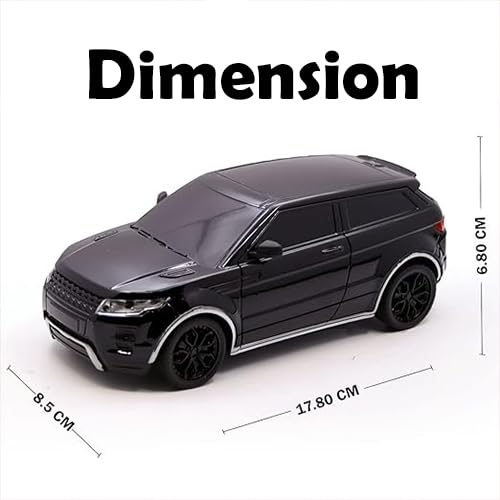
Image: Dimensions of the RC car, showing its length, width, and height.
Safety Information
- Recommended for ages 5 and up. Adult supervision is advised.
- Do not operate the car near water, heat sources, or in hazardous environments.
- Keep fingers, hair, and loose clothing away from moving parts.
- Do not modify or disassemble the product.
- Use only the provided charging cable for the car battery.
- Do not mix old and new batteries in the remote control. Do not mix alkaline, standard (carbon-zinc), or rechargeable (nickel-cadmium) batteries.
Warranty and Support
For product support, warranty information, or any inquiries, please contact Wembley customer service.
- Manufacturer: Wembley, Whole9yards Online LLP
- Address: 46C Chowrangee Road, Everest House, 10th Floor, Unit CDE, Kol 700071
- Contact Number: 8777349044
- Email: info@whole9yards.in
Please retain your proof of purchase for warranty claims.