
1. Introduction
The JBL SRX910LA is an 880-watt powered line array loudspeaker designed for professional live sound applications. It features two 10-inch low-frequency drivers and a 3-inch compression driver, delivering clear and powerful audio performance. This manual provides essential information for the safe and effective setup, operation, and maintenance of your SRX910LA loudspeaker.
Key features include:
- 880-watt 2-way Powered Line Array Loudspeaker with 2 x 10-inch LF Drivers
- 3-inch Compression Driver
- Wi-Fi Compatibility for remote control
- Integrated JBL Software Suite for advanced configuration
- Built-in Digital Signal Processing (DSP)
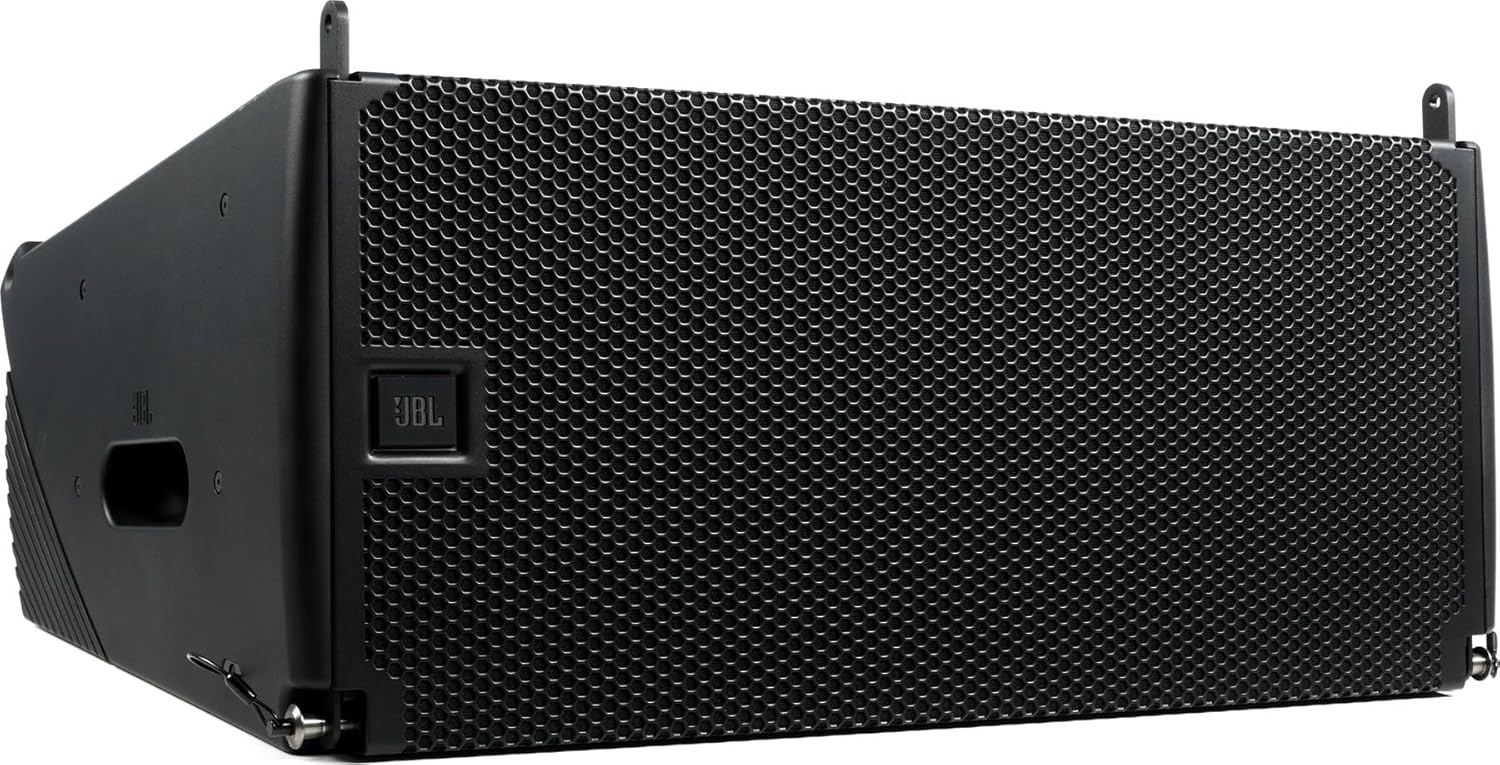
Figure 1: Front view of the JBL SRX910LA Powered Line Array Loudspeaker, showcasing its protective grille and compact design.
2. Setup
2.1 Unpacking
Carefully remove the loudspeaker from its packaging. Inspect the unit for any signs of damage that may have occurred during transit. Retain the original packaging for future transport or storage.
The package includes:
- JBL SRX910LA Loudspeaker
- Power Cable
- Mounting Hardware (if applicable, for array configurations)
- Documentation
2.2 Placement and Mounting
The SRX910LA is designed for line array configurations. Ensure the loudspeaker is securely mounted using appropriate rigging hardware. Consult a qualified professional for complex rigging setups. For tabletop use, ensure a stable and level surface. The unit weighs 65.9 pounds (29.9 kg), so proper handling is essential.
2.3 Power Connection
Connect the provided power cable to the AC input on the rear panel of the loudspeaker and then to a grounded 100V AC power outlet. Ensure the power switch is in the OFF position before connecting. The loudspeaker has an integrated power amplifier.
2.4 Audio Input Connection
Connect your audio source (e.g., mixer, laptop) to the audio input connectors on the loudspeaker. The SRX910LA supports standard audio input connections. Refer to the rear panel for specific input types (e.g., XLR).
3. Operating Instructions
3.1 Powering On/Off
To power on the loudspeaker, ensure all connections are secure, then flip the power switch to the ON position. To power off, flip the switch to the OFF position. It is recommended to power down your audio source before powering off the loudspeaker.
3.2 Local Control (LCD Panel)
The rear-panel LCD provides access to various settings and DSP functions. Use the navigation buttons adjacent to the LCD to browse menus and adjust parameters such as input sensitivity, EQ, delay, and array configuration presets. The control method is touch-based via the interface buttons.
3.3 Remote Control (Wi-Fi and Ethernet)
The SRX910LA supports remote control via Wi-Fi and Ethernet connectivity. Connect the loudspeaker to a network using an Ethernet cable or establish a Wi-Fi connection. Download and install the JBL Software Suite on a compatible device (e.g., laptop) to access advanced control features, monitoring, and system optimization. Refer to the JBL website for the latest software and detailed instructions on network setup.
3.4 DSP Functions
The integrated DSP offers comprehensive audio processing capabilities. These include:
- Equalization (EQ): Adjust frequency response to suit the acoustic environment.
- Delay: Align multiple loudspeakers in a system for optimal phase coherence.
- Limiting/Protection: Safeguard components from overload.
- Array Presets: Optimize performance for various line array configurations.
4. Maintenance
4.1 Cleaning
Regularly clean the exterior of the loudspeaker with a soft, dry cloth. Do not use abrasive cleaners, solvents, or excessive moisture, as these can damage the finish or internal components. Ensure the grille is free from dust and debris to maintain optimal sound dispersion.
4.2 Storage
When not in use, store the loudspeaker in a dry, temperature-controlled environment. If possible, use the original packaging or a protective cover to prevent dust accumulation and physical damage.
4.3 Inspection
Periodically inspect all cables and connectors for wear or damage. Ensure all mounting hardware is secure before each use, especially in rigged applications.
5. Troubleshooting
5.1 No Sound Output
- Check Power: Ensure the loudspeaker is powered on and the power cable is securely connected to a live outlet.
- Check Audio Input: Verify that the audio source is active and connected correctly to the loudspeaker's input. Test with a different cable if necessary.
- Volume Levels: Confirm that the input gain and master volume on the loudspeaker (via LCD or software) are not set to minimum or muted.
- DSP Settings: Check DSP settings for any active mutes, extreme EQ cuts, or incorrect routing.
5.2 Connectivity Issues (Wi-Fi/Ethernet)
- Network Connection: Ensure the Ethernet cable is properly connected or the Wi-Fi network is selected and password entered correctly.
- Software Compatibility: Verify that the JBL Software Suite is the correct version and compatible with your operating system.
- Firewall/Antivirus: Temporarily disable any firewall or antivirus software that might be blocking communication.
5.3 Distorted Sound
- Input Level: Reduce the input level from your audio source or the loudspeaker's input gain to prevent clipping.
- DSP Limiter: Check if the DSP limiter is being excessively triggered. Adjust levels accordingly.
- Cable Integrity: Inspect audio cables for damage or poor connections.
6. Specifications
| Feature | Detail |
|---|---|
| Model Name | SRX910LA |
| Speaker Type | Powered Line Array Loudspeaker |
| Speaker Maximum Output Power | 880 Watts |
| LF Drivers | 2 x 10-inch Woofers |
| HF Driver | 1 x 3-inch Compression Driver |
| Frequency Response | Up to 19 KHz |
| Connectivity Technology | Ethernet, Wi-Fi |
| Control Method | Touch (LCD), Software (Remote) |
| Input Voltage | 100 Volts |
| Material | Metal |
| Color | Black |
| Product Dimensions (L x W x H) | 32.2 x 25 x 17.8 inches (81.8 x 63.5 x 45.2 cm) |
| Item Weight | 65.9 pounds (29.9 kg) |
| UPC | 691991035685 |
7. Warranty and Support
7.1 Limited Warranty
The JBL SRX910LA loudspeaker comes with a Limited Warranty. Please refer to the warranty card included with your product or visit the official JBL website for detailed terms and conditions regarding coverage, duration, and service procedures.
7.2 Customer Support
For technical assistance, troubleshooting beyond this manual, or warranty claims, please contact JBL customer support. Contact information can typically be found on the official JBL website or in the product documentation.
Online resources and FAQs may also be available on the JBL support portal.


