
Introduction
This manual provides detailed instructions for the safe and efficient use of your iWALK LinkPod Charger Station. Please read this manual thoroughly before operating the device and retain it for future reference. The iWALK LinkPod Charger Station is designed to conveniently charge multiple iWALK LinkPod portable chargers simultaneously, offering an organized and efficient charging solution.
What's in the Box
Upon unpacking, please ensure all items listed below are present and in good condition:
- iWALK Charger Station x 1
- USB-C to USB-C cable x 1
- User Manual x 1
(Note: Portable chargers are sold separately and are not included with the station.)
Setup Guide
- Connect the Power Cable: Insert one end of the provided USB-C to USB-C cable into the USB-C input port on the back of the iWALK Charger Station.
- Connect to Power Source: Plug the other end of the USB-C cable into a compatible USB-C wall charger (not included). For optimal charging speed, it is recommended to use a genuine USB-C wall charger with an output power of at least 5V 2A (10W). If using a USB-A wall charger, ensure its output power reaches above 5V 2A.
- Power On: Once connected to a power source, the station is ready for use.

Image: The iWALK Charger Station connected to a power adapter, demonstrating the setup process.
Operating Instructions
- Insert Portable Chargers: Place your iWALK LinkPod portable chargers into the designated slots on the charging station. The station can accommodate up to four portable chargers.
- Initiate Charging: Press the power button located on the front of the charging station. A green indicator light will illuminate, signifying that charging has begun.
- Monitor Charging: The portable chargers will display their charging status (e.g., battery percentage) on their individual screens or LED indicators. The station provides a 10W output power, allowing a single portable charger to fully charge in approximately 2 hours.
- Charging/Disconnecting Switch: The station features a charging/disconnecting switch (the power button) to prevent overcharging and potential damage to the power banks. Press the button again to stop charging.
- Additional USB Port: An additional USB-A output port is available on the side of the station for charging other compatible devices using their respective cables.
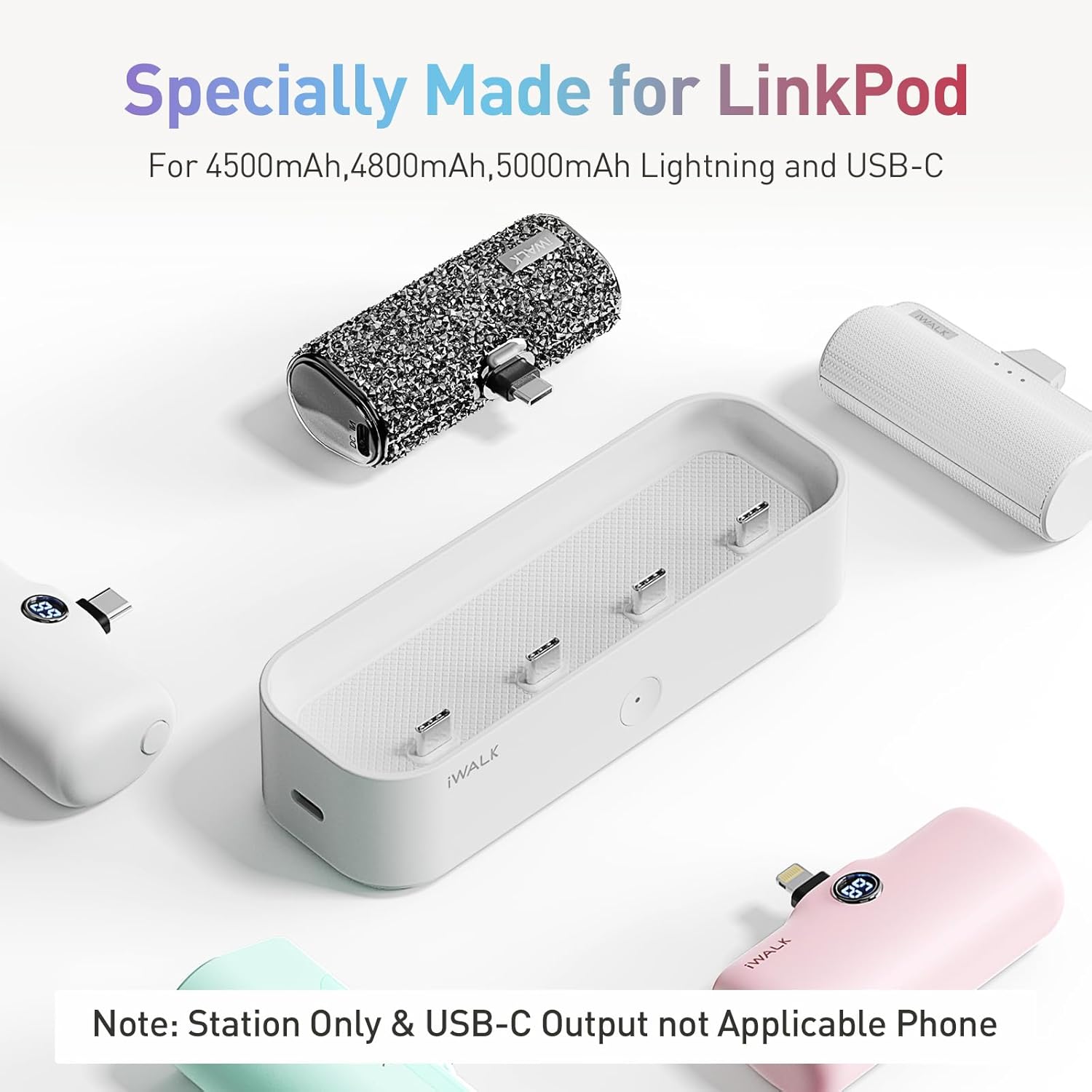
Image: The iWALK Charger Station with several LinkPod portable chargers in their slots, demonstrating simultaneous charging.
Video: A user demonstrating how to place iWALK portable chargers into the station and activate charging.
Compatibility
The iWALK LinkPod Charger Station is compatible with a variety of iWALK LinkPod portable chargers, including:
- iWALK LinkPod Portable Charger 3500mAh
- iWALK LinkPod Portable Charger 4500mAh
- iWALK LinkPod Portable Charger 4800mAh
- iWALK LinkPod Portable Charger 5000mAh
It is designed to charge different types of compatible portable chargers simultaneously.
Maintenance
- Cleaning: Use a soft, dry cloth to clean the surface of the charging station. Avoid using liquid cleaners or abrasive materials.
- Storage: Store the charging station in a cool, dry place away from direct sunlight and extreme temperatures.
- Handling: Handle the device with care. Avoid dropping or subjecting it to strong impacts.
Troubleshooting
| Problem | Possible Cause | Solution |
|---|---|---|
| Station not powering on / Green light not illuminating. | No power supply or faulty cable/adapter. | Ensure the USB-C cable is securely connected to both the station and a working power adapter/outlet. Try a different cable or power adapter. |
| Portable chargers not charging. | Station not powered on, chargers not properly seated, or incompatible chargers. | Press the power button on the station. Ensure portable chargers are correctly inserted into their slots. Verify compatibility with iWALK LinkPod chargers. |
| Slow charging speed. | Insufficient power from the wall adapter. | Use a genuine USB-C wall charger with an output of at least 5V 2A (10W). Avoid using low-power USB-A adapters. |
| Only some slots are charging. | Chargers not properly seated in specific slots. | Re-insert the portable chargers into the non-working slots, ensuring a firm connection. |
Specifications
- Model Number: LPE002
- Product Dimensions: 5.91 x 1.97 x 1.97 inches
- Item Weight: 5.6 ounces (0.16 Kilograms)
- Input Voltage: 5 Volts
- Wattage: 10 watts
- Number of Ports: 4 (for LinkPod chargers) + 1 (additional USB-A output)
- Hardware Interface: USB
- Color: White
- Manufacturer: U2O GLOBAL CO.,LTD
Warranty and Support
For warranty information or technical support, please refer to the official iWALK website or contact their customer service directly. Keep your purchase receipt as proof of purchase for any warranty claims.