
1. Introduction
Thank you for choosing the Joyoung Y1 Self-Cleaning Blender. This appliance is designed to simplify the process of making plant-based milk, smoothies, soups, and other blended foods with its automatic functions and self-cleaning technology. Please read this manual carefully before operating the appliance to ensure safe and efficient use. Keep this manual for future reference.
Important Safety Information
- Always ensure the appliance is unplugged before cleaning or maintenance.
- Do not immerse the main unit in water or other liquids.
- Keep hands and utensils out of the blending chamber during operation to prevent injury.
- Ensure all components are correctly assembled before use.
- This appliance is for household use only.
2. Product Overview and Components
Familiarize yourself with the various parts of your Joyoung Y1 Blender to ensure proper operation and maintenance.

Image: Exploded view of the Joyoung Y1 Blender, showing its main components including the cup cover, water tank cover, visible glass grinding chamber, patented spoiler hole design blade, grain cup, residual water box, and detachable water tank.
Main Components:
- Main Unit: Houses the motor and control panel.
- Blending Chamber: Where ingredients are processed.
- Water Tank: For water supply during operation and cleaning.
- Grain Cup/Collection Cup: For collecting finished beverages.
- Lid: Secures the blending chamber.
- Control Panel: For selecting programs and settings.
3. Setup
Unpacking and Initial Cleaning
- Carefully remove all components from the packaging.
- Wash the blending chamber, grain cup, and lid with warm, soapy water. Rinse thoroughly and dry.
- Wipe the main unit with a damp cloth. Do not immerse the main unit in water.
- Place the blender on a stable, flat, and dry surface.
Assembly
- Ensure the blending chamber is securely placed on the main unit.
- Attach the lid to the blending chamber, ensuring it is properly sealed.
- Fill the detachable water tank with clean water up to the indicated maximum level.
- Place the grain cup under the dispenser spout.
- Plug the power cord into a grounded electrical outlet.
4. Operating Instructions
Making Plant-Based Milk

Image: The Joyoung Y1 Blender processing ingredients to produce plant-based milk, demonstrating the quick preparation time.
- Add your desired ingredients (e.g., almonds, oats, soybeans) to the blending chamber. Refer to recipes for recommended quantities.
- Ensure the water tank is filled and the grain cup is in place.
- Select the appropriate program for plant-based milk on the control panel.
- Press the Start button. The appliance will automatically process the ingredients and dispense the milk into the grain cup.
- Once the program is complete, the appliance will signal. Unplug the unit before removing the grain cup.
Delay Start Function

Image: Illustration of the delay start function, showing ingredients loaded and a timer set for a future dispensing time.
The delay start function allows you to prepare ingredients in advance and set a timer for the blending process to begin at a later time, up to 24 hours.
- Add ingredients to the blending chamber and ensure the water tank is filled.
- Select your desired program.
- Press the "Timer" button and adjust the delay time using the control panel.
- Confirm the setting. The appliance will start automatically at the set time.
Versatile Applications

Image: Examples of various preparations possible with the Joyoung Y1 Blender, including plant-based milk, juices, smoothies, dips, soups, and sauces.
Beyond plant-based milk, the Joyoung Y1 can prepare a variety of items:
- Smoothies: Blend fruits and vegetables for refreshing drinks.
- Soups: Prepare hot or cold blended soups.
- Sauces and Dips: Create homemade sauces and dips.
Refer to the included recipe book or online resources for specific ingredient ratios and program selections for different preparations.
5. Maintenance and Cleaning
Automatic Self-Cleaning

Image: Visual representation of the self-cleaning process, highlighting 3D flushing, high-temperature degerming, and high-speed stirring phases.
The Joyoung Y1 Blender features an automatic self-cleaning function to simplify maintenance.
- After use, ensure the water tank is filled with clean water.
- Select the "Self-Clean" program on the control panel.
- Press the Start button. The appliance will perform a multi-stage cleaning cycle, including 3D flushing, high-temperature degerming, and high-speed stirring.
- Once the cleaning cycle is complete, empty the residual water box.

Image: Detailed view of the triple cleaning technology, explaining 3D flushing for precise cleaning, steam sterilization for 99.99% germ elimination, and high-speed washing for residue removal.
Steam Sterilization
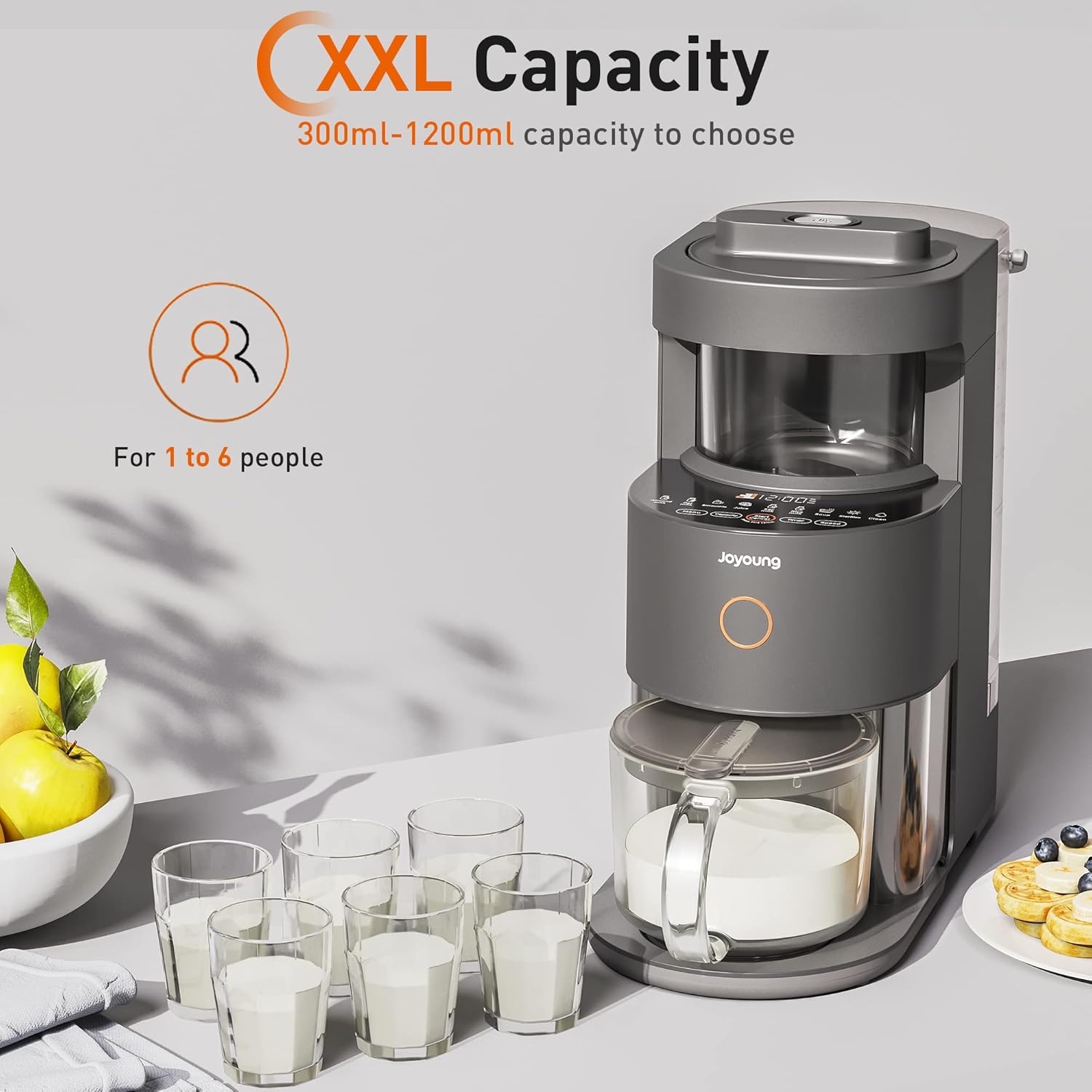
Image: The blender's chamber undergoing steam sterilization, indicating a 99.99% sterilization rate for hygiene.
The appliance incorporates a steam sterilization feature to ensure a high level of hygiene, eliminating up to 99.99% of germs.
Manual Cleaning
- For thorough cleaning, or if residue remains after self-cleaning, unplug the appliance.
- Carefully detach the blending chamber, grain cup, and lid.
- Wash these components with warm, soapy water and a soft brush or sponge. Avoid abrasive cleaners.
- Rinse all parts thoroughly and allow them to air dry completely before reassembly or storage.
- Wipe the exterior of the main unit with a damp cloth.
6. Troubleshooting
If you encounter any issues with your Joyoung Y1 Blender, please refer to the following common problems and solutions:
| Problem | Possible Cause | Solution |
|---|---|---|
| Appliance does not turn on. | Not plugged in; power outage; safety lock not engaged. | Check power connection; ensure lid and blending chamber are correctly assembled and locked. |
| Blending is inefficient or stops. | Too many ingredients; ingredients too large; insufficient liquid. | Reduce ingredient quantity; cut ingredients into smaller pieces; add more liquid. |
| Leakage from the blending chamber. | Lid not properly sealed; blending chamber not correctly seated. | Ensure lid is securely closed; re-seat the blending chamber firmly on the main unit. |
| Self-cleaning not effective. | Water tank empty; heavy residue. | Ensure water tank is filled; perform manual cleaning for stubborn residue. |
If the problem persists after attempting these solutions, please contact customer support.
7. Specifications
Technical specifications for the Joyoung Y1 Self-Cleaning Blender:

Image: The Joyoung Y1 Blender highlighting its XXL capacity, indicating a range of 300ml to 1200ml, suitable for serving 1 to 6 people.
- Product Dimensions: 21 x 18.3 x 10.65 inches (53.34 cm D x 46.48 cm W x 27.05 cm H)
- Item Weight: 22 pounds (9.98 kg)
- Power Source: Corded Electric
- Recommended Uses: Mixing, Plant-Based Milk, Smoothies, Soups
- Style: Modern
- Capacity: 300ml - 1200ml (suitable for 1 to 6 people)
- Motor Speed: Up to 32,000 RPM (High Performance Constant Power Motor)
- Sterilization Rate: 99.99% (Steam Sterilization)
- ASIN: B0BN7VM1V1
8. Warranty and Support
Warranty Information
The Joyoung Y1 Self-Cleaning Blender comes with a standard manufacturer's warranty. Please refer to the warranty card included in your product packaging for specific terms, conditions, and duration. Keep your proof of purchase for warranty claims.
Customer Support
For technical assistance, troubleshooting beyond this manual, or warranty inquiries, please contact Joyoung customer support. Contact details can typically be found on the official Joyoung website or on your product packaging.
- Online Support: Visit the official Joyoung website.
- Email Support: Refer to your warranty documentation for the appropriate email address.
- Phone Support: Refer to your warranty documentation for the appropriate phone number.