
LOYALTY-SECU LY-WNK104-3MP
LOYALTY-SECU 4CH WiFi NVR Kits Wireless Security Camera System
User Manual
Model: LY-WNK104-3MP
1. Product Overview
The LOYALTY-SECU 4CH WiFi NVR Kits Wireless Security Camera System provides a comprehensive solution for home and business surveillance. This all-in-one kit includes a 4-channel Full HD 3MP Wireless NVR with an integrated 10.1-inch LCD monitor and four 3MP WiFi cameras. Designed for ease of use, the system offers true plug-and-play functionality with pre-paired components, eliminating the need for complex wiring.
Key features include 2.4Ghz WiFi connectivity, motion detection, two-way audio on cameras, and support for various storage options including TF card, 2.5-inch HDD, and cloud storage. The cameras are equipped with 3.6mm lenses providing a 110° view angle and dual light mode for enhanced night vision up to 25 meters (66 feet).
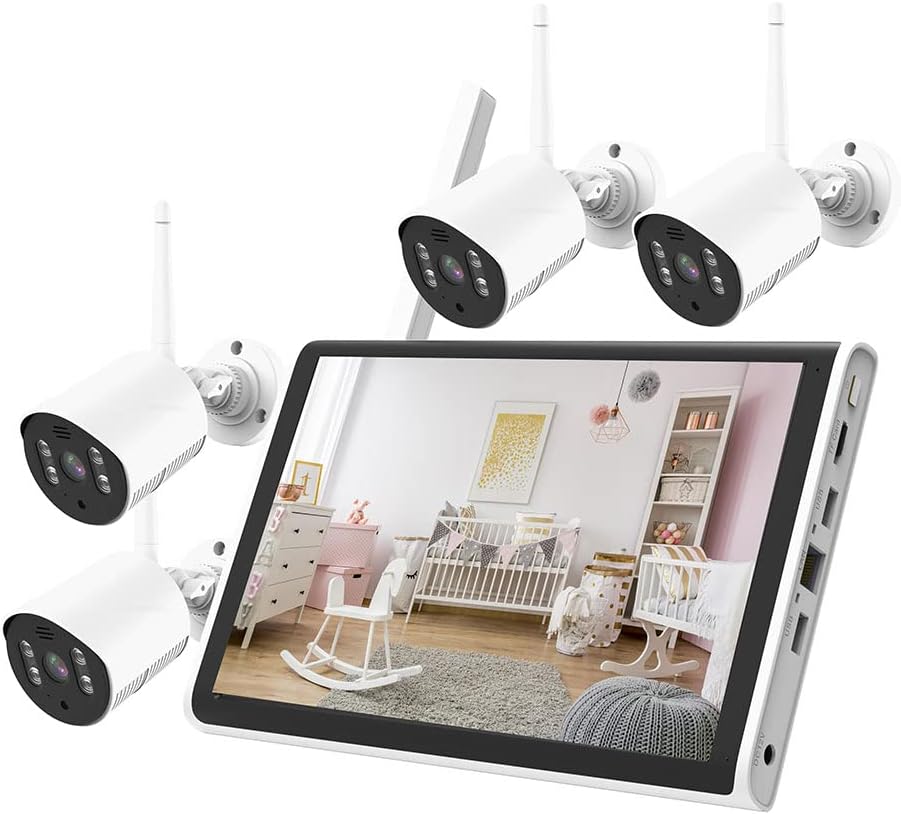
Image: The complete LOYALTY-SECU 4CH WiFi NVR Kit, showcasing the 10.1-inch monitor and four wireless security cameras.
2. Package Contents
Please verify that all items are present and in good condition upon opening the package.
- 1 x 4CH WiFi NVR with 10.1 Inch LCD Monitor
- 4 x 3MP WiFi Cameras
- Power Adapters for NVR and Cameras
- Mounting Screws and Plugs
- User Manual (this document)
- Note: A 2.5-inch HDD (Hard Disk Drive) for storage is not included and must be purchased separately if local storage is desired.

Image: The NVR kit components, with an illustration of a 1TB 2.5" SATA HDD, indicating it is an optional purchase for expanded storage.
3. Setup Guide
3.1. Installing the Hard Disk Drive (Optional)
If you wish to record video locally, you will need to install a 2.5-inch SATA HDD (up to 2TB recommended, not included). The NVR supports TF card (Max 128GB) and cloud storage as alternatives or supplements.
- Locate the HDD bay on the NVR unit.
- Carefully open the cover of the HDD bay.
- Connect the SATA data and power cables from the NVR to the HDD.
- Secure the HDD within the bay using the provided screws (if any).
- Close the HDD bay cover.

Image: Top view of the NVR with its HDD bay open, showing the internal connections, and a bottom view highlighting the rear ports (DC12V, USB, LAN, TF Card slot).
3.2. Powering On the System
- Connect the power adapter to the NVR's DC12V input port and plug it into a power outlet.
- Connect the power adapters to each of the four cameras and plug them into power outlets.
- The NVR and cameras will automatically power on.
3.3. Automatic Pairing and Initial Display
The wireless cameras and the NVR monitor are pre-paired at the factory. Once powered on, the cameras will automatically connect to the NVR, and their video feeds will appear on the integrated 10.1-inch LCD monitor within moments.

Image: Diagram illustrating the simple plug-and-play setup, where the NVR and camera automatically connect via 2.4G WiFi upon being plugged into power.
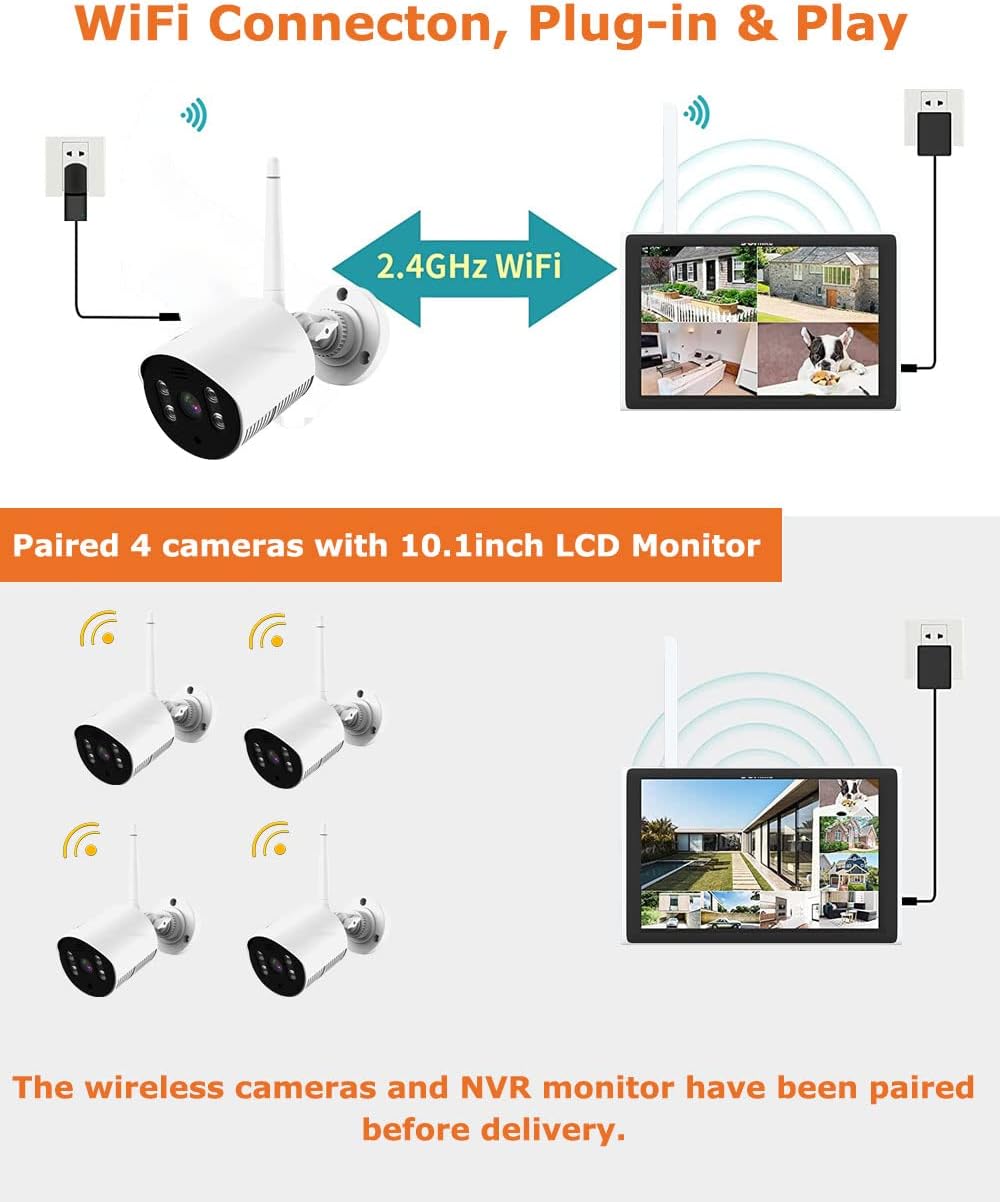
Image: Visual representation of the NVR and four cameras, confirming that they are pre-paired and connect wirelessly via 2.4GHz WiFi for immediate operation.
3.4. Camera Installation
Select suitable locations for your cameras, ensuring they are within range of the NVR's WiFi signal and have access to a power outlet. The cameras are IP66 waterproof, making them suitable for outdoor use.
- Mark the drilling points on the wall or ceiling using the camera's mounting base as a template.
- Drill holes and insert the provided wall plugs.
- Secure the camera's mounting base to the surface using the screws.
- Adjust the camera angle for optimal viewing.
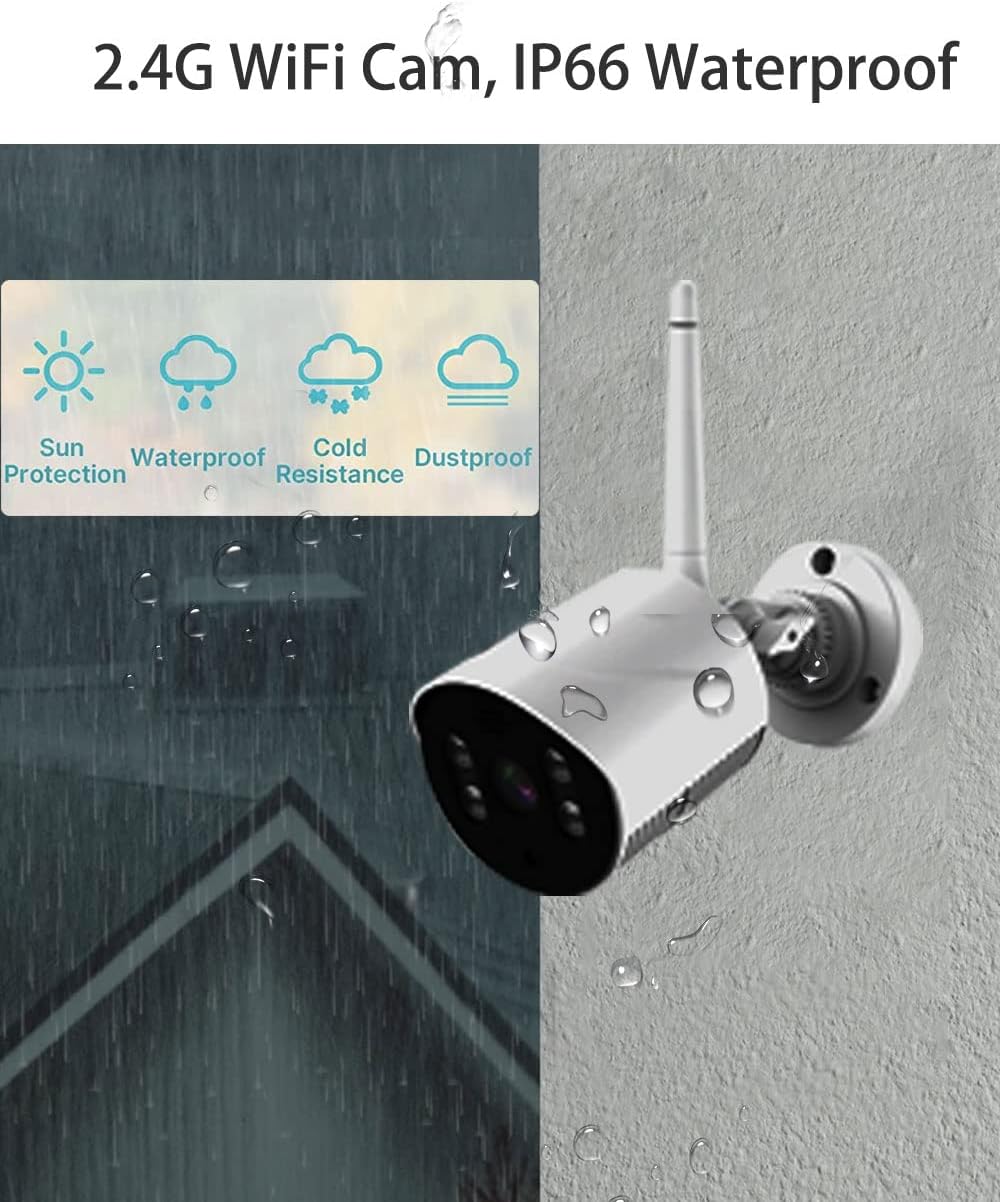
Image: A close-up of a LOYALTY-SECU camera, emphasizing its IP66 rating for sun protection, waterproofing, cold resistance, and dustproofing, suitable for various environmental conditions.
4. Operating Instructions
4.1. Live View and Menu Navigation
The NVR's 10.1-inch monitor displays the live feeds from all connected cameras. Use the mouse (connected to a USB port) to navigate the on-screen menu. Right-click to access the main menu options.
4.2. Recording Modes
The system supports continuous 24/7 recording and motion-triggered recording. Configure recording schedules and settings through the NVR's menu.
- Continuous Recording: Records constantly, ideal for comprehensive coverage.
- Motion Detection Recording: Records only when motion is detected, saving storage space.

Image: A camera detecting motion and triggering an alert on a smartphone, demonstrating the system's motion detection and app notification capabilities.
4.3. Video Playback
Access recorded footage through the NVR's playback menu. You can search by date, time, and event type (e.g., motion detection). The system utilizes H.265+ video compression, which significantly reduces file size compared to H.264, optimizing storage efficiency.
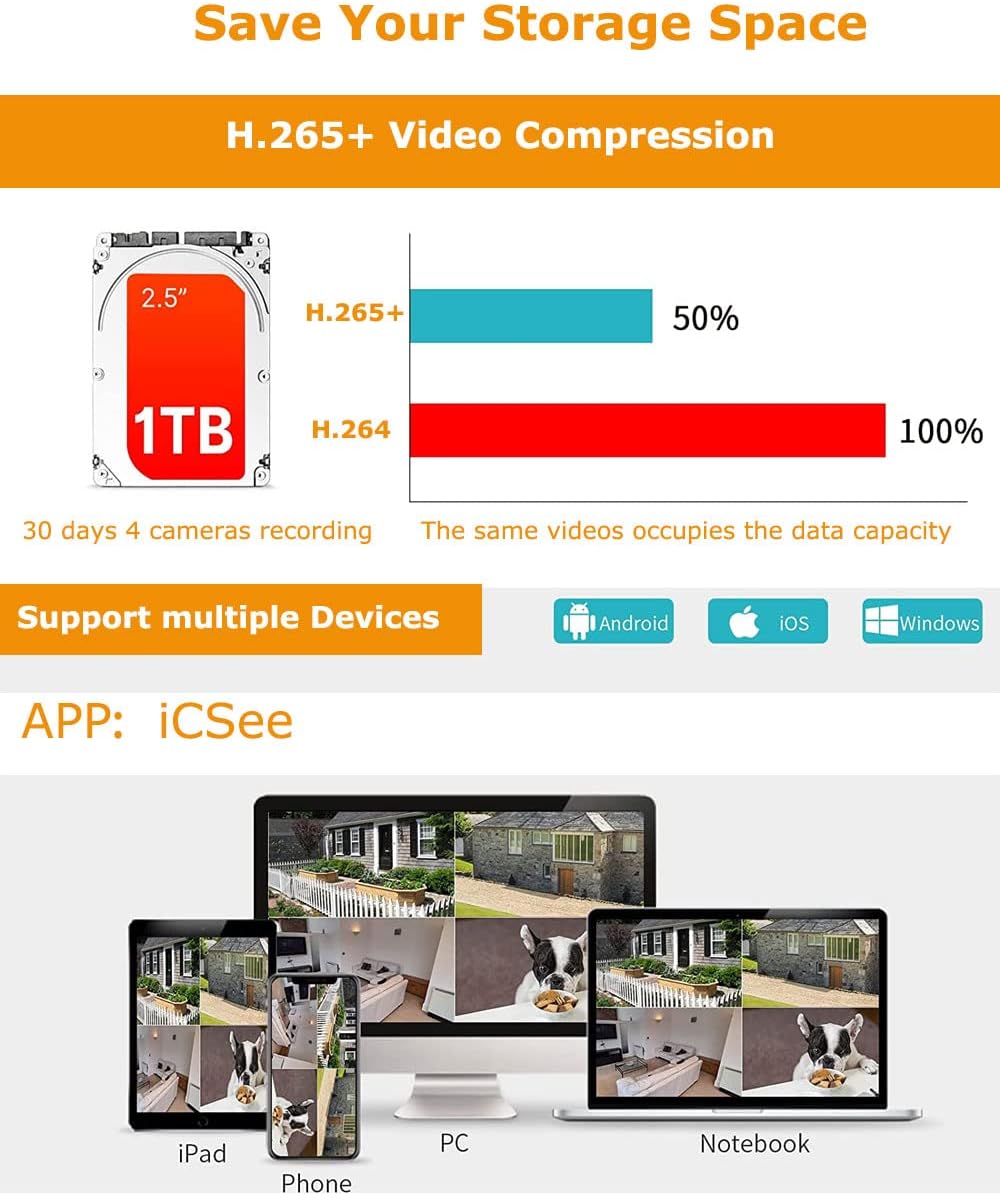
Image: A comparison showing H.265+ compression saving 50% storage compared to H.264, alongside icons for Android, iOS, and Windows, indicating multi-device compatibility via the iCSee app.
4.4. Remote Access (iCSee App)
Download the "iCSee" app from your mobile device's app store (Android/iOS) or install the client software on your PC/laptop. Follow the in-app instructions to add your NVR system for remote viewing, playback, and configuration.
- Live View: Monitor your property from anywhere.
- Two-Way Audio: Communicate through the camera's built-in microphone and speaker.
- Motion Alerts: Receive instant notifications on your device when motion is detected.
5. Maintenance
- Cleaning: Regularly wipe the camera lenses and NVR screen with a soft, dry cloth to ensure clear images and proper ventilation. Do not use harsh chemicals.
- Firmware Updates: Check the manufacturer's website (LOYALTY-SECU) periodically for firmware updates to ensure optimal performance and security. Follow the provided instructions carefully.
- Storage Management: Monitor your storage capacity. The H.265+ compression helps maximize storage, but regular review and backup of important footage are recommended.
- Power Supply: Ensure stable power supply to both the NVR and cameras. Avoid using unapproved power adapters.
6. Troubleshooting
| Problem | Possible Cause | Solution |
|---|---|---|
| No image on NVR monitor. | NVR not powered on; cameras not powered on; cameras out of WiFi range; cameras not paired. | Check power connections for NVR and all cameras. Ensure cameras are within effective WiFi range. If cameras are not pre-paired, refer to the NVR's on-screen menu for manual pairing instructions. |
| No recording. | No HDD installed; HDD full; recording schedule not set; motion detection not configured. | Install a 2.5-inch SATA HDD. Check HDD status and format if necessary (data will be lost). Verify recording schedules and motion detection settings in the NVR menu. |
| Remote access not working. | NVR not connected to internet; incorrect app settings; firewall issues. | Ensure the NVR is connected to your router via Ethernet cable. Verify network settings on the NVR. Double-check app configuration and NVR ID. Ensure your router's firewall is not blocking necessary ports (consult your router manual if needed). |
| Poor image quality. | Dirty lens; low light conditions; camera out of focus (unlikely for fixed lens); WiFi interference. | Clean camera lens. Ensure sufficient lighting for optimal image. Reduce WiFi interference by repositioning cameras or NVR, or by using a WiFi extender. |
7. Specifications
| Feature | Detail |
|---|---|
| Brand | LOYALTY-SECU |
| Model Number | LY-WNK104-3MP |
| Connectivity Technology | Wireless (2.4Ghz WiFi) |
| Video Capture Resolution | 3MP (1536p) |
| Number of Channels | 4 |
| NVR Monitor Size | 10.1 Inch LCD |
| Memory Storage Capacity (Max) | 128 GB (TF Card), 2.5 Inch HDD (up to 2TB recommended) |
| Color | White |
| Power Source | Corded Electric |
| Item Dimensions (L x W x H) | 15.75 x 11.57 x 5.71 inches |
| Compatible Devices | Personal Computers, Smartphones (Android/iOS) |
| Low Light Technology | Night Vision (Dual Light Mode) |
| Night Vision Range | Up to 25m (66ft) |
| Frame Rate | 30 fps |
| Recording Mode | Motion Detection, Continuous |
| Optical Sensor Technology | CMOS |
| Hardware Interface | 802.11 b/g (WiFi), USB, RJ45 (LAN) |
| Lens Type | Wide Angle (3.6mm) |
| Viewing Angle | 110 Degrees |
| Waterproof Rating | IP66 |
| UPC | 784300868217 |
8. Warranty and Support
For warranty information and technical support, please refer to the official LOYALTY-SECU website or contact their customer service directly. Keep your purchase receipt as proof of purchase for warranty claims.
Manufacturer: Shenzhen LOYALTY-SECU Technology Co., LTD
For the latest support resources, visit: LOYALTY-SECU Amazon Store
Ask a question about this manual
Ask about setup, troubleshooting, compatibility, parts, safety, or missing instructions. Manuals+ will review the question and use this page’s manual context to help answer it.