
1. Introduction
This manual provides detailed instructions for the setup, operation, and maintenance of your K&F Concept 4K WiFi Trail Camera. Designed for wildlife observation, security monitoring, and outdoor surveillance, this camera features high-resolution imaging, rapid trigger speed, and robust weather protection. Please read this manual thoroughly before using the camera to ensure optimal performance and longevity.

Figure 1: K&F Concept 4K WiFi Trail Camera with included accessories.
2. Product Overview
2.1 Package Contents
Verify that all items are present in your package:
- K&F Concept 4K WiFi Trail Camera
- 8 x AA 1.5V Alkaline Batteries
- 64GB Micro SD Card (A1 U3 V30)
- Adjustable Mounting Strap
- USB Cable
- User Manual
- Mounting Bracket and Screws

Figure 2: All components included in the K&F Concept Trail Camera package.
2.2 Key Features
- WiFi & Bluetooth Connectivity with APP Control: The camera integrates low-power WiFi and Bluetooth modules, allowing quick connection to a smartphone. Use the 'TrailCamer Wifi' APP to view recorded content, preview in real-time, download media, and adjust camera settings without removing the camera.

Figure 3: Seamless connectivity for remote management.
- High Sensitivity PIR Sensor & 0.2s Trigger Speed: Equipped with a high-sensitivity PIR sensor, the camera offers a detection angle of up to 120° and a detection distance of 65 feet (20 meters). Once motion is detected, the camera triggers instantly within 0.2 seconds, ensuring no delay in capturing events.

Figure 4: Capturing fast-moving wildlife with minimal delay.
- 32MP Ultra HD Images & 4K Ultra HD Video: Featuring an HD image sensor, a high-quality 4-layer optical lens, and distortion correction technology, the camera delivers up to 32 MP still images and 4K HD video with sound. This provides clear and vivid details of wildlife, day or night. (Video format: AVI; Image format: JPG).

Figure 5: High-resolution image capture for detailed observation.

Figure 6: Crisp and clear 4K video recording with audio.
- Revolutionary Clear Night Vision: The infrared camera is equipped with 34 non-luminous 940nm IR lamps for clear night vision. The camera does not emit visible IR light when detecting an animal, ensuring it remains undisturbed. It automatically switches to image noise reduction mode at night, and its adaptive lighting technology prevents overexposure, offering clear night vision up to 20 meters.

Figure 7: Invisible infrared illumination for discreet night recording.
- Adjustable Angle & Easy to Use: The camera features a premium adjustable angle bracket for a 45° tilt effect and a serrated bracket for more stable installation. The IP66 waterproof, dustproof, and drop-resistant casing allows it to operate in harsh environments, including deserts or humid rainforests, with temperatures ranging from -20°C to 60°C.

Figure 8: Flexible mounting options for optimal camera placement.
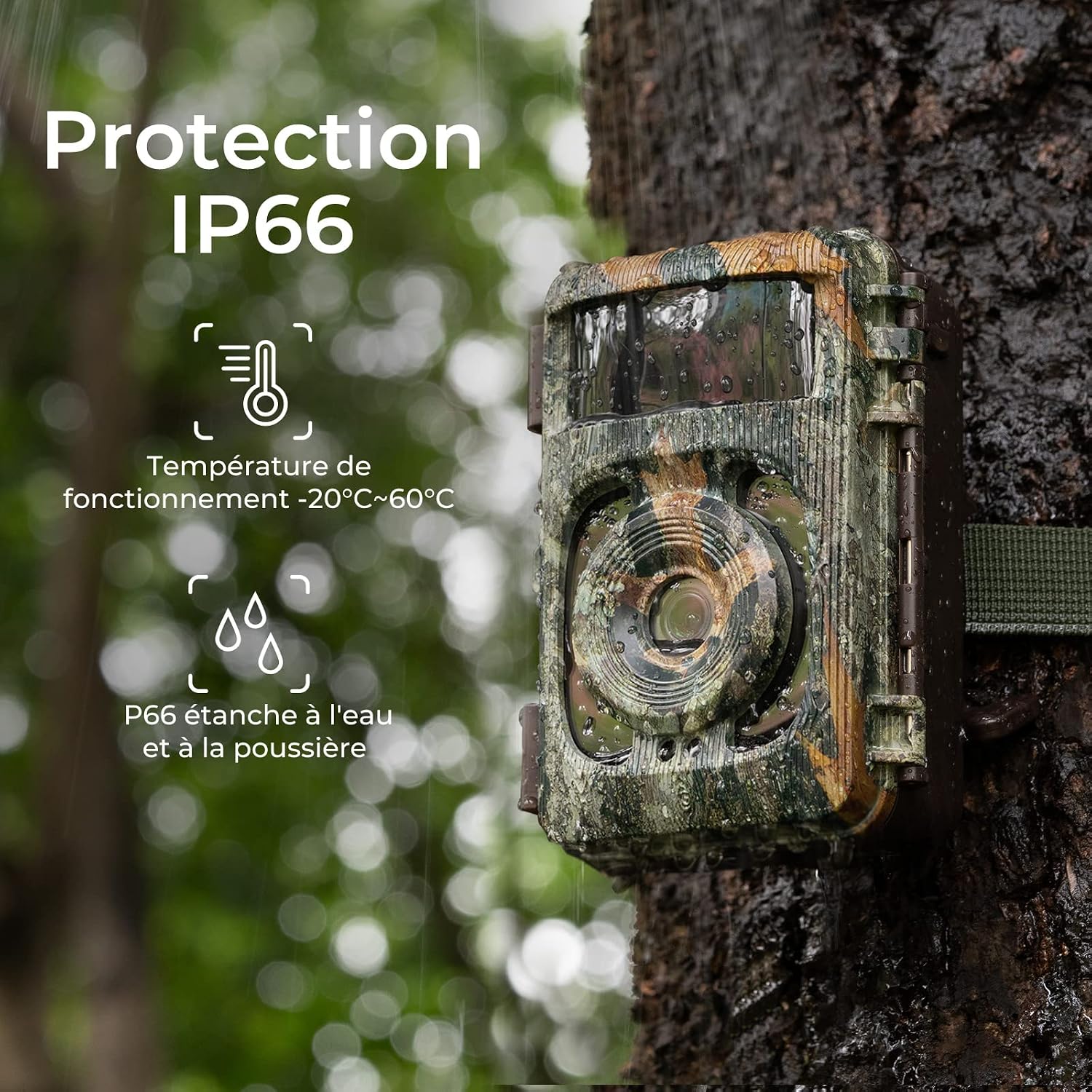
Figure 9: Durable IP66 rating ensures performance in challenging weather.
3. Setup Guide
Follow these steps to set up your K&F Concept 4K WiFi Trail Camera:
- Insert Batteries and Memory Card: Open the camera casing. Insert the 8 AA alkaline batteries into the battery compartment, ensuring correct polarity. Insert the 64GB Micro SD card into the designated slot until it clicks.
- Power On: Switch the camera to the 'ON' position. The camera will power on and display the initial setup screen.
- Activate WiFi and Bluetooth: On your smartphone, enable both WiFi and Bluetooth.
- Download and Open APP: Download and install the 'TrailCamer Wifi' application from your smartphone's app store (available for iOS and Android). Open the application.
- Connect to Camera: In the 'TrailCamer Wifi' APP, click on 'Add Device' or 'Connect'. The app will search for the camera via Bluetooth. Once found, select your camera and enter the default password (usually '12345678') to establish the connection.
- Preview and Adjust Settings: Once connected, you can preview the camera's live view, access the gallery to view recorded photos and videos, and adjust various camera settings (e.g., resolution, trigger interval, operating mode) directly from the app.
- Mount the Camera: Use the provided adjustable strap or mounting bracket to securely attach the camera to a tree or other stable surface. Ensure the camera is positioned to capture the desired area, considering the 120° detection angle.

Figure 10: Visual guide for initial camera setup and app connection.
4. Operating Instructions
4.1 Operating Modes
The camera supports various operating modes, configurable via the camera's internal menu or the 'TrailCamer Wifi' APP:
- Photo Mode: Captures still images when triggered.
- Video Mode: Records video clips when triggered.
- Photo + Video Mode: Captures a set number of photos followed by a video clip when triggered.
4.2 PIR Detection and Recording
The Passive Infrared (PIR) sensor detects motion within its field of view. When motion is detected, the camera will activate and record according to the selected operating mode and settings (e.g., photo resolution, video length, trigger interval).
4.3 Using the Mobile Application
The 'TrailCamer Wifi' APP provides comprehensive control and access to your camera:
- Live View: See what the camera sees in real-time to assist with positioning.
- Gallery: Browse, view, and download captured photos and videos to your smartphone.
- Settings: Adjust all camera parameters, including resolution, sensitivity, time-lapse, and more.
- Firmware Updates: Check for and apply firmware updates (if available) to improve camera performance.
5. Maintenance
Proper maintenance ensures the longevity and optimal performance of your trail camera:
- Battery Replacement: Replace all 8 AA batteries when the low battery indicator appears or when performance degrades. Always use fresh, high-quality alkaline batteries.
- SD Card Management: Regularly check the SD card capacity. Format the SD card periodically (at least once a month) using the camera's menu or the app to prevent data corruption and ensure smooth operation. Back up important files before formatting.
- Lens Cleaning: Gently clean the camera lens and PIR sensor window with a soft, lint-free cloth. Avoid abrasive materials or harsh chemicals.
- Casing Cleaning: Wipe down the camera's exterior with a damp cloth to remove dirt, dust, or debris. Ensure the seals are free of obstructions to maintain IP66 waterproofing.
- Storage: When not in use for extended periods, remove batteries and the SD card. Store the camera in a cool, dry place away from direct sunlight.
6. Troubleshooting
If you encounter issues with your K&F Concept Trail Camera, refer to the following common problems and solutions:
| Problem | Possible Cause | Solution |
|---|---|---|
| Camera not powering on. | Low or dead batteries; incorrect battery polarity. | Replace all batteries with fresh ones, ensuring correct +/- orientation. |
| Camera not capturing photos/videos. | SD card full or not formatted; PIR sensor blocked; incorrect settings; low battery. | Format the SD card; ensure PIR sensor is clear; check operating mode and trigger interval; replace batteries. |
| Poor image/video quality at night. | IR lights obstructed; camera too far from subject; dirty lens. | Ensure IR lights are clear; position camera closer to detection area; clean the lens. |
| WiFi/Bluetooth connection issues. | Out of range; app not updated; interference. | Move closer to the camera (within 20m); update 'TrailCamer Wifi' app; restart camera and phone. |
| Excessive false triggers. | Camera pointed at moving branches/grass; high sensitivity setting. | Adjust camera angle to avoid foliage; reduce PIR sensitivity setting. |
If the problem persists, please contact K&F Concept customer support for further assistance.
7. Specifications
Key technical specifications for the K&F Concept 4K WiFi Trail Camera:
| Feature | Specification |
|---|---|
| Image Resolution | Up to 32 Megapixels |
| Video Resolution | 4K Ultra HD (AVI format) |
| Trigger Speed | 0.2 seconds |
| PIR Detection Angle | 120 degrees |
| PIR Detection Distance | Up to 65 feet (20 meters) |
| Night Vision | 34 x 940nm Invisible IR LEDs, up to 20 meters |
| Connectivity | WiFi, Bluetooth (via 'TrailCamer Wifi' APP) |
| Memory Type | Micro SD Card (up to 64GB included) |
| Power Source | 8 x AA 1.5V Alkaline Batteries |
| Waterproof Rating | IP66 |
| Operating Temperature | -20°C to 60°C (-4°F to 140°F) |
| Dimensions (L x W x H) | 17.9 x 15.6 x 9.7 cm (approx.) |
| Material | Plastic |
8. Warranty and Support
For warranty information, please refer to the documentation provided with your purchase or contact the seller directly. The manufacturer's warranty information is currently undefined, and information regarding spare parts availability is not provided.
For technical support, troubleshooting assistance, or inquiries regarding your K&F Concept Trail Camera, please contact K&F Concept customer service through their official website or the platform where the product was purchased.
Online Resources:
- K&F Concept Official Website: www.kentfaith.com
- Amazon Store Page: K&F Concept Amazon Store