
1. Introduction
Thank you for choosing the Jectse 4G LTE Mobile WiFi Router. This device is designed to provide high-speed 3G/4G internet access, functioning as a portable wireless hotspot. It supports the main 3G/4G frequency bands used by most countries and carriers worldwide, making it suitable for various users including those in vehicles, business travelers, and outdoor enthusiasts. This manual will guide you through the setup, operation, and maintenance of your device.
2. Safety Information
- Do not expose the device to extreme temperatures, direct sunlight, or high humidity.
- Avoid dropping or subjecting the device to strong impacts.
- Use only the provided or approved charging cable and battery.
- Do not attempt to disassemble or repair the device yourself. Contact customer support for assistance.
- Keep the device away from water and other liquids.
3. Package Contents
Please check the package for the following items:
- Jectse Portable WiFi Router
- Rechargeable Battery
- USB Charging Cable
- User Manual

Image: The Jectse 4G LTE Mobile WiFi Router shown with its rechargeable battery and USB charging cable.
4. Product Overview
The Jectse 4G LTE Mobile WiFi Router is a compact and lightweight device designed for on-the-go internet access. It features an LED smart display for easy operation and status monitoring.
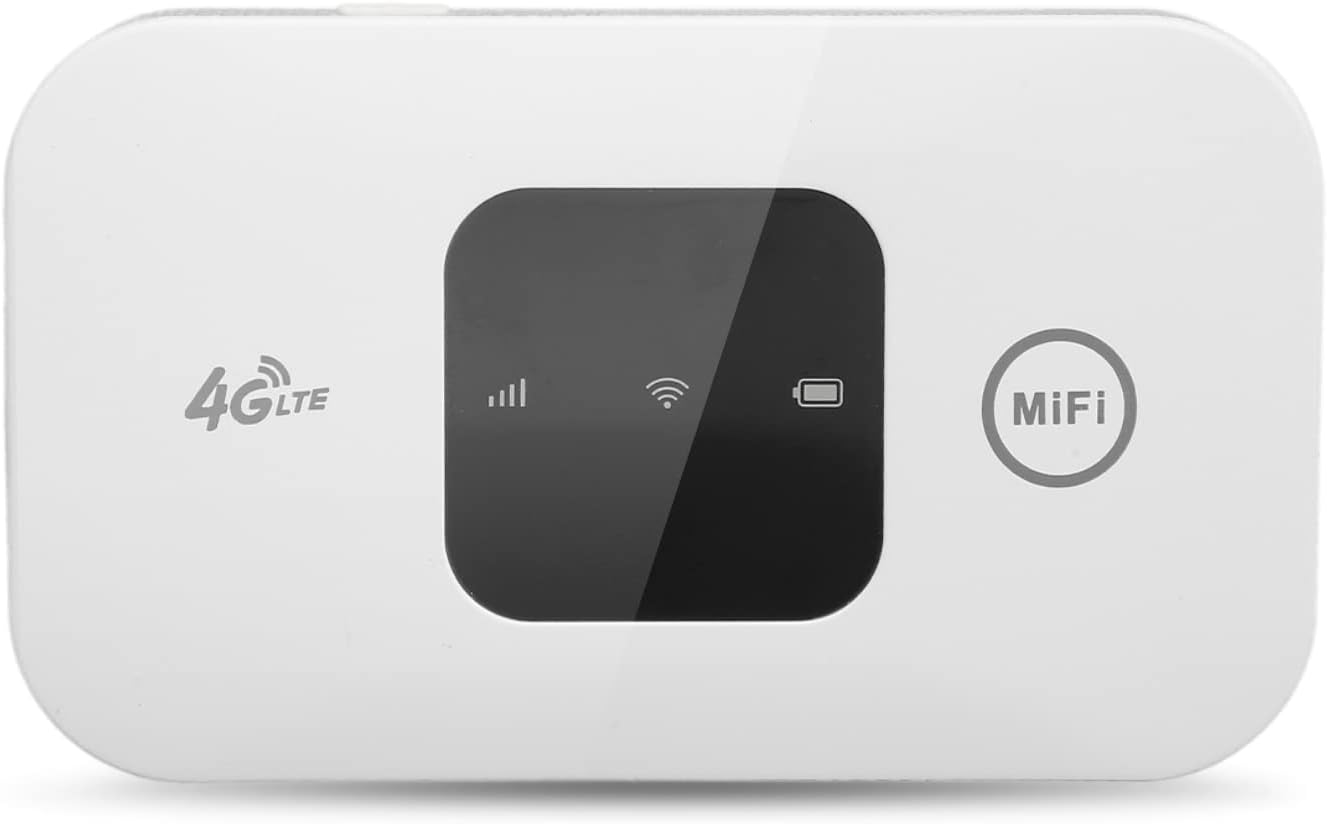
Image: Front view of the Jectse 4G LTE Mobile WiFi Router, highlighting its indicators and MiFi button.
Key Features:
- High-Speed Internet Access: Provides 3G/4G network connectivity.
- Portable Design: Lightweight, thin, and compact for easy carrying.
- Long Battery Life: 2100mAh battery offers up to 72 hours of standby time.
- Multi-User Support: Connects up to 10 users simultaneously.
- Wide Compatibility: Works with mobile phones, laptops, desktop computers, and tablets.

Image: Visual representation of the router's features including portability, stable connection, fast speed, and multi-device support.
5. Setup Instructions
5.1. Installing the SIM Card and Battery
- Carefully remove the back cover of the device.
- Insert a standard SIM card into the designated SIM card slot. Ensure the card is oriented correctly as indicated on the device.
- Insert the provided rechargeable battery into its compartment.
- Replace the back cover securely.

Image: Side view of the router, indicating the location of the charging port.
5.2. Charging the Device
Before first use, fully charge the device.
- Connect the USB charging cable to the device's charging port.
- Connect the other end of the USB cable to a compatible USB power adapter (not included) or a computer's USB port.
- The battery indicator on the device will show charging status.
5.3. Powering On/Off
- To Power On: Press and hold the power button (usually located on the side or front) for a few seconds until the indicators light up.
- To Power Off: Press and hold the power button again until the indicators turn off.
6. Operating Instructions
6.1. Connecting to the WiFi Network
Once the device is powered on and has established a 4G connection (indicated by the network signal icon), you can connect other devices to its WiFi network.
- On your mobile phone, laptop, tablet, or desktop computer, open the WiFi settings.
- Search for available WiFi networks. The network name (SSID) and password are typically found on a sticker inside the battery compartment or on the device packaging.
- Select the Jectse router's SSID and enter the password to connect.

Image: The router supports up to 10 users connecting simultaneously.
6.2. Understanding LED Indicators
The device features LED indicators to display its status:
- Signal Indicator: Shows the strength of the 4G network signal.
- WiFi Indicator: Lights up when WiFi is active and broadcasting.
- Battery Indicator: Displays the current battery level and charging status.
7. Maintenance
7.1. Cleaning
Wipe the device with a soft, dry cloth. Do not use liquid cleaners or abrasive materials.
7.2. Battery Care
- Avoid fully discharging the battery frequently.
- If storing the device for an extended period, charge the battery to about 50% and store it in a cool, dry place.
- Replace the battery if you notice a significant decrease in its capacity.
7.3. Storage
Store the device in a dry environment, away from direct sunlight and extreme temperatures.
8. Troubleshooting
| Problem | Possible Cause | Solution |
|---|---|---|
| No Internet connection | SIM card not inserted correctly; No 4G signal; Data plan expired; Incorrect APN settings. | Reinsert SIM card; Move to an area with better signal; Check data plan with your carrier; Configure APN settings via device interface (refer to carrier for details). |
| Slow Internet speed | Weak 4G signal; Too many connected devices; Network congestion. | Move to an area with better signal; Disconnect unnecessary devices; Try connecting at a different time. |
| Device not powering on | Battery is depleted; Battery not inserted correctly; Device fault. | Charge the device; Reinsert the battery; If problem persists, contact customer support. |
| Cannot connect to WiFi | Incorrect WiFi password; WiFi disabled on device; Device too far from router. | Verify and re-enter password; Ensure WiFi is enabled on the router; Move closer to the router. |
9. Specifications
| Feature | Detail |
|---|---|
| Brand | Jectse |
| Model | Yunseity9y6c483fgs |
| Dimensions | 11.1 x 7.2 x 3.7 cm |
| Weight | 110 g |
| Operating System | RouterOS |
| Compatible Devices | Personal Computer, Smartphone, Tablet |
| Voltage | 3.7 Volts (DC) |
| Data Transfer Speed | 150 Megabits per second |
| Wireless Connection Type | 802.11b |
| Frequency | 2.4 GHz |
| Number of Ports | 1 |
| Connectivity Technology | Wireless, Wifi |
| Color | White |
| Battery Capacity | 2100 mAh (approximate, based on standby time) |
10. Warranty and Support
Jectse products are designed for reliability and performance. For warranty information, please refer to the specific terms provided at the time of purchase or contact your retailer. If you encounter any issues or require technical assistance, please reach out to Jectse customer support through the official website or your purchase platform for prompt service.