Introduction
The HROEENOI Noise Cancelling Headset with Microphone is designed for clear communication and comfortable wear during extended use. Featuring a 3.5mm jack, it offers broad compatibility with various devices, making it ideal for work, online meetings, teaching, and more. This manual provides essential information for setting up, operating, maintaining, and troubleshooting your headset.

Figure 1: HROEENOI Noise Cancelling Headset with 3.5mm jack and inline controls.
What's in the Box
Upon unboxing your HROEENOI headset, please ensure all components are present:
- HROEENOI Noise Cancelling Headset
- User Manual (this document)
- Storage Bag

Figure 2: Included items: Headset, User Manual, Exquisite Box, and Storage Bag.
Setup
Connectivity
The HROEENOI headset connects via a standard 3.5mm audio jack. This plug-and-play design ensures easy setup without the need for additional drivers.
- Locate the 3.5mm audio port on your device (laptop, desktop PC, mobile phone, tablet).
- Insert the headset's 3.5mm plug firmly into the audio port.
- Ensure the connection is secure for optimal audio and microphone performance.

Figure 3: The headset features a 3.5mm plug, compatible with various operating systems and devices including Mac OS X, Android, Windows (8, XP, 11), laptops, desktop PCs, mobile phones, and tablets.

Figure 4: Detailed view of the 3.5mm audio jack, designed for universal compatibility.
Microphone Adjustment
For optimal voice pickup and noise cancellation, position the microphone correctly:
- Adjust the flexible microphone boom so the microphone is approximately 0.5 inches from your mouth.
- The microphone can be rotated to be positioned on either the left or right side, depending on user preference.
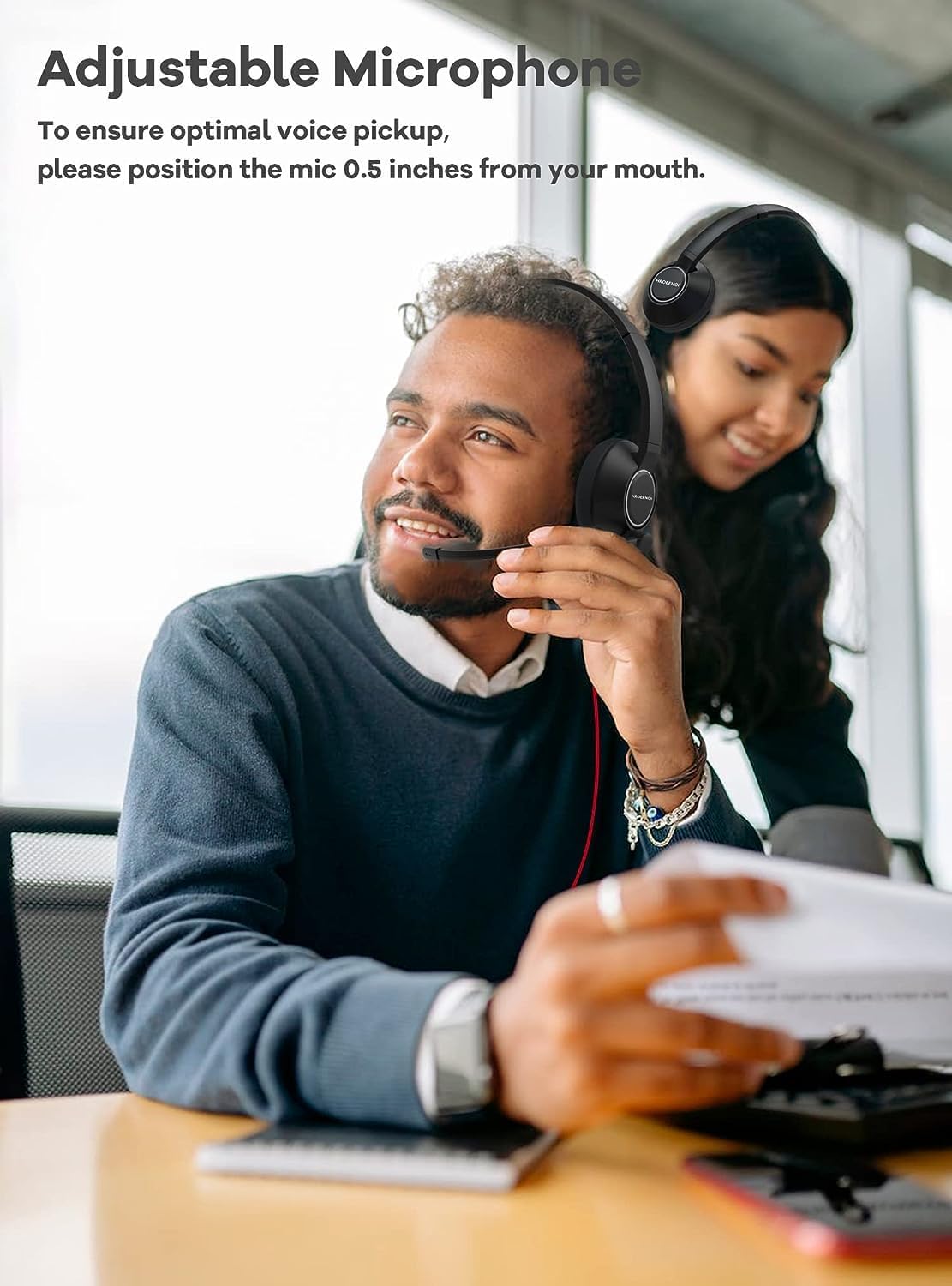
Figure 5: A user demonstrating the proper positioning of the adjustable microphone for clear communication.

Figure 6: Illustration of the microphone's adjustable arm, allowing for precise positioning.
Headband Adjustment
The headset features an adjustable headband for a comfortable fit during long wear periods.
- Gently slide the earcups up or down along the headband to find a snug yet comfortable fit on your head.
- The soft padding on the earcups ensures comfort for extended use.

Figure 7: Diagram illustrating the adjustable headband mechanism for a personalized fit.
Operating Instructions
Inline Controls
The headset features convenient inline controls on the cable for easy management of audio and calls:
- Volume Control: Use the '+' and '-' buttons to adjust the listening volume.
- Microphone Mute: Slide the mute switch to instantly mute or unmute your microphone.

Figure 8: Detailed view of the inline control unit, showing volume adjustment buttons and microphone mute switch.
Usage Scenarios
This headset is versatile and suitable for a variety of applications:
- Work & Meetings: Enhance productivity during remote work, Zoom, and Teams meetings with clear audio and noise-cancelling microphone.
- Online Teaching & Learning: Ideal for online courses, virtual classrooms, and educational webinars.
- Call Centers & Customer Service: Provides reliable communication for professional environments.
- Gaming & Multimedia: Enjoy crisp audio for gaming and other multimedia content.

Figure 9: The headset is suitable for online courses, customer service, conferencing, and webinars, demonstrating its versatility.
Video 1: An overview of the HROEENOI headset, demonstrating its unboxing, portability, and ease of use for various applications like podcasting and online meetings. The video highlights its plug-and-play functionality and hands-free operation.
Maintenance
To ensure the longevity and optimal performance of your HROEENOI headset, follow these maintenance guidelines:
- Cleaning: Use a soft, dry cloth to wipe down the earcups and headband. Avoid using harsh chemicals or abrasive materials.
- Storage: When not in use, store the headset in the provided storage bag to protect it from dust and scratches. Avoid tangling the cable.
- Cable Care: Do not pull on the cable to disconnect the headset. Always grasp the 3.5mm plug. Avoid sharp bends or kinks in the cable.
- Temperature: Store and operate the headset within normal room temperatures. Avoid extreme heat or cold.

Figure 10: The headset is designed to be lightweight (approximately 4.9 oz), making it comfortable for all-day wear and easy to transport.
Troubleshooting
If you encounter issues with your HROEENOI headset, please refer to the common troubleshooting steps below. For a comprehensive guide, you can also download the official Troubleshooting Guide (PDF).
- No Sound/Microphone Not Working:
- Ensure the 3.5mm jack is fully inserted into the device's audio port.
- Check your device's audio settings to ensure the headset is selected as the input/output device.
- Verify that the volume on the inline control is not set to minimum and the microphone is not muted.
- Test the headset on another device to rule out a device-specific issue.
- Poor Audio Quality:
- Ensure the 3.5mm jack is clean and free of debris.
- Check for any damage to the cable or connectors.
- Adjust the microphone position to be closer to your mouth for clearer voice pickup.
- Comfort Issues:
- Adjust the headband and earcup positions to find the most comfortable fit.
- Take short breaks during long usage periods.
Specifications
Detailed technical specifications for the HROEENOI Noise Cancelling Headset (Model: WRHW05):
| Feature | Detail |
|---|---|
| Model Name | WRHW05 |
| Headphones Jack | 3.5 mm Jack |
| Connectivity Technology | Wired |
| Included Components | Headset |
| Material | Plastic |
| Specific Uses For Product | Working, Calling, Gaming |
| Compatible Devices | Desktops, Laptops, Mobile Phones, Tablets |
| Control Type | Volume Control, Microphone Mute |
| Cable Feature | Retractable |
| Item Weight | 8.1 ounces (approx. 4.9 oz for headset only) |
| Water Resistance Level | Not Water Resistant |
| Frequency Range | 20 Hz - 20,000 Hz |
| Ear Placement | Over Ear |
| Noise Control | Active Noise Cancellation (Microphone) |
| Product Dimensions | 6.1 x 1.8 x 7.5 inches |
Warranty and Support
HROEENOI stands behind the quality of its products. Your headset comes with a comprehensive warranty and dedicated customer support.
- 5-Year Hassle-Free Warranty: HROEENOI offers a 5-year quality warranty. In case of product quality or connectivity issues, the company provides direct replacement without requiring the return of the faulty product.
- Customer Support: For any inquiries or assistance, please visit the official HROEENOI Store on Amazon or contact their customer service directly.
