Introduction
This manual provides detailed instructions for the safe and efficient operation, maintenance, and troubleshooting of your AROEVE MK04 Air Purifier. Please read this manual thoroughly before using the appliance and retain it for future reference.
Important Safety Instructions
- Always place the air purifier on a firm, level surface.
- Keep the appliance away from water or moist areas.
- Do not block air inlets or outlets. Ensure at least 12 inches (30 cm) clearance from walls and furniture.
- Unplug the air purifier before cleaning or performing any maintenance.
- Do not operate the appliance with a damaged cord or plug. Contact customer support for assistance.
- This appliance is for indoor use only.
- Keep out of reach of children and pets.
Product Overview
The AROEVE MK04 Air Purifier is designed to improve air quality in your home or office, covering areas up to 1095 sq ft (100 m²). It features a multi-stage filtration system, a PM2.5 sensor, and various operating modes.

Figure 1: Front view of the AROEVE MK04 Air Purifier.
Components:
- Air Inlet Grille: Where air enters the purifier.
- Control Panel: Top-mounted interface for operating the device.
- Air Outlet: Where purified air exits.
- Filter Compartment: Houses the air filter.
- PM2.5 Sensor: Detects air quality.
- Power Cord: For connecting to an electrical outlet.
Setup
- Unpack the Air Purifier: Carefully remove the air purifier from its packaging.
- Remove Filter Packaging:
Before first use, open the filter compartment and remove the plastic packaging from the filter. Refer to the "Filter Replacement" section for detailed instructions on accessing the filter compartment.
- Install Filter: Place the unwrapped filter back into the compartment, ensuring it is seated correctly. Close the filter cover securely.
- Position the Unit: Place the air purifier on a flat, stable surface. Ensure there is adequate space around the unit for optimal airflow (at least 12 inches / 30 cm from walls or furniture).
- Connect to Power: Plug the power cord into a standard electrical outlet.
Operating Instructions
Control Panel:
The control panel is located on the top of the unit and features various touch-sensitive buttons and indicator lights.

Figure 2: Control panel with timer settings.
Power On/Off:
Press the Power button to turn the air purifier on or off.
Fan Speed Adjustment:
Cycle through different fan speeds (Low, Medium, High) by pressing the Fan Speed button. Higher speeds provide faster purification.
Auto Mode and Air Quality Indicator:
The air purifier is equipped with a built-in PM2.5 sensor. In Auto Mode, the unit automatically adjusts fan speed based on detected air quality. The indicator ring changes color to reflect current air quality:
- Blue: Good air quality
- Yellow: Moderate air quality
- Red: Poor air quality

Figure 3: Air quality indicator ring colors.
Sleep Mode:
Activate Sleep Mode for quiet operation. In this mode, the fan speed is reduced to its lowest setting, and indicator lights are dimmed or turned off to ensure a disturbance-free environment. The noise level in Sleep Mode is approximately 22dB.

Figure 4: Air purifier in a bedroom, demonstrating quiet operation.
Timer Function:
Set the air purifier to operate for a specific duration (e.g., 8, 12, or 24 hours) using the Timer button. The unit will automatically turn off after the set time.
UV Light Function (Dual Air Treatment):
The air purifier includes a light treatment technology for enhanced purification. This function is turned off by default. To activate it, locate the UV button on the control panel and press it. This dual treatment system provides more comprehensive air purification. Ensure the UV light is functioning to maximize performance.
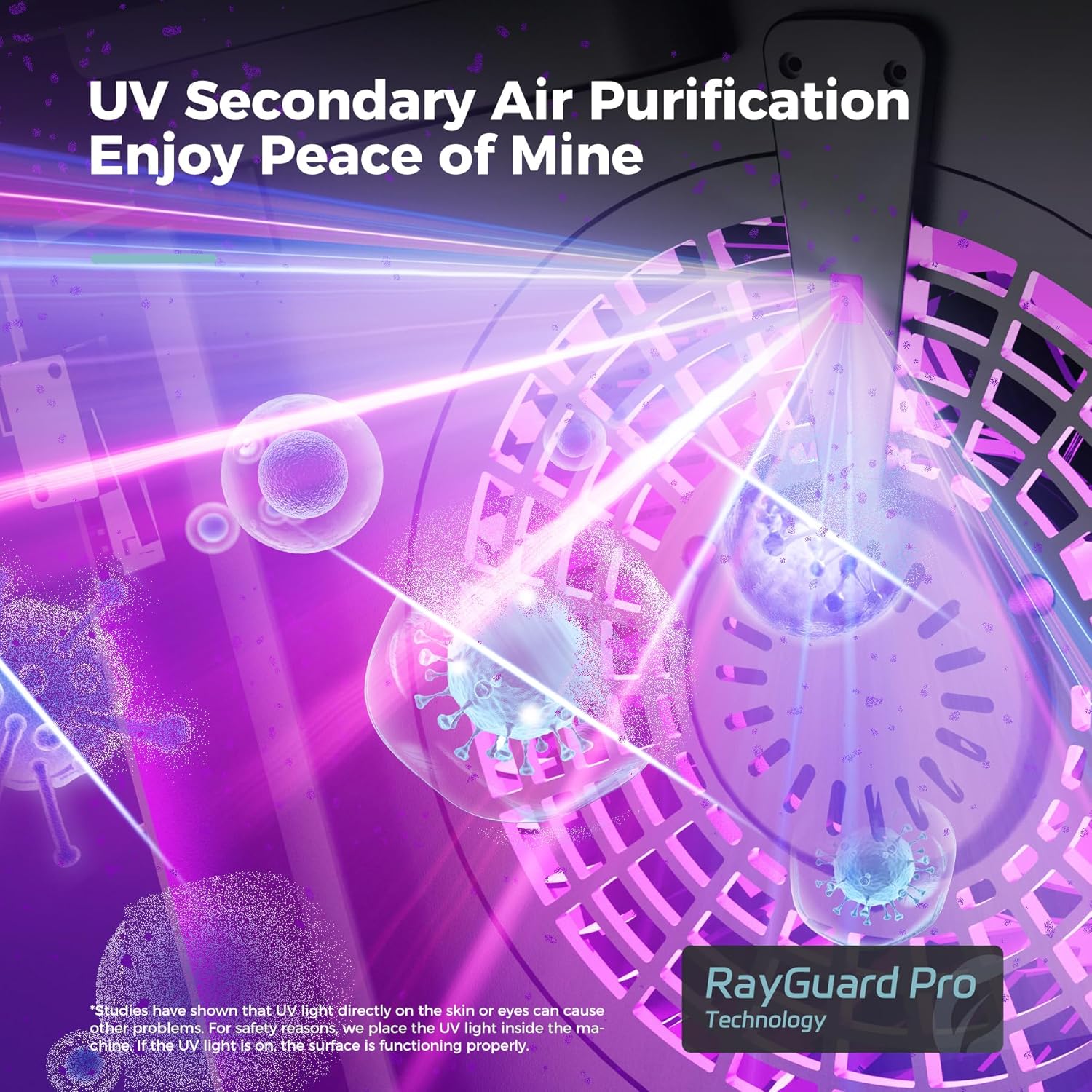
Figure 5: Internal view of UV secondary air purification.
Maintenance
Filter Replacement:
The air purifier uses a 3-in-1 filter system. For optimal performance, it is recommended to replace the air filter every 3-6 months, depending on usage and air quality. Always use official AROEVE replacement filters.

Figure 6: Available filter types for specific needs.
- Power Off and Unplug: Ensure the air purifier is turned off and unplugged from the power outlet.
- Open Filter Cover: Locate the filter cover on the side of the unit. Gently open or slide it to access the filter compartment.
- Remove Old Filter: Grasp the pull tab or rope on the side of the filter and carefully pull it out of the unit.
- Insert New Filter: Remove the new filter from its protective packaging. Insert the new filter into the compartment, ensuring it fits snugly and correctly.
- Close Cover: Close the filter cover securely.
- Reset Filter Indicator (if applicable): After replacing the filter, you may need to reset the filter replacement indicator (refer to control panel instructions if a specific button exists for this).
Cleaning the Exterior:
Wipe the exterior of the air purifier with a soft, dry cloth. Do not use abrasive cleaners or solvents.
Cleaning the PM2.5 Sensor:
Periodically clean the PM2.5 sensor opening with a soft brush or cotton swab to ensure accurate readings.
Troubleshooting
| Problem | Possible Cause | Solution |
|---|---|---|
| Unit does not turn on. | Not plugged in; power outage; filter not installed correctly. | Check power cord connection; verify power outlet; ensure filter is unwrapped and properly seated. |
| Weak airflow or poor purification. | Clogged filter; blocked air inlets/outlets. | Replace filter; ensure no obstructions around the unit. |
| Air quality indicator always red/yellow. | High pollution level; dirty PM2.5 sensor. | Increase fan speed; clean the PM2.5 sensor. |
| Unusual noise. | Filter not seated correctly; foreign object inside. | Check filter installation; unplug and inspect for obstructions. |
Specifications
- Model: MK04
- Brand: AROEVE
- Coverage Area: Up to 1095 sq ft (100 m²)
- Filtration System: 3-in-1 Filter (HEPA, Activated Carbon, Pre-filter)
- Special Features: PM2.5 Sensor, Air Quality Indicator Ring, Sleep Mode, Timer, UV Light Function
- Noise Level (Sleep Mode): Approximately 22dB
- Rated Power: 34 Watts
- Product Dimensions: 7.5"D x 13.5"W x 17.25"H (19.05 cm D x 34.29 cm W x 43.82 cm H)
- Weight: 5.42 Pounds (2.46 kg)
- Certifications: ETL Certified

Figure 7: Product dimensions.
Warranty and Support
For warranty information or technical support, please contact AROEVE customer service. Refer to the product packaging or the official AROEVE website for contact details.
Legal Disclaimer: Statements regarding dietary supplements have not been evaluated by the FDA and are not intended to diagnose, treat, cure, or prevent any disease or health condition. This disclaimer is provided as per product information and is not directly related to the air purifier's function.


