
1. Introduction
Thank you for choosing the Fydun Two-Way Motorcycle Alarm System. This system is designed to provide enhanced security for your scooter, motorcycle, or ATV, featuring anti-theft, anti-hijacking, and remote control functionalities. Please read this manual thoroughly before installation and operation to ensure correct usage and optimal performance.
2. Safety Information
- Ensure the vehicle's power is disconnected before installation to prevent electrical shock or damage.
- Installation should ideally be performed by a qualified technician.
- Do not attempt to modify the alarm system components.
- Keep the remote controls away from water and extreme temperatures.
- The alarm system is a deterrent; it does not guarantee absolute protection against theft.
3. Package Contents
Verify that all items listed below are included in your package:
- 1 x Alarm Host Unit
- 1 x External Speaker
- 2 x Remote Controllers (one large, one small)
- 1 x Wiring Harness
- 1 x Adhesive Sticker
- 1 x User Manual (this document)

Image: All components of the Fydun Two-Way Motorcycle Alarm System.
4. Product Features
- Two-Way Alarm System: The remote control and the host unit provide synchronized alerts, allowing real-time monitoring of your vehicle's status.
- Shock/Push Alarm: If the vehicle is bumped or moved, the system triggers an alarm and locks the ignition, simultaneously alerting the remote control.
- Remote Control Range: Operates effectively within 250 meters (273 yards) in open areas. Environmental interference may reduce this range.
- Anti-Hijacking & Anti-Theft: Features remote engine cut-off functionality to prevent theft or hijacking.
- Loud External Speaker: A 125-decibel speaker emits a high-volume alarm sound to deter thieves.
- Durable Design: The host unit is waterproof and dustproof, protecting internal circuits for extended service life.
- Multi-functional: Includes remote start, remote flameout, anti-theft, and anti-hijacking capabilities.

Image: Remote control demonstrating long-range capability.

Image: Anti-hijacking and anti-theft functionality.

Image: The 125 dB external loudspeaker.

Image: Waterproof and dustproof host unit.
5. Specifications
| Parameter | Value |
|---|---|
| Item Type | Motorcycle Alarm System |
| Material | ABS |
| Working Voltage | 12V |
| Remote Control Distance | Up to 250m / 273yd (may vary due to environmental interference) |
| Speaker Decibel | 105-125dB |
| Large Remote Battery | 1 x 700mAh 1.5V battery (built-in) |
| Small Remote Battery | 1 x 200mAh button cell battery (built-in) |
| Compatibility | Universal for scooters, motorcycles, ATVs, etc. |
| Model Number | Fydunpzr76cbeq9 |
6. Setup & Installation
Follow these steps for proper installation:
- Disconnect Power: Before starting, ensure the vehicle's battery is disconnected to prevent short circuits.
- Mount the Host Unit: Choose a hidden, secure, and waterproof location on your vehicle for the alarm host unit. Use the provided adhesive sticker or other suitable mounting methods. Ensure it is not exposed to direct water spray or excessive heat.
- Install the Speaker: Mount the external speaker in a location where its sound will not be obstructed and is audible. Ensure it is securely fastened.
- Connect Wiring: Connect the wiring harness to the host unit. Refer to the wiring diagram (usually provided separately or on the product packaging) for specific connections to your vehicle's electrical system (power, ignition, turn signals, etc.). Ensure all connections are secure and insulated.
- Reconnect Power: Once all components are securely mounted and wired, reconnect the vehicle's battery.
- Test the System: Perform a functional test of all alarm features (arming, disarming, shock sensor, remote start/stop) to ensure correct operation.

Image: Alarm host unit with wiring.
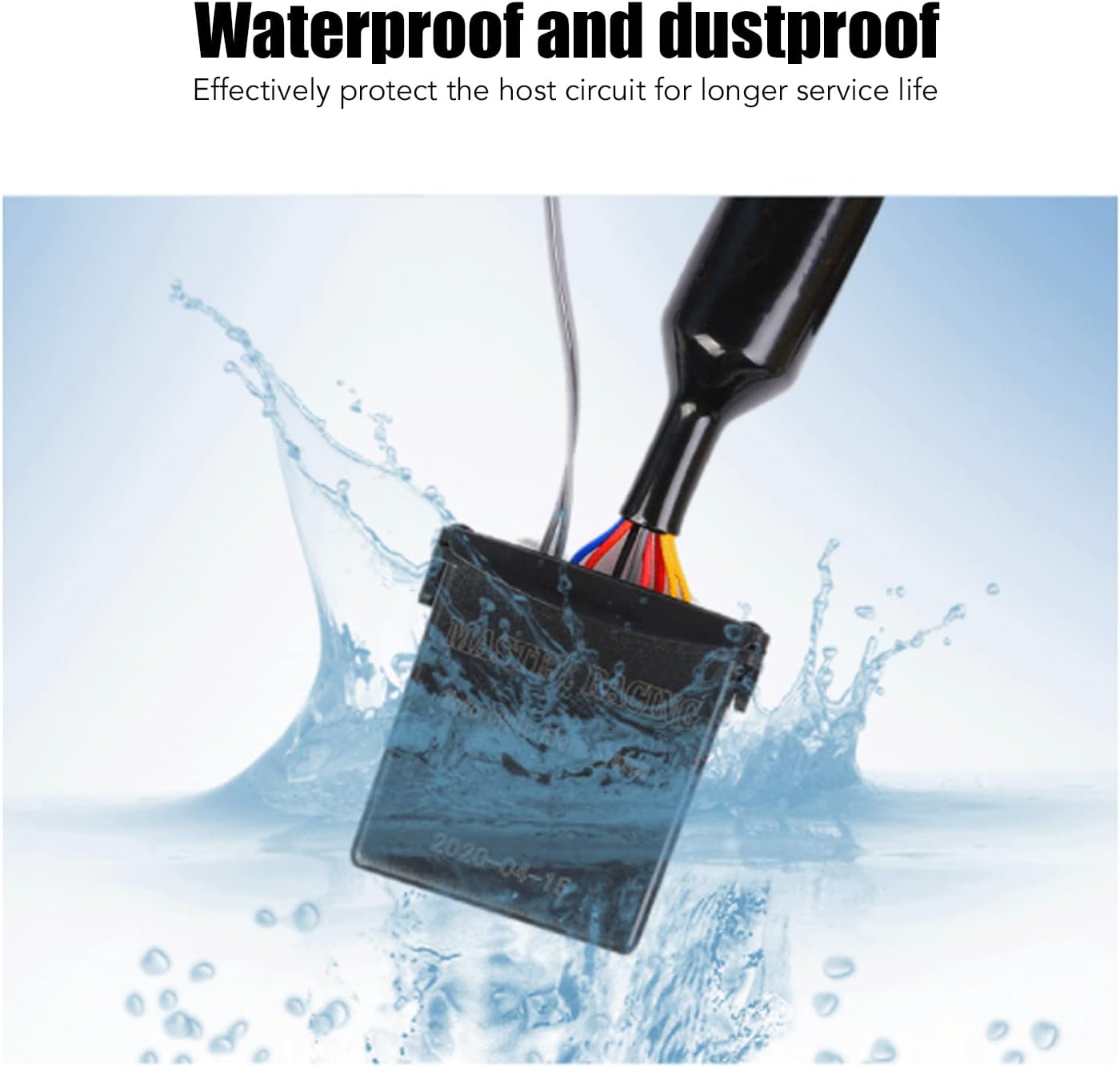
Image: External alarm speaker.
7. Operating Instructions
The system is operated using the two remote controls. Familiarize yourself with the buttons and their functions:

Image: The two remote controls for the alarm system.
Remote Control Functions:
- Arming (Lock Button): Press the lock button once to arm the alarm system. The vehicle will respond with a confirmation sound, and the remote will display an armed status.
- Disarming (Unlock Button): Press the unlock button once to disarm the alarm system. The vehicle will respond with a confirmation sound, and the remote will display a disarmed status.
- Remote Start (Lightning Button): Press the lightning button twice quickly to remotely start the engine.
- Remote Flameout (Unlock Button while running): If the engine was started remotely, press the unlock button to turn off the engine.
- Vehicle Search/Panic (Bell Button): Press the bell button to locate your vehicle or trigger a panic alarm. The vehicle will sound the alarm and flash its lights.
- Anti-Hijacking: In an emergency, press and hold the lock button (or a designated anti-hijack button if available) to activate the anti-hijacking feature, which can remotely cut off the engine.
- Sensitivity Adjustment: Some models allow adjustment of shock sensor sensitivity via the remote. Refer to specific remote instructions if applicable.
8. Maintenance
- Remote Battery Replacement: Replace remote control batteries when the indicator light dims or the range decreases. Refer to the remote's specific instructions for battery type and replacement procedure.
- Keep Clean: Periodically wipe the host unit and remote controls with a dry, soft cloth. Avoid using harsh chemicals.
- Check Wiring: Occasionally inspect wiring connections for any signs of wear, corrosion, or looseness.
- Avoid Water Exposure: While the host unit is waterproof, avoid submerging it or exposing it to high-pressure water jets.
9. Troubleshooting
- System Not Responding:
- Check remote control battery.
- Ensure the vehicle's battery is charged and connected.
- Verify all wiring connections are secure.
- Alarm Triggers Frequently Without Cause:
- The shock sensor sensitivity might be too high. Refer to the remote control instructions for adjusting sensitivity.
- Ensure the host unit is securely mounted and not vibrating excessively.
- Reduced Remote Range:
- Replace remote control battery.
- Environmental interference (e.g., strong electromagnetic fields, large buildings) can affect range.
- Remote Start Not Working:
- Ensure the vehicle is in neutral and the ignition is off.
- Check wiring connections related to the ignition system.
10. Warranty and Support
For warranty information or technical support, please refer to the product packaging or contact your retailer. Keep your purchase receipt as proof of purchase.