
1. Safety Information
Please read all safety instructions carefully before assembly and operation. Retain this manual for future reference.
- Do not touch moving parts while the desk is in motion.
- Follow assembly instructions carefully to ensure stability and safety.
- Ensure all screws and connections are securely tightened before use.
- Keep children and pets away from the desk during operation.
- Do not overload the desk. Refer to specifications for maximum weight capacity.
- Disconnect power before cleaning or maintenance.
2. Product Overview
The FEZIBO 63" Triple Motor L-Shaped Standing Desk is designed for a versatile workspace, offering height adjustability, integrated power, and ambient lighting. It features a robust triple motor system for smooth and stable transitions between sitting and standing positions.

Image 2.1: The FEZIBO 63" L-Shaped Standing Desk in a typical home office setup, showcasing its design and features.
Key Features:
- Powerful Triple Motor: Ensures faster, smoother, and more durable height adjustments with a maximum load capacity of 330 lbs and a lifting speed of 35mm/s.
- Integrated Power Outlets: Includes a built-in power strip with 2 AC outlets, 1 USB port, and 1 Type-C port for convenient device charging.
- Ergonomic Monitor Stand: A full monitor stand is included to promote an ergonomic eye view and provide additional space.
- Smart & Surrounded LED Strips: 92-inch long LED strips offer 358 pre-setting modes, controllable with a remote, to enhance your workspace ambiance.
- Programmable Height Presets: Three preset buttons allow customization of desired heights from 27.56" to 47.24", featuring a collision-avoiding function.
- Large Working Space: Provides a spacious 63"(L) x 24"(W) work surface suitable for various activities.
3. Assembly Instructions
Assembly requires careful attention to detail. It is recommended that two people assemble the desk. The desk arrives in two separate boxes, which may arrive on different days.
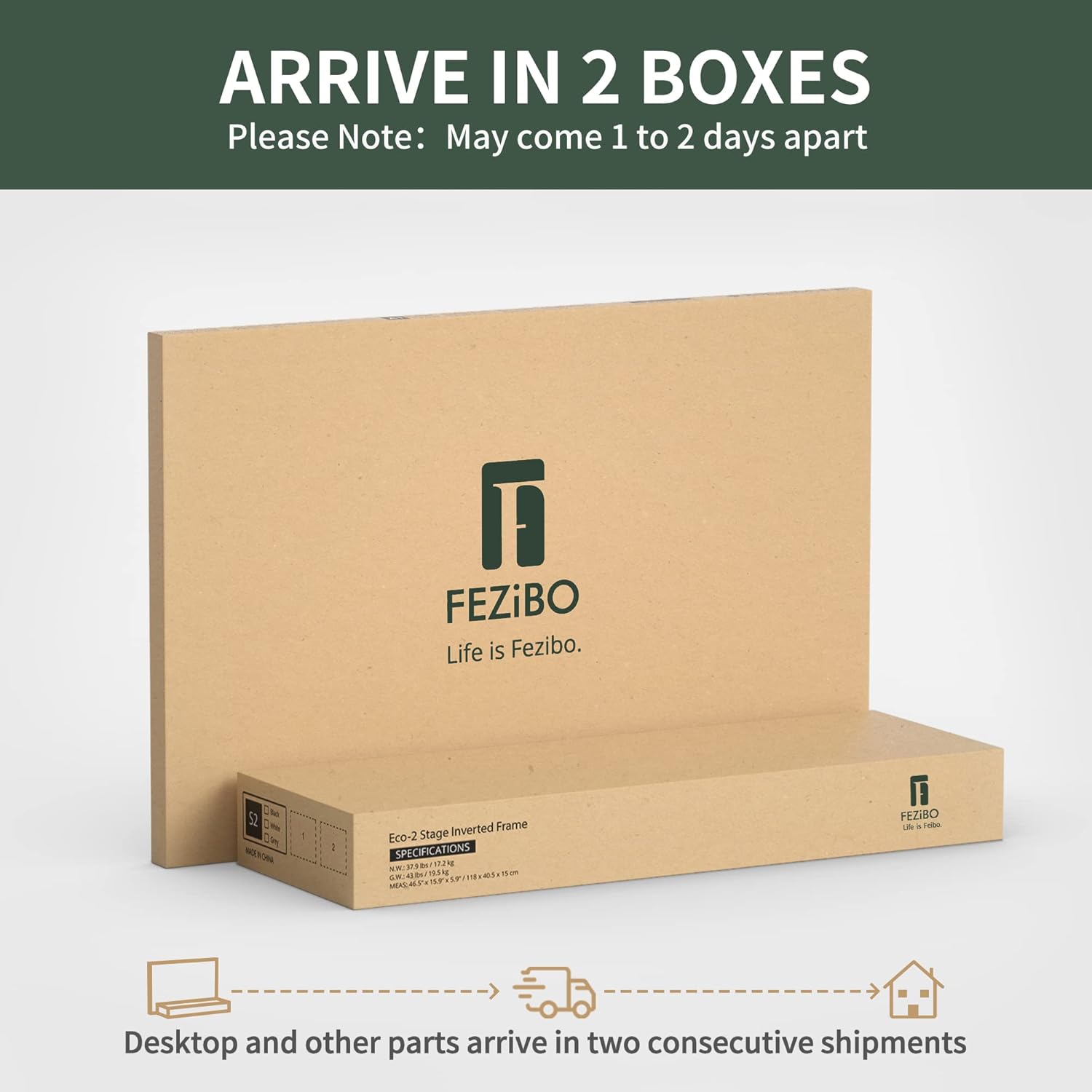
Image 3.1: The FEZIBO L-Shaped Standing Desk is shipped in two boxes. Ensure both boxes are received before beginning assembly.
Assembly Video Guide:
Video 3.1: Official assembly video for the FEZIBO L-Shaped Standing Desk. This video provides a visual step-by-step guide for the entire assembly process.
General Assembly Steps:
- Unpack Components: Carefully remove all parts from the packaging and verify against the parts list in your included paper manual.
- Assemble Desk Legs: Attach the foot supports to the desk legs using the provided screws. Ensure stability.
- Connect Frame Components: Assemble the L-shaped frame, ensuring all connections are secure. Adjust the length of the frame to match the screw holes in the desktop.
- Attach Desktop Panels: Securely fasten the desktop panels to the assembled frame. Pay attention to alignment for a seamless surface.
- Install Control Box and Keypad: Mount the control box and keypad to the underside of the desk. Connect all motor and power cables as instructed.
- Install Monitor Stand: Attach the monitor stand to the designated areas on the desktop.
- Install LED Strip: Adhere the LED strip along the designated edges of the desk and connect it to the control box or power source.
- Install Accessories: Attach desk hooks and install lockable casters if desired.
4. Operating Instructions
Height Adjustment:
The desk features an intelligent keypad for height adjustment and memory presets.

Image 4.1: The desk's control panel with up/down buttons, memory presets, and a child-friendly lock button.
- Up/Down Buttons: Use the ▲ (Up) and ▼ (Down) buttons for momentary height control. Press and hold to move the desk, release to stop.
- Memory Presets: The keypad has 3 preset buttons (1, 2, 3) to store your preferred sitting and standing heights. To save a height, adjust the desk to the desired level, then press the 'S' button followed by the desired preset number (1, 2, or 3).
- Child-Friendly Lock: The 'S' button can also function as a screen lock. Consult your paper manual for specific instructions on activating and deactivating this feature.
- Anti-Collision Technology: The desk is equipped with an automatic anti-collision feature. If the desk encounters an obstruction during movement, it will stop and reverse slightly to prevent damage.
LED Strip Operation:
The integrated LED strip provides customizable ambient lighting.

Image 4.2: The desk's LED strip illuminating the workspace, offering various lighting modes.
- Remote Control: Use the provided wireless remote controller to select from 358 pre-setting lighting modes.
- Speed & Brightness Adjustment: The remote also allows adjustment of the lighting speed and brightness to suit your preference.
Power Outlets:
The built-in power strip offers convenient access to power for your devices.

Image 4.3: Close-up of the integrated power strip, featuring two AC outlets, one USB port, and one Type-C port.
- Simply plug your devices into the available AC outlets, USB, or Type-C ports.
- Ensure devices are compatible with the power output.
5. Maintenance
- Cleaning: Wipe the desk surface with a soft, damp cloth. Avoid abrasive cleaners or harsh chemicals that may damage the finish.
- Cable Management: Regularly check and organize cables to prevent tangles and damage, especially during height adjustments.
- Screw Tightness: Periodically check all screws and bolts to ensure they remain tight. Retighten if necessary to maintain stability.
- Motor Inspection: Ensure the motor mechanisms are free from obstructions. Do not attempt to lubricate or disassemble the motors.
6. Troubleshooting
- Desk Not Moving:
- Check if the power cord is securely plugged into both the desk and a working wall outlet.
- Ensure all motor cables are properly connected to the control box.
- If an error code appears on the keypad, refer to the specific troubleshooting section in your paper manual.
- Uneven Height Adjustment:
- Ensure the desk is not overloaded or unevenly weighted.
- Perform a reset procedure (refer to your paper manual for specific steps, usually involving holding down the down button).
- LED Strip Not Working:
- Check the connection of the LED strip to its power source.
- Ensure the remote control has working batteries and is pointed correctly at the receiver.
- Power Outlets Not Functioning:
- Verify the main power connection to the desk.
- Test the outlets with a different device to confirm functionality.
7. Specifications

Image 7.1: Visual representation of the desk's dimensions, load capacity, height range, and stability features.
| Feature | Detail |
|---|---|
| Brand | FEZIBO |
| Model Name | Triple Motor L-Shaped Standing Desk |
| Shape | L-Shape |
| Product Dimensions | 24"D x 63"W x 27"H |
| Color | Rustic Brown |
| Style | Modern |
| Base Material | Alloy Steel |
| Top Material Type | Wood |
| Special Feature | Ergonomic, Height Adjustable Electric Standing Desk, Easy Installation, Sturdy, Sit And Standing Desk |
| Maximum Weight Recommendation | 330 Pounds (as per feature bullets, 178 Pounds in specs might be an error or for a different configuration) |
| Minimum Height | 27.56 Inches |
| Maximum Height | 47.24 Inches |
| Lifting Mechanism | Electric (Triple Motor) |
| Included Components | Desk Hooks (Set of 2), Lockable Casters, LED Strips, Built-in Outlet & USB port |
| Required Assembly | Yes |
| Recommended Number of People for Assembly | 2 |
Note: Some specifications may vary slightly. Always refer to the product packaging for the most accurate information.
8. Warranty and Support
The FEZIBO 63" Triple Motor L-Shaped Standing Desk comes with a limited or full warranty. For specific details regarding your warranty coverage, please refer to the warranty card included with your product or contact FEZIBO customer support.
- Warranty Type: Limited or Full (Mfg Warranty Type: limited warranty)
- Customer Support: If you encounter any problems related to the product or require assistance, please contact FEZIBO customer service. Contact information can typically be found on the product packaging or the official FEZIBO website.


