1. Important Safety Information
Please read and understand all safety instructions before using this product. Keep this manual for future reference.
- Electrical Safety: Ensure the power supply voltage matches the requirements specified on the device. Do not expose the unit to rain or moisture to prevent fire or electric shock.
- Ventilation: Do not block any ventilation openings. Install in accordance with the manufacturer's instructions.
- Heat: Do not install near any heat sources such as radiators, heat registers, stoves, or other apparatus (including amplifiers) that produce heat.
- Cleaning: Clean only with a dry cloth.
- Servicing: Refer all servicing to qualified service personnel. Servicing is required when the apparatus has been damaged in any way, such as power-supply cord or plug is damaged, liquid has been spilled or objects have fallen into the apparatus, the apparatus has been exposed to rain or moisture, does not operate normally, or has been dropped.
2. Package Contents
Verify that all items are present in the package:
- Retekess TR634 Multifunctional CD Radio x1
- AC Power Cord x1
- Remote Control x1
- User Manual x1

3. Product Overview
Familiarize yourself with the components and controls of your Retekess TR634 Boombox.
3.1 Front Panel and Top Controls

- LCD Display: Shows current mode, track number, FM frequency, and other status indicators.
- Power Button: Turns the unit on/off.
- Mode Button: Switches between CD, FM, Bluetooth, USB, and TF card modes.
- Play/Pause Button: Starts or pauses playback.
- Stop Button: Stops playback.
- Previous/Next Track Buttons: Skips to the previous or next track/station.
- Volume Control: Adjusts the audio output level.
- FM Antenna: Extendable antenna for improved FM radio reception.
3.2 Rear Panel Ports

- Headphone Jack (3.5mm): For private listening with headphones.
- TF Card Slot: Insert a TF (Micro SD) card for audio playback.
- USB Port: Insert a USB flash drive for audio playback.
- AC Power Input: Connect the provided AC power cord.
3.3 Remote Control
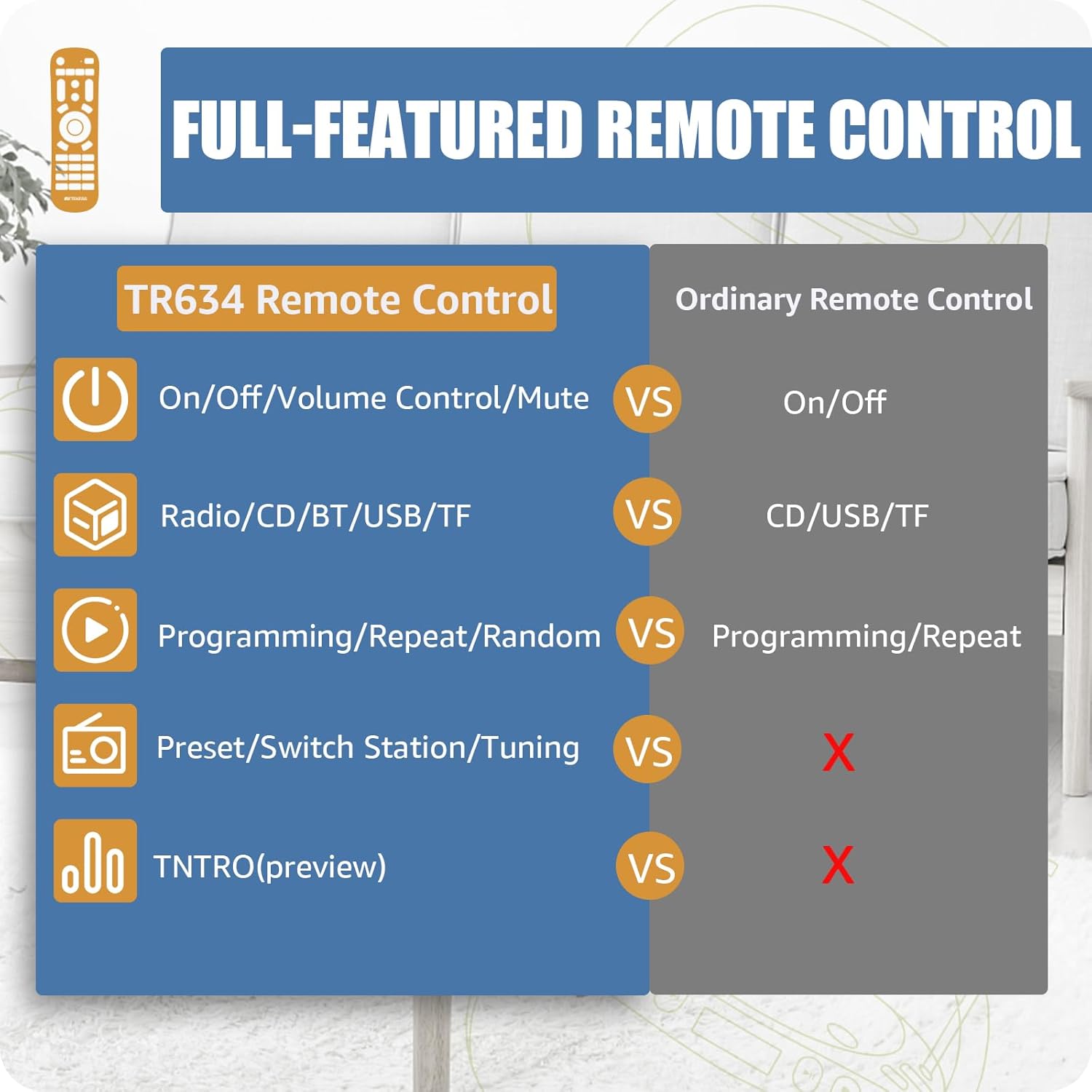
The full-function remote control allows for convenient operation from a distance. It includes buttons for power, volume, mode selection (CD, USB, TF, BT, FM), track navigation, radio tuning, preset management, program, repeat, random play, and preview (INTRO).
4. Setup
4.1 Power Connection
Connect the provided AC power cord to the AC power input on the rear of the boombox and then plug it into a standard wall outlet.

4.2 Antenna Adjustment (for FM Radio)
For optimal FM radio reception, fully extend the telescopic antenna located on the top of the unit. Adjust its position for the clearest signal.

5. Operating Instructions
5.1 Power On/Off
Press the Power button on the unit or the remote control to turn the boombox on or off.
5.2 CD Playback
1. Open the CD compartment cover by gently pressing the 'OPEN' area on the top of the unit.
2. Place a CD (CD/MP3/WMA format supported) with the label side facing up onto the spindle.
3. Close the CD compartment cover firmly.
4. Press the Mode button until "CD" appears on the LCD display.
5. Press the Play/Pause button to start playback.
5.3 FM Radio Operation
1. Press the Mode button until "FM" appears on the LCD display.
2. Extend the FM antenna for better reception.
3. Automatic Scan: Long press the Previous Track or Next Track button to automatically search for and save available stations.
4. Manual Tuning: Short press the Previous Track or Next Track button to fine-tune the frequency.
5. Preset Stations: Use the CH buttons on the remote to cycle through preset stations.
Video: Demonstrates how to use the remote control for radio tuning and volume adjustment on the Retekess TR634.
5.4 Bluetooth Pairing
1. Press the Mode button until "BT" or "BLUE" appears on the LCD display.
2. The boombox will enter pairing mode, indicated by a flashing Bluetooth icon or text.
3. On your mobile device, enable Bluetooth and search for available devices.
4. Select "Retekess TR634" from the list to connect.
5. Once connected, you can play audio from your device through the boombox.

Video: Illustrates the Bluetooth playback function of the Retekess TR634, showing how to connect a smartphone to the boombox.
5.5 USB/TF Card Playback
1. Insert a USB flash drive into the USB port or a TF card into the TF card slot on the rear panel.
2. Press the Mode button until "USB" or "TF" appears on the LCD display.
3. The unit will automatically begin playing audio files from the inserted storage device.
4. Use the Previous/Next Track buttons to navigate through songs.
5. The remote control offers additional functions like PROG (program playback), REP (repeat), RAN (random play), and INTRO (preview first 10 seconds of each song).
Video: Demonstrates the use of the remote control for CD and USB playback functions on the Retekess TR634.
6. Maintenance
- Cleaning: Use a soft, dry cloth to clean the exterior of the unit. Do not use abrasive cleaners or solvents.
- CD Lens Care: If CD playback issues occur, use a commercially available CD lens cleaner disc.
- Storage: When not in use for extended periods, unplug the unit and store it in a cool, dry place.
7. Troubleshooting
| Problem | Possible Cause | Solution |
|---|---|---|
| No power | Power cord not connected properly; Power outlet not active. | Ensure power cord is securely plugged in. Test the outlet with another device. |
| No sound | Volume too low; Mute function active; Incorrect mode selected. | Increase volume. Check if mute is on. Select the correct playback mode (CD, FM, BT, USB, TF). |
| CD skipping or not playing | CD is dirty or scratched; CD inserted incorrectly; CD format not supported. | Clean the CD. Re-insert the CD with the label side up. Ensure the CD is CD/MP3/WMA format. |
| Poor FM reception | Antenna not extended or positioned correctly; Weak signal in the area. | Fully extend and adjust the telescopic antenna. Try relocating the unit. |
| Bluetooth not connecting | Boombox not in Bluetooth mode; Device not discoverable; Too far from the unit. | Switch the boombox to Bluetooth mode. Ensure Bluetooth is enabled on your device and it's in pairing mode. Move closer to the boombox (within 8m). |
| USB/TF card not recognized | Card/drive inserted incorrectly; Unsupported file format; Corrupted files. | Re-insert the USB drive/TF card. Ensure files are in a supported format (e.g., MP3, WMA). Try another USB drive/TF card. |
8. Specifications
- Model: TR634
- Brand: Retekess
- Product Dimensions: 10.71 x 9.61 x 5.24 inches
- Item Weight: 4.53 pounds
- Connectivity Technology: Bluetooth, USB
- Color: Black
- Speaker Type: Built-In Stereo Speakers
- FM Frequency Range: 88-108 MHz
- Supported CD Formats: CD, MP3, WMA
- Remote Control Range: Approximately 8 meters (26 feet)
9. Warranty and Support
For warranty information or technical support, please refer to the documentation included with your purchase or contact Retekess customer service. Keep your purchase receipt as proof of purchase.


