
FEZIBO B0BN3MNFJM
FEZIBO L Shaped Standing Desk User Manual
Model: B0BN3MNFJM | Brand: FEZIBO
Introduction
This manual provides comprehensive instructions for the assembly, operation, maintenance, and troubleshooting of your FEZIBO L Shaped Standing Desk. Designed for home office use, this desk features triple electric motors for smooth height adjustment, ample storage, and integrated LED lighting. Please read this manual thoroughly before beginning assembly or operation to ensure safe and efficient use.

Figure 1: FEZIBO L Shaped Standing Desk (Black Walnut finish)
This image shows the complete L-shaped standing desk setup, featuring a black walnut finish, multiple monitors, and integrated storage shelves and drawers.
Setup and Assembly
The FEZIBO L Shaped Standing Desk requires assembly. It is recommended that two people assemble the desk due to its size and weight. Please ensure all parts are present before beginning.
Package Contents
The desk typically arrives in two separate boxes, which may be delivered on different days. One box contains the desktop components, and the other contains the frame and motor components. Verify all parts against the included packing list.
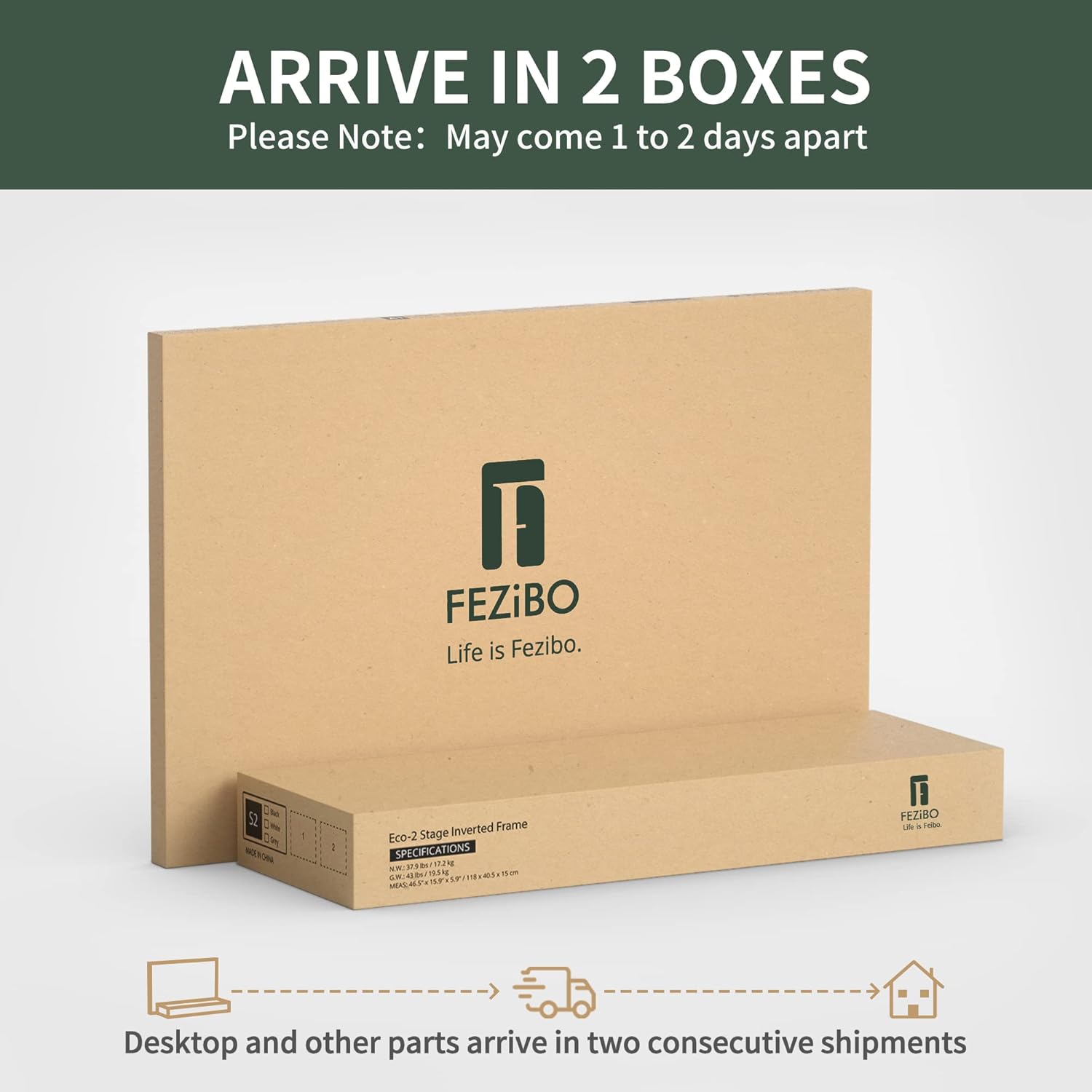
Figure 2: Desk components arriving in two separate boxes.
This image illustrates that the desk is shipped in two distinct packages, one for the desktop and one for the frame, which may arrive on different days.
Assembly Tips
- Read Instructions Carefully: Review both instruction manuals (one for the desktop, one for the legs/motors) thoroughly before starting.
- Two-Person Assembly: Due to the size and weight, especially of the metal frame, assembly is significantly easier and safer with two people.
- Align Drilled Holes: When attaching the legs, ensure they are aligned with the pre-drilled holes. Some smaller holes are for specific screws, while larger ones might be for other purposes or transport.
- Use Proper Tools: While an Allen wrench is provided, a Phillips head screwdriver (preferably with a magnetic tip) will greatly assist in attaching components.
- Hutch Assembly: For easier attachment of the hutch (upper shelf), raise the desk to a comfortable height using the electric lift system after the main frame is assembled and flipped upright.
Operating Instructions
Electric Lift System
The desk is equipped with triple electric motors for smooth, quiet, and stable height adjustment. The height can be adjusted from 27.6 inches to 47.2 inches.

Figure 3: Multi-Function Intelligent Keypad.
This image displays the control panel with buttons for height adjustment, memory presets, and a child-friendly lock.
- Up/Down Buttons: Use the ^ and v buttons for momentary height adjustments.
- Memory Presets: The keypad features 3 preset buttons (1, 2, 3) to store and recall your preferred sitting and standing heights. To set a preset, adjust the desk to the desired height, then press and hold one of the preset buttons until the display flashes or a beep is heard.
- Child-Friendly Lock: The S button functions as a child-friendly memory/screen lock button. Consult the detailed manual for specific activation and deactivation steps.
- Anti-Collision Technology: The desk is equipped with an automatic anti-collision feature. If the desk encounters an obstacle during adjustment, it will stop and slightly reverse direction to prevent damage.
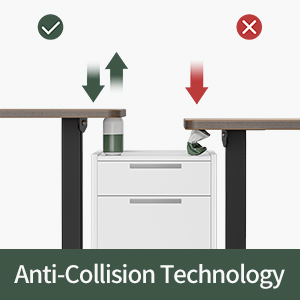
Figure 4: Anti-Collision Technology in action.
This image demonstrates the desk's anti-collision feature, showing it stopping and reversing upon encountering an obstacle.
LED Strip Operation
The integrated 92-inch LED strip offers 358 pre-setting modes for ambient lighting. A remote control is included for selecting your preferred color and mode.
Storage Features
The desk includes a multi-functional storage area with two free echo-chic linen fabric drawers and storage cubicles. The L-shape design also incorporates a monitor stand and additional shelving.
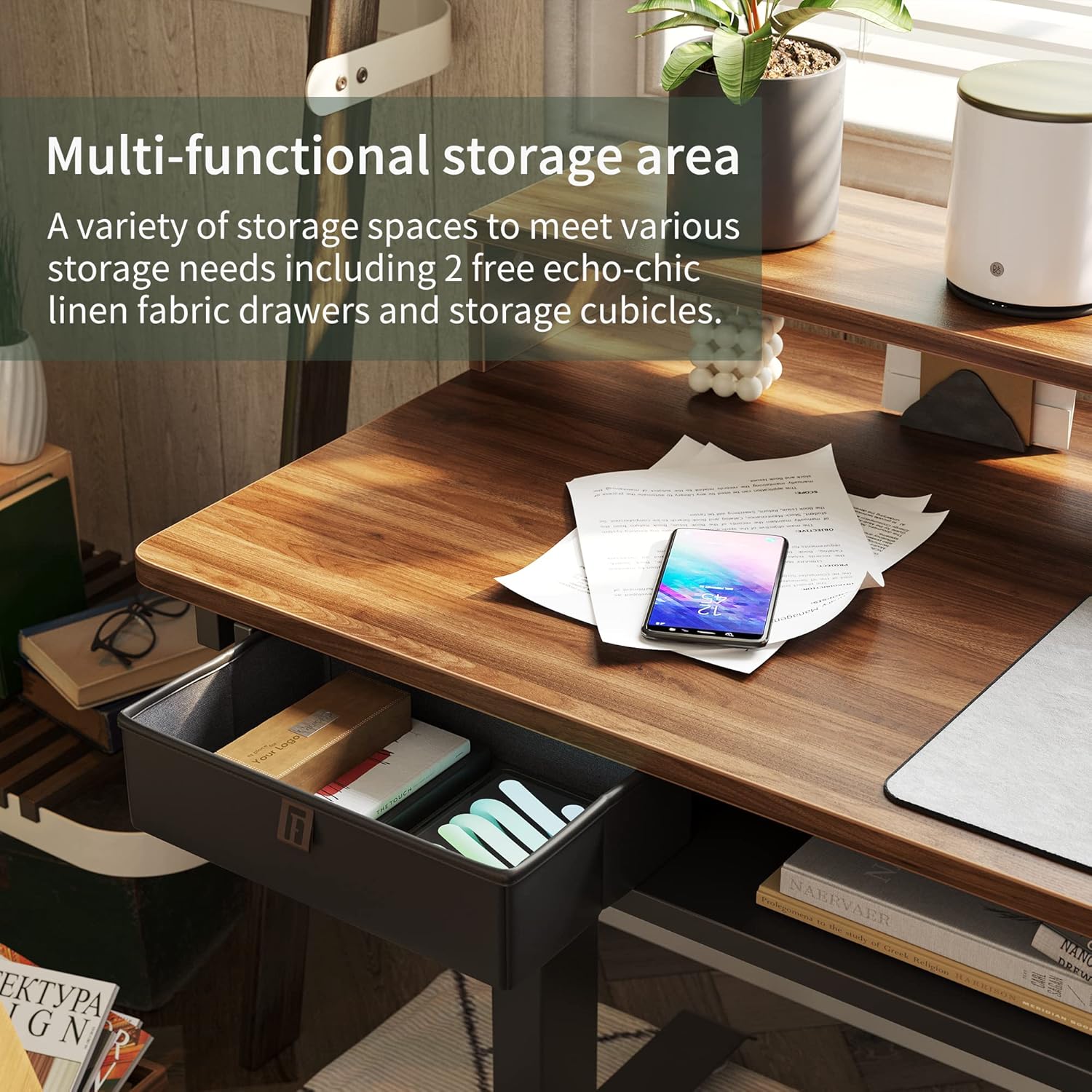
Figure 5: Multi-functional storage area.
This image highlights the various storage options available on the desk, including the fabric drawers and open cubbies.
Additional Features
- Lockable Casters: Swivel casters rotating 360° allow for flexible movement of the desk and can be locked to secure its position. These are replaceable with fixed feet if preferred.
- Monitor Arm Compatibility: The desk is designed with an area suitable for mounting a monitor arm.
- Headphone Hook: A headphone hook is included for convenient storage of your headphones.
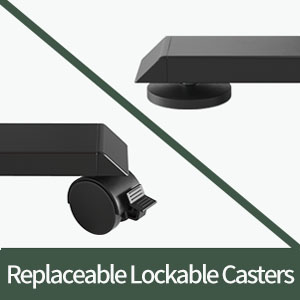
Figure 6: Replaceable Lockable Casters.
This image shows the option to use either lockable casters for mobility or fixed feet for stability.
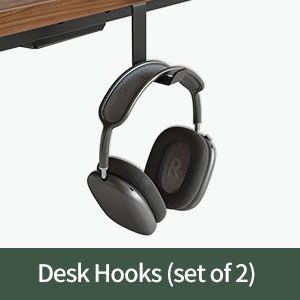
Figure 7: Headphone Hook.
This image displays the included headphone hook, designed for convenient storage.
Maintenance
To ensure the longevity and optimal performance of your FEZIBO L Shaped Standing Desk, follow these simple maintenance guidelines:
- Cleaning: Wipe the desk surfaces with a dry, soft cloth. Avoid abrasive cleaners or harsh chemicals that could damage the finish.
- Motor Care: The triple motors are designed for durability. Avoid overloading the desk beyond its maximum weight capacity of 330 lbs.
- Cable Management: Utilize the provided plastic cord organizers to keep cables tidy and prevent them from interfering with the desk's movement.
- Regular Checks: Periodically check all screws and connections to ensure they remain tight.
Troubleshooting
If you encounter any issues with your FEZIBO L Shaped Standing Desk, please refer to the following common troubleshooting tips:
| Problem | Possible Cause | Solution |
|---|---|---|
| Desk not moving or unresponsive keypad. | Power supply issue, cable disconnected, or motor error. |
|
| Desk stops unexpectedly during adjustment. | Anti-collision feature activated or desk overloaded. |
|
| Difficulty with assembly (e.g., holes not aligning). | Misinterpretation of instructions, minor manufacturing variance. |
|
For more complex issues or if the above solutions do not resolve the problem, please contact FEZIBO customer support.
Specifications
| Feature | Detail |
|---|---|
| Brand | FEZIBO |
| Product Dimensions | 48"D x 63"W x 27"H |
| Color | Black Walnut |
| Style | Modern |
| Base Material | Alloy Steel |
| Finish Type | Wood |
| Special Feature | Corded |
| Recommended Uses | Working, Writing, Studying, Gaming |
| Mounting Type | Freestanding |
| Item Type Name | Standing Desk |
| Item Height (Min) | 27.6 inches |
| Item Height (Max) | 47.2 inches |
| Top Material Type | Wood |
| Product Care Instructions | Wipe with Dry Cloth |
| Required Assembly | Yes |
| Maximum Weight Recommendation | 330 Pounds |
| Recommended Number of People for Assembly | 2 |
| Number of Drawers | 2 |
| Number Of Shelves | 2 |
| Lifting Mechanism | Electric |
| Number of Height Positions | 3 (Memory Presets) |
Warranty and Support
FEZIBO is committed to providing high-quality products and excellent customer service.
Warranty Information
A 5-year protection is provided for the desk's motor, ensuring long-term reliability and performance. Please retain your proof of purchase for warranty claims.
Customer Support
For any questions, assistance with assembly, troubleshooting, or warranty inquiries, please contact FEZIBO customer support:
- Phone: +1 702-620-5156 (Mon-Fri: 8am-12pm; 2pm-6pm CST)
- Email: service@fezibo.com (Hours: 24/7 Mon-Fri)

Figure 8: FEZIBO Service Guarantee details.
This image outlines FEZIBO's commitment to customer service, including 8-hour service response and a 5-year motor protection plan.
Related documentsB0BN3MNFJM


Ask a question about this manual
Ask about setup, troubleshooting, compatibility, parts, safety, or missing instructions. Manuals+ will review the question and use this page’s manual context to help answer it.