
OMTech RYGEL-0503
OMTech Polar 50W Desktop Laser Engraver Instruction Manual
Model: RYGEL-0503 | Brand: OMTech
Product Overview
The OMTech Polar 50W Desktop Laser Engraver is a versatile CO2 laser machine designed for engraving and cutting various materials. It features a spacious 12"x20" (300x510 mm) work area, a 5MP camera for precise positioning, and compatibility with popular software like RDWorks and LightBurn. This manual provides essential information for setup, operation, maintenance, and troubleshooting.
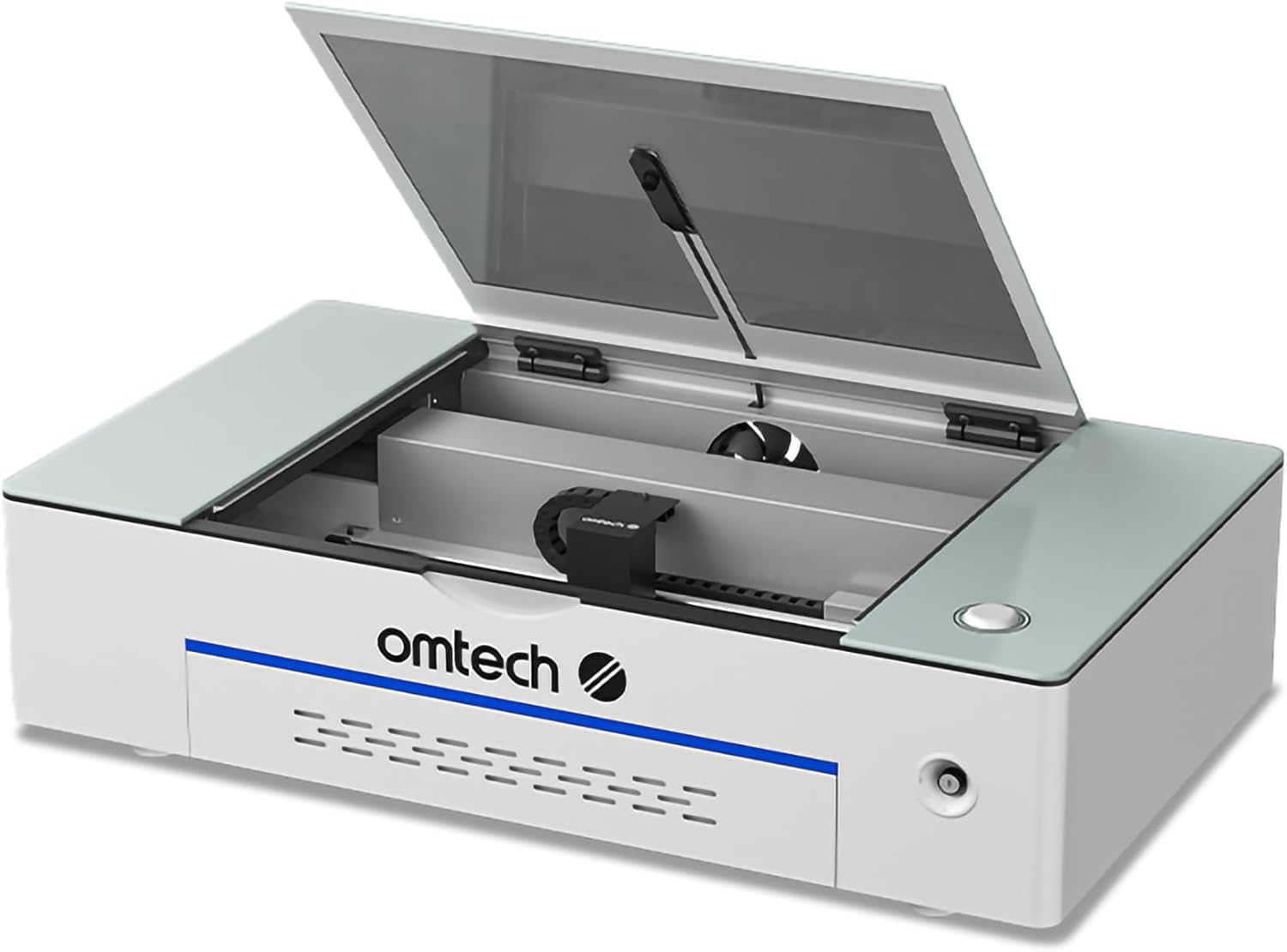
Image: The OMTech Polar 50W Desktop Laser Engraver, showcasing its compact design and open lid revealing the interior workspace.
Safety Information
Always prioritize safety when operating the laser engraver. This machine is a Class 2 laser product with an output power of 0.827 mW.
- Eye Protection: Never look directly into the laser beam. Always use appropriate laser safety glasses.
- Ventilation: Ensure proper ventilation to remove smoke and fumes generated during operation. Use the provided fume extractor and ducting.
- Material Compatibility: Only engrave or cut materials approved for CO2 lasers. Avoid materials that produce toxic fumes or are highly flammable.
- Emergency Stop: Familiarize yourself with the emergency stop button location.
- Cover Protection: The machine is equipped with a safety interlock that automatically cuts power when the cover is opened during operation. Do not bypass this feature.
- Laser Key Lock: Use the laser key lock to prevent unauthorized use.

Image: Diagram illustrating the safety features of the OMTech Polar, including the cover protection, laser key lock, and the powerful duct fan for smoke removal.
Setup and Installation
Unpacking and Inspection
Carefully unpack all components and inspect for any damage. Retain original packaging for future transport or service.
Package Contents
Verify that all items listed below are included in your package:
- 1 × Desktop Laser Engraver
- 1 × USB Flash Drive (with Software)
- 1 × Laser Head Set
- 2 × Exhaust Pipes
- 2 × Rotary Axes
- 1 × Duct Fan with Remote
- 5 × Wood Boards
- 1 × Duct Fan Adapter
- 5 × Paper Boards
- 3 × Hose Clamps
- 5 × Acrylic Boards
- 2 × Rotary Axis Wires
- 1 × Power Cable
- 1 × Box with Tools
- 2 × USB Cables
- 1 × Box with Fuses
- 1 × Ethernet Cable
- 1 × Instruction Manual

Image: Visual representation of the OMTech Polar 50W Laser Engraver and its main accessories included in the package, such as the fan, ducting, and rotary attachments.
Placement and Environment
Place the engraver on a stable, level surface. Ensure adequate space around the machine for ventilation and access. The dimensions of the unit are approximately 38.2 x 22.3 x 9.2 inches. Maintain a clean, dust-free environment.
Connecting Components
- Power Connection: Connect the power cable to the engraver and a grounded electrical outlet.
- USB/Ethernet Connection: Connect the engraver to your computer using either a USB or Ethernet cable for data transfer.
- Fume Extraction: Attach the duct fan and exhaust pipes to the designated port on the engraver. Ensure proper sealing to effectively remove smoke and debris.
- Water Chiller: The machine features a built-in water chiller system. Ensure the water tank is filled with distilled water or a recommended coolant.
- Rotary Axes (Optional): If using the rotary axes for cylindrical objects, connect them according to the instructions provided with the accessory.
Operating Instructions
Powering On and Initial Checks
Turn on the main power switch. The machine will perform a self-check. Ensure the lid is closed and the laser key is in the 'on' position before starting any operation.
Software Compatibility and Usage
The OMTech Polar 50W is compatible with several software applications, including RDWorks (bundled), LightBurn, CorelDRAW, and AutoCAD.
- RDWorks: The included software provides comprehensive control over the laser engraver. Refer to the RDWorks manual for detailed instructions.
- LightBurn: A popular third-party software known for its intuitive interface and advanced features. A separate license may be required.
- CorelDRAW & AutoCAD: These design software can be used to create designs that are then imported into RDWorks or LightBurn for laser processing.

Image: Icons representing the software compatibility of the OMTech Polar, including LightBurn, CorelDRAW, and AutoCAD, alongside a laptop displaying a design interface.
Material Placement and Focusing
Place your material securely on the workbed. The machine features an "Easy Focus" function. Utilize the integrated 5MP high-resolution camera for accurate positioning and alignment of your designs on the material.

Image: A close-up view of the 5MP high-resolution camera, highlighting its role in accurate design positioning.
Engraving and Cutting Parameters
Adjust laser power, engraving speed (up to 500 mm/s), and cutting depth (up to 0.4 inches for single pass on basswood) based on the material type and desired outcome. Refer to material testing guides for optimal settings.
Supported Materials
The OMTech Polar 50W supports a wide range of materials for engraving and cutting. Refer to the table below for common materials:
| Material | Engraving | Cutting | Material | Engraving | Cutting |
|---|---|---|---|---|---|
| Wood | ✓ | ✓ | Mylar | ✓ | ✓ |
| Acrylic | ✓ | ✓ | Cork | ✓ | ✓ |
| Leather | ✓ | ✓ | Glass | ✓ | ✗ |
| Plastic | ✓ | ✓ | Fiberglass | ✓ | ✗ |
| Cardboard | ✓ | ✓ | Ceramic | ✓ | ✗ |
| Pressboard | ✓ | ✓ | Brick | ✓ | ✗ |
| Fabric | ✓ | ✓ | Stone | ✓ | ✗ |
| MDF | ✓ | ✓ | Jade | ✓ | ✗ |
| Rubber | ✓ | ✓ | Marble | ✓ | ✗ |
| PVC | ✓ | ✓ | Shale | ✓ | ✗ |
| Bamboo | ✓ | ✓ | Cement | ✓ | ✗ |
| Kraft Paper | ✓ | ✓ | Corian | ✓ | ✗ |
| Corrugated Paper | ✓ | ✓ | Coated Metal | ✓ | ✗ |
| Felt | ✓ | ✓ | Electroplated Metal | ✓ | ✗ |
| Delrin | ✓ | ✓ | Painted Metal | ✓ | ✗ |
| Melamine | ✓ | ✓ | Anodized Metal | ✓ | ✗ |
Note: ✓ indicates supported, ✗ indicates not supported for cutting.

Image: A comprehensive table detailing the compatibility of the OMTech Polar with various materials for both engraving and cutting applications.
Maintenance
Regular maintenance ensures optimal performance and extends the lifespan of your laser engraver.
- Lens and Mirror Cleaning: Regularly inspect and clean the laser lens and reflective mirrors using specialized lens cleaning solution and wipes. Dust and debris can significantly reduce laser performance.
- Water Chiller Maintenance: Periodically check the water level in the built-in water chiller and refill with distilled water or recommended coolant as needed. Ensure the water remains clean and free of algae.
- Fume Extractor and Ducting: Clean the fume extractor fan and inspect the ducting for blockages or leaks to ensure efficient smoke and dust removal.
- Workbed Cleaning: Clean the workbed regularly to remove debris and residue from engraved or cut materials.
- Lubrication: Apply a small amount of lubricant to the guide rails and moving parts as recommended in the detailed product manual to ensure smooth operation.
Troubleshooting
This section addresses common issues you might encounter. For more complex problems, contact customer support.
- Laser Not Firing:
- Check if the laser key is in the 'on' position.
- Ensure the lid is fully closed and the safety interlock is engaged.
- Verify power connection and software settings.
- Poor Engraving/Cutting Quality:
- Clean the laser lens and mirrors.
- Ensure proper focus.
- Adjust power and speed settings for the material.
- Check for material inconsistencies.
- Software Connection Issues:
- Verify USB/Ethernet cable connection.
- Restart both the machine and the computer.
- Ensure correct drivers are installed.
- For LightBurn, ensure you have the correct license for DSP machines if applicable.
- Camera Calibration Issues:
- Refer to the software's specific instructions for camera calibration.
- Ensure adequate lighting in the work area.
Specifications
| Product Dimensions | 38.2 x 22.3 x 9.2 inches |
| Item Model Number | RYGEL-0503 |
| Laser Power | 50W CO2 Laser |
| Work Area | 12" x 20" (300x510 mm) |
| Max. Engraving Speed | 500 mm/s |
| Max. Cutting Depth | 0.4" (Single Pass on Basswood) |
| Camera | 5MP High-Resolution Camera |
| Laser Class | Class 2, 0.827 mW output power |
| Manufacturer | OMTech |
| Date First Available | November 22, 2022 |
Warranty and Support
Warranty Information
The OMTech Polar 50W Desktop Laser Engraver typically comes with a return policy allowing for refund or replacement within 30 days of purchase. For detailed warranty terms and conditions, please refer to your purchase documentation or contact OMTech customer service.
Customer Service and Technical Support
OMTech provides comprehensive customer service and technical support.
- Global Customer Service: A 24-hour service team is available in the U.S., the Philippines, and China.
- U.S.-based Technical Support: Quick response to resolve any issues you encounter.
- Demo Room Program: OMTech has over 60 demo room hosts across the U.S., with the number continually increasing, offering local support and demonstrations.
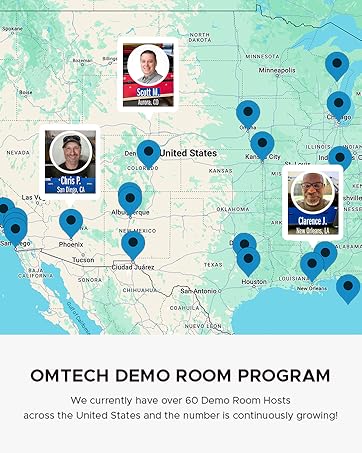
Image: A map illustrating the widespread network of OMTech demo room hosts across the United States, indicating local support availability.
Related documentsRYGEL-0503

Ask a question about this manual
Ask about setup, troubleshooting, compatibility, parts, safety, or missing instructions. Manuals+ will review the question and use this page’s manual context to help answer it.