

1. Product Overview
The FEZIBO L Shaped Standing Desk is an advanced ergonomic workstation designed for comfort and productivity. It features a robust triple-motor lifting system, integrated power solutions, and customizable LED lighting. This manual provides comprehensive instructions for assembly, operation, maintenance, and troubleshooting to ensure optimal performance and longevity of your desk.

Figure 1.1: Fully assembled FEZIBO L Shaped Standing Desk in use.
2. Setup and Assembly
Please read all instructions carefully before beginning assembly. It is recommended that two people assemble this desk due to its weight and size.
2.1 Unpacking
Your FEZIBO L Shaped Standing Desk will arrive in two separate packages, which may be delivered on different days. Ensure both boxes are received before starting assembly.

Figure 2.1: Product packaging indicating delivery in two boxes.
2.2 Assembly Steps
- Unpack all components and verify against the parts list provided in the included assembly guide.
- Assemble the desk frame according to the detailed instructions in the separate assembly manual. Pay close attention to the orientation of the L-shaped sections.
- Attach the desktop sections to the assembled frame. Note that some pre-drilled holes for the keypad or frame may require minor adjustments or additional drilling if they do not align perfectly.
- Install the integrated power strip, ensuring all cables are securely connected and routed.
- Attach the monitor stand, desk hooks, and optional lockable casters as desired. The casters allow for flexible movement and protect your floor.

Figure 2.2: Key dimensions of the FEZIBO L Shaped Standing Desk.
2.3 Initial Power-Up and Calibration
After assembly, connect the desk to a power source. It is crucial to perform the initial calibration as per the separate assembly guide. Failure to calibrate may result in the desk not raising or lowering correctly, or displaying error messages. This process typically involves holding down specific buttons until the desk reaches its lowest point and then slightly rises, resetting its height limits.
3. Operation
3.1 Height Adjustment
The desk features a multi-function intelligent keypad for height control. Use the up and down arrows for momentary adjustments. The desk can be adjusted from 27.56 inches to 47.24 inches.

Figure 3.1: Multi-Function Intelligent Keypad.
3.2 Memory Presets
The keypad includes three preset buttons (1, 2, 3) to store your preferred sitting and standing heights. To save a height, adjust the desk to the desired position, then press and hold the 'S' button followed by the desired preset number (1, 2, or 3) until the display confirms the setting. To recall a saved height, simply press the corresponding preset button.
3.3 LED Lighting Control
The desk is equipped with 92-inch long LED strips offering 358 pre-setting modes. Control the lighting using the included wireless remote. You can select your favorite color, adjust brightness, and change modes to create your desired ambiance.

Figure 3.2: Decorative Ambient Light Design with LED strips.
Video 3.1: Demonstration of the FEZIBO L Shaped Standing Desk with LED Strips in operation, showcasing its height adjustment and lighting features.
3.4 Integrated Power Outlets
A built-in power strip provides convenient access to power with 2 standard outlets, 1 USB port, and 1 Type-C port. Use these for charging devices and powering accessories directly from your desk.
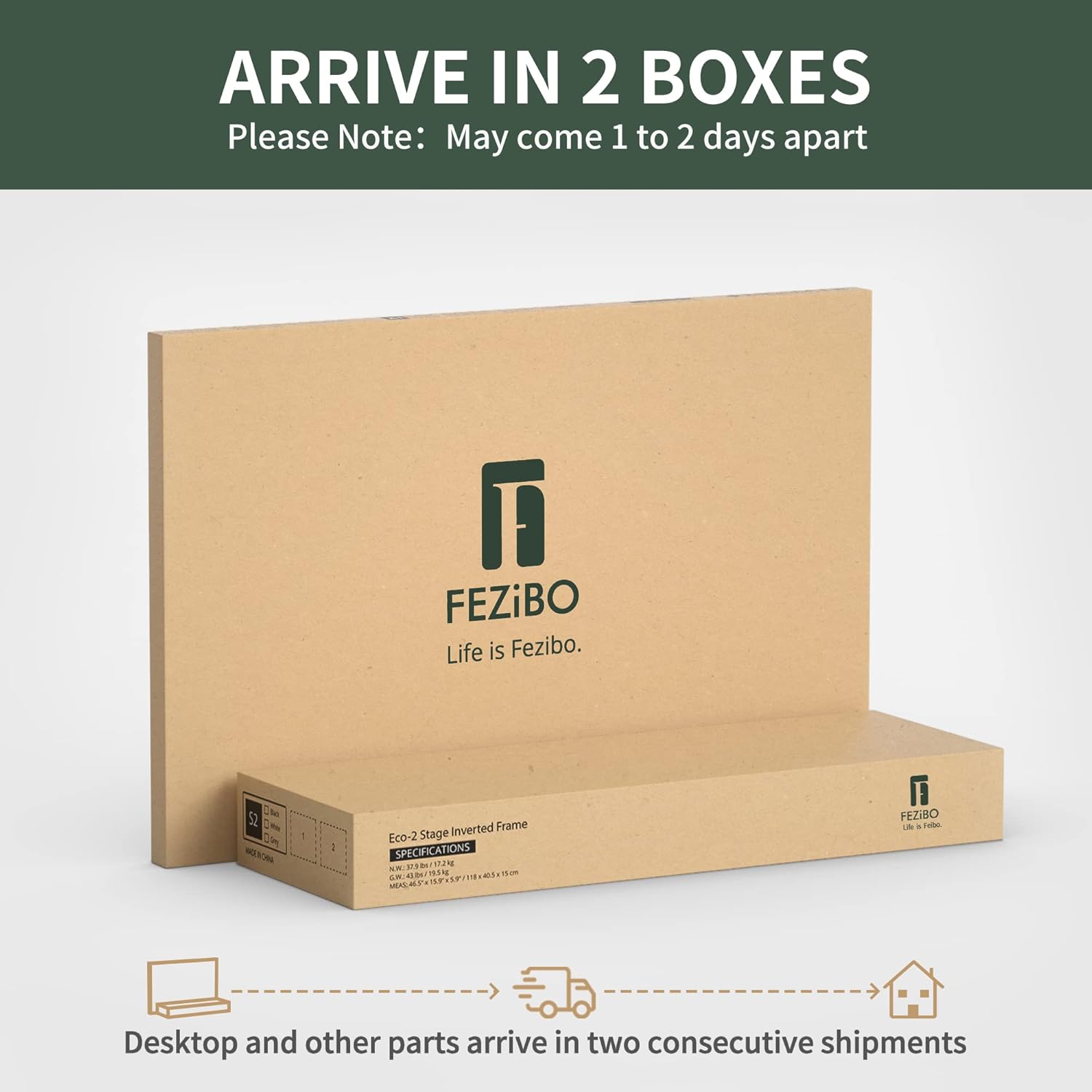
Figure 3.3: Power outlets and various accessories including desk hooks and replaceable lockable casters.
4. Maintenance
4.1 Cleaning
To clean the desk surface, use a soft, damp cloth with a mild, non-abrasive cleaner. Avoid harsh chemicals or abrasive materials that could damage the laminated finish. For the metal frame, a dry or slightly damp cloth is sufficient.
4.2 General Care
- Regularly check all screws and connections to ensure they remain tight.
- Avoid placing excessively heavy items on the desk, though it supports up to 330 lbs.
- Keep liquids away from electronic components and power outlets.
- Ensure proper cable management to prevent snagging or damage during height adjustments.
5. Troubleshooting
5.1 Height Adjustment Issues
- Desk not moving or displaying error code: This often indicates a need for recalibration. Refer to the initial power-up and calibration steps in Section 2.3. Ensure all cables are securely connected to the control box and motors.
- Desk stops unexpectedly: The desk features an automatic anti-collision technology. If the desk encounters an obstruction during movement, it will stop and reverse slightly. Remove any obstructions and try again.
5.2 LED Light Malfunctions
- LEDs not lighting up: Check the power connection to the LED strips. Ensure the remote control has working batteries and is pointed towards the receiver.
- Inconsistent lighting: Verify that the LED strips are fully and correctly plugged in.
5.3 Power Outlet Issues
- Outlets not providing power: Ensure the main power cable to the desk is securely plugged into a functional wall outlet. Check if the desk's power strip has a reset button or fuse that needs attention.
6. Specifications
| Feature | Detail |
|---|---|
| Brand | FEZIBO |
| Model | B0BN357W44 |
| Product Dimensions (D x W x H) | 48"D x 63"W x 27"H |
| Color | Black Walnut |
| Motor Type | Triple Motor |
| Maximum Load Capacity | 330 Pounds |
| Height Adjustment Range | 27.56" to 47.24" (approx. 70cm to 120cm) |
| Lifting Speed | 25mm/s |
| Power Outlets | 2-Outlets, 1 USB, 1 Type-C port |
| LED Strips | 92 inches long, 358 pre-setting modes |
| Included Components | Built-in Outlet&USB port, Desk Hooks (Set of 2), Lockable Casters |
| Required Assembly | Yes (Recommended 2 people) |
| Item Weight | 133 Pounds |
7. Warranty and Support
7.1 Warranty Information
This FEZIBO L Shaped Standing Desk comes with a Limited Warranty. For specific details regarding coverage duration and terms, please refer to the warranty card included with your product or contact FEZIBO customer service.
7.2 Customer Support
For any questions, technical assistance, or warranty claims, please contact FEZIBO customer support through the official website or the contact information provided in your product packaging. Please have your model number (B0BN357W44) and purchase date ready when contacting support.
You may also find additional resources and FAQs on the FEZIBO Store on Amazon.