
ECONTROLLY A75C377
ECONTROLLY A75C377 Replacement Remote Control User Manual
Model: A75C377
Brand: ECONTROLLY
Product Overview
This manual provides instructions for the ECONTROLLY A75C377 Replacement Remote Control, designed to be compatible with various PANASONIC Air Conditioner models, including A75C377 and A75C559.

Image 1: Front view of the remote control, displaying the LCD screen and primary function buttons for power, mode selection, temperature adjustment, fan speed, and air swing.
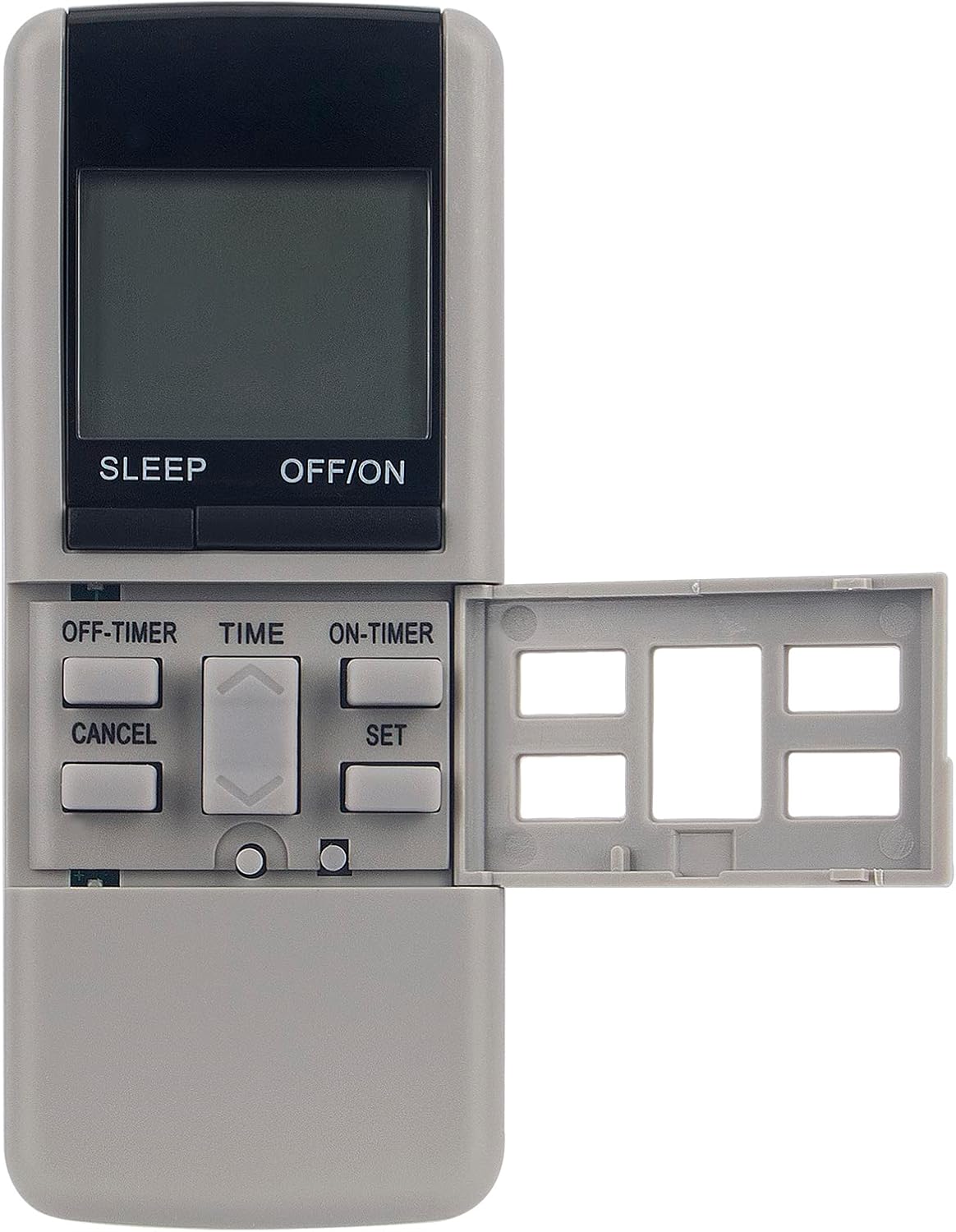
Image 2: Front view of the remote control with the sliding cover open, exposing secondary buttons for timer settings (OFF-TIMER, ON-TIMER), time adjustment, and setting confirmation/cancellation.

Image 3: Back view of the remote control, illustrating its ergonomic design and smooth finish.
Setup and Battery Installation
Required Batteries
The remote control requires 2 AAA batteries (not included).
Battery Installation Steps
- Locate the battery compartment. For this model, the battery compartment is located under the sliding cover at the bottom front of the remote.
- Slide the battery cover open.
- Insert two AAA batteries, ensuring the positive (+) and negative (-) terminals align correctly with the markings inside the compartment.
- Slide the battery cover back into place until it clicks securely.
After installing batteries, the remote control is ready for use. No programming is typically required for this replacement model if your original remote was A75C377 or A75C559.
Operating Instructions
This remote control provides full functionality for your compatible Panasonic Air Conditioner.
Basic Functions
- OFF/ON Button: Press to turn the air conditioner on or off.
- MODE Button: Cycles through operating modes such as Cool, Heat, Fan, Dry, Auto.
- TEMP. Buttons (Up/Down Arrows): Adjusts the desired temperature setting.
- FAN SPEED Button: Changes the fan speed (e.g., Low, Medium, High, Auto).
- SWING Button: Activates or deactivates the air swing function.
- SLEEP Button: Engages the sleep mode for quiet operation and energy saving.
- MANUAL Button: Used for specific manual operations, refer to your air conditioner's main manual for details.
Advanced Functions (Under Sliding Cover)
Slide down the front cover to access additional functions.
- OFF-TIMER Button: Sets a timer for the air conditioner to turn off automatically.
- ON-TIMER Button: Sets a timer for the air conditioner to turn on automatically.
- TIME Button: Used to set the current time on the remote's display.
- SET Button: Confirms timer or time settings.
- CANCEL Button: Cancels active timer settings.
Maintenance
Battery Replacement
Replace batteries when the remote's display becomes dim or the remote stops responding. Always replace both batteries simultaneously with new AAA batteries.
Cleaning
Wipe the remote control with a soft, dry cloth. Do not use liquid cleaners or abrasive materials, as they may damage the remote's surface or internal components.
Avoid exposing the remote to direct sunlight, high temperatures, or high humidity.
Troubleshooting
| Problem | Solution |
|---|---|
| Remote not responding | Check battery orientation, replace batteries, ensure clear line of sight to AC unit sensor. |
| Limited range | Replace batteries, ensure no obstructions between remote and AC unit. |
| Specific function not working | Ensure your air conditioner model supports the function. Refer to your AC unit's manual. |
Product Specifications
- Model: A75C377
- Brand: ECONTROLLY
- Compatible Models: PANASONIC Air Conditioner A75C377, A75C559, and others (verify compatibility with your specific AC model).
- Power Source: 2 x AAA Batteries (not included)
- Connectivity Technology: Infrared (IR)
- Dimensions: 7 x 2 x 0.65 inches (approximately)
- Weight: 3 ounces (without batteries)
- Material: ABS Plastic
Warranty and Support
For warranty information or technical support, please contact your retailer or the ECONTROLLY customer service department. Refer to the product packaging or purchase documentation for specific contact details.
This replacement remote control is designed to function as a direct substitute for the original. If you experience issues, please ensure your air conditioner unit is functioning correctly and that the remote has a clear line of sight to the unit's infrared receiver.
Ask a question about this manual
Ask about setup, troubleshooting, compatibility, parts, safety, or missing instructions. Manuals+ will review the question and use this page’s manual context to help answer it.