
HAKINAKU PTH-12
HAKINAKU PTH-12 4-in-1 Carbon Monoxide, Temperature, and Humidity Detector User Manual
Introduction
Thank you for choosing the HAKINAKU PTH-12 4-in-1 Carbon Monoxide, Temperature, and Humidity Detector. This device is designed to provide real-time monitoring of carbon monoxide (CO) levels, ambient temperature, and humidity. Its compact and portable design, combined with an electrochemical CO sensor and a clear LCD display with an audible alarm, makes it an essential safety tool for various environments.
This manual provides important information on the proper setup, operation, and maintenance of your detector. Please read it thoroughly before use and keep it for future reference.
Safety Information
WARNING: This device detects carbon monoxide (CO) gas. It is not designed to detect smoke, fire, or other gases. Carbon monoxide is a colorless, odorless, and tasteless gas that can be fatal. Always ensure proper ventilation in areas where combustion appliances are used.
- Do not block the sensor openings on the device.
- Do not paint or cover the device.
- Do not expose the device to direct water spray or extreme temperatures.
- Regularly test the device as instructed in this manual.
- If the alarm sounds, immediately move to fresh air and seek professional help to identify and resolve the CO source.
Product Overview
Parts of the Detector

The image above illustrates the key components of your HAKINAKU PTH-12 detector:
- Indicator Light: Displays device status and CO level warnings.
- Carbon Monoxide Value: Digital display of CO concentration in parts per million (ppm).
- Temperature: Displays ambient temperature in Celsius or Fahrenheit.
- Humidity: Displays relative humidity percentage.
- Power Display: Battery level indicator.
- Charging Port: Micro USB port for charging the internal battery.
- Heat Sink: Located on the back for heat dissipation.
- Kickstand: Integrated stand for desktop placement.
Display and Indicators

The large, high-resolution color screen provides real-time readings for CO concentration, temperature, and humidity. The indicator light and display color change based on CO levels, providing clear visual warnings.
Specifications
| Feature | Specification |
|---|---|
| Model | PTH-12 |
| CO Measurement Range | 0-500 ppm |
| CO Alarm Threshold | 200-500 ppm |
| Temperature Measurement Range | -10°C to 40°C (14°F to 104°F) |
| Humidity Measurement Range | 20% - 80% RH |
| Data Update Frequency | Every 2 seconds |
| Power Supply | Built-in 2400mAh Lithium Battery |
| Charging Input | DC 5V / 1A (USB Type-C) |
| Full Charge Time | Approximately 5 hours |
| Product Dimensions | 83mm x 83mm (3.26 in x 3.26 in) |
| Product Weight | 150g |
| Sensor Type | Electrochemical Gas Sensor (for CO) |
| Certifications | EU standard EN-50291 (for CO detectors) |
Setup
Initial Charging
- Before first use, fully charge the device using the provided USB Type-C cable. Connect the cable to the charging port on the side of the detector and to a standard USB power adapter (DC 5V/1A).
- The battery indicator on the display will show charging status. A full charge takes approximately 5 hours.
- The device can operate while charging, providing continuous monitoring.
Placement
For optimal performance and safety, place the detector in an area where carbon monoxide may be present, such as near fuel-burning appliances (stoves, heaters), in sleeping areas, or in enclosed spaces like RVs or tents. Ensure it is not obstructed and has good air circulation.
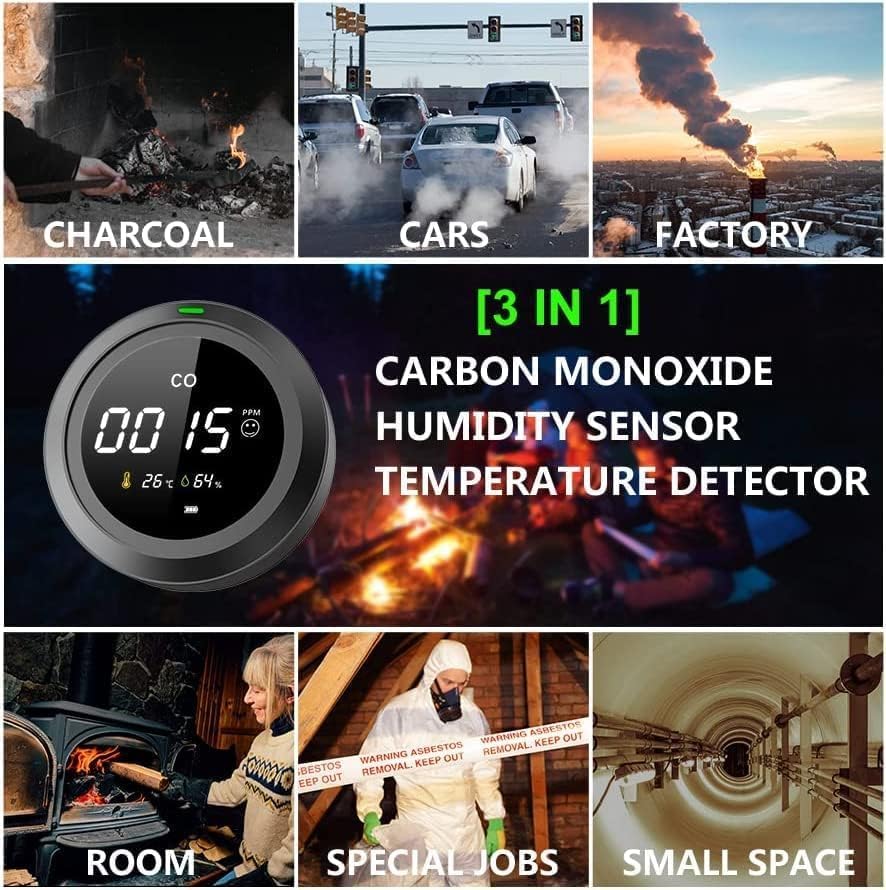
The detector is portable and can be placed on a flat surface using its integrated kickstand or carried with you.
Operation

Button Functions
- Button A (Left Button):
- Short Press: Toggles temperature display between Celsius (°C) and Fahrenheit (°F).
- Long Press: Powers the device ON or OFF.
- Button B (Right Button):
- Short Press: Turns the backlight ON or OFF.
- Long Press: Switches the backlight mode. You can choose between the backlight turning off automatically after 10 minutes or staying on continuously.
CO Level Indicators and Alarm
The device provides visual and audible indications based on detected carbon monoxide levels:
- 0-100 ppm (Green): Indicates safe CO levels. The indicator light will be green, and the display may show a happy emoji symbol.
- 101-200 ppm (Yellow): Indicates elevated CO levels requiring attention. The indicator light will be yellow, and the display may show a neutral emoji symbol. Ventilation is recommended.
- 201-500 ppm (Red): Indicates dangerous CO levels. The indicator light will be red, the display may show a sad emoji symbol, and the device will emit a continuous audible alarm (di.di.di.). Immediately move to fresh air and ventilate the area.
Readings are updated every 2 seconds, providing near real-time monitoring.
Maintenance
- Cleaning: Wipe the device with a soft, dry cloth. Do not use abrasive cleaners, solvents, or detergents, as these can damage the sensor or casing.
- Battery: The device has a built-in rechargeable lithium battery. Recharge it when the battery indicator shows low power. For optimal battery life, avoid fully discharging the battery frequently.
- Storage: Store the device in a cool, dry place away from direct sunlight and extreme temperatures when not in use for extended periods.
- Sensor Longevity: The electrochemical CO sensor has a long lifespan, but its accuracy may degrade over many years. Consider replacing the device after 5-7 years of continuous use.
Troubleshooting
- Device does not power on: Ensure the device is fully charged. Connect it to a USB power source and try again.
- Inaccurate temperature/humidity readings: Allow the device to stabilize in the environment for at least 15-30 minutes. Ensure it is not placed near heat sources, direct sunlight, or high humidity areas.
- CO reading is always 0 ppm: This is normal in fresh, clean air. If you suspect CO is present but the reading is 0, ensure the sensor openings are not blocked. Test the device in a controlled environment if possible (e.g., briefly near a very small, safe source of CO, like a lit match extinguished quickly, but exercise extreme caution).
- Alarm sounds frequently without apparent CO source: Ensure the device is not exposed to strong fumes from cleaning products, aerosols, or other chemicals that might interfere with the sensor. Ventilate the area. If the alarm persists, evacuate and seek professional assistance.
- Backlight not working: Short press Button B to toggle the backlight. If it still doesn't work, ensure the battery is charged.
Warranty and Support
For warranty information or technical support, please refer to the product packaging or contact the retailer from whom you purchased the device. Keep your proof of purchase for any warranty claims.
Related documentsPTH-12


Ask a question about this manual
Ask about setup, troubleshooting, compatibility, parts, safety, or missing instructions. Manuals+ will review the question and use this page’s manual context to help answer it.