
Introduction
Thank you for choosing the Candy Smart 9kg Front Load Washing Machine, model CSS129TW4-11. This manual provides essential information for the safe and efficient use, installation, and maintenance of your appliance. Please read these instructions carefully before using the washing machine and keep them for future reference.
This washing machine features a 9kg capacity, 1200 RPM spin speed, 16 programs, rapid cycles, delayed start, Kilo Detector sensor, and NFC connectivity for smart functions.
Safety Information
Always follow basic safety precautions when using electrical appliances to reduce the risk of fire, electric shock, and injury to persons.
- Ensure the appliance is properly grounded.
- Do not allow children to play with or operate the washing machine.
- Unplug the appliance before cleaning or performing any maintenance.
- Do not wash items that have been cleaned in, washed in, soaked in, or spotted with combustible or explosive substances.
- Do not install or store this appliance where it will be exposed to the weather.
- Do not repair or replace any part of the appliance or attempt any servicing unless specifically recommended in this manual.
Setup and Installation
1. Unpacking
Carefully remove all packaging materials. Remove the transport bolts located at the rear of the machine. These bolts are essential for safe transport and must be removed before use to prevent damage to the appliance.
2. Positioning
Place the washing machine on a firm, level floor. The appliance dimensions are approximately 60 cm (width) x 52 cm (depth) x 85 cm (height). Ensure there is adequate space around the machine for ventilation and access.
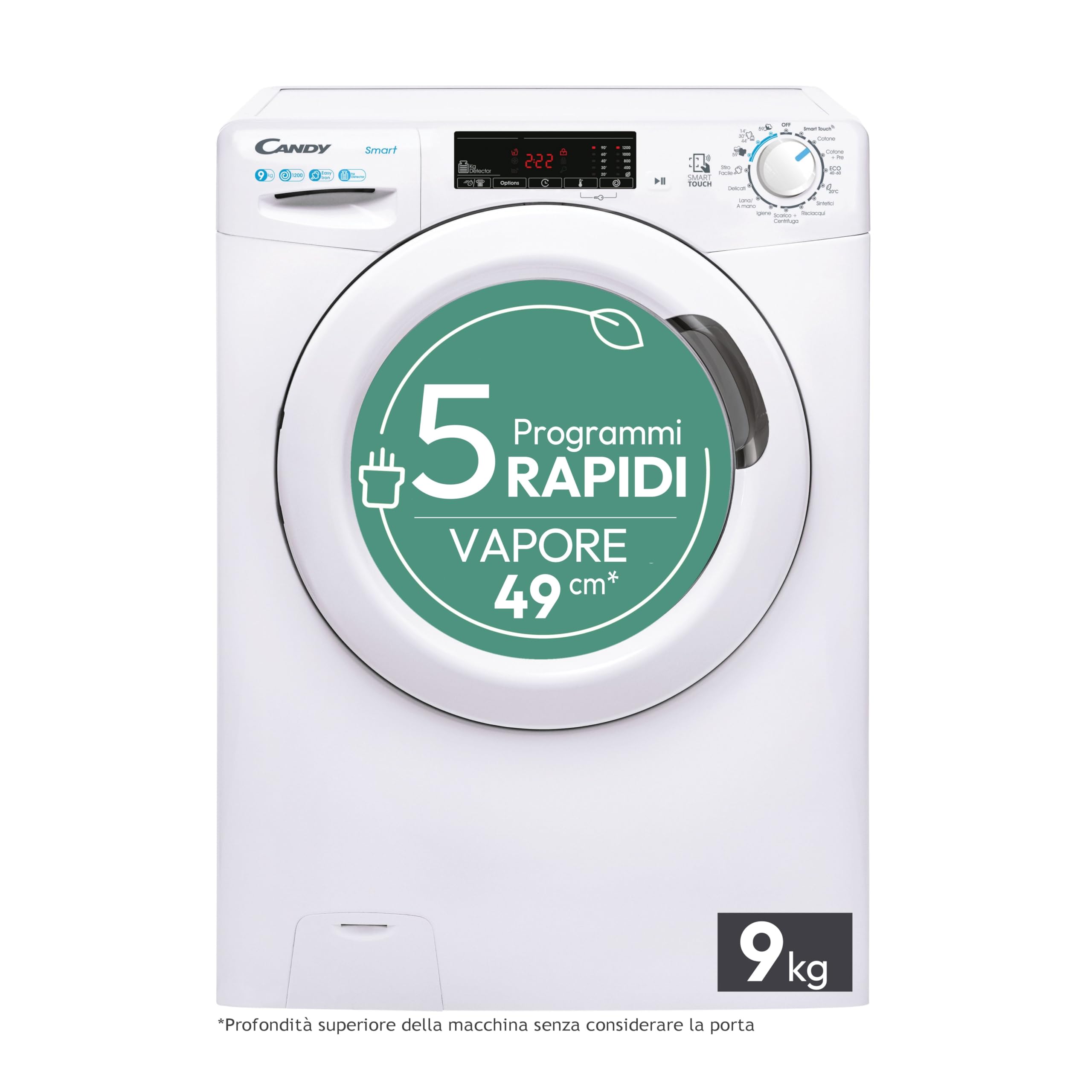
Image: The Candy Smart washing machine positioned in a compact space, demonstrating its space-saving design with a depth of 49 cm (cabinet only, 54 cm with door and pipes).
3. Leveling
Adjust the adjustable feet at the bottom of the washing machine to ensure it is perfectly level. A level machine reduces vibration and noise during operation.
4. Water Connection
Connect the supplied inlet hose to the cold water tap and to the water inlet valve at the back of the washing machine. Ensure all connections are tight to prevent leaks.
5. Electrical Connection
Plug the power cord into a grounded electrical outlet. Ensure the voltage and frequency match the specifications on the rating plate of the appliance (230 Volts).
Operating Instructions
1. Control Panel Overview

Image: The main control dial allows selection of 16 wash programs, including 5 rapid cycles. The display shows program status and options.
The control panel consists of a program selector dial, function buttons, and a digital display. Use the dial to select your desired wash program and the buttons to adjust options like temperature, spin speed, and delayed start.
2. Loading Laundry
Open the door and load laundry into the drum. Do not overload the machine; the maximum capacity is 9 kg. Close the door firmly.
3. Adding Detergent
Pull out the detergent dispenser drawer and add the appropriate amount of detergent and fabric softener to the designated compartments.
4. Program Selection
Turn the program selector dial to choose one of the 16 available wash programs. The machine features a Kilo Detector sensor that automatically adjusts water and energy consumption based on the load size.
Available Programs:
- Rapid Cycles: 14', 30', 44', 59' (Full Load)
- Cotton
- Cotton + Pre-wash
- ECO 40-60
- 20°C
- Synthetics
- Rinse
- Drain + Spin
- Hygiene
- Wool/Hand wash
- Delicates
- Easy Iron
5. Starting a Cycle
Press the Start/Pause button to begin the selected program. To use the Delayed Start function, press the corresponding button to set the desired delay before pressing Start/Pause.
6. Special Functions
- NFC Connectivity: Use the Candy simply-Fi app on your smartphone to access additional cycles, statistics, and the Smart Check-up function for diagnostics.
- Steam Treatment: A 39-minute steam treatment program is available to reduce creases and remove odors, making ironing easier.

Image: The steam treatment function helps reduce creases and remove odors from garments.
7. Ending a Cycle
Once the program is complete, the machine will signal the end of the cycle. Open the door and remove your laundry. Unplug the appliance from the power outlet.
Maintenance
Regular maintenance ensures the longevity and optimal performance of your washing machine.
1. Cleaning the Exterior
Wipe the exterior surfaces with a soft, damp cloth. Do not use abrasive cleaners or solvents.
2. Cleaning the Detergent Dispenser
Remove the detergent dispenser drawer and rinse it under running water to remove any detergent residue. Clean the housing of the drawer with a brush.
3. Cleaning the Filter
Periodically clean the drain pump filter, usually located at the bottom front of the machine. Refer to the diagram in the full instruction manual for specific steps. Ensure to drain any residual water before removing the filter.
4. Drum Cleaning
Run a maintenance wash cycle (e.g., a hot wash with no laundry and a descaling agent) every few months to prevent odor and residue buildup in the drum.
Troubleshooting
Here are some common issues and their potential solutions:
- Machine does not start: Check if the power cord is plugged in, the door is closed properly, and the Start/Pause button has been pressed.
- No water filling: Ensure the water tap is open and the inlet hose is not kinked or blocked.
- Water not draining: Check the drain hose for kinks or blockages, and clean the drain pump filter.
- Excessive vibration/noise: Ensure the machine is level and the transport bolts have been removed. Distribute laundry evenly in the drum.
- Poor washing results: Check detergent dosage, program selection, and water temperature. Do not overload the machine.
For more complex issues, refer to the full user manual or contact customer support.
Specifications
Image: Official Product Information Sheet detailing technical specifications.
| Parameter | Value |
|---|---|
| Model Identifier | CSS129TW4-11 |
| Rated Capacity | 9.0 kg |
| Energy Efficiency Class | B |
| Energy Consumption (Eco 40-60) | 0.570 kWh/cycle |
| Water Consumption (Eco 40-60) | 46 liters/cycle |
| Maximum Spin Speed | 1200 RPM |
| Spin-drying Efficiency Class | B |
| Airborne Acoustical Noise Emissions (Spinning) | 77 dB |
| Airborne Acoustical Noise Emission Class | C |
| Dimensions (H x W x D) | 85 cm x 60 cm x 52 cm |
| Voltage | 230 Volts |
| Number of Programs | 16 |
| Type of Installation | Free-standing |
| Control Type | Mechanical Dial, Buttons |
| Special Features | NFC, Delayed Start, Rapid Programs, Kilo Detector, Smart Check-up |
Warranty Information
This Candy Smart Washing Machine CSS129TW4-11 comes with a 2-year product warranty from the date of purchase. This warranty covers manufacturing defects and faulty materials under normal domestic use.
Please retain your proof of purchase for any warranty claims. The warranty does not cover damage caused by improper installation, misuse, neglect, unauthorized repairs, or normal wear and tear.
Support
For technical assistance, spare parts, or further information regarding your Candy Smart Washing Machine, please refer to the official Candy website or contact your local authorized service center. You can also utilize the Smart Check-up function via the simply-Fi app for initial diagnostics.
When contacting support, please have your model number (CSS129TW4-11) and serial number ready. These can typically be found on a label inside the door or at the back of the appliance.


