1. Introduction
Thank you for choosing the Night Cat Electric Fly Swatter. This powerful and efficient device is designed to eliminate flying insects such as mosquitoes and flies with a high-voltage electric grid. Featuring a 3000V output, a built-in LED light, and a rechargeable USB battery, it offers a convenient and effective solution for insect control in various indoor and outdoor environments. Please read this manual carefully before use to ensure safe and optimal operation.

Figure 1: Night Cat Electric Fly Swatter (M Blue variant)
2. Safety Instructions
To prevent injury or damage to the product, always adhere to the following safety guidelines:
- High Voltage: The internal grid generates high voltage. Do not touch the metal mesh when the swatter is active or charging.
- Keep Away from Children: This product is not a toy. Store it out of reach of children and pets.
- Water Exposure: Do not expose the swatter to water or other liquids. Do not use it in wet environments or during rain.
- Flammable Materials: Do not use the swatter near flammable gases or liquids.
- Cleaning: Do not use water to clean the mesh. Use a dry brush or cloth to remove insect debris.
- Charging: Use only the provided USB cable for charging. Do not overcharge the battery.
- Damage: Do not use the swatter if it is damaged. Contact customer support for assistance.
- Intended Use: Use this product only for its intended purpose of eliminating flying insects.
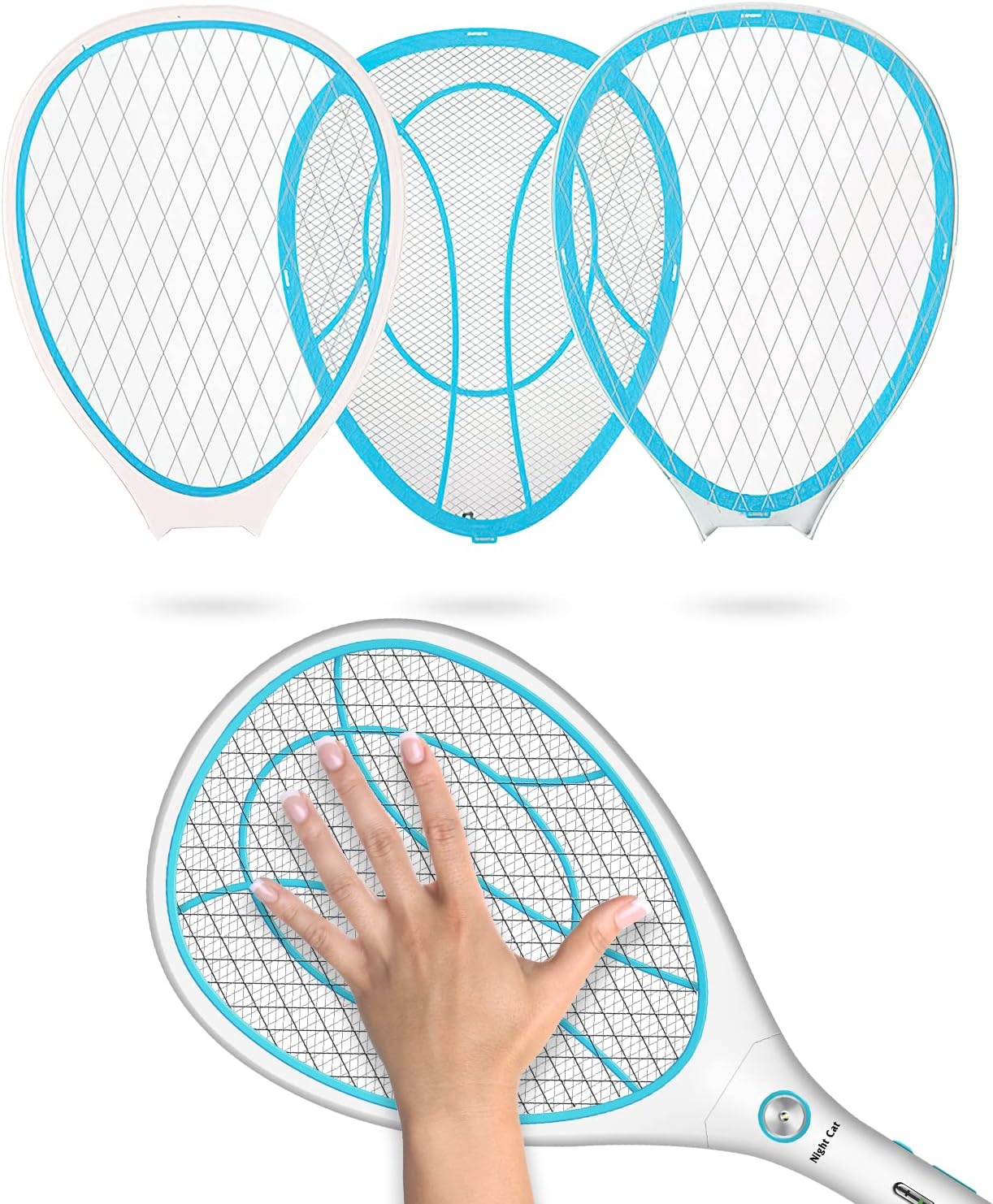
Figure 2: The protective outer mesh prevents accidental contact with the high-voltage inner grid.
3. Product Features
The Night Cat Electric Fly Swatter is equipped with several features designed for effective and safe insect control:
- High Efficiency: 3000V output voltage effectively eliminates insects upon contact with the electric grid.
- LED Lighting: Built-in LED lamp assists in locating, attracting, and eliminating insects, and can also serve as an emergency light.
- Rechargeable Battery: Integrated 1200mAh battery provides extended continuous use on a single charge.
- USB Charging: Convenient USB charging allows for easy recharging via various power sources.
- Enhanced Safety: Protective grids on both sides prevent accidental contact with the high-voltage mesh, ensuring user safety.
- Durable Construction: Made from new ABS materials, ensuring a bright, glossy appearance and a robust, long-lasting frame.
- Three-Layer Mesh Design: Features an outer protective mesh, an inner high-voltage mesh, and another outer protective mesh for maximum safety and effectiveness.
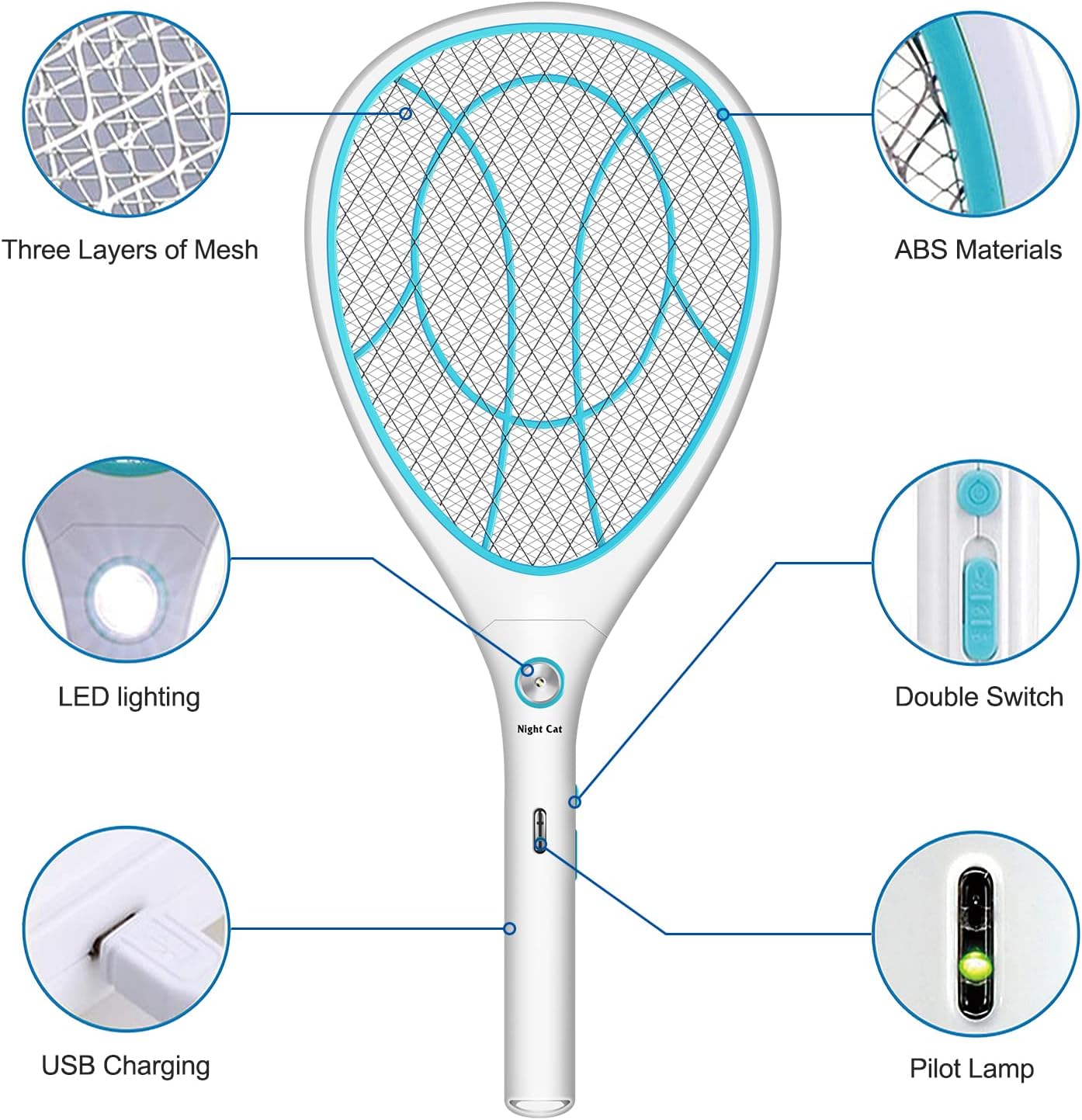
Figure 3: Key features including three layers of mesh, ABS materials, LED lighting, double switch, USB charging, and pilot lamp.

Figure 4: Visual representation of key features: USB charging, three-layer mesh, 3000V high voltage, and LED light.
4. Setup
Before first use, ensure the electric fly swatter is fully charged.
- Initial Charge: Connect the provided USB charging cable to the charging port on the handle of the swatter.
- Power Source: Plug the other end of the USB cable into a compatible USB power adapter (e.g., phone charger, power bank, computer USB port).
- Charging Indicator: The pilot lamp (indicator light) will illuminate during charging. It will change color or turn off once the battery is fully charged. Refer to the product's specific indicator behavior for full charge status.
- Charging Time: Allow sufficient time for a full charge, typically a few hours for the 1200mAh battery.
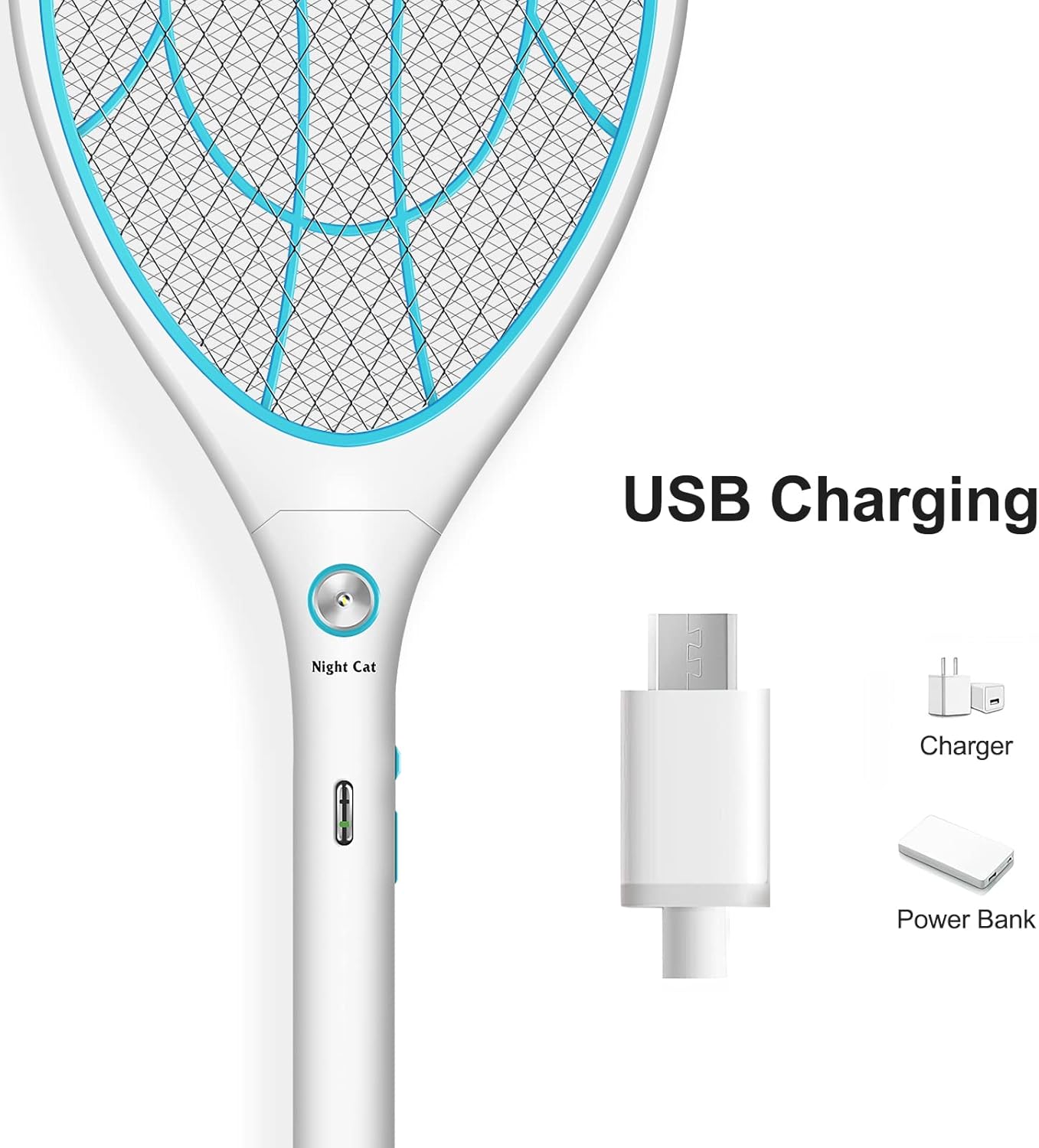
Figure 5: The USB charging port located on the handle for convenient power replenishment.

Figure 6: The swatter can be charged using standard USB chargers and power banks.
5. Operating Instructions
Follow these steps to effectively use your Night Cat Electric Fly Swatter:
- Power On: Locate the power switch on the handle and slide it to the "ON" position.
- Activate High Voltage: Press and hold the activation button (usually a larger button on the handle) to energize the high-voltage mesh. An indicator light will typically turn on to confirm activation.
- Swatting: Swing the swatter towards the insect, ensuring it makes contact with the electrified mesh. A "zap" sound and a small spark indicate successful elimination.
- LED Light Usage: To use the built-in LED light, activate it via its dedicated button (if present) or by pressing the main activation button. This can help locate insects in low-light conditions.
- Power Off: After use, release the activation button and slide the power switch to the "OFF" position to conserve battery and ensure safety.
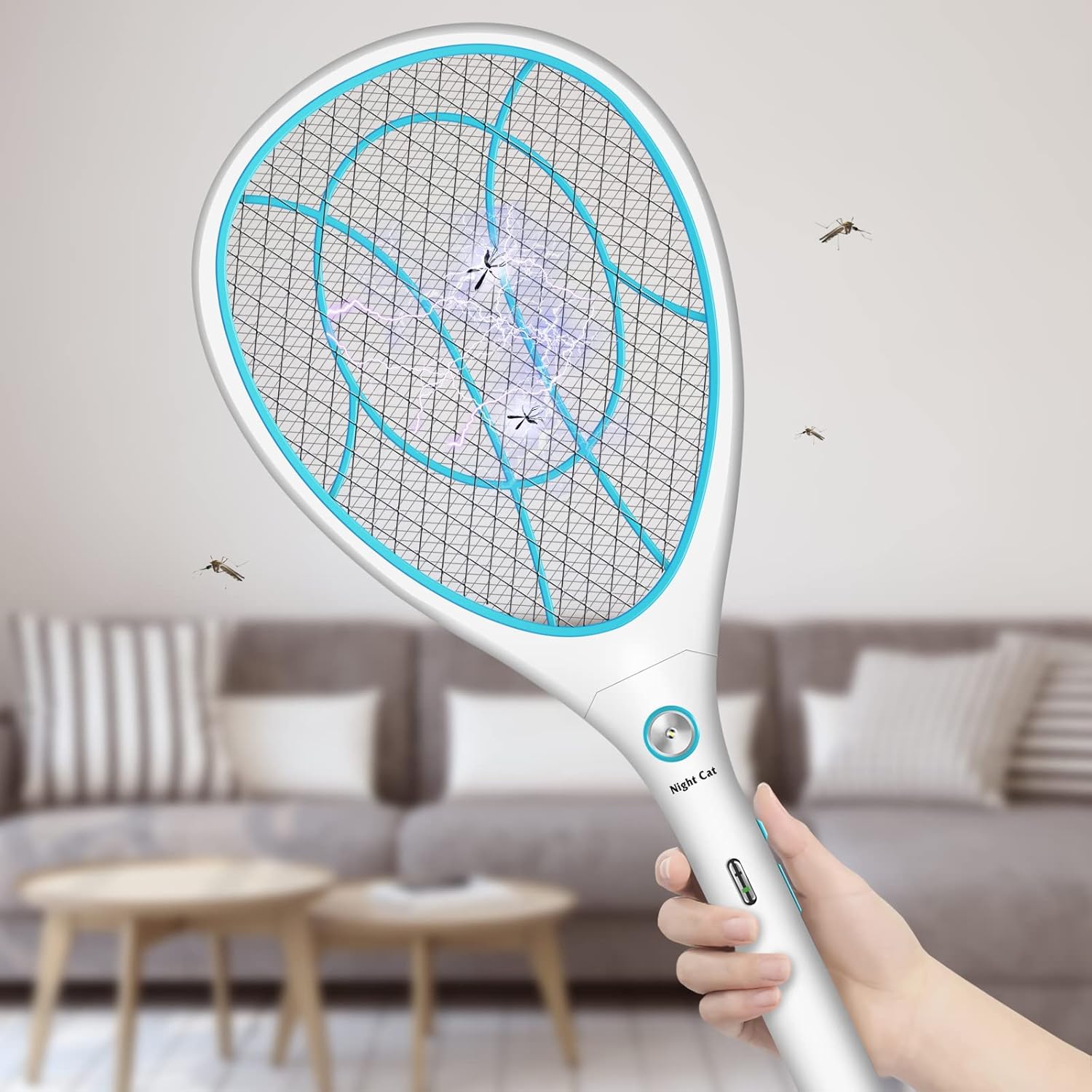
Figure 7: The electric fly swatter effectively eliminates flying insects.
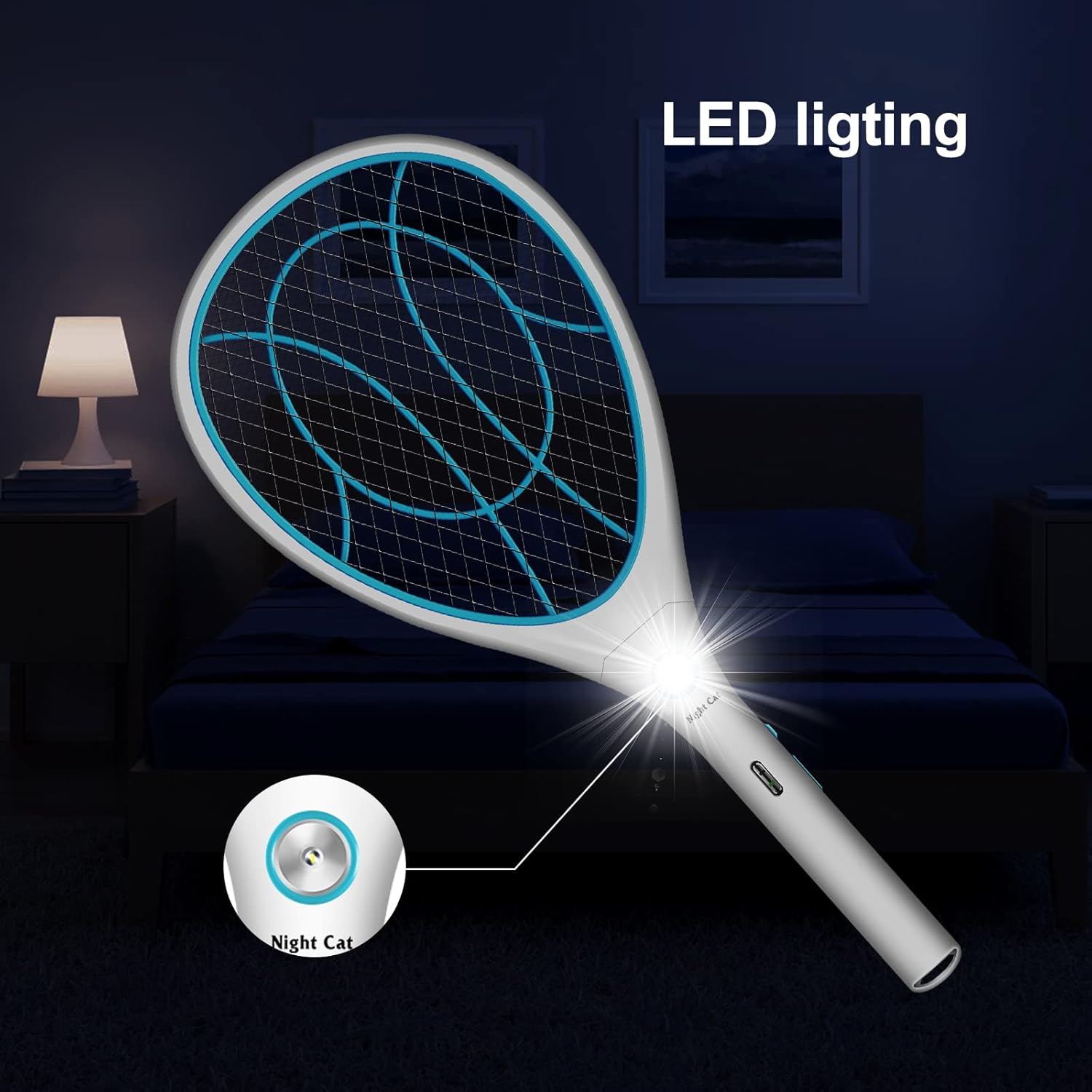
Figure 8: The integrated LED light illuminates the target area, aiding in insect detection in the dark.
6. Maintenance
Proper maintenance ensures the longevity and optimal performance of your electric fly swatter:
- Cleaning the Mesh: After use, ensure the swatter is turned off and discharged. Use a dry brush or a soft, dry cloth to gently remove any insect debris from the mesh. Do not use water or cleaning solutions directly on the mesh.
- Battery Care: Recharge the battery when the indicator light shows low power. Avoid completely draining the battery frequently to prolong its lifespan. If storing for a long period, charge it periodically (e.g., every 3 months) to maintain battery health.
- Storage: Store the swatter in a cool, dry place, away from direct sunlight and extreme temperatures. Keep it out of reach of children.
- Avoid Impact: Do not drop the swatter or subject it to strong impacts, as this may damage internal components.
7. Troubleshooting
If you encounter issues with your Night Cat Electric Fly Swatter, refer to the table below for common problems and their solutions:
| Problem | Possible Cause | Solution |
|---|---|---|
| Swatter does not activate (no spark/sound). | Battery is low or depleted. Power switch is OFF. Activation button not pressed or held correctly. | Charge the swatter fully. Ensure the power switch is in the ON position. Press and hold the activation button firmly. |
| Swatter not charging. | USB cable is faulty. Power adapter is not working. Charging port is damaged. | Try a different USB cable. Use a different USB power adapter or port. Contact customer support if the port appears damaged. |
| Weak or inconsistent zap. | Battery is low. Mesh is dirty with insect residue. | Recharge the swatter. Clean the mesh gently with a dry brush. |
| LED light not working. | Battery is low. LED light is damaged. | Charge the swatter. If charging does not resolve the issue, contact customer support. |
8. Specifications
Detailed technical specifications for the Night Cat Electric Fly Swatter:
| Attribute | Value |
|---|---|
| Model Number | 8839 |
| Dimensions (M Size) | Approx. 25 x 5 x 35 cm (9.8 x 2 x 13.8 inches) |
| Weight | Approx. 290 grams (0.64 lbs) |
| Output Voltage | 3000V |
| Battery Type | 1 Lithium-Polymer Battery (included) |
| Battery Capacity | 1200mAh |
| Charging Method | USB Charging |
| Material | Acrylonitrile Butadiene Styrene (ABS) |
| Target Species | Flies, Mosquitoes, and other flying insects |
| Assembly Required | No |
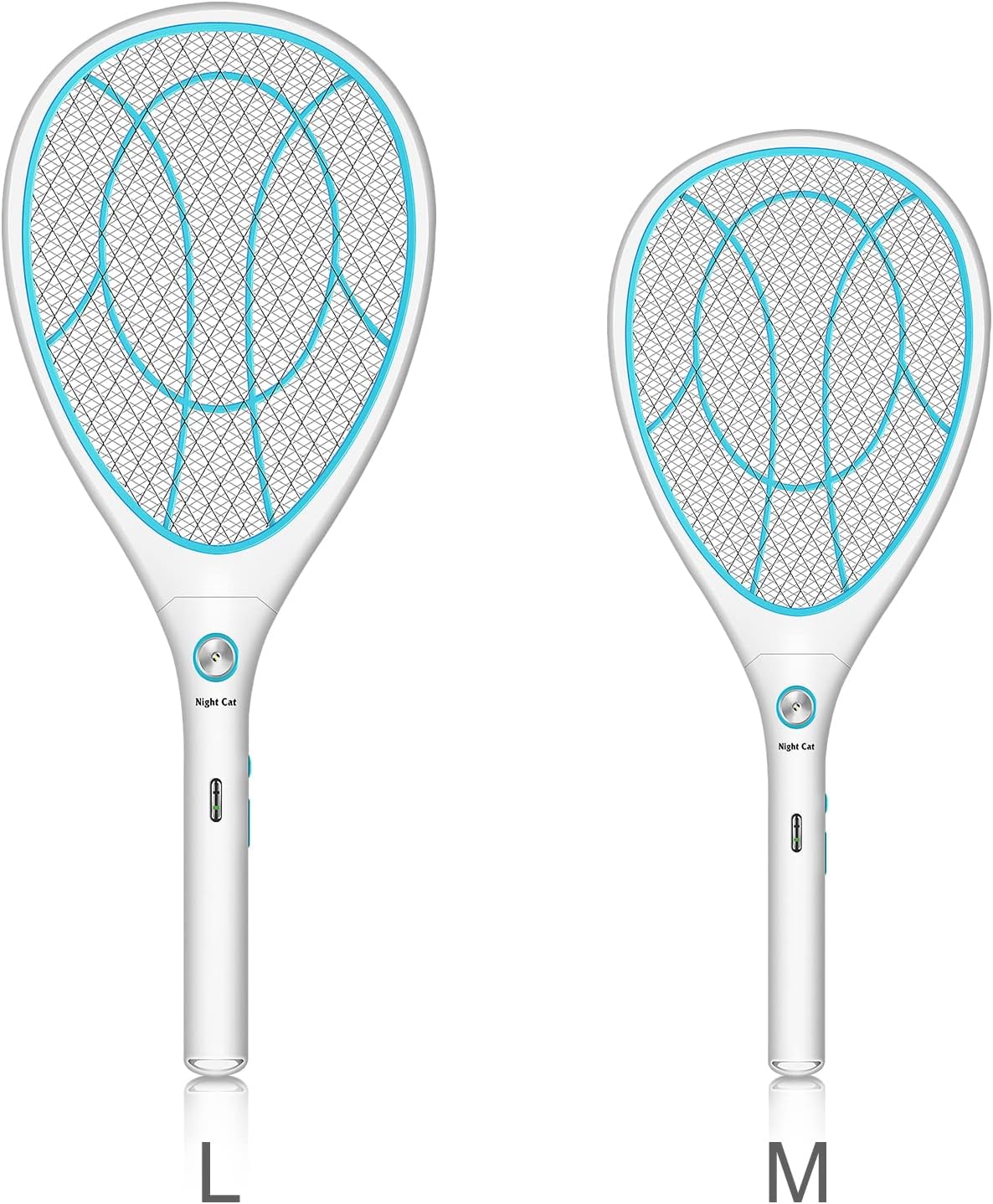
Figure 9: The product is available in different sizes (M and L), with the current model being M.
9. Warranty and Support
Night Cat products are manufactured to high-quality standards. For information regarding warranty coverage, returns, or technical support, please refer to the purchase platform or contact the seller directly.
You can visit the official Night Cat store for more information and product updates: Night Cat Store.


