
SilverStone SST-FHS120X
SilverStone Technology FHS 120X Industrial/Server Fan User Manual
Model: SST-FHS120X
1. Introduction
The SilverStone Technology FHS 120X is a high-performance 120mm fan designed for demanding industrial and server cooling applications. Its robust construction and advanced features ensure efficient airflow and high static pressure, crucial for maintaining optimal temperatures in critical systems.
This fan features a thick 38mm profile with steeply raked fan blades, enabling it to achieve superior airflow and air pressure. Equipped with a 4-pin PWM control function, it allows for precise regulation of fan speed, ranging from 1,000 RPM to 4,000 RPM. The dual ball bearing design contributes to an extended service life and reliable operation.
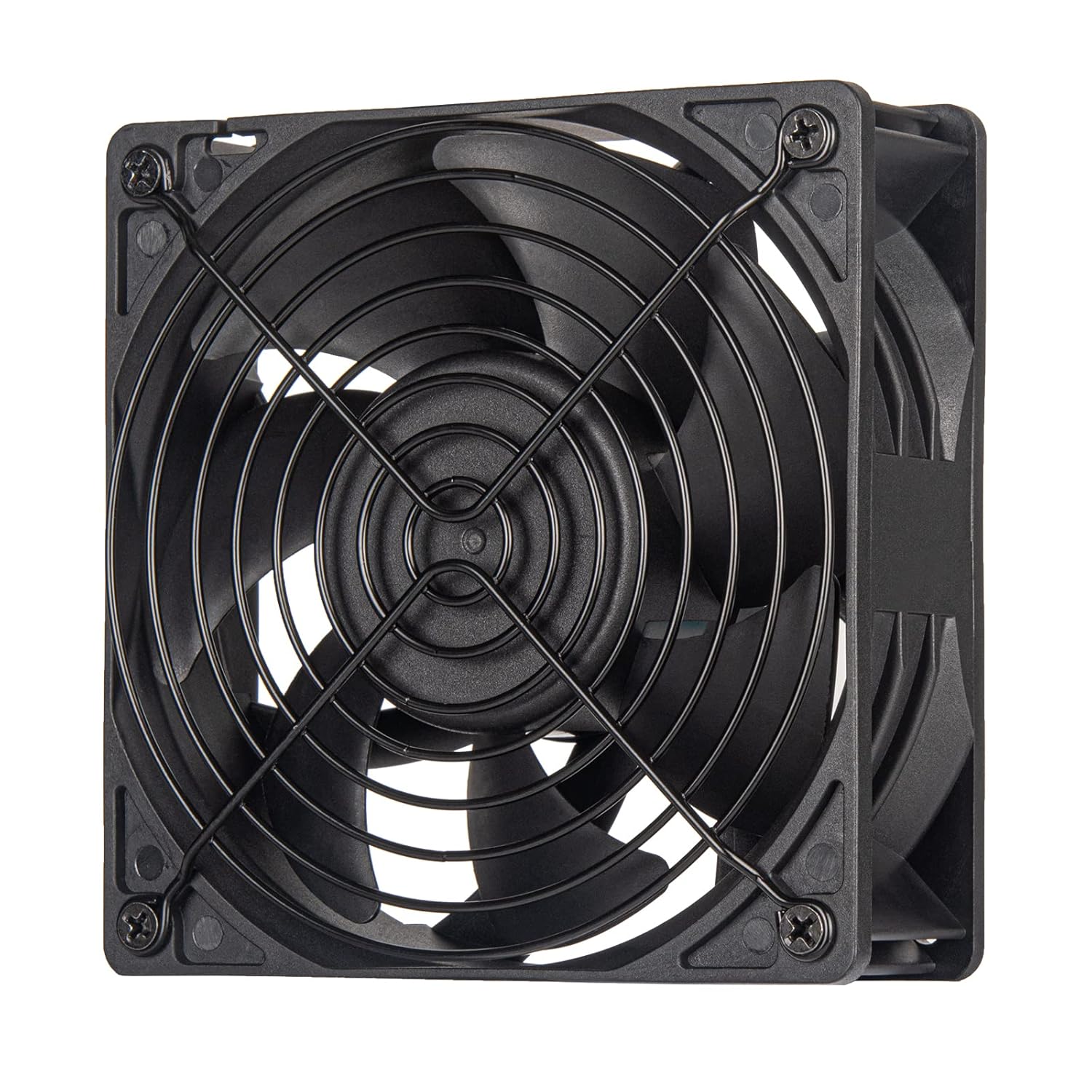
Figure 1.1: SilverStone FHS 120X High Speed Industrial/Server Fan with protective grill.
2. What's in the Box
Please check the contents of your package to ensure all items are present:
- FHS 120X Fan
- Fan Grill
- Mounting Screws
3. Key Features
- High Air Pressure: Designed with giant-bladed, 38mm thick profile for exceptional static pressure.
- Extended Service Life: Utilizes dual ball bearings for enhanced durability and longevity.
- PWM Control: Features a 4-pin PWM connector for dynamic speed control from 1,000 RPM to 4,000 RPM.
- High Airflow: Capable of delivering up to 144 CFM (Cubic Feet Per Minute) of airflow.
- Robust Construction: Built with high-quality materials for reliable performance in demanding environments.

Figure 3.1: The 38mm thick profile contributes to extreme performance.

Figure 3.2: Superior motor construction with dual ball bearings for durability.
4. Setup and Installation
4.1 Mounting the Fan
The FHS 120X fan is designed for standard 120mm fan mounts in server racks, industrial enclosures, or PC cases. Ensure proper airflow direction for your cooling needs. The fan typically has an arrow indicating airflow direction on its side frame.

Figure 4.1: Side profile of the FHS 120X fan, highlighting its 38mm thickness.
- Identify the desired mounting location and ensure sufficient clearance for the fan and its airflow.
- Align the fan with the mounting holes.
- Secure the fan using the provided mounting screws. Do not overtighten.
- Attach the fan grill to the intake or exhaust side as needed for safety and protection.
4.2 Electrical Connection
The FHS 120X fan uses a 4-pin PWM connector for power and speed control. It also includes a SATA power connector for direct power delivery, especially useful in systems where motherboard fan headers may not provide sufficient power for high-speed industrial fans.

Figure 4.2: The 4-pin PWM connector for fan speed control.

Figure 4.3: The SATA power connector for direct power supply.
- Connect the 4-pin PWM connector to a compatible fan header on your motherboard or fan controller. This allows for automatic or manual speed control.
- Connect the SATA power connector to an available SATA power cable from your power supply unit (PSU). This provides the necessary power for the fan's operation.
- Ensure all connections are secure before powering on the system.
5. Operation
5.1 PWM Control
The 4-pin PWM (Pulse Width Modulation) function allows for dynamic adjustment of the fan's rotational speed based on system temperature or user-defined settings. This enables efficient cooling while minimizing noise when full speed is not required.
- Automatic Control: Most motherboards and fan controllers can automatically adjust fan speed based on CPU or system temperatures.
- Manual Control: Software utilities provided by your motherboard manufacturer or third-party fan control software can be used to set custom fan curves or fixed speeds.

Figure 5.1: Fan speed (RPM) in relation to PWM duty cycle.
5.2 Noise Levels
At its maximum rotational speed of 4,000 RPM, the FHS 120X fan can generate a noise level of up to 51.8 dBA. This is typical for high-performance industrial fans designed for maximum airflow and static pressure. Utilizing PWM control to reduce fan speed when high cooling is not necessary will significantly lower noise output.
6. Maintenance
The SilverStone FHS 120X fan is designed for long-term reliability with its dual ball bearing system, requiring minimal maintenance. However, periodic cleaning is recommended to ensure optimal performance.
- Dust Removal: Regularly inspect the fan blades and grill for dust accumulation. Use compressed air or a soft brush to gently remove dust.
- Inspection: Periodically check the fan for any signs of damage or unusual noise.
- Power Off: Always disconnect power to the system before performing any maintenance or cleaning.
7. Troubleshooting
| Issue | Possible Cause | Solution |
|---|---|---|
| Fan not spinning | No power connection; Incorrect connection; Faulty fan header/PSU cable. | Ensure 4-pin PWM and SATA power connectors are securely attached. Try a different fan header or SATA power cable. |
| Fan spinning at full speed constantly | PWM signal not detected; BIOS/software settings. | Verify 4-pin PWM connection. Check BIOS settings for fan control mode (ensure it's set to PWM or Smart Fan). Update motherboard BIOS/drivers. |
| Excessive noise | Fan running at high RPM; Obstruction; Loose mounting. | Adjust fan speed via PWM control. Check for cables or debris obstructing fan blades. Ensure fan is securely mounted. |
| Insufficient cooling | Fan speed too low; Incorrect airflow direction; Obstruction. | Increase fan speed. Verify fan is oriented correctly for desired airflow (intake/exhaust). Clear any obstructions to airflow. |
8. Specifications
| Attribute | Value |
|---|---|
| Model Number | SST-FHS120X |
| Dimensions | 120mm x 120mm x 38mm (4.72 x 4.72 x 1.5 inches) |
| Weight | 13.12 ounces |
| Bearing Type | Dual Ball Bearing |
| Rated Voltage | 12 Volts DC |
| Rated Wattage | 2.64 Watts |
| Power Connector | 4-Pin PWM |
| Rotational Speed | 1,000 ~ 4,000 RPM (via PWM control) |
| Airflow Capacity | Max. 143.98 CFM |
| Static Pressure | Max. 11.7 mmH2O |
| Noise Level | Max. 51.8 dBA |
| Material | Copper (internal components), High-quality plastic (frame and blades) |
| Compatible Devices | Server, Industrial Systems, PC Cases |
9. Safety Information
Please read and follow these safety guidelines to prevent injury or damage to the product and surrounding equipment:
- Moving Parts: Keep fingers, hair, and other objects away from the fan blades when the fan is operating or connected to power. The fan operates at high speeds and can cause injury.
- Fan Guard: Always use the provided fan grill to prevent accidental contact with the fan blades.
- Power Disconnection: Disconnect power to the system before installing, removing, or performing any maintenance on the fan.
- Voltage: Ensure the fan is connected to a compatible 12V DC power source. Connecting to an incorrect voltage may damage the fan or system.
- Installation: Ensure proper installation and secure mounting to prevent vibration and potential damage.

Figure 9.1: Always use the fan guard for safety.
10. Warranty and Support
SilverStone Technology products are manufactured to high standards and come with a limited warranty. For specific warranty terms and conditions, please refer to the warranty information provided with your purchase or visit the official SilverStone Technology website.
For technical support, troubleshooting assistance, or inquiries regarding your SilverStone FHS 120X fan, please contact SilverStone Technology customer support through their official website or the contact information provided in your product packaging.
Related documentsSST-FHS120X


Ask a question about this manual
Ask about setup, troubleshooting, compatibility, parts, safety, or missing instructions. Manuals+ will review the question and use this page’s manual context to help answer it.