
1. Introduction
Thank you for choosing the revolt Powerbank ZX8312-944. This portable power bank is designed to provide reliable and fast charging for your mobile devices, including smartphones, tablets, and compatible laptops. With its 20000mAh capacity, USB-C Power Delivery, and Quick Charge 3.0 technology, it ensures your devices stay powered on the go. Please read this manual carefully before use to ensure proper operation and to maximize the lifespan of your device.
2. Safety Instructions
- Do not expose the power bank to extreme temperatures (above 45°C or below 0°C), direct sunlight, or high humidity.
- Avoid dropping, disassembling, or attempting to repair the device yourself. This will void the warranty and may cause damage or injury.
- Keep the power bank away from water and other liquids.
- Use only certified charging cables and adapters.
- Keep out of reach of children.
- Dispose of the power bank responsibly according to local regulations. Do not dispose of it with household waste.
3. Package Contents
- revolt Powerbank ZX8312-944
- USB Charging Cable
- User Manual
4. Product Features
- High Capacity: Integrated 20000 mAh LiPo battery.
- USB-C Power Delivery (PD 2.0): Output up to 20W (5V/3A, 9V/2.22A, 12V/1.67A) for fast charging compatible devices like MacBook Pro, Samsung Galaxy S8, Huawei P20/P30, and iPhones 12 and later.
- Dual USB Type-A Quick Charge 3.0 Outputs: Each port delivers up to 18W (5V/3A, 9V/2A, 12V/1.5A) for devices compatible with Quick Charge technology. Backward compatible with Quick Charge 2.0.
- Simultaneous Charging: Charge up to three devices concurrently with a total output of up to 15W (5V/3A) when using all ports.
- Digital LED Display: Shows the battery capacity percentage for precise monitoring.
- Robust Design: Durable metal casing for enhanced protection.
- Automatic Standby: The power bank enters standby mode when not in use to conserve power.
- Flexible Charging Input: Recharge the power bank via Micro USB or USB-C port.
5. Setup
5.1 Initial Charging of the Power Bank
Before first use, fully charge the power bank. This ensures optimal battery performance.
- Connect the provided USB charging cable to either the Micro USB input port or the USB-C input/output port on the power bank.
- Connect the other end of the cable to a suitable USB power adapter (not included) or a computer's USB port.
- The LED display will show the charging progress in percentage. When the display shows '100%', the power bank is fully charged.

Image: Angled view of the revolt Powerbank ZX8312-944 showing the LED display and ports. This image displays an angled shot of the power bank, highlighting its sleek design, the digital LED display showing '100%', and the various charging ports on one end.

Image: Top-down view of the revolt Powerbank ZX8312-944 with the LED display showing '100%'. This image provides a direct overhead view of the power bank, clearly showing the 'revolt' branding and the illuminated LED display indicating a full charge.
6. Operating Instructions
6.1 Charging External Devices
The power bank can charge up to three devices simultaneously.
- Connect your device's charging cable to one of the power bank's output ports (USB-A or USB-C).
- Connect the other end of the cable to your device.
- The power bank will automatically begin charging your device. The LED display will show the remaining battery percentage of the power bank.
- To stop charging, simply disconnect the cable from your device or the power bank.
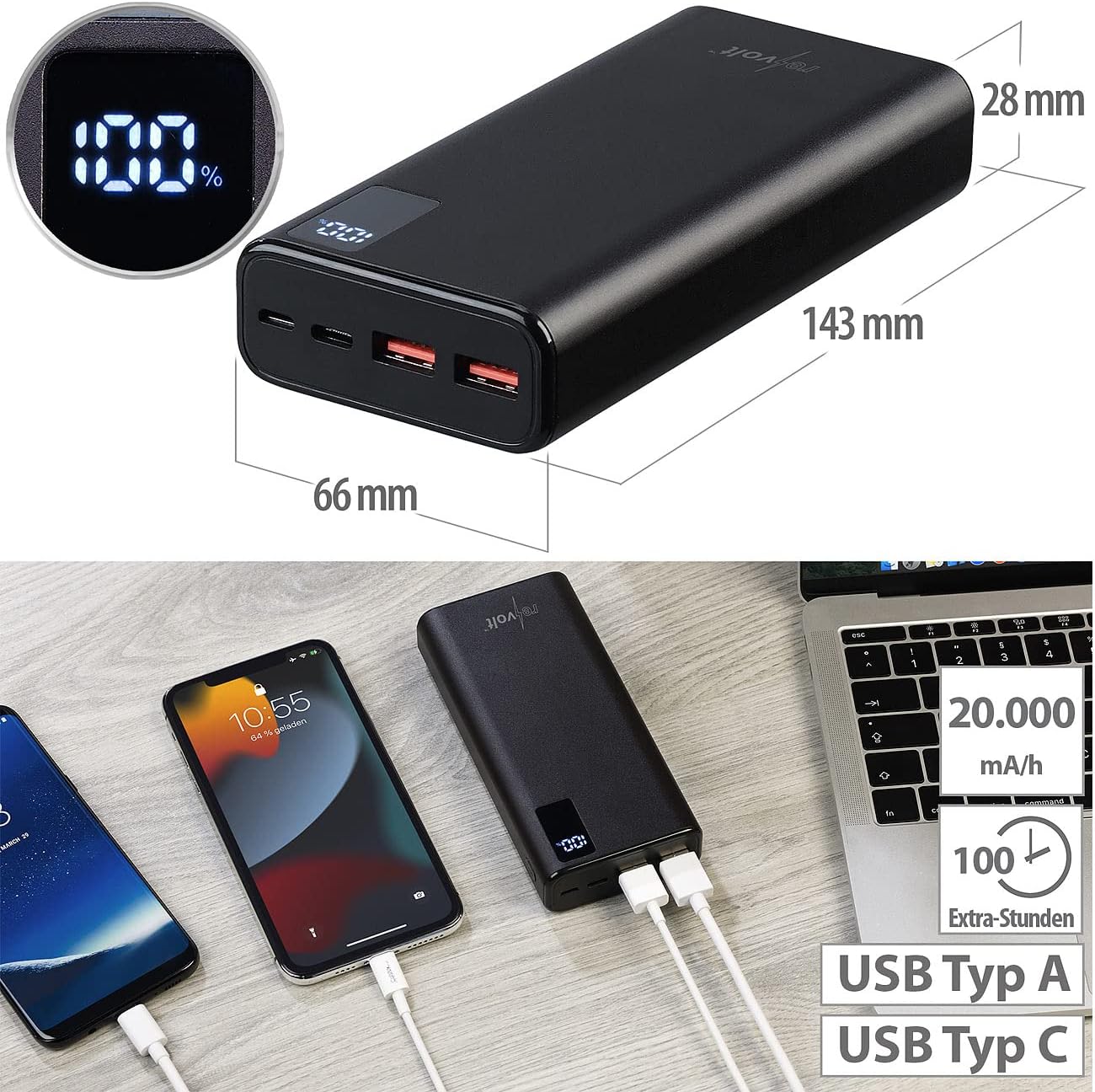
Image: revolt Powerbank ZX8312-944 with dimensions and multiple devices connected for charging. This image illustrates the physical dimensions of the revolt Powerbank (143mm length, 66mm width, 28mm height) and demonstrates its capability to charge multiple devices simultaneously via its USB-A and USB-C ports. The LED display shows '100%', indicating a full charge.

Image: revolt Powerbank ZX8312-944 charging a smartphone on a desk. The power bank is shown connected to a smartphone via a USB cable, actively charging the device. A computer monitor and a plant are visible in the background, suggesting a typical desk environment.
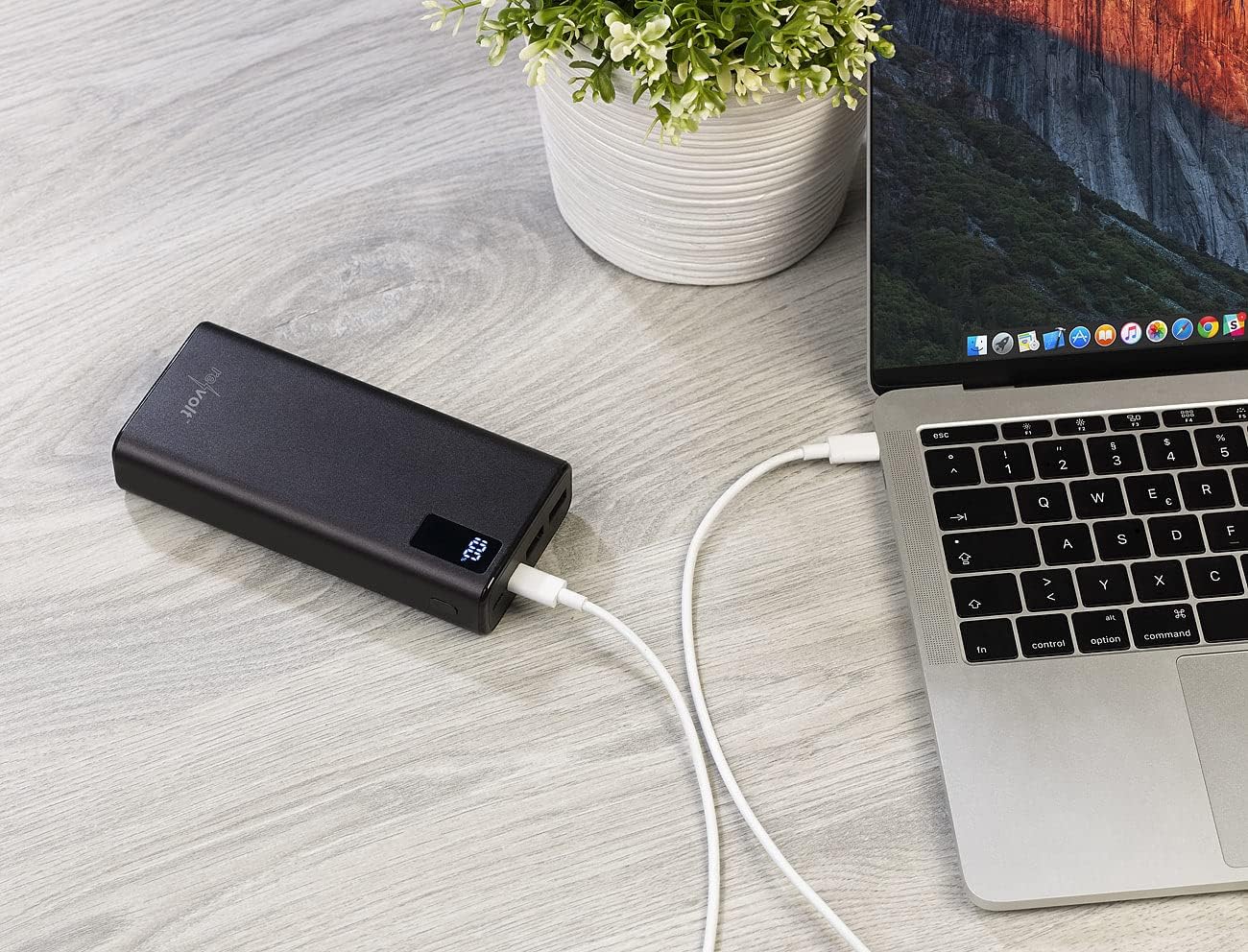
Image: revolt Powerbank ZX8312-944 charging a laptop on a wooden surface. This image displays the power bank connected to a laptop via a USB-C cable, providing power to the laptop. The power bank's LED display is visible, showing the current charge level.
6.2 Checking Battery Level
The digital LED display on the power bank shows the remaining battery capacity in percentage. This display activates automatically when a device is connected for charging or when the power bank itself is being charged.

Image: Close-up view of the revolt Powerbank ZX8312-944 ports. A detailed view of the power bank's input and output ports. From left to right, a USB-C port, a Micro USB port, and two USB-A ports are visible. The USB-A ports have orange inserts, indicating Quick Charge capability.
7. Maintenance
- Cleaning: Use a soft, dry cloth to clean the power bank. Do not use abrasive cleaners or solvents.
- Storage: Store the power bank in a cool, dry place away from direct sunlight and extreme temperatures. For long-term storage, it is recommended to charge the power bank to about 50-70% every three months to maintain battery health.
- Avoid Physical Damage: Protect the power bank from drops and impacts, as these can damage internal components.
8. Troubleshooting
| Problem | Possible Cause | Solution |
|---|---|---|
| Power bank not charging | Charging cable is faulty or not properly connected. Power adapter is not working or insufficient. | Ensure the charging cable is securely connected. Try a different USB cable and/or power adapter. |
| Device not charging from power bank | Device charging cable is faulty or not properly connected. Power bank battery is depleted. Device is incompatible. | Ensure the cable is securely connected to both the power bank and your device. Recharge the power bank. Verify device compatibility with the power bank's output specifications. |
| Slow charging | Cable used does not support fast charging. Device does not support fast charging. Multiple devices are charging simultaneously. | Use a high-quality cable that supports Quick Charge or Power Delivery. Ensure your device supports fast charging. Disconnect other devices to allow maximum power to a single device. |
| LED display not working | Power bank is completely discharged. Device malfunction. | Charge the power bank. If the issue persists, contact customer support. |
9. Specifications
| Feature | Specification |
|---|---|
| Model Number | ZX8312-944 |
| Battery Capacity | 20000 mAh (Lithium-ion Polymer) |
| USB-C Input/Output (PD 2.0) | 5V/3A (15W), 9V/2.22A (20W), 12V/1.67A (20W) |
| USB Type-A Output 1 (QC 3.0) | 5V/3A (15W), 9V/2A (18W), 12V/1.5A (18W) |
| USB Type-A Output 2 (QC 3.0) | 5V/3A (15W), 9V/2A (18W), 12V/1.5A (18W) |
| Micro USB Input | 5V/2A (10W) |
| Total Output Power | Up to 20W (single port), Up to 15W (multiple ports) |
| Dimensions | 143 x 66 x 28 mm |
| Weight | 470 g |
| Display | LED Digital Percentage Indicator |
| Casing Material | Metal |
10. Warranty and Support
This product comes with a standard manufacturer's warranty. For detailed warranty information, please refer to the documentation provided at the time of purchase or contact your retailer. For technical support or inquiries, please contact revolt customer service through their official website or the contact information provided with your product.


