Introduction
This manual provides essential instructions for the safe and efficient operation, maintenance, and troubleshooting of your Shop-Vac 2.5 Gallon 2.0 Peak HP Wet/Dry Vacuum and Cordless Handheld Vacuum. Please read this manual thoroughly before using the product and retain it for future reference.

Figure 1: Shop-Vac 2.5 Gallon Wet/Dry Vacuum and Cordless Handheld Vacuum with included accessories.
Product Features
Shop-Vac 2.5 Gallon Wet/Dry Vacuum
- Portable Design: Features a top handle for easy lifting and transport.
- Wall-Mountable: Designed for convenient wall storage, saving floor space.
- Powerful Performance: Equipped with a 2.0 Peak HP motor, suitable for home, garage, workshop, and vehicle cleaning tasks.
- 3-in-1 Functionality: Offers strong wet suction, dry suction, and a powerful blowing function (55 CFM air blower).
- Extended Reach: Includes a 21-foot hose and a 20-foot power cord, providing a total cleaning reach of 41 feet.
- Remote Control Handle: Allows convenient power control (on/off) directly from the hose handle.
- Included Accessories: Comes with 14 attachments for various cleaning applications.
Shop-Vac Cordless Handheld Vacuum
- Two-Mode Suction: Features a 100W brushless motor with 7000Pa (Standard) and 13000Pa (Strong) suction modes.
- Compact and Lightweight: Measures 10"x2.5"x2.2" and weighs only 1.0 pound, ideal for portability.
- Quiet Operation: Operates at less than 80dB noise level.
- Long-Lasting Power: Equipped with a 2,000mAh lithium-ion battery, offering up to 25 minutes on low suction and 13 minutes on high suction.
- Fast Charging: Recharges in 3-4 hours via USB.
- Double Filtration System: Includes a stainless steel filter and a HEPA filter, capturing particles down to 0.3 microns.
- Easy Emptying: Features a one-release button for the 100ml dust tank.

Figure 2: The Wet/Dry Vacuum demonstrating its versatility in wet, dry, and blowing applications.
Components and Parts
Shop-Vac 2.5 Gallon Wet/Dry Vacuum
- Carry Handle: For portability.
- ON/OFF Switch: Controls power to the unit.
- Blower Port: Outlet for blowing function.
- Latches: Secure the motor head to the collection tank.
- Vacuum Port: Inlet for suction hose.
- Collection Tank: Holds collected debris and liquids.
- Hose: Flexible hose for connecting attachments.
- Power Cord: For electrical connection.
- Wall-Mount Rack: For convenient storage.
- Accessories: Various nozzles, brushes, and extension wands.

Figure 3: Key components of the Wet/Dry Vacuum.
Shop-Vac Cordless Handheld Vacuum
- Power Button: To turn the unit on/off and switch suction modes.
- Dust Tank: Transparent tank for collecting debris.
- One-Release Button: For detaching the dust tank.
- Stainless Steel Filter: Primary filtration layer.
- HEPA Filter: Secondary filtration for fine particles.
- USB Charging Port: For recharging the battery.
- Indicator Lights: Show battery status and charging.
- Nozzles/Brushes: Included attachments for specific cleaning tasks.

Figure 4: The Cordless Handheld Vacuum and its accessories.
Setup Instructions
Shop-Vac 2.5 Gallon Wet/Dry Vacuum
- Unpacking: Carefully remove all components from the packaging. Ensure all listed parts and accessories are present.
- Filter Installation (Dry Use): For dry vacuuming, ensure the cartridge filter is properly installed over the filter cage and secured with the filter retainer. For wet vacuuming, remove the cartridge filter and install the foam sleeve over the filter cage.
- Hose Connection: Insert the large end of the hose into the vacuum port on the front of the tank until it clicks securely into place.
- Attachment Connection: Attach the desired cleaning accessory (e.g., utility nozzle, crevice tool) to the end of the hose or extension wands.
- Power Connection: Plug the power cord into a suitable grounded electrical outlet.
- Wall Mounting (Optional): If wall-mounting, follow the instructions provided with the wall-mount rack to securely attach it to a sturdy wall stud. Ensure the unit, hose, and accessories are properly stored on the rack.
Shop-Vac Cordless Handheld Vacuum
- Initial Charge: Before first use, fully charge the handheld vacuum. Connect the USB charging cable to the vacuum's charging port and a USB power source. The indicator lights will show charging status. A full charge takes approximately 3-4 hours.
- Filter Assembly: Ensure the stainless steel filter and HEPA filter are correctly seated inside the dust tank.
- Attachment: Select and attach the appropriate nozzle or brush for your cleaning task.
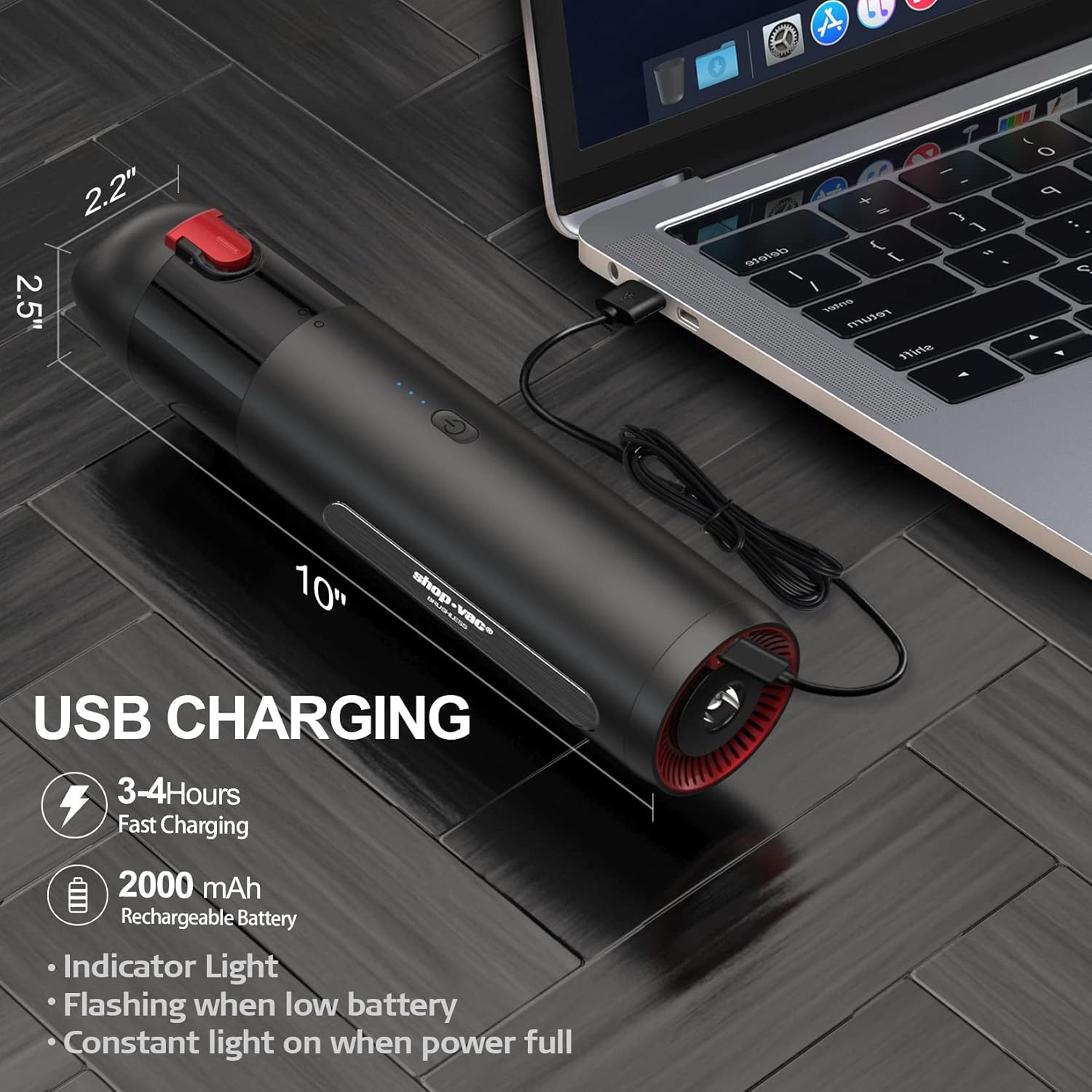
Figure 5: USB charging of the Cordless Handheld Vacuum.
Operating Instructions
Shop-Vac 2.5 Gallon Wet/Dry Vacuum
- Dry Vacuuming:
- Ensure the cartridge filter is installed.
- Turn the ON/OFF switch to the "ON" position (or use the remote control handle).
- Guide the nozzle over the dry debris to be collected.
- When finished, turn the switch to "OFF" and unplug the unit.
- Wet Vacuuming:
- Remove the cartridge filter and install the foam sleeve.
- Turn the ON/OFF switch to the "ON" position.
- Guide the nozzle over the liquid spill. The float mechanism will shut off suction when the tank is full.
- When finished, turn the switch to "OFF", unplug, and empty the tank immediately.
- Blowing Function:
- Disconnect the hose from the vacuum port.
- Insert the hose into the blower port located on the motor head.
- Turn the ON/OFF switch to the "ON" position.
- Use the air stream to clear debris from surfaces.
- When finished, turn the switch to "OFF" and unplug the unit.
- Remote Control Handle: Press the "ON" button on the handle to start the vacuum, and the "OFF" button to stop it. This feature allows control from a distance, especially useful with the long hose.
Shop-Vac Cordless Handheld Vacuum
- Power On/Off: Press the power button once to turn on the vacuum in Standard mode (7000Pa). Press again to switch to Strong mode (13000Pa). Press a third time to turn off the vacuum.
- Cleaning: Guide the nozzle over the area to be cleaned. The compact size is ideal for tight spaces like car interiors or furniture.
- Battery Indicator: Monitor the indicator lights for battery level. Recharge when the lights indicate low battery.

Figure 6: Handheld Vacuum demonstrating its suction power.

Figure 7: Handheld Vacuum in use for car cleaning.
Maintenance
Shop-Vac 2.5 Gallon Wet/Dry Vacuum
- Emptying the Tank: After each use, especially wet vacuuming, unlatch the motor head and empty the collection tank. Clean the inside of the tank with water and mild detergent if necessary.
- Filter Cleaning (Dry Use):
- Remove the cartridge filter.
- Gently tap the filter to dislodge dust. For heavy dirt, rinse under running water.
- Allow the filter to air dry completely before reinstallation.
- Filter Cleaning (Wet Use):
- Remove the foam sleeve.
- Rinse the foam sleeve under running water.
- Allow it to air dry completely before reinstallation.
- Hose and Accessories: Clean the hose and accessories as needed with water and mild detergent. Ensure they are dry before storage.
Shop-Vac Cordless Handheld Vacuum
- Emptying the Dust Tank: Press the one-release button to detach the dust tank. Empty collected debris.
- Filter Cleaning:
- Remove both the stainless steel filter and the HEPA filter from the dust tank.
- Brush off any loose debris. Both filters can be rinsed under running water.
- Ensure filters are completely dry before reassembling to prevent damage and maintain suction power.
- Battery Care: For optimal battery life, avoid completely draining the battery frequently. Store the unit in a cool, dry place.

Figure 8: Easy dust tank release for the Handheld Vacuum.

Figure 9: Double filtration system of the Handheld Vacuum.
Troubleshooting
| Problem | Possible Cause | Solution |
|---|---|---|
| Wet/Dry Vac: Does not turn on | No power, faulty switch, tripped circuit breaker. | Check power cord connection. Ensure outlet is functional. Reset circuit breaker. |
| Wet/Dry Vac: Low suction | Clogged hose/filter, full tank, improper filter installation. | Clear any blockages in hose/attachments. Clean or replace filter. Empty tank. Ensure filter is correctly installed. |
| Wet/Dry Vac: Water coming from exhaust | Tank is full, foam filter not installed for wet use. | Empty tank. Ensure foam filter is correctly installed for wet vacuuming. |
| Handheld Vac: Does not turn on | Battery drained, unit not charged. | Charge the handheld vacuum fully. |
| Handheld Vac: Low suction | Clogged filters, full dust tank, low battery. | Clean stainless steel and HEPA filters. Empty dust tank. Recharge battery. |
| Handheld Vac: Short runtime | Battery not fully charged, operating in Strong mode. | Ensure battery is fully charged. Standard mode offers longer runtime. |
Specifications
Shop-Vac 2.5 Gallon Wet/Dry Vacuum
- Capacity: 2.5 Gallons
- Motor: 2.0 Peak HP
- Functions: Wet, Dry, Blower
- Hose Length: 21 feet
- Power Cord Length: 20 feet
- Special Features: Wall-mountable, Remote Control Handle
Shop-Vac Cordless Handheld Vacuum
- Motor: 100W Brushless
- Suction Power: 7000Pa (Standard), 13000Pa (Strong)
- Battery: 2,000mAh Lithium-Ion
- Runtime: Up to 25 minutes (Standard), 13 minutes (Strong)
- Charging Time: 3-4 hours (USB)
- Noise Level: < 80dB
- Dust Tank Capacity: 100ml (approx. 3.4oz)
- Filtration: Stainless Steel Filter, HEPA Filter
- Dimensions: 10" x 2.5" x 2.2"
- Weight: 1.0 pound
Warranty and Support
For warranty information, technical support, or to purchase replacement parts and accessories, please refer to the official Shop-Vac website or contact their customer service department. Keep your purchase receipt as proof of purchase for warranty claims.
Note: Specific warranty terms may vary by region and product. Always consult the official product documentation or manufacturer's website for the most accurate and up-to-date information.


