
1. Introduction and Overview
This manual provides detailed instructions for the installation, operation, and maintenance of your TAFFIO 12-inch Android Navigation and Multimedia Player, model JFQ127. This system is designed to enhance your driving experience with advanced navigation, multimedia, and connectivity features.
Key Features:
- Full HD Video Resolution Capacitive Touchscreen Display.
- Intuitive 3D User-friendly interface.
- Electronic & mechanical anti-shock and vibration system.
- USB connectivity for music, pictures, and videos.
- A2DP for streaming music via Bluetooth.
- Bluetooth for hands-free phone calls and phone book synchronization.
- Auto Memory function for saving settings.
- Day & Night Display function for automatic screen brightness adjustment.
- Rear Camera input with automatic switching.
- Custom & Reset EQ settings (Pop, Classic, Rock, Jazz, User Bass / Treble / Balance Control).
- Button Illumination matching original car illumination.
- Built-in GPS system with dual zone function.
- Integrated Carplay & AndroidAuto function (no additional adapter needed).
- Integrated Wi-Fi for direct connection to WLAN hotspots.
- 4G LTE SIM card slot for mobile internet.
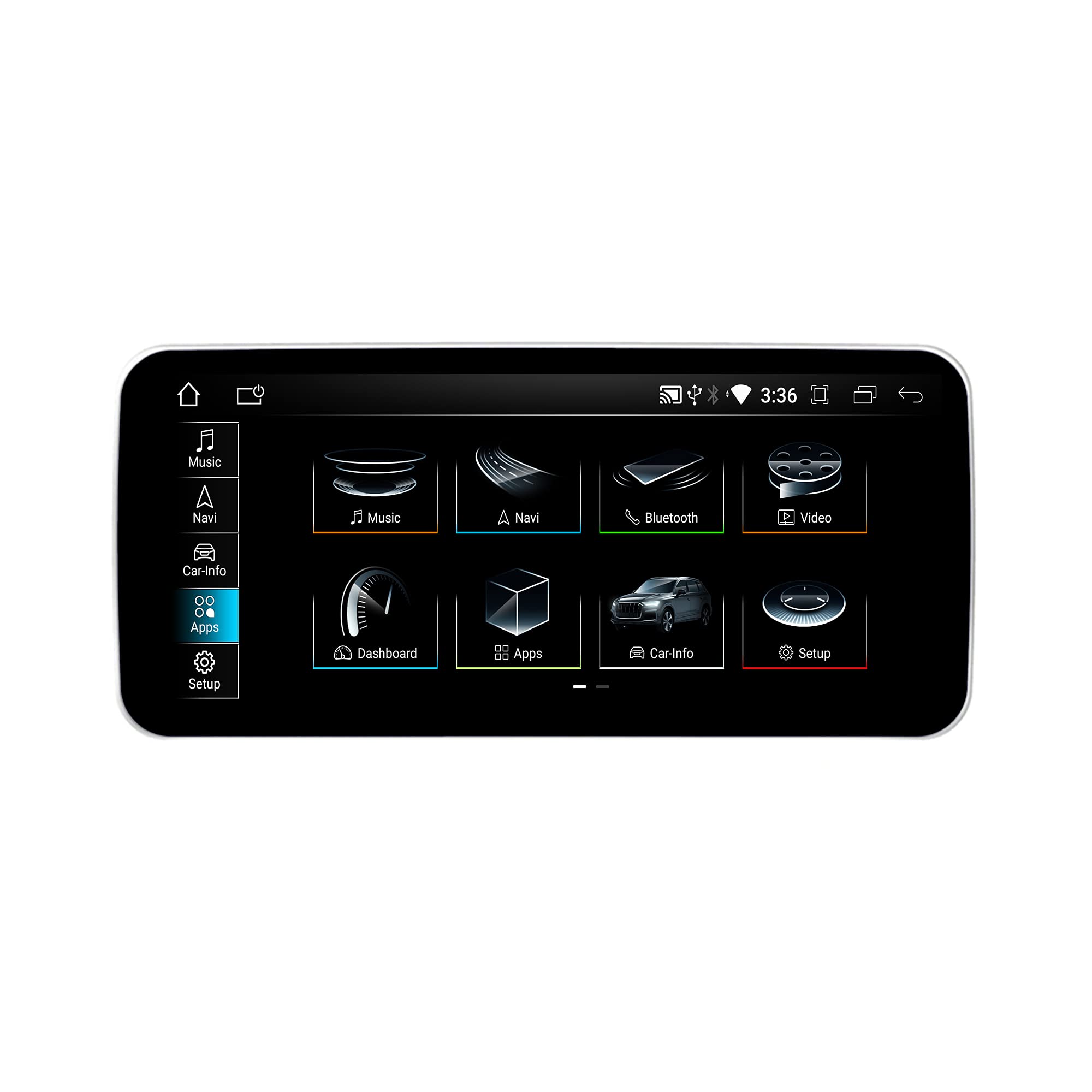
Image 1.1: The TAFFIO 12-inch Android Navigation System main unit.
2. Compatibility
This TAFFIO 12-inch Android Navigation System is 100% compatible with:
- Audi Q5 FY models from 2017 with Audio AUX-IN.
The system is designed for easy installation, replacing the factory display without complex modifications.
3. What's in the Box
Please check the contents of your package against the list below:
- 1x Android Navigation & Multimedia Player Display
- 1x Power Cable
- 1x USB Cable (with 2x USB-Ports)
- 1x GPS antenna
- 1x Aux Cable
- 1x PDF installation manual (digital)
- 1x User Manual in English (this document)
- 1x Invoice with VAT
4. Setup and Installation
The TAFFIO system is designed for plug-and-play installation, requiring no changes, restrictions, or coding of the original vehicle system. It integrates seamlessly while supporting original radio functions, i-Drive, steering wheel controls, and all vehicle displays and settings.
4.1 Installation Steps Overview
- Carefully remove the original factory display from your Audi Q5 FY.
- Connect the provided wiring harness to the original radio power plug.
- Connect the LVDS plug to the original display connection.
- Install the GPS antenna in a suitable location, ensuring clear sky view.
- Connect the Wi-Fi antenna.
- If desired, insert a 4G SIM card into the designated slot for mobile internet.
- Connect the USB cables for external devices.
- Connect the Aux Cable.
- If installing a rear camera, connect the rear camera plugs.
- Mount the new TAFFIO 12-inch display securely in place.
- Test all functions before fully reassembling the dashboard.

Image 4.1: Wiring diagram showing connections for power, GPS, Wi-Fi, USB, and SIM card slot.
For detailed visual instructions, please refer to the included PDF installation manual.

Image 4.2: The TAFFIO 12-inch Android Navigation System after installation in an Audi Q5 FY.
5. Operating Instructions
The system allows for easy switching between the original Audi system and the Android system. The i-Drive function remains supported in both Android and original menus.
5.1 Main Menu Navigation
The main menu provides access to all primary functions of the system. Navigate using the capacitive touchscreen.

Image 5.1: The main menu interface displaying icons for Music, Navigation, Bluetooth, Video, Dashboard, Apps, Car-Info, and Setup.
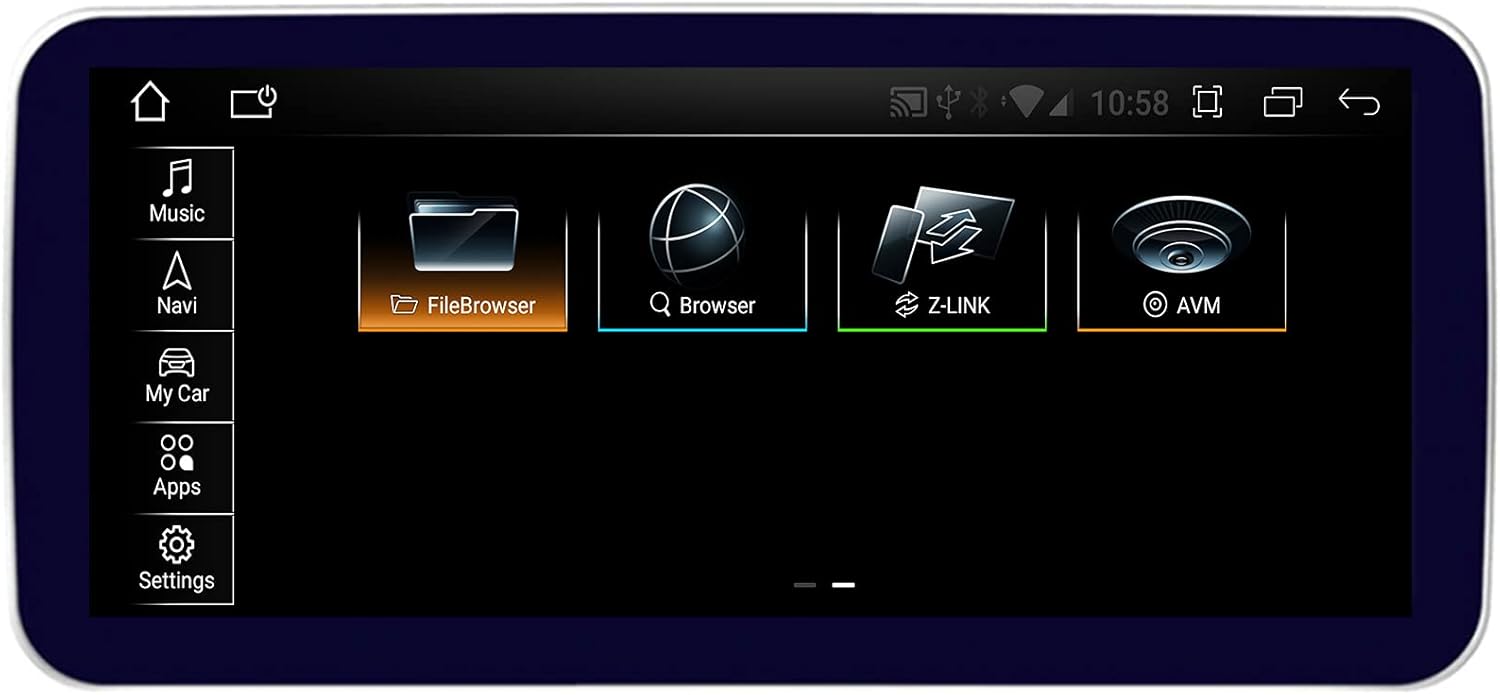
Image 5.2: An alternative main menu layout with icons for Music, Navigation, FileBrowser, Browser, Z-LINK, and AVM.
5.2 Multimedia Playback (Music & Video)
Access your music and video files directly via USB or stream them through Bluetooth (A2DP).

Image 5.3: Screenshots of the Music playback interface showing track information and the Video playback interface.
5.3 Bluetooth Connectivity
Pair your smartphone for hands-free calls and music streaming. The system supports synchronization of mobile phone contacts.

Image 5.4: The Bluetooth interface showing device name and connection status, alongside the Dashboard display with speed and RPM gauges.
5.4 Carplay & Android Auto
The system features integrated Carplay and Android Auto functionality, allowing seamless integration of your smartphone's features without additional adapters.

Image 5.5: The ZLink application interface for Carplay and Android Auto, and the system's web browser.

Image 5.6: Screenshots demonstrating the Wireless Carplay and Wired Android Auto user interfaces.
5.5 GPS Navigation
The built-in GPS system supports 3D navigation with maps for Central America, North America, South America, and Worldwide. It features a dual-zone function, allowing you to listen to music while in navigation mode.
5.6 Internet Connectivity (Wi-Fi & 4G LTE)
Connect to the internet via integrated Wi-Fi by connecting to WLAN hotspots or your smartphone's hotspot. Alternatively, use the 4G LTE SIM card slot for direct mobile internet access.
6. Maintenance
To ensure the longevity and optimal performance of your TAFFIO navigation system, follow these maintenance guidelines:
- Cleaning: Use a soft, lint-free cloth to clean the touchscreen. For stubborn smudges, slightly dampen the cloth with water or a screen-safe cleaner. Avoid harsh chemicals or abrasive materials.
- Software Updates: Periodically check for software updates to ensure you have the latest features and performance improvements. Follow the on-screen prompts or instructions provided by TAFFIO for updating the system.
- Temperature: Avoid exposing the device to extreme temperatures, both hot and cold, for extended periods.
- Connections: Ensure all cables and connections remain secure. Avoid pulling on cables forcefully.
7. Troubleshooting
If you encounter issues with your TAFFIO navigation system, refer to the following common troubleshooting steps:
| Problem | Possible Cause | Solution |
|---|---|---|
| System does not power on | Loose power connection, vehicle power issue | Check all power cable connections. Ensure vehicle ignition is on. |
| No sound | Volume too low, incorrect audio source, loose AUX cable | Increase volume. Verify correct audio input is selected. Check AUX cable connection. |
| GPS signal lost or inaccurate | GPS antenna obstruction, poor satellite reception | Ensure GPS antenna has a clear view of the sky. Move to an open area. |
| Bluetooth device not connecting | Bluetooth off, device not in pairing mode, interference | Ensure Bluetooth is enabled on both devices. Put device in pairing mode. Try restarting both devices. |
| Touchscreen unresponsive | Temporary software glitch | Restart the system. If issue persists, contact support. |
| Carplay/Android Auto not launching | Phone not connected, app not installed/updated | Ensure phone is properly connected (wired/wireless). Verify Carplay/Android Auto app is installed and updated on your phone. |
If these steps do not resolve the issue, please contact TAFFIO customer support for further assistance.
8. Specifications
Detailed technical specifications for the TAFFIO 12-inch Android Navigation System (Model JFQ127):
| Feature | Specification |
|---|---|
| Model Name | JFQ127 |
| Operating System | Android 11 |
| Processor | Qualcomm Snapdragon 625 (MSM8953) 8x ARM Cortex-A53, Octa-Core 64-Bit ARM Processor up to 2.0 GHz |
| RAM | DDR3 4GB |
| ROM (Internal Storage) | 64GB |
| Display Size | 12 Inches |
| Resolution | 480 x 272 (Note: This resolution might refer to a specific internal component or a legacy display mode. The product description mentions "Full HD Video Resolution Capacitive Touchscreen Display" for the main display.) |
| Connectivity Technology | Bluetooth, USB, Wi-Fi, 4G LTE |
| Special Features | Bluetooth, Touchscreen, Integrated Carplay & AndroidAuto |
| Map Type Support | Central America, North America, South America, Worldwide |
| Audio Output Mode | AUX |
| Voice Command | Touchscreen based |
9. Warranty and Support
Your TAFFIO 12-inch Android Navigation System comes with a 2-year manufacturer's warranty. Please retain your invoice as proof of purchase for warranty claims.
For technical support, warranty claims, or any questions not covered in this manual, please contact TAFFIO customer service through the retailer where you purchased the product or refer to the contact information provided with your purchase documentation.


