1. Introduction and Overview
The VIVOSUN AeroZesh T6 6-inch Inline Duct Fan with E12 Speed Controller is engineered to provide efficient and quiet ventilation for various indoor environments. Its advanced PWM-controlled EC motor allows for precise airflow adjustment and temperature management, making it ideal for grow tents, basements, garages, and other spaces requiring consistent air circulation and moisture control.
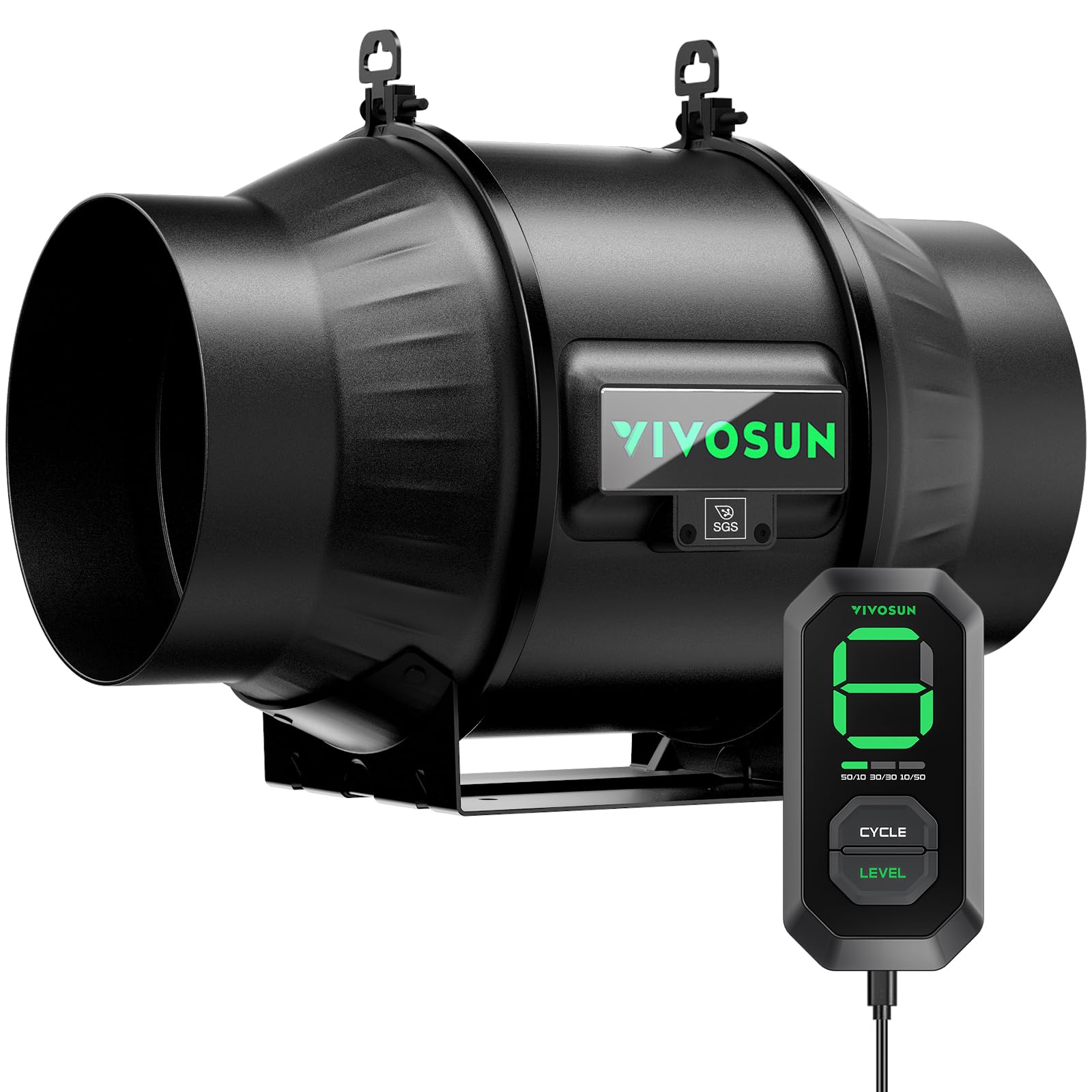
Image: VIVOSUN AeroZesh T6 6-inch Inline Duct Fan with E12 Speed Controller.
2. Safety Information
Please read and understand all safety instructions before operating this product. Failure to follow these instructions may result in electric shock, fire, or serious injury.
- Always disconnect the power supply before performing any maintenance, cleaning, or installation procedures.
- Do not operate the fan with a damaged power cord or plug. If the cord is damaged, it must be replaced by the manufacturer or a qualified service agent to avoid hazards.
- Ensure the fan is properly grounded to prevent electrical shock.
- Keep the fan away from water and do not expose it to rain or moisture.
- Do not insert fingers or foreign objects into the fan grille or blades.
- This appliance is not intended for use by persons (including children) with reduced physical, sensory or mental capabilities, or lack of experience and knowledge, unless they have been given supervision or instruction concerning use of the appliance by a person responsible for their safety.
- Ensure adequate clearance around the fan for proper airflow and to prevent overheating.
3. Package Contents
Verify that all components are present and undamaged upon opening the package:
- 1 x VIVOSUN AeroZesh T6 6-inch Inline Duct Fan
- 1 x E12 Speed Controller
- 1 x Power Cord
- 2 x Hanging Hooks
- 1 x Environmental Probe (included with E12 Speed Controller)
4. Product Features
- Winter-Ready Moisture Defense: Delivers powerful airflow (up to 210 CFM) to circulate air and reduce condensation in cold, damp conditions, ideal for basements and garages during snowstorms. Operates quietly at 28 dB.
- Efficient Ventilation: The AeroZesh T6 provides 408 CFM airflow with a PWM-controlled EC motor and mixed-flow design, ensuring optimal and responsive ventilation.
- E12 Speed Controller: Features ten adjustable fan speeds. Includes a backup memory function to recall the last speed setting after power cycles. Offers three ON/OFF cycle modes (50/10, 30/30, 10/50) for energy-saving operation.
- Programmable Options: The E12 controller can be upgraded to an E42A multi-device controller for enhanced functionality, including intelligent remote control and automation via the VIVOSUN App.
- Temperature Control: Equipped with an environmental probe, the AeroZesh monitors environmental changes and automatically adjusts fan speed to balance humidity and temperature, operating at a quiet 32dB.
- Optimal for Indoor Growth: This powerful and adjustable fan is suitable for various room sizes and serves as a central component of your ventilation system. It includes a long power cord for flexible installation.
- Energy Efficiency: The EC motor provides at least 30% greater efficiency compared to traditional AC fans, contributing to reduced energy consumption.
5. Setup Instructions
Follow these steps for proper installation of your VIVOSUN AeroZesh T6 Inline Duct Fan:
- Mounting the Fan:
Use the included hanging hooks to suspend the fan securely. The fan can be mounted horizontally or vertically. Ensure the mounting location is stable and can support the fan's weight. - Attaching Ducting:
Connect appropriate 6-inch ducting to both ends of the inline fan. Secure the ducting with duct clamps (not included) to ensure an airtight seal. - Connecting the E12 Speed Controller:
Plug the E12 Speed Controller into the designated port on the fan. The controller cable is approximately 10 ft (3 m) long, allowing for flexible placement. - Power Connection:
Plug the fan's power cord into a standard electrical outlet. - Choosing Your Setup:
The fan can be configured as an exhaust fan or an intake fan, placed either inside or outside your grow tent or ventilation area. Refer to the diagram below for common setup configurations.

Image: Illustrated steps for hanging the fan, attaching ducting, and connecting the controller.

Image: Diagrams illustrating different fan placement options for exhaust and intake.
6. Operating Instructions
The E12 Speed Controller provides intuitive control over your AeroZesh T6 fan.

Image: The E12 Speed Controller showing its display, cycle modes, and speed control.
- Power On/Off:
Press the power button on the controller to turn the fan on or off. - Adjusting Fan Speed:
Use the 'LEVEL' button to cycle through the 10 available fan speeds (1-9, and 'A' for maximum speed). The current speed will be displayed on the controller's screen. - Cycle Modes:
Press the 'CYCLE' button to select one of the three ON/OFF cycle modes:- 50/10: 50 minutes ON, 10 minutes OFF
- 30/30: 30 minutes ON, 30 minutes OFF
- 10/50: 10 minutes ON, 50 minutes OFF
- Backup Memory:
The controller features a backup memory function that remembers the last set speed even after the unit is powered off and on again. - Temperature Control:
With the environmental probe connected, the fan will automatically adjust its speed based on the detected temperature to maintain desired conditions. - Upgrading to E42A Smart Controller:
For advanced features, remote control, and app integration, you can upgrade to the VIVOSUN E42A Smart Controller (sold separately). This allows for intelligent automation and monitoring via the VIVOSUN App.

Image: Illustrates the E12 Manual Controller and the upgrade path to the E42A Smart Controller for app control.
7. Maintenance
Regular maintenance ensures the longevity and optimal performance of your AeroZesh T6 fan.
- Cleaning the Fan: Disconnect the fan from the power supply before cleaning. Use a soft, dry cloth to wipe down the exterior of the fan and controller. For internal cleaning, carefully remove any accumulated dust or debris from the fan blades and housing using a soft brush or compressed air. Do not use water or harsh chemical cleaners.
- Ducting Inspection: Periodically inspect the ducting for any tears, blockages, or loose connections. Ensure the duct clamps are tight.
- Environmental Probe: Keep the environmental probe clean and free from dust or obstructions to ensure accurate readings.
8. Troubleshooting
If you encounter issues with your VIVOSUN AeroZesh T6 fan, refer to the following common problems and solutions:
| Problem | Possible Cause | Solution |
|---|---|---|
| Fan does not turn on | No power supply; Controller not connected; Faulty power cord/adapter | Check if the power cord is securely plugged into the outlet and the fan. Ensure the E12 controller is properly connected to the fan. Test the outlet with another device. |
| Low airflow or weak suction | Fan speed set too low; Obstruction in ducting or fan; Damaged fan blades | Increase the fan speed using the 'LEVEL' button on the controller. Inspect ducting and fan for any blockages. Disconnect power and check fan blades for damage. |
| Unusual noise or vibration | Loose mounting; Debris in fan; Damaged motor/bearings | Ensure the fan is securely mounted and all connections are tight. Disconnect power and check for any foreign objects inside the fan. If noise persists, contact customer support. |
| Controller display not working | Controller not connected; Power issue; Controller malfunction | Verify the controller cable is firmly connected to the fan. Check the power supply to the fan. If the issue persists, the controller may be faulty. |
| Temperature control not accurate | Environmental probe obstructed or faulty; Incorrect placement of probe | Ensure the environmental probe is clean and placed in an area that accurately reflects the ambient temperature. Check the probe connection. |
9. Specifications
Detailed technical specifications for the VIVOSUN AeroZesh T6 6-inch Inline Duct Fan:
| Feature | Detail |
|---|---|
| Brand | VIVOSUN |
| Model Name | AeroZesh T6 |
| Item Model Number | VSV-AZT6 |
| Size | 6-inch / 150 mm |
| Air Flow Capacity | 408 CFM (Cubic Feet Per Minute) |
| Fan Speed | 3100 RPM |
| Noise Level | 32 Decibels |
| Wattage | 50 watts |
| Power Source | Corded Electric |
| Motor Type | Brushless EC Motor |
| Included Components | E12 Speed Controller, Environmental Probe |
| Product Dimensions | 6"D x 6"W x 6"H |
| Item Weight | 6.09 pounds (2.77 Kilograms) |
| Control Method | Remote (E12 Controller) |
| Number of Power Levels | 10 |
| Installation Type | Suspended |
10. Warranty and Support
VIVOSUN products are manufactured to high-quality standards. For detailed warranty information, product registration, and technical support, please visit the official VIVOSUN website or contact their customer service department. Keep your purchase receipt as proof of purchase for warranty claims.
VIVOSUN Official Website: www.vivosun.com


